


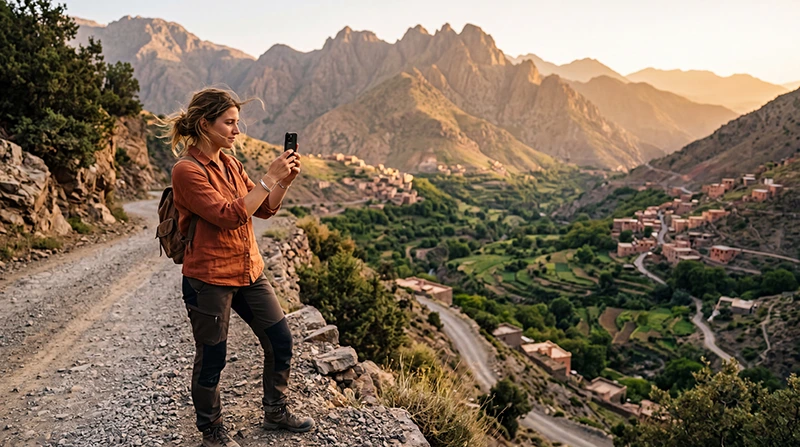

Mobile data in the Atlas Mountains requires reception from a network supported by your plan. Do not assume that a connection in Marrakech, at a guesthouse or in a village will continue along the next valley, mountain road or walking route.
Before leaving a reliable connection, agree how you will meet your driver or guide if messaging stops. Save the meeting instructions and accommodation details on the phone rather than leaving them in an app that needs to reload online.
Our NoveSIM travel eSIMs provide mobile data. We do not provide a Moroccan number, conventional calls or SMS with these plans. Internet messages and calls need a working data or Wi-Fi connection.
Quick answer: Check the supported networks and validity of your Morocco plan, test mobile data before departure, and download the information needed for your particular mountain visit. Keep guide contacts, pickup arrangements and route information offline. Neither an eSIM nor extra GB creates reception where the supported network is unavailable.
Top Morocco eSIMs

Morocco eSIM
Fixed
1 GB, 7 days4.00$2 GB, 15 days6.50$3 GB, 30 days9.00$Unlimited
Unlimited, 1 day5.00$Unlimited, 3 days13.00$Unlimited, 5 days21.00$
Africa eSIM
Fixed
1 GB, 7 days11.50$2 GB, 15 days21.50$3 GB, 30 days30.00$Unlimited
Unlimited, 1 day15.50$Unlimited, 3 days44.50$Unlimited, 5 days73.50$What a Morocco data plan can and cannot do
A compatible, unlocked phone can use a travel eSIM without swapping a physical SIM. A local SIM is another option, especially if you need a local number, but its coverage still depends on the network and location. The type of SIM alone does not establish which option will work on your route.
Read the network and package information for the selected Morocco eSIM. Ask your accommodation or organiser about their recent experience at the exact place you will visit, and distinguish their operator from the networks available on your plan. A report that one phone worked is useful context, not a guarantee for another plan.
This guide does not assign coverage grades to Imlil, Ourika, Ouirgane or individual passes. Without route-specific measurements, a label such as excellent or reliable would imply more certainty than the evidence supports.
For an Imlil stay or a guided walking trip
Ask the guesthouse for its arrival instructions and confirm the meeting point with your guide before travelling. Save the address, location pin, contact name and agreed time. If a pickup is arranged, ask what you should do if you cannot send an arrival message.
For walking, use route information appropriate to the activity rather than assuming a downloaded driving map covers trails. Confirm the route and current conditions with your organiser or qualified guide. This article is connectivity advice, not a mountain-safety or route-selection guide.
Do not make a live location-sharing link your only communication arrangement. Updating it needs a connection, and a recipient may see an old position when updates stop. Agree communication expectations in advance rather than interpreting a missing update as proof of a particular situation.
For an Ourika or Ouirgane day visit
A short excursion still needs an offline return arrangement. Save the driver’s details, pickup location and time before leaving the city. If you change the meeting point while connected, confirm that both sides received the change.
For accommodation outside the centre of a village, ask for the final access instructions rather than relying only on the map pin. Check whether the property provides Wi-Fi if you need to send a message or retrieve bookings later; do not assume that Wi-Fi is available simply because accommodation is listed online.
For a drive towards Ouarzazate
Prepare the next stop’s information before beginning the mountain stage. Save the accommodation address and check-in instructions, and review the onward plan while connected. A phone may lose reception without the installed eSIM being faulty.
Keep the passenger’s phone or a safely mounted navigation device available for saved directions. Stop safely before operating settings or contacting someone. The Morocco road-trip connectivity guide covers the broader departure checklist and rental-company information.
Check the connection before you leave Wi-Fi
- Read the plan’s validity-start rules before installing or enabling the profile early.
- When ready to use it in Morocco, enable the travel line and select it for mobile data.
- Apply the roaming setting required by that line’s instructions. Keep home-SIM data roaming off if you do not intend to use it.
- Turn Wi-Fi off briefly and test a small webpage, then the messaging app needed to contact your organiser.
- Confirm that the saved addresses and route information open without an internet connection.
A working test establishes that the setup works at that location. It does not establish reception throughout the mountains. Keep offline preparation even after a successful test.
Budget data separately from reception
Choose the allowance from your expected uploads, calls and connected browsing, not from altitude or the number of mountain days. Saving route material over Wi-Fi and postponing photo backups can reduce mobile consumption without changing network access.
Use the Morocco data-budget calculation to estimate your own needs. Check that validity covers the full trip. If you want to share data, confirm hotspot support for the chosen plan and device first; the host phone must also stay powered, nearby and connected.
If reception disappears during the visit
Keep the installed profile. Use your saved arrangements and distinguish no signal from signal without internet. Do not leave a planned route or enter unsuitable terrain merely to look for reception.
If data worked earlier and you now have no service, a location-dependent coverage gap is possible. Changing APNs cannot create network reception. If signal returns but data does not, check the selected data line, required roaming setting, package validity and remaining balance.
The NoveSIM APN is data.esim. Configure it manually only when your instructions or support require it, following the Morocco APN guide. Do not delete an installed eSIM unless support instructs you to do so.
Related Articles
FAQ
Can I rely on mobile data for an Atlas Mountains hike?
Do not make mobile reception your only source of route information or communication. Save appropriate material offline and agree arrangements with your guide or organiser before departure.
Does working data in Imlil mean it will work on the trail?
No. A successful connection at one location does not establish reception farther along the route. The supported network, terrain and exact position matter.
Will a larger or unlimited plan improve mountain coverage?
No. Allowance and coverage are separate. Check the networks available on the package; buying additional GB does not create reception.
Should I reinstall the eSIM after losing signal?
No. Retain the profile and first distinguish a coverage gap from a settings or balance problem. Delete it only if support specifically instructs you to do so.
Final Recommendation
Prepare Atlas Mountains mobile data around the actual meeting, stay or journey you have booked. Save the instructions that would otherwise need to be retrieved online.
Test the selected line before departure, then keep the offline material even when the test succeeds. Choose allowance from expected consumption and check the plan’s validity.
Agree what happens when messages cannot be delivered. Clear arrangements with the driver, guesthouse or guide are more useful than an unsupported promise of reception across the mountains.