


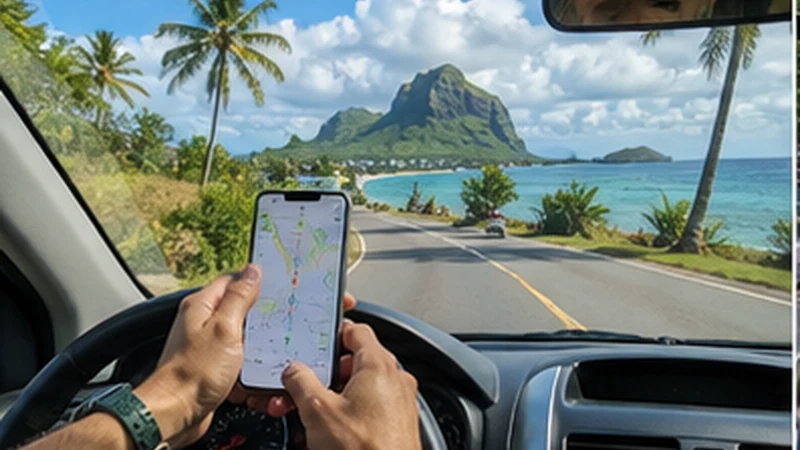

A Mauritius road trip should use mobile data for live changes and offline maps for continuity. Download each day’s complete route, stops and accommodation before departure instead of assuming uninterrupted signal.
Buildings, terrain, congestion and cell transitions can affect a moving phone. Navigation, booking and return information should remain usable whenever reception changes.
NoveSIM travel eSIMs are data-only. They can support maps and internet apps where partner service is available but do not provide a Mauritian number or traditional calls and SMS.
Quick answer: Download the route and alternate final approach, pin fuel and booked stops, carry a vehicle charger and power bank, keep network selection automatic and troubleshoot only when safely stationary.
Top Mauritius eSIMs

Mauritius eSIM
Fixed
1 GB, 7 days€ 5.772 GB, 15 days€ 9.763 GB, 30 days€ 13.31Unlimited
Unlimited, 1 day€ 6.21Unlimited, 3 days€ 16.42Unlimited, 5 days€ 26.18
Use a Daily Departure Checklist
- Download the complete route, not only the first destination.
- Save accommodation, activity and parking entrances precisely.
- Pin fuel, food and rest stops suitable for the stage.
- Store booking references and provider contacts.
- Check current weather, access and road information from authoritative sources.
- Charge the phone and power bank.
- Test the route briefly in Airplane Mode.
Use the detailed Mauritius offline-map procedure to verify map areas, pins and offline search before the first driving day.
Assign Devices Before Starting the Car
| Role | Recommended device | Preparation |
|---|---|---|
| Primary navigation | Mounted driver-visible phone or vehicle display | Offline route and charger |
| Route changes | Passenger phone where possible | Mobile data and saved bookings |
| Backup | Second charged phone or offline copy | Destination and contacts |
| Entertainment | Separate or pre-downloaded device | No dependence on navigation phone |
Set the route before moving and let a passenger handle changes. Never stop in an unsafe position merely to recover signal or adjust settings.
Prepare for Different Route Environments
Urban streets, coastal roads, central high ground, mountain bends and nature areas are different radio environments. A working connection in Port Louis or a resort cannot prove uninterrupted service around Chamarel, Black River Gorges or Le Morne.
Use the Mauritius coverage guide to inspect the planned stages. Keep preferred network mode and network selection automatic so the phone can adapt as conditions change.
Control Data Consumption in the Vehicle
- Use downloaded maps as the base and data for traffic or route changes.
- Pause cloud photo backup and operating-system updates.
- Download music or podcasts before departure.
- Disconnect tablets and laptops from hotspot when unused.
- Keep a final-day and airport-transfer reserve.
Estimate navigation, media and shared-device use with the Mauritius data calculator. A constantly connected vehicle can use far more than one phone.
Manage Power and Heat
Navigation keeps the screen and radios active. Use a suitable vehicle charger and cable, carry a separate power bank and position the phone where it is secure and ventilated.
Do not leave the phone in direct sun or a parked hot vehicle. Hotspot, charging and navigation together can raise temperature; disconnect unnecessary clients and reduce screen brightness.
Save Exact Stops, Not Broad Place Names
Pin the property entrance, car park, activity reception or pickup point. A town or attraction label may direct the driver to the wrong side or an inaccessible approach. Store the final walking segment and any gate instructions.
For inland stages, the Chamarel route note and Black River Gorges readiness note show how to prepare exact access details without creating new national coverage claims.
Use Mobile Data Safely When Signal Returns
- Continue on the offline route until a safe stopping place.
- Confirm the Mauritius line remains selected for data.
- Check Data Roaming on that line and automatic switching off.
- Use Airplane Mode briefly and wait for registration.
- Retest a simple webpage before changing network or APN settings.
If service remains unavailable after leaving the weak area, keep the profile installed and use the Mauritius diagnostic flow.
Prepare Each Major Transition
- Port Louis to Grand Baie
- Port Louis to Flic-en-Flac
- Mahébourg to Belle Mare
- Mauritius Airport to Le Morne
These preserved route URLs are noindex support notes; this page remains the canonical road-trip strategy.
Related Articles
FAQ
Can I rely on live navigation around Mauritius?
Do not make it the only route source. Download the complete driving stage and exact stops, then use mobile data for current changes.
Should I force a network while driving?
No. Keep selection automatic and retest only when safely stationary. Manual selection is a controlled diagnostic, not a driving setting.
What should I carry for phone power?
Use a suitable vehicle charger and cable plus a charged power bank, and keep the phone ventilated during navigation.
Final Recommendation
Make every driving day usable offline before leaving accommodation.
Use mobile data for changes, keep devices charged and let a passenger handle adjustments where possible.
Continue safely through signal gaps and diagnose only after stopping, with the installed eSIM preserved.