Mauritania flag
Mauritania eSIM

Best Mauritania eSIM for Travel in 2026

Compare mobile-data allowances for Mauritania with the dates and tasks you need them for. The current partner records list Mauritel, now branded Moov Mauritel, and Mattel with 3G access. We provide data only, not a Mauritanian telephone number, traditional calls or SMS. Prepare essential information offline: neither installation nor a listed network guarantees a working connection at a particular place or time.

View Supported Networks for Mauritania eSIM
Mauritel3G
Mattel3G
★ 4.4/5 • Customer rating on Trustpilot
✔ Digital eSIM delivery✔ No physical SIM card needed✔ Compatible unlocked phones✔ Data-only travel plans
Mauritania data plans

Choose Your Mauritania eSIM Data Plan

The current Fixed selection runs from 1GB for seven days to 10GB for 30 days. Unlimited options run from one to seven days and include 1GB of high-speed data where available per 24 hours, followed by reduced speeds until the next daily reset. “High-speed” does not establish 4G or 5G access: this product’s network panel lists 3G. Check the price and start of validity before buying.

Important! 1GB of full high-speed data where available per 24 hours. Thereafter your data speed will be reduced and will reset on the next 24h period.
Onward destinations

Check the Next Country Separately

A Mauritania allowance should not be assumed to extend across a border. Africa and Global do not list Mauritania in the checked destination panels, so neither is a confirmed substitute for this plan. The cards below open separate offers rather than defining this package’s coverage.

Choose for a specific need

Travel Data Without a Local Telephone Line

Internet Apps

Use maps, booking pages and messaging apps when a data connection is available. This service does not add ordinary voice calling or carrier SMS.

Digital Installation

Follow the details supplied with your purchase on an unlocked, eSIM-compatible phone while you have stable internet access.

Your Existing WhatsApp Account

A working data connection can serve your existing account. You do not need a new Mauritanian number merely to keep that account.

An Allowance You Can Budget

Compare the full package price and expiry with your expected use. We do not claim that travel data is cheaper than every domestic SIM bundle or roaming tariff.

Network limits

Moov Mauritel and Mattel: Read the 3G Listing Literally

Moov Mauritel

The panel’s Mauritel record refers to the operator using the Moov Mauritel brand. Its NoveSIM entry is labelled 3G.

Mattel

Mattel is the second listed partner record, also labelled 3G. Its presence does not guarantee that either listed network will be available at every stop.

No Technology Upgrade Assumed

A local operator advertising newer technology does not establish access to it through this travel plan. Do not purchase this product on an expectation of 4G or 5G.

Prepare for Gaps

Actual service depends on the plan, phone and local conditions. A successful test in Nouakchott does not establish continuous coverage along remote or desert routes.

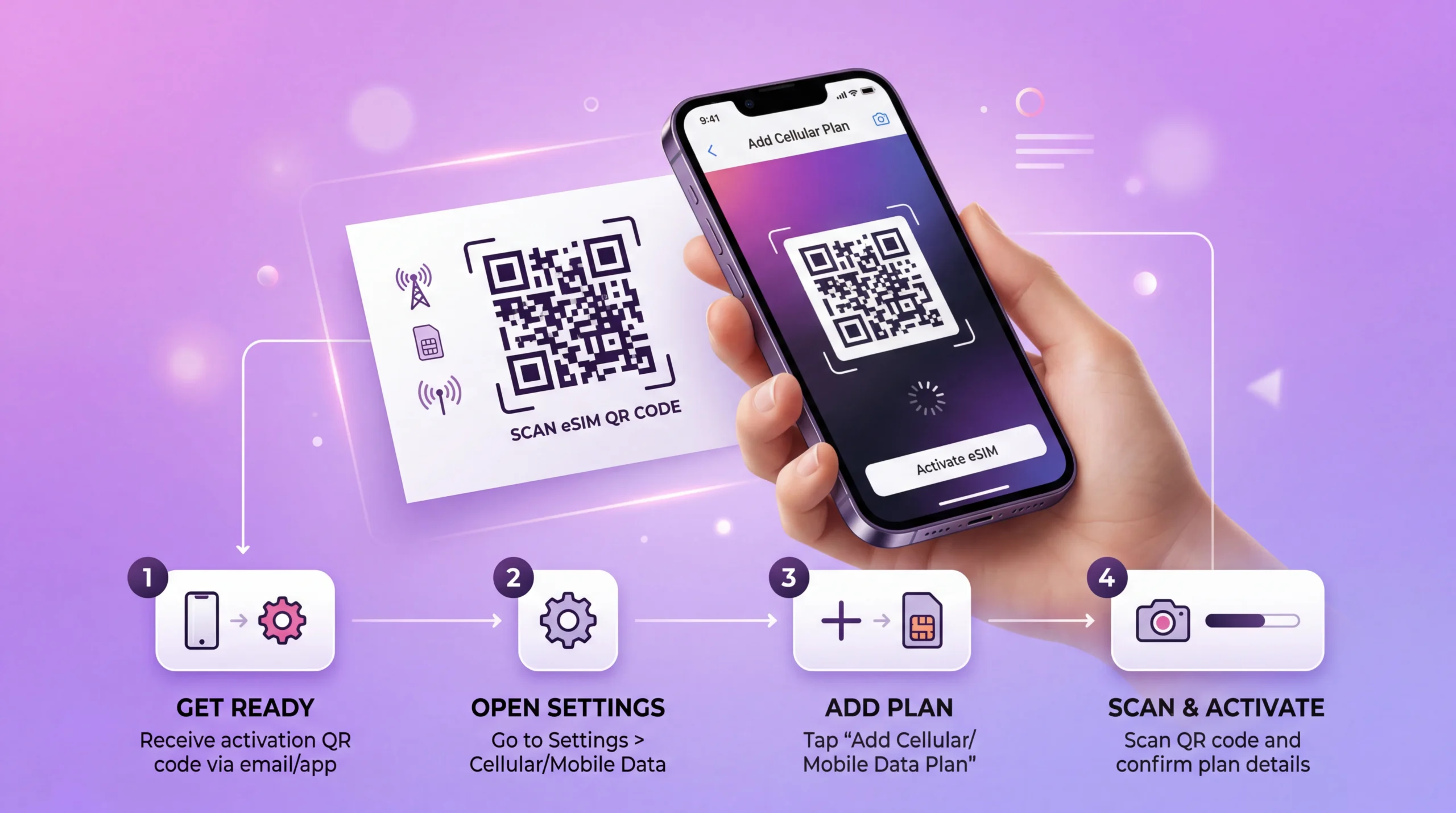
eSIM installation process showing QR code scan and activation on smartphone
How it works

Make the Purchase Decision Before Setup

01

Decide Whether You Need a Number

Ask whether your host or driver expects ordinary calls or internet messages. This data-only service cannot replace a local voice line.

02

Compare the Complete Cost

Check the allowance, validity and daily limits against your home roaming or a confirmed domestic offer, not just the starting price.

03

Read the Supplied Instructions

Confirm installation, the validity trigger and any hotspot restrictions before enabling the profile.

04

Save an Offline Backup

Download transfer details, accommodation information and important documents without depending on a connection after landing.

How to activate

Install, Select and Test the Travel Line

01

Check the Exact Phone

Confirm eSIM support for your model and regional version, and that it is not carrier-locked.

02

Read When Validity Starts

Use the instructions supplied with your purchase rather than assuming the plan begins only when you arrive.

03

Install with Stable Internet

Follow the supplied installation method on Wi-Fi and label the profile clearly so you can identify the travel line.

04

Select Mobile Data

Choose the eSIM for data when ready to use it and enable its roaming if instructed. Disable home-line roaming and automatic data switching if you do not intend to use home data.

05

Test Without Wi-Fi

Try a small page. If it fails, review settings or contact support; do not delete the installed eSIM unless instructed. Keep your offline information available.

Compare the service

Travel Data, Local Voice or Home Roaming?

Choose by the service you need and the total price. A digital profile does not by itself mean a local number, and a roaming option is not automatically restricted to emergencies.

OptionWhen It May FitWhat to Verify
Mauritania travel eSIMData for internet apps on a compatible phonePrice, validity, 3G listing and any sharing limits
Local SIM or local eSIMA confirmed need for domestic calls or a local numberVisitor registration, complete purchase cost and included functions
Home-provider roamingYour tariff offers a suitable Mauritania allowanceDestination inclusion, fees, allowance and out-of-bundle charges

The checked national Fixed prices include €21.33 for 1GB / 7 days, €58.65 for 3GB / 30 days and €97.31 for 5GB / 30 days. The 10GB / 30-day option is €213.72, more than twice the 5GB price. Larger does not automatically mean better value; compare actual allowances, expiry and the terms of any separate purchase. Confirm all prices in the live selector.

Unlimited is available for one, three, five or seven days in the checked selection, with 1GB high-speed data where available per 24 hours before reduced speed. It is neither unlimited high-speed data nor a way to bypass the listed 3G technology.

Data priorities

Reserve the Allowance for Useful Tasks

  • Checking messages from your accommodation or driver when online.
  • Opening reservations already saved on your phone.
  • Using navigation with downloaded maps as a fallback.
  • Sending updates through existing internet-messaging accounts.
  • Postponing large photo backups and app updates.
  • Counting laptop use only after confirming hotspot permission.
  • Checking remaining data before uploads or lengthy calls through apps.
Before purchase

Check Whether This Data-Only Plan Fits

  • You have an unlocked eSIM-compatible phone.
  • You need internet apps rather than a new ordinary calling line.
  • The selected allowance and expiry suit the stay.
  • You understand that the partner records list 3G.
  • You have checked the cost against your existing roaming.
  • You are not relying on Africa or Global to replace the Mauritania allowance.
  • You have offline information for arrival and onward travel.

For local numbers, documents and shop arrangements, read our Mauritania SIM buying guide. It keeps visitor-registration questions separate from this product’s data selection. If device support is uncertain, check eSIM compatibility before purchasing.

Travel scenarios

Prepare for the Parts of the Trip Without Data

Arrival in Nouakchott

Keep your transfer contact and address offline. Do not make the first journey depend on immediate mobile service or an available airport sales counter.

Remote and Desert Routes

Arrange an appropriate communications plan with your travel organiser. This consumer mobile-data product is not an emergency communications service or a promise of continuous reception.

Cross-Border Travel

Check a separate plan for the next destination. Neighbouring-country cards and a regional package name do not extend the purchased Mauritania service.

FAQ

Mauritania eSIM FAQs

Can I buy a Mauritania eSIM before I travel?
Yes. You can purchase before departure and follow the supplied instructions using stable internet. Check when validity starts. Preparing the profile does not guarantee a connection after landing or along your route.
Do I need to turn off my main SIM?
Not necessarily. On a suitable dual-SIM phone, choose the travel line for data. Disable home-line data roaming and automatic switching if you do not want home data used. Home-line calls and SMS retain your provider’s charges.
Does a Mauritania eSIM work with WhatsApp?
WhatsApp can use a working mobile-data connection with your existing account number. This travel plan does not supply a Mauritanian number, ordinary calls or carrier SMS, and availability depends on a usable connection.
When should I install my Mauritania eSIM?
Install using reliable internet and the instructions supplied with your purchase. Check the validity trigger before installation or activation rather than assuming every plan starts on arrival.
Is a Mauritania eSIM better than roaming?
It depends on your home tariff and required service. Compare the full allowance, expiry and charges with this data-only plan’s price and 3G listing. Neither option should be chosen on a promise of continuous coverage.
Can I use my primary SIM and eSIM at the same time?
A compatible phone may keep both lines enabled, subject to its dual-SIM capabilities. Select the intended data line explicitly and check the home provider’s call and SMS charges. NoveSIM supplies separate travel data rather than replacing your existing number.
Allowance, cost and limits

Review Your Mauritania Data Options

Choose only after checking compatibility, validity, price and the Moov Mauritel/Mattel 3G records. Keep essential arrival details offline, and do not depend on a regional substitute or uninterrupted service.

Buy Mauritania eSIM
Traveler using smartphone with global eSIM connection while traveling abroad
Scroll to Top