


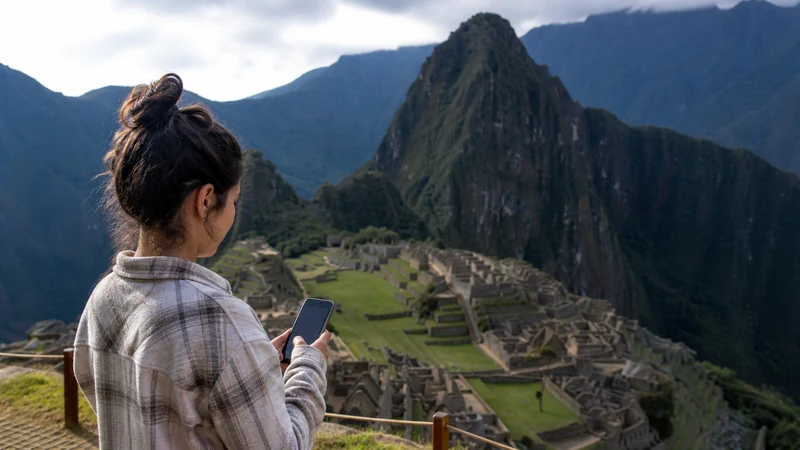

Machu Picchu mobile internet can help with transport messages, directions and last-minute coordination, but it should never hold the only copy of a ticket, passport detail or meeting point.
The journey can move from reliable city access in Cusco through rail or road sections, Aguas Calientes and steep mountain terrain. Reception can change at each stage.
NoveSIM Peru plans are data-only. They do not include a Peruvian number, conventional calls or SMS, while messaging and internet-calling apps can use the data connection where service is available.
Quick answer: Install the Peru eSIM before leaving Cusco, download every ticket and transfer detail, and treat mobile data around Machu Picchu as useful but not guaranteed. Carry a charged power bank and keep the return plan available offline.
Top Peru eSIMs


Machu Picchu Mobile Internet: Plan It as a Journey
The relevant question is not simply whether a phone can show signal at the site. Travellers need information across a chain of locations: accommodation, pickup point, station, Aguas Calientes, onward transport, entrance and the return journey. A connection at one point does not prove service at the next.
| Stage | What to save | Connection expectation |
|---|---|---|
| Cusco or Sacred Valley departure | Pickup point, operator contact and complete tickets | Use the stronger base connection to prepare |
| Rail or road transfer | Route, arrival instructions and backup contact | Signal may vary while moving through terrain |
| Aguas Calientes | Accommodation, onward time and return booking | Town service may not match mountain reception |
| Machu Picchu visit | Entry documents, meeting place and emergency details | Do not rely on continuous data |
Prepare the full route using the Cusco mobile internet guide and, where relevant, the Sacred Valley connectivity guide.
Save These Items Before Departure
- Entry, rail and bus documents in an offline-readable format
- Passport or identification details required by the booking
- Pickup location and the operator’s contact
- Aguas Calientes accommodation address
- Return time, station and final drop-off point
- An offline map covering more than one town or station
- Travel-insurance and emergency details
Open every downloaded document once while online to confirm that it is genuinely stored on the device. A file shown in a cloud folder may still need a connection.
Choose and Install the eSIM Before the Route
A travel eSIM is convenient because it can be prepared without removing the physical SIM. The exact phone must support eSIM and be carrier-unlocked. Check the compatible-device list before choosing among current Peru eSIM plans.
- Choose validity that covers both the outward and return journey.
- Install the profile on dependable private Wi-Fi.
- Label it Peru so it cannot be confused with the home line.
- Keep the installation code private.
- Test that the profile appears in the SIM settings.
- Complete downloads before leaving Cusco or another reliable base.
An installed profile may show no service outside Peru or beyond coverage. Installation, plan activation and local network registration are separate events.
Settings for the Travel Line
| Setting | Recommended starting point |
|---|---|
| Mobile Data | Peru eSIM |
| Data Roaming on travel line | On |
| Data Roaming on home SIM | Off |
| Automatic data switching | Off |
| Network Selection | Automatic |
| Manual APN | data.esim only if required |
Keeping data switching off prevents the phone from silently using the home SIM during a gap. The primary line may remain available for calls or verification messages on a compatible Dual-SIM phone, but home-carrier roaming charges still apply.
What Coverage Can You Expect?
Mobile performance depends on the plan, supported partner network, handset, exact location, terrain and congestion. Mountain slopes, cuttings, distance from infrastructure and crowded visitor periods can all change the result. Do not extrapolate a signal in Aguas Calientes to the full archaeological site.
Likewise, a 5G-capable plan does not guarantee 5G on this route. The plan, device, network and local coverage must all support it. Automatic mode allows the phone to use a stable 4G connection instead.
The Peru eSIM coverage guide explains how to use operator-reported maps. Maps are planning evidence, not a guarantee at a particular trail, platform or interior space.
Photography, Video and Data Use
Uploading full-resolution photos or video during the visit can consume data and battery that are more valuable for coordination. Pause mobile cloud backup before departure and share smaller copies only when necessary.
Use dependable accommodation Wi-Fi for full backup when possible. Check the Peru data-planning guide if photography or social video is a major part of the trip.
Protect the Phone Battery
Navigation, camera use, screen brightness and repeated searching for weak signal can drain the phone. Start with a full charge, enable a sensible power-saving mode and carry a charged power bank. Keep cables accessible rather than buried in checked or stored luggage.
- Reduce screen brightness when safe.
- Close unnecessary background apps.
- Pause photo synchronisation.
- Use the offline map instead of repeatedly reloading it.
- Keep enough reserve for the return transfer.
Wi-Fi in Aguas Calientes and Accommodation
Accommodation Wi-Fi can help with downloads or backups, but its speed and capacity vary. Ask the property directly if a connection is essential for work. “Wi-Fi available” does not guarantee video-call quality, especially when many guests share it.
Confirm the network name with staff, avoid sensitive activity on unknown open access points and turn off automatic joining afterwards. Never expose the eSIM QR code on a shared computer.
What to Do When Signal Disappears
A gap during movement is not automatically a setup fault. Continue with the saved itinerary and wait until you reach a populated or open area before changing settings.
- Confirm that the Peru line is still enabled.
- Toggle Airplane Mode for 30 seconds after entering a new area.
- Allow time for Automatic network registration.
- Restart the phone if the status does not change.
- If signal returns without data, check the allowance and active data line.
- Use data.esim only if manual APN setup is required.
Do not delete the installed eSIM unless NoveSIM Support explicitly instructs you to do so. If service fails where coverage is expected, provide the order number, phone model, location and safe screenshots.
Related Articles
- Mobile Internet in Cusco
- Sacred Valley Mobile Internet
- Peru eSIM Coverage
- Peru Road-Trip Mobile Internet
- Best eSIM for Peru
- How Much Data Do You Need in Peru?
FAQ
Is there mobile internet at Machu Picchu?
Mobile service may be available at parts of the journey or site, but it is not guaranteed continuously. The plan, network, device, terrain and exact position determine the connection.
Will my eSIM work in Aguas Calientes?
It can work where a network supported by the selected plan has coverage. Do not assume that town reception will continue unchanged on the mountain route.
Should I keep Machu Picchu tickets offline?
Yes. Save every ticket, transfer detail and meeting point in an offline-readable format and open each file once before departure to confirm it is stored locally.
Why does the connection disappear on the train or road?
Moving through valleys and mountain terrain can take the phone between coverage areas. Wait for a new service area, keep selection on Automatic and use the saved itinerary meanwhile.
Final Recommendation
Use Machu Picchu mobile internet as a helpful layer over a complete offline journey plan. Download documents in Cusco or another reliable base and keep the return information accessible without a signal.
Select the Peru eSIM for Mobile Data, enable its Data Roaming and use data.esim only when manual APN entry is required. Retain the installed profile if troubleshooting becomes necessary.
Preserve battery and data for messages and transport changes rather than immediate media uploads. The visit remains manageable when the phone supports the plan but does not contain the only copy of it.