
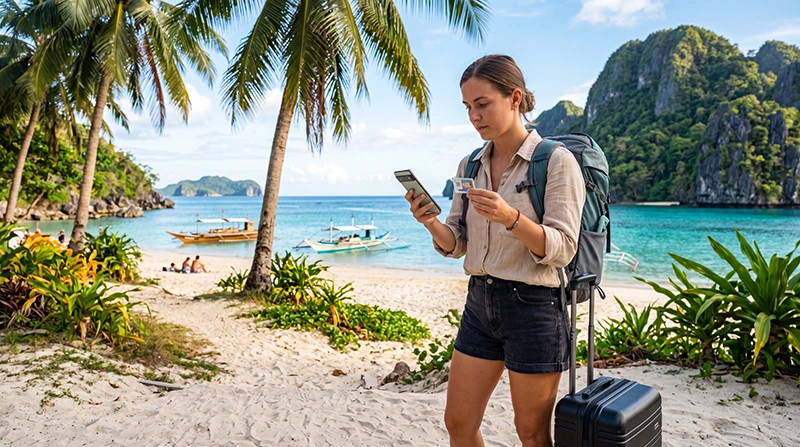

If you’re planning a trip to the Philippines, one of the first decisions you’ll need to make is whether to buy a local SIM card or use a travel eSIM.
Both options can provide reliable mobile internet throughout the country, but they differ significantly in convenience, setup, flexibility, and overall travel experience.
Quick answer: For most tourists, an eSIM is the easier and more convenient option. It can be installed before departure, activated immediately after arrival, and allows you to keep your regular SIM card active while traveling.
Top Philippines eSIMs
What Is a Local SIM Card?
A local SIM card is a physical SIM purchased after arriving in the Philippines.
The main mobile operators are:
- Globe
- Smart
After purchasing a SIM card, you insert it into your phone and activate a local mobile plan.
What Is an eSIM?
An eSIM is a digital SIM profile that is installed directly on your smartphone.
Instead of inserting a physical card, you simply:
- Purchase an eSIM online.
- Receive a QR code.
- Scan the code.
- Install the eSIM.
- Activate it after arrival.
No physical SIM card is required.
Local SIM vs eSIM Comparison
| Feature | Local SIM | eSIM |
|---|---|---|
| Buy Before Travel | No | Yes |
| Physical SIM Required | Yes | No |
| Airport Queue | Possible | No |
| Installation Time | 10–30 Minutes | 2–5 Minutes |
| Keep Home SIM Active | Usually No | Yes |
| Instant Internet After Landing | Not Always | Yes |
| Works With Dual SIM Phones | Sometimes | Yes |
Why Many Tourists Choose eSIM
Travelers increasingly prefer eSIM technology because it eliminates many common travel frustrations.
Advantages include:
- No airport SIM card queues
- No physical card handling
- Install before departure
- Immediate connectivity after landing
- Keep your regular number active
- Easy plan management
- Fast setup process
When a Local SIM Card Makes Sense
A local SIM card may still be a good choice if:
- Your phone does not support eSIM
- You need a local Philippine phone number
- You are staying for several months
- You prefer purchasing directly from local operators
- You want access to specific local promotions
For shorter trips, many travelers find eSIMs more convenient.
Coverage Differences
Coverage is usually very similar.
Most travel eSIMs connect through the same local networks used by physical SIM cards.
Popular destinations with good coverage include:
- Manila
- Cebu
- Boracay
- Palawan
- El Nido
- Coron
- Bohol
- Siargao
- Davao
- Puerto Princesa
In many cases, eSIM users and local SIM users connect to the same mobile infrastructure.
Can You Keep Your Home Number?
This is one of the biggest advantages of eSIM technology.
With an eSIM you can often:
- Use the eSIM for mobile data
- Keep your regular SIM for calls
- Keep your regular SIM for SMS
- Continue receiving verification codes
This is especially useful for banking apps and two-factor authentication.
Will WhatsApp Work?
Yes.
WhatsApp works normally with both local SIM cards and eSIMs.
Your WhatsApp number remains unchanged.
You can continue using:
- Messages
- Voice calls
- Video calls
- Group chats
- Photo sharing
- Location sharing
How Much Data Do You Need?
| Travel Style | Recommended Data |
|---|---|
| Weekend Trip | 3–5 GB |
| One Week Vacation | 5–10 GB |
| Two Week Vacation | 10–20 GB |
| One Month Travel | 20–50 GB |
| Remote Work | Unlimited |
Most tourists find 10 GB sufficient for navigation, social media, messaging, and occasional video streaming.
Setup Process Comparison
Local SIM Card
- Arrive in the Philippines.
- Find a SIM card retailer.
- Purchase a SIM card.
- Insert the SIM.
- Register and activate.
- Purchase a data package.
eSIM
- Purchase online.
- Receive QR code.
- Install before departure.
- Arrive in the Philippines.
- Enable the eSIM.
- Connect automatically.
The eSIM process is usually faster and more convenient.
Recommended eSIM Settings
| Setting | Recommended Value |
|---|---|
| Mobile Data | Philippines eSIM |
| Data Roaming | ON |
| APN | data.esim |
| Primary SIM | Calls and SMS |
| Automatic Data Switching | OFF |
Related Philippines Travel Guides
- Best eSIM for Philippines
- Buy eSIM Philippines
- Best SIM Card Philippines
- Philippines Roaming Charges
- Mobile Internet Philippines
- Internet Philippines for Tourists
- Does My Phone Support eSIM Philippines?
- How to Activate Philippines eSIM
- Philippines eSIM iPhone
- Philippines eSIM Android
Frequently Asked Questions
Is eSIM better than a local SIM card in the Philippines?
For most tourists, yes. eSIMs are easier to install, activate faster, and allow you to keep your home SIM active.
Do local SIM cards have better coverage?
Usually not. Many travel eSIMs use the same local networks as physical SIM cards.
Can I keep my regular phone number?
Yes. Most eSIM-compatible phones support dual SIM functionality.
Will WhatsApp work with both options?
Yes. WhatsApp works normally with either a local SIM card or an eSIM.
Do I need data roaming enabled for eSIM?
Yes. Most travel eSIMs require data roaming to be enabled on the eSIM profile.
Final Recommendation
Both local SIM cards and eSIMs provide reliable internet access throughout the Philippines. However, for most international tourists, an eSIM offers the best overall experience thanks to easy installation, immediate connectivity after arrival, no airport queues, and the ability to keep your regular phone number active throughout your trip.


