


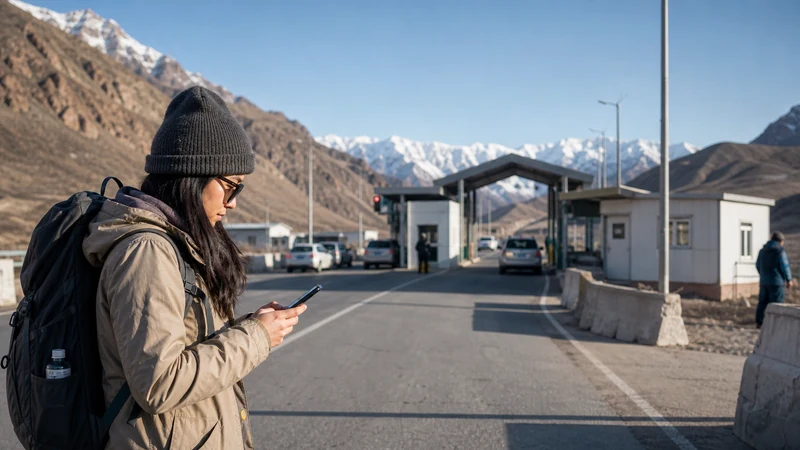

Kyrgyzstan–Kazakhstan border internet depends on whether your purchased plan includes the country you are entering. One package may cover both countries; otherwise, prepare another eligible plan. Crossing the border does not extend a Kyrgyzstan-only allowance into Kazakhstan.
If your journey links Bishkek and Almaty, prepare the onward address and transport instructions before leaving a dependable connection. The practical goal is to continue the journey even if mobile data takes time to become usable.
Our NoveSIM travel eSIMs are data-only. We do not provide conventional calls, SMS or a local number with these plans. Confirm another contact method if your driver or accommodation requires a telephone call rather than internet messaging.
Quick answer: Check that your package explicitly includes both Kyrgyzstan and Kazakhstan, or arrange a plan for the next country. Save the onward route and meeting details offline. After entering, confirm the correct data line, follow its settings instructions and load a fresh page. Do not assume that network registration or internet access will be immediate.
Top Kyrgyzstan eSIMs

Kyrgyzstan eSIM
Fixed
1 GB, 7 days3.50$2 GB, 15 days6.50$3 GB, 30 days9.00$Unlimited
Unlimited, 1 day6.00$Unlimited, 3 days13.50$Unlimited, 5 days21.00$
Commonwealth of Independent States eSIM
Fixed
1 GB, 7 days9.00$2 GB, 15 days19.50$3 GB, 30 days20.50$Unlimited
Unlimited, 1 day9.50$Unlimited, 3 days25.50$Unlimited, 5 days41.00$Choose Kyrgyzstan–Kazakhstan Border Internet by Package Coverage
The relevant question is not whether the countries share a regional roaming arrangement. It is whether the exact travel package permits data use in each country. Read the included-country list, validity and allowance before purchase.
The Kyrgyzstan eSIM plans describe the Kyrgyzstan options. Do not treat that product’s country name as confirmation of Kazakhstan access. For a wider itinerary, the Central Asia eSIM planning guide explains the choice between a multi-country package and separate plans.
With separate packages, check what starts each validity period before installing. With a shared package, check how much data and usable time will remain for the next leg. Neither a border crossing nor a new network name automatically renews an allowance.
Save Your Bishkek or Almaty Arrival Details
Do not leave your next address inside an unread email or a link that requires internet to open. Save the address as text, the booking confirmation and the precise pickup instructions. Ask the transport provider where you should meet if the planned arrangement changes.
If you are travelling with someone else, share the saved information so that one phone is not the only copy. A screenshot can preserve an address or meeting instruction, but it is not a navigable offline map.
- Download the map area needed for the onward journey, using your app’s supported offline features.
- Save the destination address and transport contact details locally.
- Confirm an agreed meeting point and what to do if you cannot send a message.
- Test the saved information with Wi-Fi and mobile data off, then restore the connections.
Use the offline maps preparation guide for the map checks. Confirm the actual crossing, transport availability and entry requirements separately with current official sources; this article does not establish that a crossing is open.
Separate an Installed Profile from a Working Connection
For two country plans, label the profiles clearly so that you can identify the next one without opening an online order page. Check your handset’s limits for stored profiles and active lines rather than assuming every installed eSIM can run at once.
Once you have entered the next country, select the eligible plan for mobile data. If one profile covers both countries, it may remain the selected data line, but it still needs access to a permitted local network. Apply the roaming and network-selection instructions supplied for that package.
Keep automatic data switching disabled where applicable if you do not want the home SIM used as a fallback. Check your home provider’s terms before deliberately using its roaming service.
Test Data After Arrival Without Relying on Signal Bars
When you are safely stopped, turn Wi-Fi off briefly and open a fresh web page. If you need to contact a driver, check that the message has actually been delivered. A cached map or queued message is not proof of an internet connection.
If the test fails, check the country list, selected line, validity and allowance first. Then follow the package’s troubleshooting instructions. There is no basis for promising reliable reception immediately beyond a crossing or throughout the onward drive.
Keep the installed profile unless support tells you to remove it. Deletion does not add Kazakhstan to a Kyrgyzstan-only package or solve missing coverage. For problems on the Kyrgyzstan leg, use the Kyrgyzstan eSIM troubleshooting guide; for another package, use that provider’s instructions.
Related Articles
FAQ
Do I always need two eSIMs for Kyrgyzstan and Kazakhstan?
No. One package can be suitable if it explicitly includes both countries. Separate eligible plans are needed when your chosen package does not cover the whole journey.
Will the phone switch to working data automatically at the border?
Do not rely on that. Check the eligible data line and plan settings after arrival, then test an actual connection. Registration and local reception can vary.
What should I download for a Bishkek–Almaty journey?
Save your onward address, booking confirmation, meeting instructions and the relevant offline map area. Agree how to meet your transport provider if messaging is unavailable.
Should I delete the previous eSIM after crossing?
Not as a troubleshooting step. Keep the profiles and identify the correct data line. Remove an installed eSIM only when appropriate under its instructions or support guidance, particularly if you may return to that country.
Final Recommendation
Prepare Kyrgyzstan–Kazakhstan border internet by checking the purchased package’s country list, dates and remaining allowance. Choose another plan only where the itinerary requires it.
Keep onward transport details offline and select the eligible data line when you arrive. Confirm internet access with a fresh-page test rather than a network indicator alone.
Make the next stage of the journey workable without immediate reception. A prepared connection helps with communication, but it does not guarantee uninterrupted service across the border.