


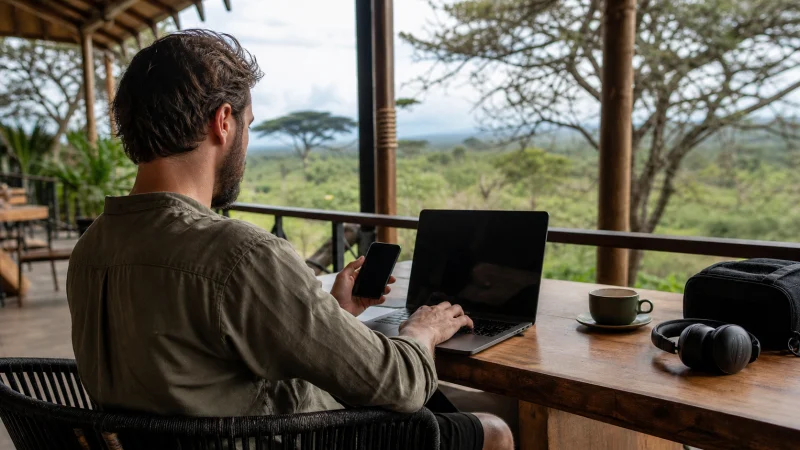

For remote work in Kenya, choose a working base first and a mobile-data backup second. A connection that loads maps can still be unsuitable for a client call, a large upload or your company’s VPN. Test the actual work tools before committing to a day of meetings.
Nairobi has coworking options, but a desk booking and an internet promise do not establish suitability for your schedule. Ask about access hours, call space and what happens if the main connection or electricity fails. Outside your chosen base, assess each new accommodation separately.
Our Kenya travel eSIMs provide data for compatible, unlocked phones. We do not include a Kenyan number, conventional calls or SMS. Internet meetings can use data, while hotspot availability depends on your plan and device; a travel eSIM is not a guaranteed business connection.
Quick answer: Work from a Kenya accommodation or workspace where you have tested your calls, uploads and required VPN. Keep mobile data as a backup only after checking hotspot support, reception and the allowance. Confirm access hours against your meeting times, and prepare power and account-recovery options before a deadline.
Top Kenya eSIMs

Kenya eSIM
Fixed
1 GB, 7 days€ 9.332 GB, 15 days€ 15.553 GB, 30 days€ 21.33Unlimited
Unlimited, 1 day€ 10.22Unlimited, 3 days€ 26.22Unlimited, 5 days€ 42.66
Find a work base, not just a room with Wi-Fi
Ask where you can work for several hours and whether calls are allowed there. A lobby connection may be useful for email but awkward for confidential meetings. If the booking describes Wi-Fi as available, clarify whether that means your room, shared areas or a separate paid workspace.
For a concrete Nairobi example, Workable’s day-pass page lists shared workspaces, Wi-Fi and phone booths. It also specifies business-hours access. Check the current location, hours and booking terms directly; a daytime pass may not cover an evening meeting with colleagues abroad. We have not tested its connection ourselves.
Ask a prospective workspace whether backup power covers the internet equipment as well as desk sockets. Also ask whether a second connection is available. Two Wi-Fi network names do not necessarily mean two independent internet services.
If you will work elsewhere in Kenya, repeat these questions with that property. Do not transfer a Nairobi workspace’s claims to a coastal apartment or safari lodge. The Kenya coverage guide helps frame mobile-network limits, not guarantees about a building’s Wi-Fi.
Test a normal work session before the important one
- Connect the laptop in the place where you intend to work, not only beside reception.
- Open the required company tools and connect the approved VPN if your employer requires one.
- Make a short test call using your usual meeting app, including audio and screen sharing if needed.
- Try a representative upload or file transfer without sending confidential material to an unapproved service.
- Test the permitted backup connection and confirm you can reconnect the meeting after switching.
A speed-test result is only one observation. A call also needs a connection that stays usable, and upload performance matters when you send files or share your screen. If the test fails, change the working arrangement before promising availability to a client.
Have an audio-only fallback where the meeting allows it. Download reference documents in advance and tell colleagues how to reach you if a session drops. These measures reduce disruption; they do not turn an unreliable connection into a suitable primary service.
Decide whether a mobile hotspot is a realistic backup
Check hotspot support on the selected Kenya eSIM plan and your phone before relying on it for the laptop. Then test reception at the desk. A phone working next to a window does not prove a laptop session will stay online from another part of the room.
Use the Kenya eSIM hotspot guide for connection setup. Keep the phone charged and ventilated, and avoid leaving it in direct sunlight during a long tethered session. If it becomes unusually hot or stops sharing data, pause and address the problem rather than making it your only link for a deadline.
Keep the travel line selected for mobile data and home-line data roaming off if you want to avoid home-plan roaming data. Follow the purchase instructions for activation and validity. Installation alone does not establish that the backup has been tested.
Budget for laptop traffic, not just phone use
A laptop may begin synchronising cloud folders, downloading updates or backing up files as soon as it sees a hotspot. Check those settings before connecting. Keep required security updates current, but schedule large downloads on a suitable primary connection rather than letting them consume emergency data unnoticed.
Estimate your allowance from a representative workday using your device’s data counter. Separate video calls, uploads and ordinary browsing; usage varies with application settings and file sizes. Multiply the observed requirement by the days you might need the backup, then allow some margin. Do not assume every remote-work day needs the same amount.
Review high-speed limits as well as total allowance. On 8 October 2026, the Kenya product page describes its unlimited option as 1 GB of full-speed data per 24 hours where available, followed by reduced speed until the next period. That is not unrestricted full-speed laptop use. Recheck the current terms before buying and consult the Kenya unlimited-data explanation if comparing those options.
Keep authentication and company rules out of the failure path
Confirm that your employer allows work from Kenya and that the device meets its security requirements. Use its approved VPN and access tools; do not bypass a location restriction or security check because the accommodation connection fails.
If account access depends on an SMS to your usual number, a data-only travel eSIM cannot receive that message for it. Before departure, establish an employer-approved alternative such as an authenticator or recovery method, where available. Keep recovery information secure rather than in a public note or shared booking chat.
Do not treat mobile data as automatically safe for every work task, or public Wi-Fi as permission to ignore company policy. The same handling rules for confidential files apply on both connections.
Prepare a deadline fallback before leaving the city
Schedule important sessions from a tested base. If the itinerary moves to a lodge or another town, ask about connectivity before booking working hours there and leave room to change the plan. A holiday transfer is not a sensible place to promise uninterrupted video.
Keep enough laptop and phone charge to finish or safely save a task. If the primary workspace is unavailable, know which alternative you can actually reach and when it opens. A second venue closed during your meeting is not a usable fallback.
If the eSIM has never connected, follow the Kenya eSIM troubleshooting steps. Keep the installed profile; do not delete it as a way to fix a work-call interruption.
Related Articles
FAQ
Can I work remotely in Kenya using only a travel eSIM?
It may handle some tasks where reception and plan terms allow, but do not assume it can support a full working day. Test your tools, confirm hotspot support and account for allowance and high-speed limits. A tested workspace connection with a separate backup is a more resilient arrangement.
What should I ask a Nairobi coworking space before booking?
Confirm the exact location, access hours, call-space arrangements, internet provision and backup power. Check that the hours cover your meetings, then test your own work tools; an advertised connection is not a performance guarantee.
Is unlimited data enough for daily video meetings?
The label alone does not answer that. Check the high-speed allowance and any speed reduction, then compare them with measured usage from your meeting app. The current Kenya unlimited terms should be reviewed before purchase.
Will the travel eSIM receive my work login SMS?
No, our data-only travel eSIM does not receive carrier SMS sent to your usual number. Arrange a reachable home line or an employer-approved alternative authentication method before travelling.
Final Recommendation
For remote work in Kenya, secure a workspace that suits your calls and working hours. Check its connection with the tools you actually use rather than relying on a Wi-Fi listing.
Choose mobile backup data only after confirming compatibility, hotspot support and current allowance limits. Test that backup at the desk and keep the phone powered.
Plan demanding work around a tested base, with authentication and an alternative venue already arranged. Let the travel itinerary fit those commitments instead of promising uninterrupted work from every stop.