


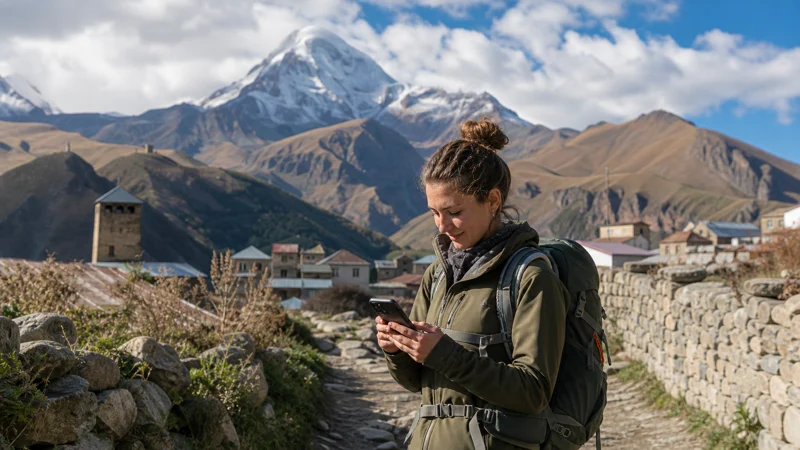

For a stay in Kazbegi, plan the connection at your Stepantsminda accommodation separately from the information you need on an outing. Mobile data can help with host messages, bookings and transport updates, but a working connection in your room does not establish reception at the next viewpoint or along a walking route.
Check Wi-Fi and mobile data where you will actually use them, then save the next day’s arrangements before leaving that connection. If you already have a Georgia plan, review its remaining data and validity rather than buying another profile simply for a change of destination.
NoveSIM travel eSIMs are data-only. They do not include a Georgian number, conventional calls or carrier SMS. Internet calling and messaging apps can use the data connection where available, subject to their account and verification requirements.
Quick answer: In Stepantsminda, test the accommodation connection, agree a contact method with your host and keep excursion and return-transfer details offline. For Gergeti or another outing, prepare the actual route and meeting arrangement separately; do not assume reception follows you from the property. Choose enough plan validity and data for the stay and return, and follow the purchased plan’s instructions on when to install.
Top Georgia eSIMs

Georgia eSIM
Fixed
1 GB, 7 days€ 3.182 GB, 15 days€ 5.003 GB, 30 days€ 6.37Unlimited
Unlimited, 1 day€ 3.64Unlimited, 3 days€ 7.28Unlimited, 5 days€ 11.37
Commonwealth of Independent States eSIM
Fixed
1 GB, 7 days€ 8.192 GB, 15 days€ 17.743 GB, 30 days€ 18.65Unlimited
Unlimited, 1 day€ 8.64Unlimited, 3 days€ 23.20Unlimited, 5 days€ 37.31Settle the accommodation and contact details
Save the property’s exact location, entrance instructions and booking reference. Ask how to collect keys or check in if you arrive late, and keep the answer accessible without opening a new booking-site session.
Confirm how the host prefers to communicate. An internet call through an app both parties use is different from dialling a Georgian telephone number. If conventional calls are required, arrange a service that includes them or agree another contact method before you need it.
For the journey to your accommodation, use the Tbilisi–Kazbegi connectivity guide. It covers transfer preparation and arrival arrangements; this guide focuses on the stay after you arrive.
Test the room instead of relying on a coverage label
Before booking for remote work, ask about the actual room or working area, including whether Wi-Fi is shared. A property listing or a national coverage map cannot confirm performance at a particular desk.
- Connect to the property’s verified Wi-Fi and try the task you need, such as opening work files or making a brief call.
- Turn Wi-Fi off and test a small webpage using the intended mobile-data line.
- Compare another suitable location if the result is poor, without treating reception at the entrance as proof for the whole building.
- If you need a laptop fallback, check hotspot permission and test that connection too.
- Restore your preferred settings and make a practical alternative arrangement if the room cannot support the required task.
Mobile reception and property Wi-Fi are separate checks, and neither should be presented as guaranteed. Our Georgia coverage guide explains why a supported partner network is different from assured service at every location.
Check the next activity before leaving the property
| Your plan | Check while connected | Keep available offline |
|---|---|---|
| Time at the accommodation | Wi-Fi in the room, mobile reception and the host’s contact method | Entrance instructions and essential booking details |
| Organised excursion | The operator’s meeting point, equipment instructions and return arrangement | Booking confirmation, pickup details and agreed fallback instructions |
| Independent walk | Current local route advice and the offline functions of your navigation app | The actual map area, planned route and relevant instructions |
| Return or onward transfer | Pickup point, time, operator updates and how to report a delay | Ticket or booking, destination address and contact arrangement |
If several people are travelling together, make the essential information available to those who need it. A hotspot helps only while devices remain close to its host, and a single phone should not hold the only accessible copy of every booking or meeting instruction.
Prepare Gergeti and other outings as separate routes
Do not infer signal around Gergeti or on another outing from a test in Stepantsminda. Check the specific activity with the organiser or a suitable local source, and download the map area and instructions before departure.
For a guided trip, confirm the pickup, meeting and return arrangements directly with the operator. For an independent walk, check that the saved route opens without internet and understand which navigation functions still require data. An offline map does not establish that a route is open or suitable for your abilities and equipment.
Agree what to do if the group separates or messages cannot be delivered. The Georgia hiking connectivity guide covers offline navigation and power preparation in more detail. Mobile data can be useful where available, but it should not be your only emergency preparation.
Keep enough power and data for the return
Charge the phone before an outing and plan for the time until the next confirmed charging opportunity, including delays. Carry suitable backup power and follow the device and battery manufacturers’ instructions for the conditions you encounter.
Review automatic photo uploads after taking pictures, and leave large transfers for a suitable connection. If your plan permits hotspot use, connected laptops or tablets share the allowance and can use data in the background. Check those settings before allowing a device to connect.
Estimate the whole stay rather than just the travel day. Use the Georgia data-use guide to account for uploads and sharing, then keep a reserve for changed transport details and the last journey back.
Keep the plan valid without unnecessary profile changes
Check that your selected plan includes Georgia, has usable data remaining and stays valid for the period you need it. Moving from Tbilisi to Stepantsminda does not reset its allowance or extend its expiry.
For a new NoveSIM plan, verify exact device compatibility and carrier-unlocked status before purchase. Read what starts validity and install over reliable internet only at the permitted time. Follow the Georgia eSIM setup instructions rather than assuming all profiles should be installed immediately before a trip.
Use the intended eSIM for mobile data and apply its supplied Data Roaming setting. Keep home-line data roaming off if you do not intend to use it, and review automatic switching. Start with automatic network selection.
If mobile data stops working, distinguish a location-specific gap from a persistent problem. Check the plan and selected data line, then use the Georgia eSIM troubleshooting guide. Keep the installed profile unless NoveSIM support instructs you to remove it.
Confirm the next transfer while you can connect
Before the last evening or checkout, review your pickup location, booking and destination address. Ask the operator how changes will be communicated and save any updated instructions.
Check your remaining data and expiry before leaving property Wi-Fi, especially if the return falls outside the original plan period. Confirm available renewal or additional-plan options in advance instead of assuming a top-up is always possible. A delayed departure does not automatically extend a purchased plan.
Related Articles
- Choosing a travel eSIM for your Georgia stay
- Planning accommodation Wi-Fi and mobile backup for work in Georgia
FAQ
Does mobile reception in Stepantsminda guarantee service around Gergeti?
No. A connection at one location does not establish reception along an outing or at another site. Prepare the actual route, meeting instructions and return arrangement offline before leaving.
Can I rely on guesthouse Wi-Fi for a scheduled work call?
Ask for recent information from the room or space you will use and test the required task after arrival. Check a mobile fallback separately if needed. A property’s Wi-Fi listing alone does not confirm call quality or uninterrupted service.
Do I need a Georgian number to contact my host or excursion organiser?
It depends on the contact method they accept. A data-only eSIM can support an internet app both parties use, but it does not include conventional calls or carrier SMS. Agree a workable method before arrival or pickup.
Do I need a new eSIM for a few nights in Kazbegi after Tbilisi?
Not simply because you change destinations. Check that the existing plan includes Georgia, has data left and remains valid through the stay and the return journey. Local reception can differ, and changing location does not reset the plan.
What should I save before leaving for an outing?
Keep the relevant map area, route or operator instructions, booking details and return arrangement accessible offline. Confirm meeting points and an agreed fallback if messages cannot be delivered, and carry suitable power for the time away.
Final Recommendation
For Kazbegi and Stepantsminda, check the connection where you stay and prepare each outing separately. Keep the host’s instructions and your return arrangements accessible without a live data connection.
Choose a NoveSIM travel eSIM around your device, full stay, data use and validity requirements. Follow the purchased plan’s installation and roaming instructions, and retain a working profile through temporary reception gaps.
Use available internet to confirm plans before departure, then carry the saved information and power those plans require. Reception at the accommodation is useful for the stay, but it does not establish connectivity elsewhere.