


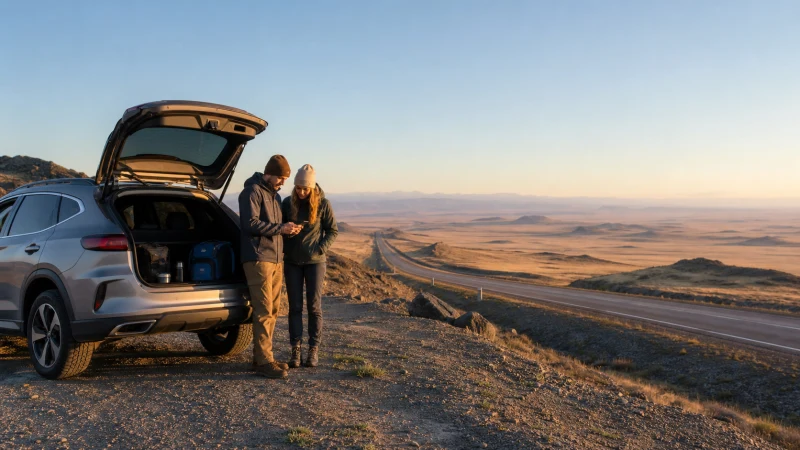

A Kazakhstan road trip can cross long distances with inconsistent mobile reception. An eSIM is useful for navigation, messages and bookings where coverage exists, but the journey must remain workable when the phone has no signal.
City performance does not predict a canyon, lake, desert or steppe route. Check the planned road rather than relying on a general national coverage statement.
NoveSIM Kazakhstan plans are data-only and provide no local telephone number, traditional calls or SMS.
Quick answer: Install the Kazakhstan eSIM before departure, download maps for the complete road trip, save fuel and accommodation stops, carry a charged power bank and do not rely on continuous data outside populated corridors.
Top Kazakhstan eSIMs

Kazakhstan eSIM
Fixed
1 GB, 7 days9.50$2 GB, 15 days16.50$3 GB, 30 days23.00$Unlimited
Unlimited, 1 day10.50$Unlimited, 3 days28.50$Unlimited, 5 days47.00$
Commonwealth of Independent States eSIM
Fixed
1 GB, 7 days9.00$2 GB, 15 days15.00$3 GB, 30 days20.50$Unlimited
Unlimited, 1 day9.50$Unlimited, 3 days25.50$Unlimited, 5 days41.00$Build the Route While You Still Have Wi-Fi
- Download a map area wider than the planned road.
- Save the coordinates and phone number of every overnight stop.
- Store the next fuel stop and a backup option.
- Download tickets, permits and translation resources.
- Share the itinerary and expected arrival time with another person.
- Complete photo backup and software updates before driving.
Expect Different Conditions by Route Type
| Route | Connectivity preparation |
|---|---|
| Between major cities | Plan for intermittent gaps and reconnecting after long stretches |
| Canyon or lake excursion | Download the full return route and meeting point |
| Remote steppe or desert | Use a safety plan independent of mobile coverage |
| International border | Confirm coverage in both countries and save documents offline |
Review the broader Kazakhstan coverage guide and the dedicated remote-area preparation before leaving a reliable connection.
Connectivity Planning for Popular Kazakhstan Routes
Almaty to Astana
The connection plan depends on whether the journey is made by air, train or road. Air passengers mainly need reliable data before departure and after landing, so both city addresses and the final transfer should be saved in advance. Train passengers should download tickets, entertainment and work files before boarding because reception can change repeatedly during the long journey. Drivers need the complete offline route, planned fuel stops and an arrival contact who knows the expected schedule.
Almaty to Charyn Canyon
Treat Charyn Canyon as a remote excursion rather than an extension of Almaty coverage. Save the meeting point, driver details, return time and full route before leaving the city. Signal may weaken on the approach or near the trails and parking areas. Protect the phone from heat and dust, disable automatic photo backup and follow marked access and local safety guidance instead of depending on a live map or mobile connection.
Almaty to Kolsai Lakes
The Kolsai Lakes route combines a long transfer with mountain terrain where signal conditions can change within a short distance. Download a wide map area and keep accommodation, permit and return-transport details offline. Prepare the Kaindy Lake transfer separately if it is part of the itinerary. Cold conditions and photography can reduce battery life, so carry protected power and avoid leaving the screen active throughout the journey.
Astana to Karaganda
Road and rail travellers have different priorities on this central Kazakhstan corridor. Drivers need offline navigation and service-stop information; train passengers need saved tickets, the exact arrival address and enough battery for the final transfer. Winter weather can disrupt timing. For business travel, download presentations before departure and schedule essential video calls after arrival rather than during the moving part of the journey.
Keep Data Available for the Journey
Disable automatic photo backup, video autoplay and app updates on mobile data. Navigation and messaging are relatively light, but passenger streaming and hotspot use can exhaust an allowance quickly. Estimate the plan with the Kazakhstan data guide.
Crossing into a Neighbouring Country
A Kazakhstan-only plan does not automatically continue across a border. Confirm that the exact plan includes the next country or prepare a separate line before reaching the crossing. Keep both sets of arrival details available offline.
The Kazakhstan-side guides cover travel towards Kyrgyzstan, Uzbekistan and China.
Reconnect without Deleting the eSIM
After a dead zone, leave network selection on Automatic and wait. Use Airplane Mode briefly if registration stalls. If bars return without internet, verify the data line, roaming and APN with Kazakhstan troubleshooting.
Related Articles
FAQ
Will an eSIM work throughout a Kazakhstan road trip?
It works where an authorised partner has coverage, but continuous reception cannot be expected on every long or remote route.
What should I save offline?
Save maps, fuel stops, accommodation details, route coordinates, border documents and emergency contacts.
Does the Kazakhstan plan work after crossing a border?
Only if the exact plan includes the next country. Check coverage before reaching the border or prepare another plan.
How do I reconnect after a signal gap?
Use Automatic network selection, wait for registration and cycle Airplane Mode if needed. Keep the eSIM installed.
Final Recommendation
For a Kazakhstan road trip, prepare the route so that losing mobile internet is inconvenient rather than dangerous.
Use the eSIM for covered sections, control background data and keep power available.
Download the complete journey and confirm every cross-border plan before leaving a connected area.