
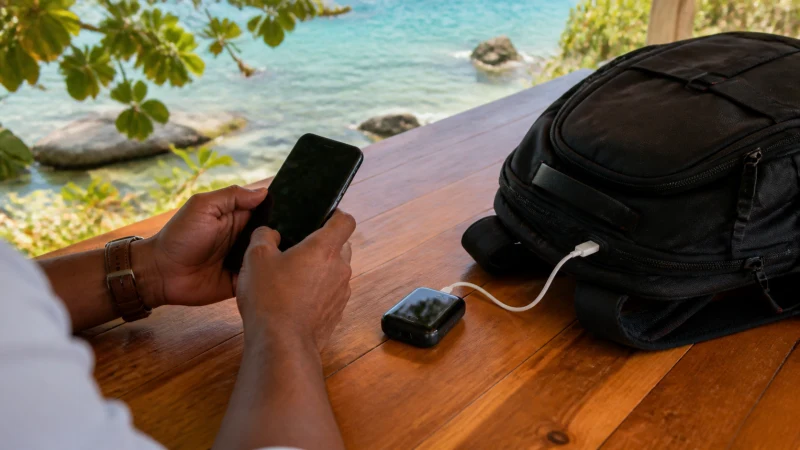

Traveller using a smartphone in Jamaica while comparing a Jamaica eSIM with pocket Wi-Fi

Jamaica eSIM vs Pocket Wi-Fi: A Traveller’s Comparison

Pocket Wi-Fi can connect several devices in Jamaica, but it adds a battery and a second object that the group must keep together.

The best way to handle comparing a Jamaica eSIM with pocket Wi-Fi varies with the device, itinerary and expected data use. Even with good urban service, tickets and key directions are worth keeping offline.

Our Jamaica travel eSIMs supply internet access rather than a Jamaican number, ordinary voice minutes or carrier SMS. Internet calling and messaging apps can use the connection. Internet communication remains available through correctly configured apps.

Quick answer: When comparing a Jamaica eSIM with pocket Wi-Fi, compare setup, validity, number needs, hotspot rules and allowance rather than choosing only by headline price.

Top Jamaica eSIMs

Decide whether a local number is necessary

For the next step, open How Much Mobile Data Do You Need for a Jamaica Trip? and Can Tourists Use 4G in Jamaica?.

NoveSIM travel plans are data-only. They do not add ordinary voice minutes, carrier SMS or a Jamaican telephone number, although online calling apps can use the data connection. Comparing the complete trip cost before departure avoids a rushed decision after landing.

Many travellers only need data for maps, bookings and internet messaging. A local SIM becomes more relevant when a Jamaican number or conventional domestic service is required. When comparing a Jamaica eSIM with pocket Wi-Fi, the useful choice is the one that fits the actual route and the next task, rather than a broad coverage claim.

Configure the travel line after arrival

Allow automatic network selection time to register. If the supplied instructions require a manual APN, enter data.esim and leave unrelated fields unchanged. That gives the visitor a workable backup if the app or connection is unavailable.

More detail is available in Jamaica eSIM APN Settings: How to Use data.esim and Slow Mobile Data in Jamaica? Practical Fixes.

Enable the Jamaica eSIM, select it as the mobile-data line and turn on Data Roaming for that eSIM only. Keep mobile-data switching and home-line roaming disabled. When comparing a Jamaica eSIM with pocket Wi-Fi, the useful choice is the one that fits the actual route and the next task, rather than a broad coverage claim.

Check the exact handset before buying

More detail is available in Internet in Kingston for Tourists and Does WhatsApp Work in Jamaica?.

Compatibility depends on the precise model and regional variant, not only the product family. Confirm that the phone supports eSIM and is unlocked from its home carrier. When deciding about comparing a Jamaica eSIM with pocket Wi-Fi, apply that distinction to the places, transfers and devices in the itinerary.

Update the operating system before the travel day, but do not begin a major update during a transfer. Keep the QR code or quick-install details where another device can display them. The result for comparing a Jamaica eSIM with pocket Wi-Fi is a clearer setup with fewer changes to make after arrival.

Build an offline layer for the route

Tell travelling companions where to meet if messages are delayed. Carry a power bank and keep the phone charged during long transfer and sightseeing days. Comparing the complete trip cost before departure avoids a rushed decision after landing.

Read next: Mobile Internet for a Jamaica Road Trip and Staying Connected on a Solo Trip to Jamaica.

Before leaving a connected town, download maps, transfer details, accommodation contacts and the next fuel or charging stop. Coastal roads, transfer approaches and quieter parts of Port Antonio can include weaker sections. Choose the setup around the places and tasks in the itinerary rather than the country name alone.

A realistic Jamaica connection plan

When comparing a Jamaica eSIM with pocket Wi-Fi, compare each option over the same number of travel days and include setup time, usable high-speed data, hotspot rules and number requirements. Home-network roaming offers convenience, a local SIM may include a Jamaican number, an eSIM can be prepared in advance, and pocket Wi-Fi adds another device to charge. The best value depends on the complete itinerary rather than price per gigabyte alone.

What to save before the connection is needed

  • Save the first address, booking reference and one useful contact.
  • Confirm the exact handset is unlocked and supports eSIM.
  • Keep installation details where another device can display them.
  • Carry enough battery power for the longest planned transfer.
  • Pause automatic updates, cloud backup and video downloads.

Before comparing a Jamaica eSIM with pocket Wi-Fi, review the live Jamaica eSIM plans for the current allowance, validity, networks and hotspot terms. The Jamaica destination guide will bring the wider Jamaica cluster together.

Safe checks if the connection changes

If data stops while comparing a Jamaica eSIM with pocket Wi-Fi, confirm signal, the enabled eSIM and the selected mobile-data line. Data Roaming should be on for the Jamaica eSIM and off for the home line. Allow automatic network selection to register, try aeroplane mode and one restart, then verify data.esim only if manual APN entry is required. Do not delete the eSIM unless NoveSIM support specifically requests it.

For a connection issue while comparing a Jamaica eSIM with pocket Wi-Fi, more focused help is available in Mobile Coverage in Rural Jamaica: How to Prepare.

Related Articles

FAQ

What should be prepared first?

Before comparing a Jamaica eSIM with pocket Wi-Fi, confirm the phone, first journey and tasks that cannot wait. Install on secure Wi-Fi and keep travel essentials offline.

Does a Jamaica eSIM include a local number?

No. When comparing a Jamaica eSIM with pocket Wi-Fi, remember that our Jamaica travel plans are data-only and do not include a Jamaican number, ordinary voice minutes or carrier SMS.

Which networks are currently listed for Jamaica?

When checking the live plan while comparing a Jamaica eSIM with pocket Wi-Fi, note that the live product page currently lists Cable & Wireless Jamaica Limited and 4G; available access depends on the selected plan. Check the selected plan because access and features can change.

Should the eSIM be removed if data stops?

No. While comparing a Jamaica eSIM with pocket Wi-Fi, check the active line, Data Roaming, network selection and APN data.esim first, then contact NoveSIM support before removing an installed profile.

What to do before departure

When comparing a Jamaica eSIM with pocket Wi-Fi, combine the correctly configured travel line with saved directions, useful contacts and realistic expectations about local reception.

Before comparing a Jamaica eSIM with pocket Wi-Fi, choose an allowance and setup that fit the itinerary, then check the live Jamaica plan shortly before departure. That is more dependable than relying on an old screenshot or a general coverage claim.

Scroll to Top