


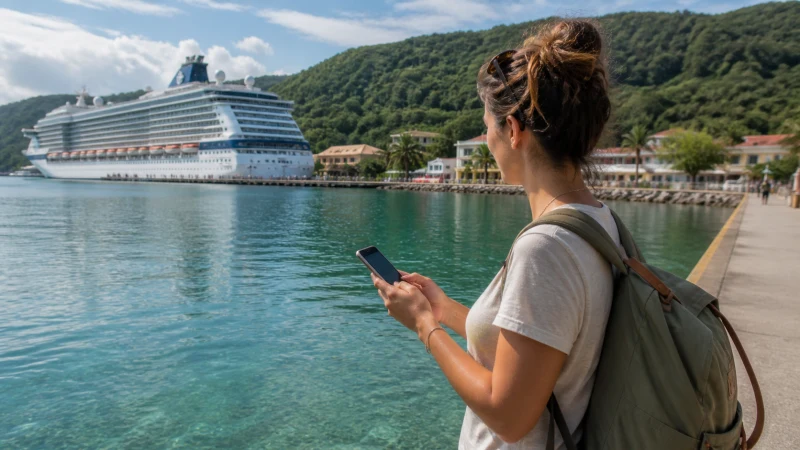

A cruise stop in Jamaica gives limited time to solve a connection problem. Mobile data is most useful when it is ready before leaving the ship, especially for meeting a driver, opening a booking message or navigating back to the correct port entrance.
Quick answer: Install the Jamaica eSIM before the cruise, keep an offline copy of the excursion voucher and port details, and enable the travel line only when ready to use it under the plan’s activation rules. Do not rely on finding fast public Wi-Fi beside the ship.
Top Jamaica eSIMs

Jamaica eSIM
Fixed
1 GB, 7 days€ 9.332 GB, 15 days€ 16.883 GB, 30 days€ 23.55Unlimited
Unlimited, 1 day€ 12.89Unlimited, 3 days€ 37.77Unlimited, 5 days€ 62.21
Caribbean eSIM
Fixed
1 GB, 7 days€ 9.332 GB, 15 days€ 16.883 GB, 30 days€ 23.55Unlimited
Unlimited, 1 day€ 13.77Unlimited, 3 days€ 39.55Unlimited, 5 days€ 65.32Prepare before the ship docks
Save the ship name, berth or terminal information, all-aboard time and excursion contact. Download a map covering the port and the first part of the route. A screenshot of the meeting point can be easier to use than reopening a booking app in a crowded arrival area.
Check the eSIM installation while reliable Wi-Fi is available. Label the Jamaica line clearly and keep the QR code or installation details accessible from another device. Follow the plan’s activation instructions so validity does not begin earlier than intended.
Using data at Montego Bay, Ocho Rios and Falmouth
Jamaica’s cruise calls may use Montego Bay, Ocho Rios, Falmouth or another port depending on the itinerary. Port buildings, ships and crowds can affect local reception. Move into an open area before deciding that the service has failed.
Mobile data can support driver messages, digital tickets and navigation away from the terminal. It does not replace the ship’s official timing or port instructions. Always keep the return deadline and terminal name available offline.
Ship internet and Jamaican mobile data are different
The ship’s Wi-Fi may use satellite connectivity and its own package rules. A Jamaica eSIM connects to an available terrestrial partner network near shore and on land. It should not be expected to provide continuous service while the vessel is at sea.
Turn off automatic mobile-data switching and keep roaming disabled on the home SIM. Maritime roaming can be expensive when a handset connects to an onboard network. Check the displayed network before using conventional calls or SMS.
What the Jamaica eSIM includes
NoveSIM Jamaica plans are data-only. They support maps, messaging apps and internet calls but do not provide a Jamaican telephone number, ordinary voice minutes or carrier SMS. Confirm the live allowance, validity and hotspot conditions for the selected plan.
Data Roaming normally needs to be enabled on the travel eSIM so it can use the permitted partner network. The same setting should remain off on the home SIM unless you deliberately want home-operator roaming service.
Plan for an excursion beyond the port
A town visit and a rural waterfall excursion have different coverage risks. Download the full excursion area and save the operator’s contact before departure. Carry a power bank because navigation, photographs and frequent signal searching can reduce battery life.
If the itinerary includes a longer transfer, the Jamaica road-trip mobile internet guide explains how to prepare for changing reception away from populated areas.
If data does not connect after docking
Confirm that the Jamaica eSIM is enabled and selected for mobile data, then turn on Data Roaming for that line. Leave network selection on automatic, try aeroplane mode once and restart the phone if necessary.
If manual APN configuration is required, verify data.esim. Do not delete the eSIM during a short port call unless NoveSIM support specifically instructs you to; reinstalling may require a connection or information that is not readily available.
Related Articles
- Internet for a Jamaica Cruise Stop
- Internet in Ocho Rios
- Internet in Montego Bay
- Roaming Charges in Jamaica
FAQ
Will a Jamaica eSIM work while the cruise ship is at sea?
It is intended for terrestrial partner-network coverage in Jamaica, not continuous offshore service. At sea, the phone may connect to ship Wi-Fi or a maritime network with separate charges.
Can I use free Wi-Fi at a Jamaica cruise port?
Availability and performance vary by terminal and nearby business. Public Wi-Fi should be treated as a convenience, not the only way to reach an excursion provider or navigate back to the ship.
When should I install the Jamaica eSIM for a cruise?
Install it before departure while reliable Wi-Fi is available. Follow the selected plan’s activation instructions so its validity matches the Jamaica port day.
How do I avoid maritime roaming charges?
Keep roaming disabled on the home SIM, turn off automatic data switching and check the network name before using conventional mobile service. Use the Jamaica eSIM on land and the ship’s chosen internet arrangement at sea.
Final Recommendation
Prepare the Jamaica eSIM and offline port details before docking, then use mobile data for the time-sensitive parts of the visit. Keep the terminal, return deadline and excursion contact available without a connection, and never let the phone switch silently to maritime or home-network roaming.