


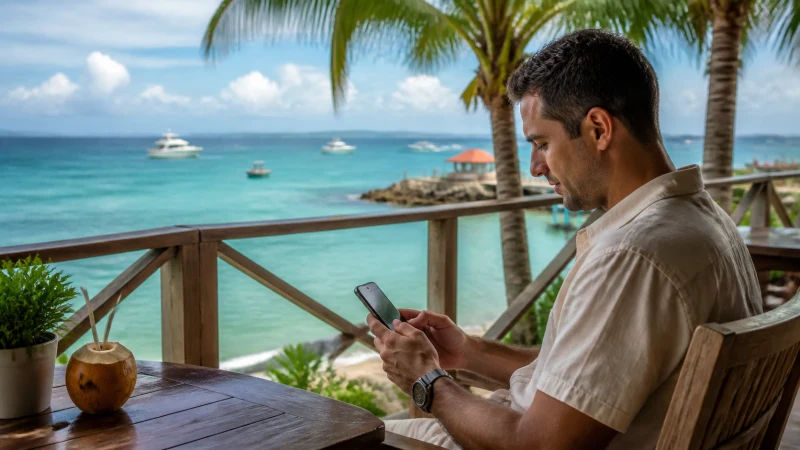

A business trip leaves little room for a connection that only works after a long setup. Airport pickup changes, authentication codes, meeting links and last-minute documents may all be needed before hotel or venue Wi-Fi is available.
Quick answer: Install the Jamaica eSIM before departure, keep the home number available only when needed, test the work apps on Wi-Fi and save meeting addresses and contacts offline. Treat mobile data as an independent backup rather than relying on one hotel or conference network.
Top Jamaica eSIMs

Jamaica eSIM
Fixed
1 GB, 7 days€ 9.332 GB, 15 days€ 16.883 GB, 30 days€ 23.55Unlimited
Unlimited, 1 day€ 12.89Unlimited, 3 days€ 37.77Unlimited, 5 days€ 62.21
Caribbean eSIM
Fixed
1 GB, 7 days€ 9.332 GB, 15 days€ 16.883 GB, 30 days€ 23.55Unlimited
Unlimited, 1 day€ 13.77Unlimited, 3 days€ 39.55Unlimited, 5 days€ 65.32Prepare the phone before the flight
Confirm that the handset is unlocked and supports eSIM. Install the plan on a stable connection, label both SIM lines clearly and keep the installation details accessible from another device. Do not wait until the airport transfer to discover that a work profile or security policy blocks a setting.
Select the Jamaica eSIM for mobile data and turn off automatic data switching. Data Roaming normally needs to be on for the travel line and off for the home SIM. NoveSIM plans are data-only and do not include a Jamaican number, ordinary calls or carrier SMS.
Protect access to essential work accounts
Check how each account completes two-factor authentication. An authenticator app or saved recovery method is more dependable than assuming an SMS will arrive abroad. If the home number must remain active for banking or company messages, check the home operator’s roaming charges for receiving and sending conventional service.
Download the meeting agenda, venue address, booking confirmation and the first transfer route. Save a direct contact for the organiser or accommodation. These files should remain available if a captive Wi-Fi portal fails or a login session expires.
Use venue Wi-Fi and mobile data as separate paths
Hotel and conference Wi-Fi can handle large downloads, but speed may fall when many attendees connect. Keep the Jamaica eSIM ready for authentication, urgent email or a hotspot session. Before an important call, test the exact room or workspace rather than relying on the signal shown in the lobby.
A phone hotspot is useful for a laptop when the selected plan permits tethering. Video meetings and cloud synchronisation consume data quickly, so pause automatic backups and system updates. For a longer working stay, see the separate Jamaica digital-nomad internet guide.
Plan for Kingston, Montego Bay and onward transfers
Urban and resort areas usually offer the most practical combination of cellular service and fixed Wi-Fi. Reception can still differ by floor, room and building material. Move to an open area before changing network settings when service works outside but not inside a venue.
If work takes you beyond the main business centres, save the complete route and allow for more variable service on hilly or rural roads. The Jamaica road-trip guide explains the offline preparation needed for those journeys.
Keep company data secure
Use the organisation’s approved VPN and device policies. Avoid entering sensitive credentials on an unfamiliar open network when the mobile connection is available. Confirm the Wi-Fi name with the venue rather than choosing a similarly named access point.
Mobile data does not replace good security practice, but it can provide a private alternative to a shared public network. Lock the hotspot with a strong password and switch it off when the session ends.
If the eSIM does not connect
Confirm the travel line is enabled and selected for data, then check Data Roaming and automatic network selection. Try aeroplane mode once and restart the phone. If manual APN entry is required, verify data.esim. Do not remove the installed profile unless NoveSIM support directs you to do so.
Related Articles
- Internet in Jamaica for Tourists
- Jamaica eSIM Coverage
- Using a Hotspot with a Jamaica eSIM
- How Much Data for Jamaica?
FAQ
Is a Jamaica eSIM suitable for a business trip?
Yes, when the work mainly needs data for email, maps, authentication and internet calls. NoveSIM plans do not include a Jamaican number or conventional calls and SMS.
Can I tether a laptop during a meeting?
You can when the phone and selected plan support hotspot use. Check the plan terms and remember that video calls, cloud storage and software updates may consume data rapidly.
Should I keep my primary SIM active?
Keep it active only if you need its number for calls or SMS. Select the Jamaica eSIM for data, disable automatic data switching and check the home operator’s charges for conventional roaming service.
Is hotel Wi-Fi enough for business travel in Jamaica?
It may be sufficient for routine work, but performance can vary by property, room and demand. Keep mobile data ready for transfers, authentication and an independent backup connection.
Final Recommendation
Build the business setup around two independent paths: trusted venue Wi-Fi for heavy work and a correctly configured Jamaica eSIM for transfers, authentication and backup. Test the critical apps before travel and keep every time-sensitive address and contact available offline.