


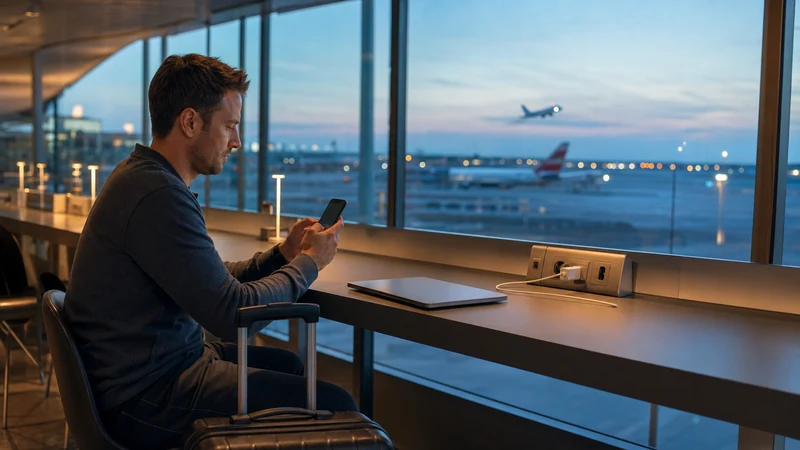

Travellers can get internet at Vienna International Airport through the airport’s free WiFi, an Austria travel eSIM, home-operator roaming or a physical SIM card. Free WiFi is useful inside the terminal, while an eSIM or another mobile-data option continues working after you leave for Vienna.
The best choice depends on whether you need a quick connection during a transfer or continuous access for maps, rail information, accommodation messages and the rest of your Austria trip. Preparing before the flight avoids making a rushed decision in the arrivals hall.
NoveSIM travel eSIM plans are data-only. They normally do not include an Austrian telephone number, traditional calls or SMS, but internet messaging and calling apps can work through the data connection. Keep your home line available if you may need verification codes.
Quick answer: use Vienna Airport’s free WiFi for immediate terminal access and an installed Austria eSIM for mobile internet beyond the airport. Select the eSIM for mobile data after landing, enable data roaming for that travel line when required and disable home-line data roaming to reduce unintended charges.
Top Austria eSIMs

Austria eSIM
Fixed
1 GB, 7 days2.00$2 GB, 15 days3.50$3 GB, 30 days4.50$Unlimited
Unlimited, 1 day2.50$Unlimited, 3 days6.00$Unlimited, 5 days9.50$
Europe Extra eSIM
Fixed
1 GB, 7 days2.50$2 GB, 15 days4.00$3 GB, 30 days5.00$Unlimited
Unlimited, 1 day3.00$Unlimited, 3 days6.00$Unlimited, 5 days10.00$Europe+ eSIM
Fixed
1 GB, 7 days3.00$2 GB, 15 days4.50$3 GB, 30 days6.00$Unlimited
Unlimited, 1 day3.00$Unlimited, 3 days7.00$Unlimited, 5 days11.50$Europe Lite eSIM
Fixed
1 GB, 7 days2.50$2 GB, 15 days4.00$3 GB, 30 days5.00$Unlimited
Unlimited, 1 day3.00$Unlimited, 3 days6.00$Unlimited, 5 days10.00$What Internet Options Are Available at Vienna Airport?
Four main options cover most arrival and departure scenarios:
- Airport WiFi: convenient for browsing, messages and final setup while inside the terminal.
- Travel eSIM: digital mobile data that can be installed before flying and used throughout Austria.
- Home roaming: the existing SIM connects abroad under the home operator’s prices and rules.
- Physical Austrian SIM: a replaceable or second card bought from an eligible seller, subject to stock, opening hours and registration requirements.
These options are not mutually exclusive. A traveller can use free WiFi during the first minutes after landing, then switch to an eSIM for the train and city. Keeping a backup connection is helpful if one network is congested or the phone needs support.
Does Vienna Airport Have Free WiFi?
Yes. Vienna Airport’s official passenger information states that free WiFi is available. Network names, connection screens and technical conditions can change, so check the airport’s current signage or official website rather than relying on an old screenshot.
Open the device’s WiFi settings, choose the official airport network shown in the terminal and complete any connection page that appears. Verify the network name carefully; a similar-looking name can belong to an unrelated hotspot. If the login page does not open, switch WiFi off and on, forget the network and reconnect, or open a normal non-sensitive webpage.
Airport WiFi can be useful for:
- Sending an arrival message.
- Checking a live train or bus departure.
- Opening accommodation directions.
- Downloading the final eSIM profile when necessary.
- Contacting support if mobile data does not register.
Public WiFi should not be the only connectivity plan for the whole journey. Its coverage is tied to the airport, performance can vary with passenger demand and the phone may disconnect while moving between areas.
Is a Travel eSIM Better for Internet Beyond the Airport?
An eSIM is often more convenient when you need data from the terminal to the city and throughout Austria. It can be bought and installed before departure, so there is no need to locate a shop, handle a small plastic card or remove the home SIM.
The phone must support eSIM and be carrier-unlocked. Confirm both points with the Austria eSIM compatibility guide. Device variants differ, and a model that supports eSIM in one market may have different capabilities in another.
Coverage, speed, 5G and hotspot availability depend on the plan, device, location, supported network and local conditions. A 4G connection is normally sufficient for airport transfers, maps, tickets and messaging. Do not choose a plan only because it mentions 5G.
How to Prepare an eSIM Before Flying to Vienna
- Check that the phone supports eSIM and is not carrier-locked.
- Choose an Austria plan with enough data and validity for the complete trip.
- Install the profile on reliable WiFi before departure.
- Label the lines clearly, such as Home and Austria Data.
- Read when the plan’s validity begins and follow its activation instructions.
- Save essential directions and support details offline without exposing the QR code.
- Keep the travel line off until activation is appropriate for that plan.
Installing early is different from starting service early. Some plans begin only after first connection to a supported network, while others may use another trigger. The product instructions are the authority for your plan.
If you are choosing between allowances, use the Austria trip data calculator guide. Maps and messages are relatively light; video, photo backups, long calls and tethering require more.
How to Get Mobile Internet After Landing
- Wait until the aircraft has landed and mobile use is permitted.
- Open the phone’s mobile-network or SIM settings.
- Switch on the installed Austria eSIM.
- Select it as the mobile-data line.
- Enable data roaming on the Austria eSIM when required by the plan.
- Turn off data roaming on the home SIM.
- Disable automatic mobile-data switching unless you intentionally need it.
- Wait for network registration and test a regular webpage.
The exact menus depend on the device and software version. Follow the Austria eSIM instructions for iPhone or the Austria eSIM instructions for Android when the labels differ. The Vienna Airport eSIM arrival guide focuses specifically on airport activation.
Recommended Dual-SIM Configuration
| Setting | Recommended configuration |
|---|---|
| Mobile data | Austria travel eSIM |
| Travel-line data roaming | On when the plan requires it |
| Home-line data roaming | Off to help prevent roaming data |
| Automatic data switching | Off unless deliberately needed |
| Voice and SMS | Home line if needed, subject to operator charges |
| Internet messaging | Existing account over Austria eSIM data |
A data-only eSIM does not replace the home number. Apps such as WhatsApp can normally retain the number already registered while using the new data connection. Review the WhatsApp and Austria eSIM guide if you are concerned about account prompts or verification codes.
Can You Buy a Physical SIM at Vienna Airport?
Vienna Airport’s official shop directory has listed a SIM-focused retailer, but airport tenants, locations, hours, products and stock can change. Check the current official directory and confirm that the shop is accessible from your side of security before relying on an airport purchase.
A physical SIM can be appropriate when the phone does not support eSIM or when a particular local offer meets your needs. Before paying, ask what is included, how long it remains valid, whether activation or identity registration is required, whether hotspot use is allowed and what happens when the allowance ends.
Do not assume airport availability guarantees the best price or plan. If you are tired after a flight or need to catch a train, an already installed eSIM can remove the wait. If you prefer a physical SIM, compare options calmly and retain the home SIM safely.
Should You Use Home-Operator Roaming?
Roaming is convenient because it uses the existing SIM and number. The cost can be reasonable for some European plans, but rules, fair-use limits and destination coverage vary. Travellers from outside the European Economic Area may face entirely different rates.
Check the operator’s official roaming terms for Austria before departure. Confirm the data allowance, speed restrictions, daily fees and how calls, SMS and voicemail are charged. A roaming welcome message is not proof that using data is free.
If you choose an eSIM instead, turn off home-line data roaming and automatic switching. The Austria roaming charges guide explains how to reduce the risk of an unexpected bill.
Comparing Vienna Airport Internet Options
| Option | Best for | Main limitation |
|---|---|---|
| Free airport WiFi | Quick access inside the terminal | Does not provide continuous coverage after leaving |
| Travel eSIM | Prepared mobile data across Austria | Needs a compatible unlocked phone |
| Physical SIM | Phones without eSIM or selected local offers | Requires a seller, stock and card handling |
| Home roaming | Using the existing line immediately | Cost and allowance depend on the home plan |
For a short transfer, free WiFi may be enough. For a city break or wider Austria itinerary, mobile data is more practical. A traveller needing a conventional Austrian number should verify whether a physical plan includes one, because NoveSIM travel eSIM plans are normally data-only.
Using Internet for the Journey into Vienna
Mobile access helps compare the airport’s rail and bus options with the location of your accommodation. The official airport information includes the S7, Railjet and City Airport Train, but timetables, fares and operating conditions can change. Use current official journey information on the day.
Save the hotel address and nearest station before leaving baggage claim. Vienna has several important rail stations, so do not select a service based only on the city name. Check whether your route is most convenient through Wien Mitte, Vienna Central Station or another interchange.
Keep a ticket or confirmation available offline where the operator allows it. Some digital tickets may use a changing code or require the original app, so follow the ticket rules. A small mobile-data reserve is useful for delays, platform changes and messaging accommodation.
How Much Airport and City Data Do You Need?
Airport arrival tasks consume little compared with video streaming. Maps, messages, transport searches and booking confirmations can fit comfortably within a modest allowance. Daily social media, high-resolution photo uploads, long video calls and hotspot work are the main reasons to choose more.
For many travellers, 3–5 GB can be a practical starting point for one week of typical sightseeing, but personal use varies. Download offline maps, music and travel documents before departure. Pause cloud photo backups and automatic app updates on mobile data.
Monitor the phone’s usage counter from arrival. Set a warning below the plan limit, especially if the plan does not offer a simple top-up. Reserve enough data for the return trip and airline updates.
What If Internet Does Not Work at Vienna Airport?
If WiFi fails, verify the official network name, reconnect and look for a captive connection page. Turn off a VPN temporarily if the page does not appear. Move to another public part of the terminal if the signal is weak, while keeping baggage secure.
If the eSIM fails, confirm that it is switched on, selected for mobile data and allowed to roam when required. Toggle aeroplane mode briefly, then wait for registration. Check the APN against the plan instructions; do not guess or copy settings from an unrelated provider.
The Austria eSIM APN guide covers safe APN checks, while the Austria eSIM troubleshooting guide provides a full diagnostic sequence. Do not delete the installed eSIM unless NoveSIM support specifically instructs you to do so, because the QR code may not be reusable.
Security Tips for Airport Connectivity
- Confirm the official WiFi name from airport signage.
- Avoid installing unknown certificates or configuration profiles.
- Keep the eSIM QR code private.
- Use two-factor authentication and a device passcode.
- Avoid sensitive transactions on a network you do not trust.
- Disconnect from public WiFi when you no longer need it.
Mobile data does not eliminate every security risk, but it avoids joining an unknown public hotspot for routine arrival tasks. Keep the phone and apps updated before travel rather than downloading a major update at the airport.
Related Articles
- Vienna Airport eSIM Guide
- SIM Card at Vienna Airport
- WiFi at Vienna Airport
- Mobile Data in Austria for Tourists
- Austria eSIM Not Working: Troubleshooting Guide
FAQ
Is there free internet at Vienna Airport?
Yes. Vienna Airport states that free WiFi is available. Connect to the official network shown in the terminal and complete any connection page that appears.
Will Vienna Airport WiFi work on the train to the city?
No. Airport WiFi is tied to the terminal area. Use an eSIM, roaming or another mobile-data option for continuous connectivity after leaving.
Can I install an Austria eSIM using airport WiFi?
Usually yes, if the connection is stable and the phone is compatible and unlocked. Installing before departure is preferable because it leaves time to solve setup problems.
Can I keep my usual number with a travel eSIM?
Yes, on a dual-SIM phone you can normally retain the home line while using the Austria eSIM for data. Home-operator charges may still apply to conventional calls, SMS and voicemail.
Is 5G guaranteed at Vienna Airport?
No. 5G depends on the plan, device, supported network, terminal location and local conditions. A stable 4G connection is sufficient for most arrival needs.
Should I delete an eSIM that does not connect at the airport?
No. Check the data line, roaming, APN and network registration first. Delete the profile only if NoveSIM support specifically instructs you to do so.
Final Recommendation
Use Vienna Airport’s free WiFi for immediate terminal access, but prepare an Austria eSIM when you need reliable internet for the journey into Vienna and the wider trip. Install it before departure and understand its activation rule.
After landing, select the travel eSIM for mobile data, apply the required roaming setting and prevent the home SIM from taking over data unexpectedly. Test the connection before leaving the terminal.
Keep offline copies of essential directions and tickets, and treat airport WiFi as a helpful backup rather than the entire connectivity plan. This combination supports maps, transport updates and communication from arrival through the return journey.