


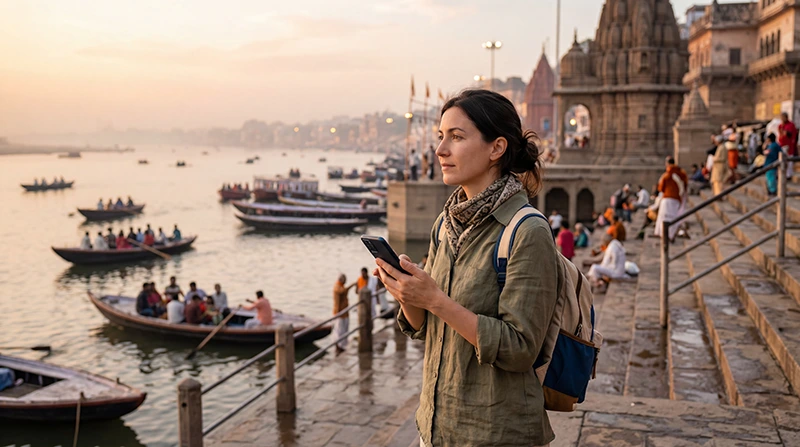

Varanasi is one of India’s oldest and most remarkable destinations. Its riverside ghats, narrow lanes, temples, markets and evening ceremonies create a travel experience unlike anywhere else in the country.
Reliable mobile internet makes exploring Varanasi much easier. You can use Google Maps to navigate between the ghats, contact your hotel, arrange transport, find meeting points, check train information and stay connected through WhatsApp.
Tourists can get internet in Varanasi through an India eSIM, local prepaid SIM card, international roaming or hotel and café WiFi. For most short-term international visitors, an India eSIM is the easiest option because it can be installed before departure and used shortly after arriving in India.
Quick answer: install your India eSIM before travelling, then select it for Mobile Data after arrival, enable Data Roaming and keep Network Selection on Automatic.
Top India eSIMs


What Is the Best Way to Get Internet in Varanasi?
The best option depends on your trip length, device compatibility, expected data usage and whether you need an Indian phone number.
Most tourists primarily need internet for navigation, messaging, transport bookings, hotel communication and travel planning. In this situation, a travel eSIM is usually more convenient than buying and registering a physical SIM card after arrival.
| Internet Option | Best For | Main Advantage |
|---|---|---|
| India eSIM | Most international tourists | Install before departure |
| Local prepaid SIM | Long stays and local calls | Usually includes an Indian number |
| International roaming | Emergency or very short use | No additional installation |
| Hotel and café WiFi | Large downloads and backup | Often included for guests |
Why Use an India eSIM in Varanasi?
An eSIM is a digital SIM profile installed directly on a compatible smartphone. Instead of replacing your regular SIM card, you scan a QR code or use an installation link to add the travel data plan.
- Install it before departure.
- No physical SIM card replacement.
- Avoid airport and mobile-store queues.
- Keep your existing phone number active.
- Connect shortly after arriving in India.
- Ideal for Dual SIM smartphones.
- Continue using WhatsApp with your existing number.
- Use the same plan in Delhi, Agra and other Indian destinations.
India eSIM vs Local SIM Card in Varanasi
| Feature | India eSIM | Local SIM Card |
|---|---|---|
| Purchase before travelling | Yes | Usually no |
| Physical SIM required | No | Yes |
| Registration after arrival | No additional local registration | Usually required |
| Keep home SIM installed | Yes | Depends on the phone |
| Local Indian number | Usually no | Usually yes |
| Best for short visits | Excellent | Good |
| Best for extended stays | Good | Very Good |
A local SIM may be useful if you are staying in India for several months or need an Indian number. For a short visit to Varanasi, an eSIM is normally the more practical option.
Can Tourists Buy a Local SIM Card in Varanasi?
Yes. Local prepaid SIM cards are available from official operator stores and authorised mobile retailers throughout the city.
International visitors may be asked to provide:
- Passport.
- Valid visa or entry permission.
- Accommodation details.
- Additional identity information requested by the operator.
Activation may not always be immediate. Purchase from an official operator store rather than an unknown seller near a railway station, market or tourist attraction.
Mobile Network Coverage in Varanasi
Mobile coverage is generally strong throughout central Varanasi, residential areas, railway stations, hotels and major roads. Signal can become less consistent inside thick historic buildings, narrow lanes and crowded sections near the river.
| Varanasi Area | Expected Mobile Coverage |
|---|---|
| Dashashwamedh Ghat | Very Good to Excellent |
| Assi Ghat | Excellent |
| Manikarnika Ghat area | Very Good |
| Godowlia | Excellent |
| Varanasi Junction Railway Station | Excellent |
| Banaras Railway Station | Excellent |
| Lal Bahadur Shastri Airport | Excellent |
| Rural roads outside Varanasi | Good to Variable |
Temporary slowdowns may occur during religious festivals, evening ceremonies and peak tourist periods when large numbers of people are connected to the same mobile network.
Internet Around the Ghats
Mobile data generally works along the most popular ghats, including Dashashwamedh Ghat, Assi Ghat and nearby riverfront areas. Signal quality may vary as you walk through narrow lanes or enter older buildings.
Because many streets near the ghats are difficult to navigate, download offline maps before leaving your hotel. Save the exact name and location of your accommodation because drivers may not be able to reach every entrance directly.
Internet During the Ganga Aarti
The evening Ganga Aarti attracts large crowds, particularly around Dashashwamedh Ghat. Mobile signal is usually available, but data speeds may decrease because many visitors use their phones at the same time.
Arrange your meeting point, transport and hotel route before the ceremony begins. If you plan to share videos, wait until you return to a stronger WiFi connection rather than uploading large files during the event.
Internet on a Ganges Boat Ride
Mobile coverage is normally available during boat rides close to the main ghats. The signal may vary slightly as the boat moves along the river, but maps, messaging and light browsing should generally remain usable.
Save your boat operator’s contact details and agreed meeting point before boarding. Keep your phone secure and protected from water, especially during sunrise trips.
Internet in Varanasi’s Old City
The old city contains narrow alleys, temples, markets and densely constructed buildings. Mobile data usually works, but signal can weaken indoors or between thick walls.
Google Maps may not always recognise the smallest pedestrian routes accurately. Follow local signs, ask your hotel for directions and save landmarks near your accommodation.
Public WiFi in Varanasi
WiFi is available in many hotels, guesthouses, cafés, restaurants and larger tourist properties. Higher-end hotels generally provide more reliable connections, while small guesthouses near the ghats may offer variable speeds.
Public WiFi is useful for:
- Software updates.
- Cloud backups.
- Uploading photos and videos.
- Streaming entertainment.
- Remote work and video calls.
However, WiFi should not be your only internet source because you will still need mobile data while walking through the city, visiting temples or travelling between the airport and your hotel.
Is Public WiFi Safe?
Public WiFi should be used carefully because the connection is shared with other guests and visitors.
- Confirm that you selected the official hotel or café network.
- Avoid unknown networks with similar names.
- Use secure websites and trusted applications.
- Avoid sensitive banking activity when possible.
- Disable file sharing.
- Forget the network after leaving.
Your own mobile data connection is generally preferable for payments, private accounts and important communication.
Internet at Varanasi Airport
Lal Bahadur Shastri International Airport is located outside central Varanasi. Passenger WiFi may be useful while you remain inside the terminal, but it will not keep you connected during the journey into the city.
A pre-installed India eSIM allows you to contact your hotel, arrange airport transport and follow your route immediately after landing.
Internet at Varanasi Railway Stations
Mobile coverage is generally strong at Varanasi Junction, Banaras Railway Station and other major transport points. You can use mobile data to check tickets, platforms, train status and onward transport.
Railway stations can become extremely crowded, which may temporarily reduce data speed. Download your ticket and booking information before arriving.
How to Install and Activate an India eSIM
- Choose an India eSIM plan that matches your trip.
- Complete your purchase online.
- Receive the QR code and installation instructions by email.
- Find the eSIM information in your NoveSIM account if needed.
- Install the eSIM while connected to reliable WiFi.
- Keep the eSIM profile installed until your trip.
- After arriving in India, enable the eSIM.
- Select it for Mobile Data.
- Enable Data Roaming on the eSIM.
- Keep Network Selection on Automatic.
Do not delete the eSIM after installation. Many QR codes are intended for one-time installation and may not work again after the profile is removed.
Recommended Mobile Settings
| Setting | Recommended Value |
|---|---|
| India eSIM | Enabled |
| Mobile Data | India eSIM |
| Calls | Primary SIM |
| SMS | Primary SIM |
| Data Roaming on India eSIM | On |
| Data Roaming on primary SIM | Off |
| Automatic Data Switching | Off |
| Network Selection | Automatic |
| Preferred Network | 5G Auto or 4G/LTE |
| APN | data.esim if required |
India eSIM APN Settings
Most compatible smartphones configure the APN automatically. If your phone shows signal but websites and applications do not load, enter the APN manually.
| Field | Value |
|---|---|
| Name | NoveSIM |
| APN | data.esim |
| Username | Leave blank |
| Password | Leave blank |
| Authentication | None |
How Much Mobile Data Do You Need in Varanasi?
| Trip Length | Suggested Data |
|---|---|
| One day | 1–2 GB |
| 2–3 days | 3–5 GB |
| Five days | 5–8 GB |
| One week | 8–10 GB |
| Longer India itinerary | 15–25 GB |
| Remote work or hotspot use | 30 GB or more |
Most tourists spend two or three days in Varanasi and use relatively little data. A larger plan is useful if Varanasi is part of a longer journey through India.
Typical Mobile Data Usage
| Activity | Approximate Usage |
|---|---|
| Google Maps navigation | 5–10 MB per hour |
| WhatsApp messaging | Very low |
| Browsing and email | 50–150 MB per hour |
| Social media | 100–300 MB per hour |
| Video calls | 300 MB–1.5 GB per hour |
| Video streaming | 500 MB–3 GB per hour |
Useful Apps for Tourists in Varanasi
- Google Maps for navigation and landmark locations.
- WhatsApp for communicating with hotels and drivers.
- Google Translate for language assistance.
- Train apps for schedules and booking details.
- Booking and airline apps for reservations.
- Currency conversion and banking apps.
- Weather apps for sunrise and boat-trip planning.
Save your hotel address, train ticket, boat meeting point and important confirmations offline before leaving your accommodation.
Can You Keep Your Home SIM Active?
Yes. Most modern Dual SIM smartphones allow you to keep your primary SIM active for calls, SMS and verification codes while using your India eSIM for mobile data.
To reduce the risk of roaming charges, disable Data Roaming on your primary SIM and turn off Automatic Data Switching.
Does WhatsApp Work in Varanasi?
Yes. WhatsApp works normally through mobile data or WiFi. Your account continues using your existing registered phone number while the India eSIM provides the internet connection.
You do not need to change your WhatsApp number. Messages, voice calls, video calls and location sharing continue working normally.
What to Do If Mobile Internet Is Not Working
- Confirm that the India eSIM is enabled.
- Select it for Mobile Data.
- Enable Data Roaming on the eSIM.
- Disable Automatic Data Switching.
- Keep Network Selection on Automatic.
- Confirm that the APN is data.esim.
- Turn Airplane Mode on for 30 seconds.
- Turn Airplane Mode off and wait several minutes.
- Restart your phone.
Do not delete the eSIM while troubleshooting. If a weak 5G connection is unstable, temporarily select 4G/LTE and test the connection again.
How to Reduce Mobile Data Usage
- Download offline Google Maps.
- Use hotel WiFi for software updates.
- Disable automatic photo and video backups.
- Reduce video streaming quality.
- Upload large videos after returning to your hotel.
- Turn off background data for unnecessary apps.
- Monitor mobile data usage in your phone settings.
Related India Guides
- India eSIM
- Mobile Data in India
- Internet in Delhi for Tourists
- Internet in Agra for Tourists
- Best Network in India for Tourists
- Local SIM vs eSIM in India
- How to Use an eSIM in India
- India eSIM APN Settings
FAQ
What is the easiest way to get internet in Varanasi?
For most international tourists, an India eSIM is the easiest option because it can be installed before departure and activated shortly after arrival.
Is mobile coverage good near the Varanasi ghats?
Yes. Mobile coverage is generally good around the main ghats, although speeds may decrease during crowded ceremonies and festivals.
Will mobile data work during a Ganges boat ride?
Mobile data generally works close to the main riverfront, although signal strength may vary slightly as the boat moves.
Can tourists buy a local SIM card in Varanasi?
Yes. Local SIM cards are available from official operator stores, although passport and visa verification are normally required.
How much data do I need for three days?
Approximately 3–5 GB is usually enough for navigation, WhatsApp, transport bookings, browsing and moderate social media use.
Can I keep my regular SIM active?
Yes. Most Dual SIM phones let you keep your primary SIM for calls and SMS while using the India eSIM for mobile data.
Does WhatsApp work with an India eSIM?
Yes. WhatsApp keeps your existing phone number while the India eSIM provides mobile internet.
What APN should I use?
If manual configuration is required for a NoveSIM India eSIM, use data.esim.
Final Recommendation
An India eSIM is one of the easiest ways for tourists to get reliable internet throughout Varanasi. It allows you to prepare your connection before departure, avoid searching for a local SIM card and keep your regular SIM active for calls and SMS.
Install the eSIM while connected to WiFi, select it for Mobile Data after arrival, enable Data Roaming and keep Network Selection on Automatic.
If mobile internet does not work, verify that the APN is data.esim, activate Airplane Mode for 30 seconds and restart the phone.