


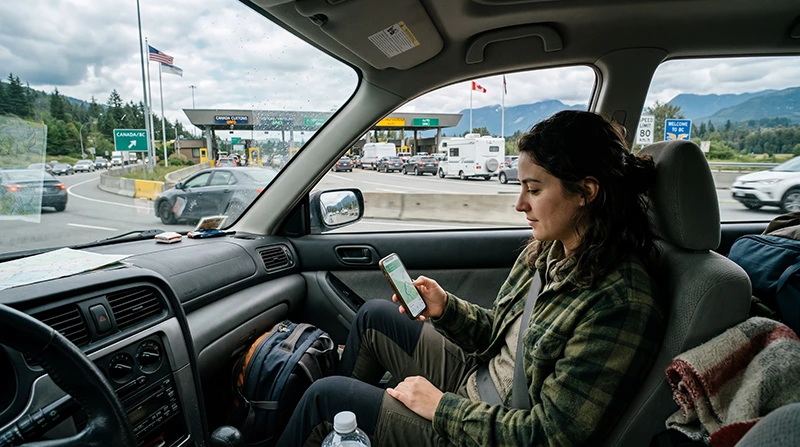

Internet that works on the US side of the border will not necessarily work in Canada. Before you leave, check whether the exact plan on your phone includes Canada, not just whether your phone can see a Canadian network.
This matters most during the handover: the last US stop may have dependable data, while your first Canadian task is opening a route, a hotel booking or a message from your pickup. A border signal change is normal, but an unexpected charge or an uncovered plan is avoidable with a short check beforehand.
NoveSIM travel eSIMs provide mobile data only. We do not provide a Canadian telephone number or conventional calls and SMS with these plans. You may keep a home SIM active for its number, but its operator’s Canadian roaming charges remain separate.
Quick answer: While still connected in the USA, open your purchased plan and confirm Canada is listed for the dates you need. If it is not, prepare a Canada plan before crossing. Save your first Canadian address and route offline. After entry, select the eligible travel eSIM for Mobile Data, follow its Data Roaming instructions, leave network selection on Automatic and test a website with Wi-Fi off.
Top Canada eSIMs

Canada eSIM
Fixed
1 GB, 7 days4.50$2 GB, 15 days7.50$3 GB, 30 days11.00$Unlimited
Unlimited, 1 day6.00$Unlimited, 3 days17.00$Unlimited, 5 days26.50$
United States eSIM
Fixed
1 GB, 7 days3.00$2 GB, 15 days5.00$3 GB, 30 days6.50$Unlimited
Unlimited, 1 day4.00$Unlimited, 3 days10.00$Unlimited, 5 days15.50$
Will Your US Data Plan Work on the Canadian Side?
There are three different situations. A US-only travel plan may stop providing data at the border. A regional travel plan may include both countries, but only if the selected package’s destination list says so. A home-carrier plan may permit roaming in Canada under its own tariff, daily pass or included allowance. The presence of a Canadian network name on the screen confirms none of these entitlements.
Check the country list, remaining data, validity and any partner-network instructions in your actual order. If you are choosing a new plan for a two-country journey, the USA–Canada eSIM comparison explains when one regional plan is more practical than separate country plans. If your US plan ends at the border, review a Canada-only data plan before losing the connection you need to retrieve installation details.
Prepare the Handover While You Still Have US Service
- Check that the phone is unlocked and supports eSIM; confirm the exact model on the compatible-device list.
- Read the selected plan’s instructions for installing and starting validity. Install on reliable internet when those instructions allow it; do not assume that installation and the first day of service begin together.
- Label the eligible travel line clearly, such as “Canada data”. Save the order details privately, along with the destination address, border-to-hotel route and any booking code offline.
- Decide what the home line will do. If it stays on for calls or verification texts, check its Canadian rates and disable automatic mobile-data switching so it cannot quietly become the data line.
Driving travellers should do this at a safe stop before approaching the crossing, not while waiting at inspection. If you are flying, finish the same checks before the US departure, then use airport Wi-Fi only as a fallback on arrival. A regional plan’s coverage should be checked against both countries and the entire travel period, not inferred from a “North America” label.
What to Check After Entering Canada
Give the phone a little time to register on a permitted Canadian network. Confirm that the eligible eSIM is switched on and selected for Mobile Data. Enable Data Roaming on that travel line if its instructions require it, while keeping Data Roaming off on the home line if you do not intend to buy home-carrier data abroad. Leave network selection on Automatic unless the plan or support names a network to test.
Turn Wi-Fi off briefly and load an ordinary website or map. That test tells you whether Canadian mobile data is working, rather than whether an airport, café or vehicle hotspot is supplying the connection. If the line shows signal but the page will not load, check plan status and the selected data line first. Follow the Canada connection checks before changing APN or removing a profile; NoveSIM’s manual APN is data.esim only when manual entry is required.
If Your First Canadian Route Has Weak Coverage
A plan can include Canada without guaranteeing service on every road. Coverage depends on the package’s permitted networks, the phone and the exact location. Keep the next fuel or transport stop, accommodation address and key instructions available offline. If a map stops updating, use those saved details and wait until you can test again from a safe location.
If you cross by road, choose a safe stop for checking the data line rather than changing phone settings at inspection. The border-crossing internet guide explains what to save and how to handle a short connection outage at the handover. Do not try to solve a coverage gap by repeatedly deleting and reinstalling the eSIM.
Related Articles
- Choose one eSIM or two plans for the USA and Canada
- Prepare internet for the US–Canada crossing
- Check current Canada eSIM plans
- Troubleshoot a Canada eSIM connection
FAQ
Can I keep using my US eSIM after I enter Canada?
Only if your purchased plan explicitly includes Canada and remains valid. A US-only plan should not be assumed to work across the border. Check the exact order’s country list before leaving US service.
Should I install a Canada eSIM before crossing?
Install over a reliable connection when the plan instructions permit it. Check when validity starts, then save the setup details and your first Canadian route offline before the crossing.
Will keeping my US or home SIM on cause roaming charges?
It can, depending on that operator’s Canada tariff and how the line is used. A data-only travel eSIM does not pay for calls, SMS or voicemail on the other line. Check its rates and disable automatic data switching if you want to prevent it taking over mobile data.
What if my phone shows a Canadian network but has no internet?
Seeing a network name does not prove that your plan covers Canada. Confirm the country list and validity, select the eligible eSIM for Mobile Data, follow its Data Roaming instructions and test with Wi-Fi off. Keep the eSIM installed while you troubleshoot.
Final Recommendation
Before travelling from the USA to Canada, verify the purchased plan’s Canadian coverage and validity while you still have dependable internet. Prepare a Canada plan if the current package stops at the border.
Save the first Canadian address and route offline. After entry, check the travel data line and test a real mobile-data connection before relying on live navigation or pickup messages.
Keep home-line roaming charges and remote-route coverage separate from the eSIM purchase decision: the right plan can cover the country, but it cannot make another line free or create signal where no network is available.