


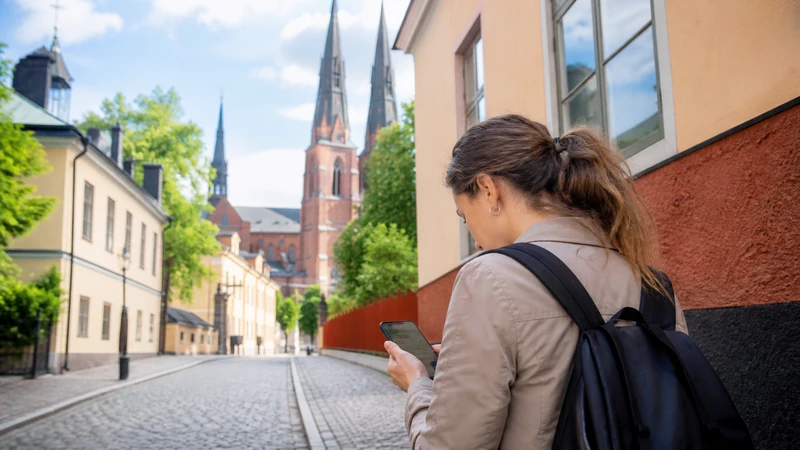

Visitors to Uppsala often need internet for the journey from Arlanda, UL transport, university buildings, digital tickets and day trips across Uppsala County. A short tourist visit and a semester-long university stay do not require the same connection.
A travel eSIM is practical for immediate mobile data, while a local Swedish SIM or longer-term service may suit someone staying for months or needing a Swedish telephone number. University guests may also have access to eduroam or a guest network inside participating buildings.
NoveSIM Sweden plans are data-only. They do not provide a Swedish number, ordinary voice calls or carrier SMS, although supported calling and messaging apps work through data.
Quick answer: Install a Sweden eSIM before arrival for maps and transport, set up the UL app while connected, and use eduroam or the official UU-Guest network only when your university access permits it. Longer stays should compare a local SIM with travel-data validity and renewal costs.
Top Sweden eSIMs

Sweden eSIM
Fixed
1 GB, 7 days€ 2.222 GB, 15 days€ 3.553 GB, 30 days€ 4.44Unlimited
Unlimited, 1 day€ 2.22Unlimited, 3 days€ 5.32Unlimited, 5 days€ 8.43
Europe Extra eSIM
Fixed
1 GB, 7 days€ 2.222 GB, 15 days€ 3.553 GB, 30 days€ 4.44Unlimited
Unlimited, 1 day€ 2.66Unlimited, 3 days€ 5.32Unlimited, 5 days€ 8.87Europe+ eSIM
Fixed
1 GB, 7 days€ 2.662 GB, 15 days€ 3.993 GB, 30 days€ 5.32Unlimited
Unlimited, 1 day€ 2.66Unlimited, 3 days€ 6.21Unlimited, 5 days€ 10.20Choose internet access for the length of your Uppsala stay
| Type of stay | Practical starting option | What to check |
|---|---|---|
| Day trip or short city break | Travel eSIM or included home roaming | Immediate activation, allowance and Sweden coverage |
| Conference or research visit | Travel eSIM plus university guest Wi-Fi or eduroam | Institution credentials and building access |
| Semester or longer stay | Compare local SIM, eSIM and accommodation internet | Swedish-number need, renewal, registration and total cost |
Review the validity and network attached to the selected Sweden eSIM plan. A visitor staying for several months should compare repeated travel-plan purchases with the local options covered in our Sweden SIM-card guide.
Prepare mobile data for the trip from Arlanda
Uppsala is a common onward destination from Stockholm Arlanda Airport. Save the correct train or bus journey, accommodation address and booking reference before leaving the terminal. Do not assume airport Wi-Fi remains available once you reach the platform or road.
Install the eSIM on a reliable connection before departure when possible. At arrival, select it for mobile data, keep automatic data switching off and enable data roaming when the plan requires it. Our Arlanda Airport internet guide covers the hand-off from terminal Wi-Fi to mobile data.
Use the UL app without risking the journey
UL states that its app can search journeys, show live departures, locate stops and buy tickets. Its current conditions also say that purchasing or activating certain app tickets requires an internet connection and that first-time setup uses a registered mobile number.
Download the app before travelling, confirm that it is available in your app-store region and review the accepted payment method. Open or activate the correct ticket according to UL’s instructions before boarding, and keep enough battery to display it during inspection.
A screenshot is useful for a route or address but may not replace a live or activated digital ticket. Follow the transport operator’s current rules rather than treating an image as proof of travel.
University Wi-Fi for students, researchers and guests
Uppsala University provides eduroam for authorised students and researchers. Visitors who already have eduroam credentials from a participating institution may be able to use the service under their home institution’s rules.
The university also identifies UU-Guest for other visitors at relevant locations. Guest access may require a temporary account or help from an information desk, so it should not be the only connection you prepare for arrival, a late check-in or travel between buildings.
Confirm the network name through the university and avoid installing an unexpected profile from an unverified portal. Mobile data remains useful outdoors, between campuses and whenever guest access is unavailable.
Plan data for city use and day trips
Maps, transport searches, messages and email usually consume modest amounts of data. Video calls, lecture streaming, cloud synchronisation and laptop tethering can use substantially more.
- Download course files, media and operating-system updates on trusted Wi-Fi.
- Keep the accommodation address and first return journey offline.
- Check hotspot permission before relying on the plan for laptop work.
- Download a larger map area before leaving Uppsala for rural parts of the county.
The examples in our Sweden data guide can help separate light travel use from study or remote-work requirements.
What changes outside central Uppsala?
Urban coverage does not predict every rural road, nature reserve or property outside the city. Buildings, terrain and distance from network infrastructure can affect reception even within a mapped area.
Leave network selection on automatic and treat stable 4G as sufficient for maps, tickets and messages. Before a day trip, follow the offline and battery precautions in our rural Sweden coverage guide.
If mobile data does not work
- Turn off Wi-Fi and confirm that the Sweden eSIM is enabled.
- Select it as the mobile-data line and prevent the home SIM from taking over.
- Enable roaming on the travel line when instructed by the plan.
- Use a short aeroplane-mode cycle and restart the phone.
- Check APN data.esim only when manual configuration is required.
Use the complete Sweden eSIM troubleshooting guide before changing multiple settings. Do not delete the installed eSIM unless NoveSIM support explicitly instructs you to do so.
Related Articles
- Sweden eSIM Plans
- Best Ways to Get Internet in Sweden
- Mobile Networks in Sweden
- Stockholm Arlanda Airport Wi-Fi
- Mobile Coverage in Rural Sweden
FAQ
What is the easiest way for a visitor to get internet in Uppsala?
For an unlocked compatible phone, a Sweden travel eSIM can provide data from the journey out of Arlanda through the stay in Uppsala without requiring a shop visit.
Can visitors use Wi-Fi at Uppsala University?
Authorised students and researchers can use eduroam, while other visitors may use UU-Guest where available and under the university’s current access process.
Do I need mobile data to buy a UL ticket?
UL’s current conditions state that purchasing or activating tickets in its app requires a working internet connection. Prepare the app and ticket before boarding and follow the current rules displayed by UL.
Should a long-term student buy a local Swedish SIM?
It may be more suitable when the stay lasts several months or a Swedish number is necessary. Compare registration, renewal, total cost and phone compatibility with a travel eSIM first.
Final Recommendation
For a short Uppsala visit, prepare mobile internet before landing so the Arlanda transfer, UL journey and accommodation access do not depend on finding Wi-Fi.
University visitors should configure eduroam or confirm UU-Guest access separately, while retaining mobile data for travel between buildings and day trips.
For a semester or longer stay, compare a local Swedish SIM with the full cost and validity of repeated travel-data plans rather than choosing only for the first arrival day.