


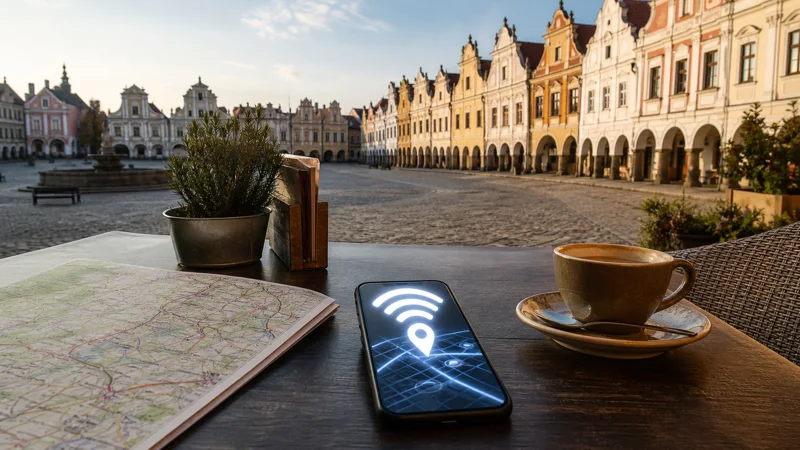

Internet in Telč is useful for navigation, accommodation messages and onward transport, but the town’s compact historic centre does not require heavy data use. Mobile reception can be better outdoors than inside buildings with thick walls around the main square.
A Czech travel eSIM provides data without searching for a local SIM shop during a short visit. Save the accommodation entrance and return connection before walking into areas where indoor reception or venue Wi-Fi may be inconsistent.
Quick answer: Use a Czech eSIM for maps and transport in Telč, download the town and surrounding region offline, and keep your return ticket and lodging details on the phone. Treat café or hotel Wi-Fi as a convenience rather than the only connection.
Top Czech Republic eSIMs

Czech Republic eSIM
Fixed
1 GB, 7 days€ 1.772 GB, 15 days€ 3.553 GB, 30 days€ 4.44Unlimited
Unlimited, 1 day€ 2.22Unlimited, 3 days€ 4.88Unlimited, 5 days€ 7.99
Europe Extra eSIM
Fixed
1 GB, 7 days€ 2.222 GB, 15 days€ 3.553 GB, 30 days€ 4.44Unlimited
Unlimited, 1 day€ 2.66Unlimited, 3 days€ 5.32Unlimited, 5 days€ 8.87Europe+ eSIM
Fixed
1 GB, 7 days€ 2.662 GB, 15 days€ 3.993 GB, 30 days€ 5.32Unlimited
Unlimited, 1 day€ 2.66Unlimited, 3 days€ 6.21Unlimited, 5 days€ 10.20Use mobile data in the historic centre
Outdoor data can support place searches and walking directions, while arcades, ground-floor interiors and older accommodation may weaken the signal. Test outside before changing settings or assuming that the eSIM has stopped working.
The Czech Republic coverage guide explains why a national network map cannot predict reception in a specific room.
Prepare the arrival and departure routes
Save the exact bus or rail stop, the accommodation address and the final walking route. Regional connections may be less frequent than city services, so keep the planned return time and an alternative offline.
For journeys involving several modes, the Czech public-transport internet guide covers digital tickets and route backups.
Choose data for a Telč visit
Maps, messages and occasional searches require modest data. Photo and video backup can use far more, particularly when the phone uploads an entire sightseeing day automatically. Postpone large transfers until a trusted fixed connection is available.
Estimate the complete Czech itinerary through the Czech Republic data guide, not from the Telč stop alone.
Set up the eSIM before regional travel
- Install the Czech eSIM on stable Wi-Fi.
- Select it for mobile data.
- Apply the plan’s required roaming setting.
- Disable automatic data switching to the home SIM.
- Test a map and webpage with Wi-Fi turned off.
- Download the Telč map and onward route.
NoveSIM travel eSIMs are data-only and do not include a Czech telephone number for conventional calls or SMS.
Use venue Wi-Fi carefully
Ask the accommodation or café for the correct network name. Avoid important account changes on an unverified access point, turn off automatic joining and forget the network afterward.
A rural guesthouse may advertise Wi-Fi without supporting a stable video call in every room. Complete time-sensitive work before the deadline and retain mobile data as a backup where coverage permits.
Related Articles
Frequently Asked Questions
Is mobile internet available in Telč?
It is practical for ordinary tourist use, although indoor reception varies with building structure and the local network.
Do I need a separate Telč eSIM?
No. A Czech Republic plan can provide data in Telč wherever its included partner network has service.
Should I download an offline Telč map?
Yes, especially if the visit includes regional transport or countryside stops beyond the historic centre.
Can I rely on hotel Wi-Fi in Telč?
Use it when it performs well, but keep tickets, directions and an independent mobile option available.
Final Recommendation
For tourist internet in Telč, prepare a Czech eSIM before the regional journey and keep arrival, departure and accommodation details offline. Mobile data is most valuable for movement and changes, while trusted venue Wi-Fi can handle larger downloads.