


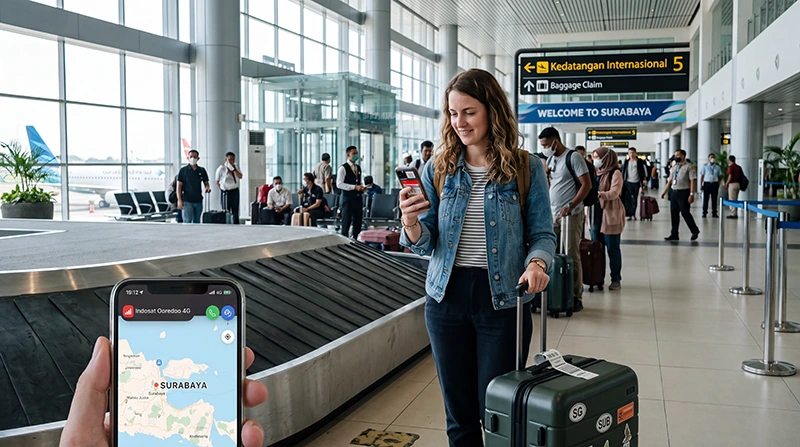

Surabaya airport internet access helps travellers confirm transport, contact accommodation and check onward plans after landing at Juanda International Airport (SUB). Terminal Wi-Fi can cover immediate tasks, while mobile data is needed after leaving its range.
Save essential information before the flight because public Wi-Fi may require a login page or slow down at busy times. A prepared eSIM provides an independent option once the phone connects to a supported Indonesian network.
NoveSIM travel eSIMs are data-only. They support internet messaging, maps and online calls but do not include an Indonesian number, conventional calls or SMS.
Quick answer: Download your booking, destination and pickup instructions before landing. Verify the official airport network from current signage, and prepare mobile data for the journey from Juanda rather than depending on terminal Wi-Fi beyond arrivals.
Top Indonesia eSIMs

Indonesia eSIM
Fixed
1 GB, 7 days€ 3.562 GB, 15 days€ 6.243 GB, 30 days€ 8.46Unlimited
Unlimited, 1 day€ 4.01Unlimited, 3 days€ 10.25Unlimited, 5 days€ 16.48
Surabaya airport internet should cover the first road decision
At Juanda, the first useful online task is often confirming a pickup or checking the road journey rather than browsing inside the terminal. Choose between airport Wi-Fi, a physical SIM, an eSIM or home roaming according to how soon you leave and where the vehicle is going.
| Arrival situation | Immediate action | Fallback |
|---|---|---|
| Driver is waiting | Confirm the meeting zone | Use saved contact details |
| Late arrival | Load the hotel route | Keep the address offline |
| Long East Java transfer | Start with mobile data | Download the route beforehand |
| SIM counter unavailable | Use prepared eSIM or verified Wi-Fi | Buy later in the city |
Late Juanda arrivals need offline certainty
Store the accommodation address, transport reservation, driver contact and a local map on the phone. If Surabaya is a connection point, save the next ticket and terminal information as well. Screenshots remain available when an app logs out or the network is unavailable.
Charge the phone before descent and keep a cable or power bank accessible. A working data plan cannot solve a depleted battery during a delayed pickup or long road transfer.
Using Wi-Fi at Juanda Airport
Select only the network identified by current terminal signs or airport staff. Names, login procedures and service conditions can change. If a captive portal does not open automatically, reconnect and visit a standard webpage to trigger it.
A VPN or privacy relay may prevent a portal from loading. Pause it only while completing the login, then restore it. Avoid unknown hotspots that imitate an official name, especially when accessing email, payments or account recovery.
Prepare for the road beyond Surabaya
Airport Wi-Fi will not follow you into a taxi, shuttle or private vehicle. Mobile data can support driver communication and maps, but keep the address offline and verify transport details before walking away from the terminal.
If you intend to purchase local service after landing, the Surabaya airport SIM card guide covers price, registration and testing questions separately.
Prepare an Indonesia eSIM
Confirm that the phone supports eSIM and is carrier-unlocked. Install the profile using dependable Wi-Fi, label the lines clearly and preserve the QR code or manual details securely. Follow the provider’s activation instructions because validity rules differ.
On arrival, select the eSIM for mobile data and enable roaming on the travel line if instructed. Disable data roaming on the home SIM if you want to avoid unintended charges. See the Indonesia eSIM installation guide for device preparation.
Troubleshoot mobile data carefully
Check that airplane mode is off, the travel line is enabled, the plan is valid and Indonesia is included. Wait for network registration before changing settings. Automatic network selection is the appropriate starting point for most travellers.
If manual NoveSIM APN entry is required, use data.esim. Follow the Indonesia eSIM troubleshooting guide and keep the installed profile unless support explicitly instructs you to delete it.
Juanda reception says little about East Java
A successful airport test confirms service at Juanda, not on every route in East Java or another island. Network strength can vary with terrain, buildings, congestion and the partner network used by the selected plan.
Compare the exact itinerary with the Indonesia network guide. For a longer multi-stop trip, the Indonesia eSIM guide explains validity and coverage checks.
Keep sensitive tasks off an unfamiliar hotspot
Use mobile data for sensitive activity when practical. On public Wi-Fi, prefer encrypted sites, keep file sharing disabled and remove the network from saved connections afterwards. A familiar-looking network name alone does not establish that it is official.
Keep booking and transport details available without logging into an email account. This reduces both security exposure and dependence on a stable public connection.
Related Articles
- Best Internet Option in Indonesia
- How Much Data for Indonesia?
- How to Activate an Indonesia eSIM
- Indonesia Roaming Charges
FAQ
Is internet available at Surabaya airport?
Terminal Wi-Fi and mobile services may be available. Confirm the current official Wi-Fi locally and prepare another connection for travel beyond the terminal.
Why will the airport Wi-Fi login page not open?
Reconnect and open a normal webpage to trigger the captive portal. Temporarily pause a VPN if it is preventing the page from loading.
Will Juanda airport Wi-Fi work in my taxi?
No. Airport coverage ends outside its range, so use mobile data or offline directions during the transfer.
When should I install my Indonesia eSIM?
Install it on reliable Wi-Fi before travel when permitted, then follow the provider’s exact instructions for activation and validity.
Final Recommendation
Use Surabaya airport internet for immediate arrival tasks, but save critical information offline and prepare mobile data for the onward journey.
Verify the official terminal network locally, avoid sensitive activity on unfamiliar hotspots and test an eSIM with Wi-Fi disabled.
Keep the travel profile installed during troubleshooting and check coverage for the full itinerary rather than judging it only at Juanda.