


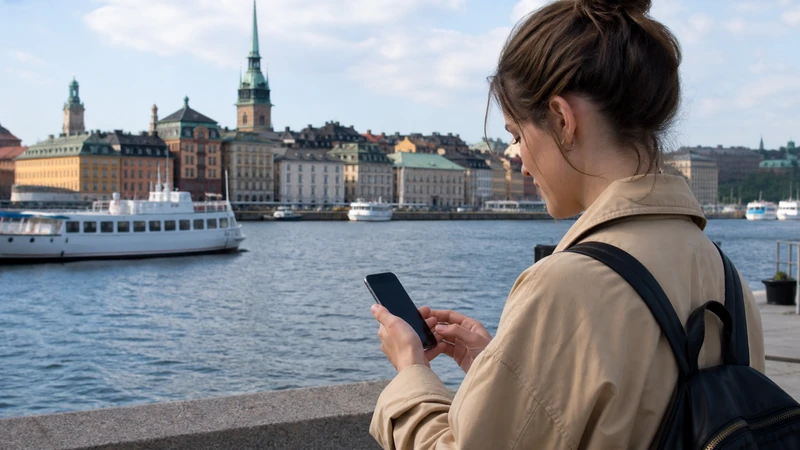

Internet in Stockholm is useful for public-transport planning, digital tickets, maps, accommodation access and communication across a city spread over islands. The most convenient choice depends on whether you need only data, a Swedish telephone number or coverage for travel beyond the capital.
NoveSIM Sweden travel eSIMs provide mobile data. They do not include a Swedish number, conventional voice minutes or carrier SMS, although messaging and supported internet-calling apps work through the data connection.
Quick answer: For a short Stockholm visit, prepare a Sweden eSIM before departure if your phone is unlocked and compatible. Choose a local prepaid SIM when a Swedish number or shop assistance matters, and use home roaming only after confirming that Sweden is included under your tariff.
Top Sweden eSIMs

Sweden eSIM
Fixed
1 GB, 7 days2.50$2 GB, 15 days4.00$3 GB, 30 days5.00$Unlimited
Unlimited, 1 day2.50$Unlimited, 3 days6.00$Unlimited, 5 days9.50$
Europe Extra eSIM
Fixed
1 GB, 7 days2.50$2 GB, 15 days4.00$3 GB, 30 days5.00$Unlimited
Unlimited, 1 day3.00$Unlimited, 3 days6.00$Unlimited, 5 days10.00$Europe+ eSIM
Fixed
1 GB, 7 days3.00$2 GB, 15 days4.50$3 GB, 30 days6.00$Unlimited
Unlimited, 1 day3.00$Unlimited, 3 days7.00$Unlimited, 5 days11.50$Europe Lite eSIM
Fixed
1 GB, 7 days2.50$2 GB, 15 days4.00$3 GB, 30 days5.00$Unlimited
Unlimited, 1 day3.00$Unlimited, 3 days6.00$Unlimited, 5 days10.00$Choose the connection for your Stockholm trip
| Option | Best suited to | Check first |
|---|---|---|
| Travel eSIM | Arriving with mobile data ready | Compatibility, Sweden coverage, validity and allowance |
| Swedish prepaid SIM | Travellers needing a local number or in-person setup | Registration, shop access and the complete package price |
| Home roaming | Eligible EU/EEA users or a suitable international pass | Fair-use limits, calls, SMS and excluded services |
| Public Wi-Fi | Backup access and larger downloads | Network identity, security and lack of coverage in transit |
Prepare for arrival from Arlanda, Bromma or another terminal
Save the accommodation address and first airport route before flying. Whether you continue by rail, coach, taxi or local transport, download any required ticket or booking reference and keep the key information outside a single app.
An eSIM can be installed on reliable Wi-Fi before departure. Follow the product’s activation timing, label the travel line and keep the QR code private. Airport Wi-Fi can help temporarily, but mobile data remains available after you leave the terminal.
Use mobile data for Stockholm transport
Stockholm journeys can combine metro, bus, commuter rail, tram and ferry services. Mobile data helps with route changes, departure information and opening a digital ticket, but do not assume that every ticket remains accessible without a connection.
Sign in to the relevant transport service in advance, confirm the accepted payment method and save the first route. Underground reception can vary by station and tunnel, so open time-sensitive tickets before reaching a gate and keep the accommodation address offline.
Plan for islands, ferries and day trips
Moving between islands or travelling into the archipelago exposes the phone to changing cells, waterfront structures and stretches farther from urban infrastructure. Check whether the plan’s Swedish partner network suits the complete itinerary, not only central Stockholm.
Download the map area and return schedule before departure. Mobile coverage should not be treated as guaranteed on every boat, small island or rural road. Weather and timetable changes make offline details particularly useful.
Estimate the right allowance
Maps, messages, email and ordinary browsing are relatively light. Video, cloud photo backup, app updates and laptop hotspot use consume data much faster. Review recent cellular statistics and remove activity that will stay on accommodation Wi-Fi.
Validity must extend through the final travel day. If the trip continues elsewhere in Scandinavia or Europe, verify every country in a regional plan instead of assuming that a broad plan name includes the complete route.
Set up the travel eSIM after arrival
- Enable the Sweden travel eSIM.
- Select it as the Mobile Data line.
- Turn on Data Roaming for that eSIM when the plan requires it.
- Keep Data Roaming off on the primary SIM.
- Disable automatic mobile-data switching.
- Leave Network Selection on Automatic and test away from Wi-Fi.
If a NoveSIM plan requires manual APN entry, use data.esim with blank username and password. Do not delete the installed profile if registration takes time or a setting needs correction.
Understand roaming in Sweden
Many EU/EEA customers can use domestic allowances in Sweden under roam-like-at-home rules, subject to the operator’s tariff and fair-use conditions. Travellers from the United Kingdom, Switzerland and other non-EU/EEA markets should not assume the same terms apply.
Check Sweden by name, the high-speed allowance and charges for calls, voicemail and SMS. If another line provides mobile data, keep home-line roaming disabled unless its cost is understood.
Use public Wi-Fi selectively
Hotels, cafés, museums and transport facilities may offer Wi-Fi, but access and network names vary. Confirm the network with staff, avoid unexpected certificate warnings and do not install configuration profiles offered by an unverified portal.
Public Wi-Fi is useful for app updates or media downloads but is not a substitute for mobile data while walking between neighbourhoods, using transport or returning late to the accommodation.
If the connection stops working
First check that the travel eSIM is enabled, selected for data and allowed to roam when required. Wait for Automatic network registration, toggle Airplane Mode once and test in another location to separate an indoor signal issue from a configuration problem.
If the phone shows signal but no internet, check the plan status and allowance before changing the APN. Preserve the profile and contact NoveSIM Support with the phone model, location and safe screenshots if reversible checks fail.
Related Articles
- Sweden eSIM plans
- Internet in Sweden for tourists
- Mobile data in Sweden
- SIM cards in Sweden
- Sweden mobile-network guide
- How much data for Sweden
FAQ
What is the easiest way to get internet in Stockholm?
For many short-term visitors, an eSIM installed before departure is the easiest mobile-data option. A local SIM is useful when a Swedish number or shop support is required.
Does EU roaming work in Stockholm?
Eligible EU/EEA tariffs generally include Sweden under roam-like-at-home rules, subject to fair-use conditions. Check your operator’s current terms rather than assuming every foreign SIM is included.
Can I rely only on public Wi-Fi?
Public Wi-Fi can support downloads and occasional use, but it does not provide continuous access on streets, ferries or transport. Keep essential routes offline if you do not have mobile data.
Will a Sweden eSIM work on island day trips?
It can work wherever the plan’s partner network has usable coverage, but reception varies around waterfronts, boats and smaller islands. Download maps and return information before leaving the city.
Final Recommendation
Choose Stockholm internet access according to the complete journey: arrival transfer, city transport, islands and any onward travel. Prepare a compatible eSIM before departure for convenience, or buy a local SIM when a Swedish number is necessary.
Select the travel line for data, protect the primary SIM from automatic roaming and save the first route and essential tickets offline. Use trusted Wi-Fi for large downloads while preserving mobile data for transport, navigation and communication.