


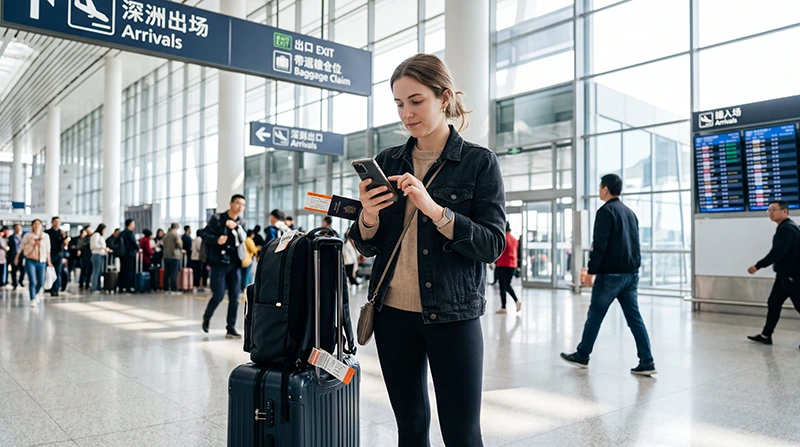

If you’re arriving at Shenzhen Bao’an International Airport (SZX), getting online immediately after landing makes your trip much easier. You’ll need internet for maps, hotel messages, ride-hailing, WeChat, Alipay, translation apps and travel updates.
Quick answer: you can use airport WiFi, buy a local SIM card or activate a travel eSIM. For most international travelers, installing a China eSIM before departure is the fastest and most convenient way to stay connected after landing.
Top China eSIMs


Ways to Get Internet at Shenzhen Airport
| Option | Best For | Works Outside the Airport |
|---|---|---|
| Airport WiFi | Short-term internet inside the terminal | No |
| Tourist SIM Card | Visitors who need a local number | Yes |
| China eSIM | Most international travelers | Yes |
| International Roaming | Short emergency use | Yes |
Airport WiFi at Shenzhen Bao’an Airport
WiFi may be available in terminal areas, but connection steps, speed and reliability can vary. You may need to complete a browser login, accept terms or verify your device before getting online.
Airport WiFi can be useful while waiting for baggage, but it is not a complete internet solution for your stay in Shenzhen or the rest of China.
Buying a SIM Card at Shenzhen Airport
Tourists can usually buy prepaid SIM cards from telecom service counters in the arrivals area. Passport registration is normally required before the SIM card can be activated.
| Operator | 5G Available | Passport Required |
|---|---|---|
| China Mobile | Yes | Yes |
| China Unicom | Yes | Yes |
| China Telecom | Yes | Yes |
Why Many Travelers Choose a China eSIM
A travel eSIM lets you prepare your mobile connection before leaving home. After landing, you simply enable the eSIM, select it for Mobile Data and turn on Data Roaming.
- No airport queues.
- No physical SIM card replacement.
- No need to depend on airport WiFi.
- Keep your primary SIM active for calls and SMS.
- Mobile data works after leaving the airport.
- Useful for Shenzhen, Guangzhou, Shanghai, Beijing and other China destinations.
How to Get Online with an eSIM
- Install your China eSIM before departure while connected to WiFi.
- After landing at Shenzhen Airport, turn off Airplane Mode.
- Turn ON the China eSIM line.
- Select the China eSIM for Mobile Data.
- Enable Data Roaming on the China eSIM.
- Turn off Data Roaming on your primary SIM.
- Keep Network Selection on Automatic.
- Wait a few minutes for the network connection.
Recommended China eSIM Settings
| Setting | Recommended Value |
|---|---|
| Mobile Data | China eSIM |
| Calls | Primary SIM |
| SMS | Primary SIM |
| Data Roaming on China eSIM | ON |
| Data Roaming on Primary SIM | OFF |
| Automatic Data Switching | OFF |
| Network Selection | Automatic |
| APN | data.esim if required |
APN Settings for China eSIM
Most phones configure APN settings automatically. If mobile data does not work after arrival at Shenzhen Airport, enter the APN manually.
| Field | Value |
|---|---|
| APN | data.esim |
| Username | Leave blank |
| Password | Leave blank |
| Authentication | None |
What Can You Do Once Connected?
- Book a DiDi ride from the airport.
- Navigate to your hotel with Apple Maps, Baidu Maps or Amap.
- Message your hotel or host on WeChat.
- Use Alipay or WeChat Pay where supported.
- Translate signs, menus and transport information.
- Check train, metro or flight updates.
- Stay connected with family, colleagues or travel companions.
Coverage Around Shenzhen
Mobile coverage is generally excellent across Shenzhen and nearby urban areas, including:
- Shenzhen Bao’an International Airport.
- Futian CBD.
- Luohu.
- Nanshan.
- Huaqiangbei.
- Shenzhen Bay.
- Window of the World.
- Shenzhen North Railway Station.
Travel Tips Before Arrival
- Install your China eSIM before departure.
- Download offline maps.
- Install WeChat and Alipay before travel.
- Save your hotel address in English and Chinese.
- Screenshot important bookings and transport details.
- Charge your phone before landing.
- Carry a power bank.
What If You Cannot Connect?
- Restart your phone.
- Turn Airplane Mode ON for 30 seconds, then OFF.
- Check that the China eSIM is turned ON.
- Select the China eSIM for Mobile Data.
- Enable Data Roaming on the China eSIM.
- Turn off Automatic Data Switching.
- Keep Network Selection on Automatic.
- Use APN data.esim if manual setup is required.
Related China Airport Guides
- China eSIM
- SIM Card at Shenzhen Airport
- Best eSIM for China
- Buy China eSIM
- How to Use China eSIM
- China eSIM APN Settings
- WeChat for Tourists
- Alipay for Tourists
FAQ
Is there internet at Shenzhen Airport?
Yes. Travelers can use airport WiFi, buy a local SIM card or connect with a travel eSIM.
What is the easiest way to get internet at Shenzhen Airport?
For most international visitors, installing a China eSIM before departure is the easiest option because it can connect after landing without airport queues.
Can I buy a SIM card after landing?
Yes. Tourist SIM cards may be available at telecom counters, but passport registration is normally required.
Can I keep my home SIM active?
Yes. Most Dual SIM phones allow you to keep your primary SIM active for calls and SMS while using the China eSIM for mobile data.
Do I need Data Roaming enabled?
Yes. Enable Data Roaming on your China eSIM and keep roaming off on your primary SIM.
What APN should I use for China eSIM?
If manual APN setup is required for a NoveSIM China eSIM, use data.esim.
Final Recommendation
There are several ways to get internet at Shenzhen Bao’an International Airport, but a China eSIM is usually the smoothest option for international travelers. It helps you avoid airport queues, keep your home SIM active and use mobile data within minutes of landing.
Before traveling, install your China eSIM, enable Data Roaming after arrival, keep Network Selection on Automatic and use data.esim if manual APN setup is required.