


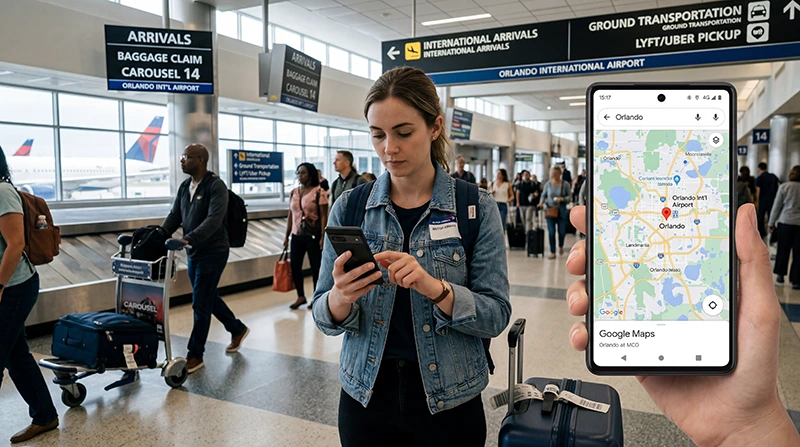

Reliable internet access is one of the first things travelers need after landing at Orlando International Airport.
Most visitors immediately use mobile internet for Google Maps, Uber rides, hotel directions, Disney planning apps, messaging, restaurant searches, and travel planning.
Quick answer: Orlando Airport offers free public WiFi, but many travelers now prefer using a USA eSIM because it provides more reliable internet both inside and outside the airport.
Top United States eSIMs

United States eSIM
Fixed
1 GB, 7 days3.00$2 GB, 15 days5.00$3 GB, 30 days6.50$Unlimited
Unlimited, 1 day4.00$Unlimited, 3 days10.00$Unlimited, 5 days15.50$
Does Orlando Airport Have Internet Access?
Yes.
Travelers arriving at Orlando International Airport can access internet through:
- Free airport WiFi
- USA eSIMs
- Prepaid SIM cards
- International roaming
- Pocket WiFi devices
Does Orlando Airport Have Free WiFi?
Yes.
Free public WiFi is generally available throughout airport terminals.
Travelers commonly use airport WiFi for:
- Messaging
- Email access
- Google Maps
- Flight tracking
- Social media
- Basic browsing
How to Connect to Orlando Airport WiFi
- Open your phone WiFi settings
- Select the airport WiFi network
- Open the browser if required
- Accept the connection terms
- Start browsing
The exact WiFi name or login process may vary depending on the terminal.
Is Orlando Airport WiFi Reliable?
Airport WiFi is usually sufficient for basic browsing and messaging.
However, travelers may experience:
- Slow speeds during busy hours
- Crowded networks
- Connection interruptions
- Weak signal in some areas
- Limited performance for video calls or streaming
Best Internet Option at Orlando Airport
| Option | Best for | Main advantage |
|---|---|---|
| USA eSIM | Most travelers | Fastest and most flexible setup |
| Airport WiFi | Temporary browsing | Free access |
| Physical SIM card | Older phones | Local calls and SMS |
| International roaming | Very short stays | No setup required |
Why Many Travelers Prefer a USA eSIM
A USA eSIM allows travelers to:
- Use internet shortly after landing
- Avoid crowded public WiFi
- Access maps outside the airport
- Use Uber immediately
- Stay connected across Orlando and the USA
- Keep their regular SIM active
Top United States eSIMs
United States eSIM
Fixed
1 GB, 7 days3.00$2 GB, 15 days5.00$3 GB, 30 days6.50$Unlimited
Unlimited, 1 day4.00$Unlimited, 3 days10.00$Unlimited, 5 days15.50$How to Get Internet Immediately After Landing
- Install the USA eSIM before departure
- Land at Orlando Airport
- Enable the USA eSIM
- Select it for mobile data
- Turn roaming on if required
- Wait for the phone to connect to a US network
Can You Buy SIM Cards at Orlando Airport?
Yes.
Travelers may find prepaid SIM cards at airport shops, travel stores, electronics stores, or kiosks.
However, airport SIM cards are often more expensive than online eSIM plans or city retail stores.
Best Mobile Networks in Orlando
The main mobile networks in Orlando include:
- Verizon
- AT&T
- T-Mobile
All three networks generally provide strong coverage in Orlando, Disney World, Universal Studios, International Drive, Downtown Orlando, and nearby tourist areas.
Can You Use Google Maps at Orlando Airport?
Yes.
Most travelers use internet immediately after arrival for:
- Google Maps navigation
- Uber pickup
- Hotel directions
- Theme park apps
- Restaurant searches
- Travel planning
How Much Data Do Travelers Need in Orlando?
| Traveler type | Recommended data |
|---|---|
| Light traveler | 3GB–5GB |
| Average tourist | 10GB–20GB |
| Heavy social media user | 20GB+ |
| Remote worker | Unlimited data |
| Family vacation traveler | Unlimited data recommended |
Many travelers use more data than expected because of maps, rideshare apps, streaming, social media, and theme park apps.
Can You Keep Your Main Number Active?
Yes.
Most modern smartphones support dual SIM functionality, allowing travelers to:
- Keep their regular SIM active
- Receive SMS verification codes
- Use WhatsApp normally
- Use the USA eSIM for mobile data
Best Settings for USA eSIM at Orlando Airport
| Setting | Recommended option |
|---|---|
| Main SIM roaming | Off |
| USA eSIM | On |
| USA eSIM roaming | On if required |
| Mobile data line | USA eSIM |
| 5G mode | Auto or enabled |
| Data switching | Off |
Can You Use Hotspot Tethering?
Many USA eSIM plans support hotspot tethering.
This allows travelers to connect laptops, tablets, secondary phones, and remote work devices.
Common Internet Problems at Orlando Airport
- Slow WiFi during peak hours
- Weak signal in crowded terminals
- Airport SIM cards sold out
- High airport SIM pricing
- Roaming charges from home provider
- Carrier-locked phone compatibility issues
What Travelers Should Do Before Arrival
- Check if the phone supports eSIM
- Make sure the device is carrier unlocked
- Install the USA eSIM before departure
- Turn off roaming on the main SIM
- Download offline maps if needed
- Choose a plan with enough data
Related USA Travel Guides
- United States eSIM
- Best eSIM for USA
- Mobile internet USA
- How to get internet in USA
- Roaming charges USA
- Local SIM vs eSIM USA
- Internet Miami Airport
FAQ: Internet at Orlando Airport
Does Orlando Airport have free internet?
Yes. Free public WiFi is generally available throughout airport terminals.
What is the best internet option at Orlando Airport?
For most travelers, a USA eSIM is usually the easiest and most reliable option.
Can I buy a SIM card at Orlando Airport?
Yes. SIM cards may be available at airport shops, kiosks, and electronics stores.
Is Orlando Airport WiFi reliable?
It is usually sufficient for basic browsing, although speeds may slow during busy periods.
Can I use Uber immediately after landing in Orlando?
Yes. You can use airport WiFi or mobile internet from a USA eSIM for rideshare apps.
Can I keep my normal SIM active while using a USA eSIM?
Yes. Most modern smartphones support dual SIM functionality.
Final Thoughts: Internet at Orlando Airport
Travelers arriving at Orlando Airport have several ways to access internet immediately after landing in Florida.
While airport WiFi and physical SIM cards are available, many travelers in 2026 prefer USA eSIMs because they provide faster setup, immediate mobile internet, and reliable connectivity both inside and outside the airport.