


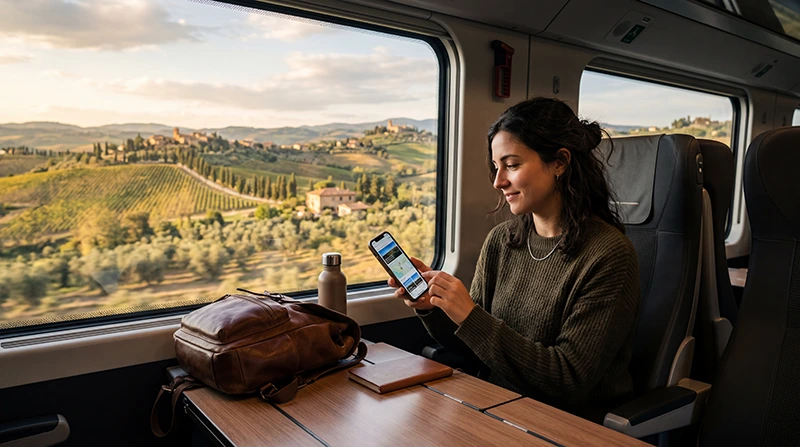

Internet on trains in Italy is useful but not continuous. Onboard Wi-Fi and mobile data can both slow down or disconnect in tunnels, mountain sections and rural stretches, so essential journey information should also be available offline.
A travel eSIM gives your phone its own data connection for digital tickets, platform updates, maps and messages. It is a complement to train Wi-Fi, not a guarantee of uninterrupted coverage throughout a moving journey.
NoveSIM travel eSIMs are data-only. They do not include an Italian phone number or conventional calls and SMS, but apps such as WhatsApp, iMessage and email work over data.
Quick answer: Use mobile data as your primary connection and onboard Wi-Fi as a backup. Before boarding, save the ticket, train number, station names, accommodation address and an offline map; do not leave the only copy of anything essential inside an app that needs a connection.
Top Italy eSIMs

Italy eSIM
Fixed
1 GB, 7 days€ 1.772 GB, 15 days€ 3.113 GB, 30 days€ 3.99Unlimited
Unlimited, 1 day€ 2.22Unlimited, 3 days€ 5.32Unlimited, 5 days€ 8.43
Europe Extra eSIM
Fixed
1 GB, 7 days€ 2.222 GB, 15 days€ 3.553 GB, 30 days€ 4.44Unlimited
Unlimited, 1 day€ 2.66Unlimited, 3 days€ 5.32Unlimited, 5 days€ 8.87Europe+ eSIM
Fixed
1 GB, 7 days€ 2.662 GB, 15 days€ 3.993 GB, 30 days€ 5.32Unlimited
Unlimited, 1 day€ 2.66Unlimited, 3 days€ 6.21Unlimited, 5 days€ 10.20How Internet on Trains in Italy Changes While Moving
A phone travelling at rail speed must hand the connection from one mobile site to another. Cuttings, tunnels, mountains, carriage construction and busy stations can weaken the signal or delay those handovers. A strong connection in Rome or Milan therefore says little about the next rural section.
Onboard Wi-Fi ultimately depends on an external connection too. Many passengers share the same capacity, so it may be adequate for messages and browsing but unreliable for a video meeting or a large upload. Trenitalia confirms that Wi-Fi is offered on supported services, but availability is tied to the train and service conditions rather than every journey.
What to Save Before Boarding
- The ticket or QR code as a PDF or screenshot.
- The train number, departure time and the exact station name; large cities may have several stations.
- The first walking or public-transport route after arrival.
- Your hotel address and a way to contact the host.
- Offline maps and entertainment for long or tunnel-heavy sections.
If the trip includes several cities, choose the allowance for the complete itinerary. The guide to data use in Italy helps estimate navigation, messaging and streaming separately.
Mobile Data or Train Wi-Fi?
| Option | Best use | Main limitation |
|---|---|---|
| Travel eSIM | Tickets, maps and communication on and off the train | Coverage may drop between mobile sites or in tunnels |
| Onboard Wi-Fi | Light browsing when the train offers it | Shared capacity and route-dependent backhaul |
| Station Wi-Fi | Short downloads while waiting | Not available after departure; public-network precautions apply |
For a broader comparison of roaming, local SIMs, eSIMs and Wi-Fi, see the Italy internet options guide.
Prepare the eSIM Before the Rail Trip
- Confirm that the exact phone model supports eSIM and is carrier-unlocked.
- Install the profile on stable private Wi-Fi before departure, following the order instructions.
- Label the home and travel lines clearly; do not test the plan early if activation can start its validity.
- After arrival, select the travel eSIM for Mobile Data and enable Data Roaming on that line.
- Disable mobile-data switching to stop the phone silently returning to the home SIM.
- Keep the eSIM installed if service is interrupted. Use the safe checks in the Italy eSIM troubleshooting guide.
If the NoveSIM APN must be entered manually, use data.esim exactly.
Calls, Hotspot and 5G on the Train
The home SIM may remain enabled for its number, but calls, voicemail, SMS and Wi-Fi Calling remain subject to the home carrier’s charges. Hotspot support, network partners and 4G or 5G access depend on the selected plan, phone, route and local coverage.
Video calls and cloud synchronisation consume data quickly and react poorly to handovers. Postpone large uploads, turn off automatic photo backup and avoid treating a moving train as a dependable remote-work environment.
Related Articles
FAQ
Do Italian trains have free Wi-Fi?
Some services provide onboard Wi-Fi, but it is not universal and performance varies by train, passenger load and route. Check the operator’s current service information for the train you will use.
Will an eSIM work inside Italian train tunnels?
Do not expect a reliable connection in every tunnel. Service may return after the train reaches open terrain, so keep tickets and route information offline.
Is mobile data better than train Wi-Fi?
Mobile data is usually more useful across the whole journey because it also works at stations and after arrival. Onboard Wi-Fi remains a useful backup where available.
How much data is needed for a rail trip?
Messaging, tickets and occasional navigation use relatively little data; streaming, hotspot work and cloud backup use much more. Choose from actual activities and include the final travel day.
Final Recommendation
For internet on trains in Italy, prepare two layers: a mobile-data connection for normal use and offline copies for anything that cannot wait.
Install the eSIM before departure, activate it according to the plan instructions, and use the travel line for data with roaming enabled where required.
Expect brief gaps in tunnels and remote stretches. With tickets, maps and arrival details saved locally, those gaps remain an inconvenience rather than a travel problem.