


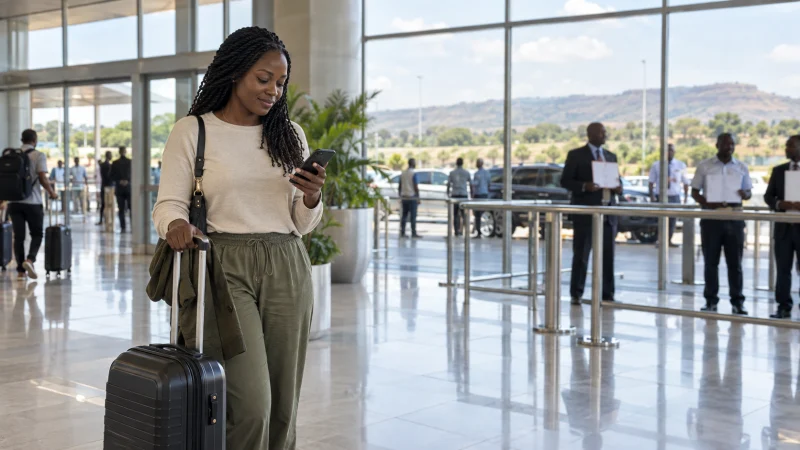

Internet at Lusaka Airport can come from a pre-installed travel eSIM, a local mobile service bought after arrival or the terminal’s currently available connectivity. The safest arrival plan does not depend on a single shop or public Wi-Fi connection.
Kenneth Kaunda International Airport is the main air gateway for Lusaka. Travellers commonly need data immediately for a driver, accommodation directions, ride arrangements or an onward itinerary, so the first route should be stored before the flight.
NoveSIM travel eSIMs provide data only. We do not provide a Zambian number, conventional calls or SMS. Messaging and internet calls can work over data once the eSIM connects.
Quick answer: Install a Zambia eSIM before departure if you want mobile data without waiting for a shop, or use an authorised airport operator facility if you need a local SIM. Keep the address, driver contact and first Lusaka route offline because Wi-Fi, queues, opening hours and stock can change.
Top Zambia eSIMs


Prepare the connection before landing
An eSIM is useful at an airport because installation can be completed over trusted Wi-Fi at home. Check that the phone is carrier-unlocked, that Zambia is included, and that the plan has not been activated earlier than intended.
- Install the eSIM and label it “Zambia”.
- Save the QR code and provider instructions outside the phone when possible.
- Download the Lusaka map, accommodation address and transfer details.
- After landing, select the eSIM for mobile data.
- Enable its required roaming setting and wait for automatic network registration.
Available Zambia plans can be reviewed on the Zambia eSIM product page. Choose the plan before travel rather than making the decision in an arrivals queue.
Can you buy a SIM card at Kenneth Kaunda International Airport?
Official sources list an MTN Airport Service Center at Kenneth Kaunda International Airport for SIM and eSIM registration, bundle purchases and related services. Zambia Airports Corporation also lists Airtel services at its airports. These listings support the availability of authorised mobile help, but they do not guarantee the desk will be open or have the desired package when a particular flight arrives.
If you need a Zambian telephone number, bring the original identification required by the operator and complete registration through an authorised channel. Ask the seller to confirm the package, expiry, recharge method and working mobile data before leaving. The Zambia SIM-card guide explains the local-SIM decision.
Do not make terminal Wi-Fi the only arrival plan
Airport Wi-Fi conditions can change, and a login page, time limit or congestion may affect access. Verify the current service in the terminal rather than relying on an old instruction. Avoid entering payment or account credentials on an open network unless the connection and website are trusted.
If Wi-Fi is available, use it for ordinary messages or final eSIM checks. Keep the boarding pass, hotel address and transfer details saved locally so they remain accessible without it.
Getting online for the journey into Lusaka
Confirm the driver’s name, meeting point and payment arrangement before leaving arrivals. If accommodation arranged the transfer, save its emergency contact and a screenshot of the booking. Mobile data is helpful for changes, but it should not be the only record of where you are going.
For travellers continuing beyond the city, complete large downloads before the road journey. The broader Zambia mobile-internet guide compares eSIM, local SIM, roaming and accommodation Wi-Fi.
If the eSIM does not connect at the airport
- Confirm the eSIM is turned on and selected for mobile data.
- Check that data roaming is enabled on the travel line when required.
- Disable automatic data switching to the home SIM.
- Move away from an enclosed area and restart the phone once.
- Keep network selection automatic unless the plan instructions name an approved network.
Do not delete the installed eSIM. Deletion can remove a profile that cannot be scanned again; contact support if the standard checks fail. Coverage context is available in the Zambia eSIM coverage guide.
Related Articles
- Best eSIM for Zambia Travel
- Livingstone and Victoria Falls Mobile Internet
- Zambia Safari Mobile Internet
FAQ
Can I get mobile data immediately after landing in Lusaka?
Yes, a compatible travel eSIM installed in advance can connect after landing, subject to activation, partner coverage and the correct phone settings.
Is there a mobile-operator shop at Lusaka Airport?
Official sources list MTN and Airtel services at Kenneth Kaunda International Airport. Check current hours, registration requirements and stock for your arrival.
Should I rely on Lusaka Airport Wi-Fi?
Use it if the current official service is available, but keep essential arrival information offline because access conditions and performance can change.
Will an airport SIM work on a safari?
It depends on the chosen operator and exact route. Test the SIM before leaving Lusaka and ask the lodge or guide which network works locally.
Final Recommendation
For the simplest Lusaka arrival, install and check a Zambia eSIM before flying while keeping an authorised local-SIM purchase as an alternative.
After landing, select the intended data line and verify that maps and messaging work before leaving the terminal. Do not delete an eSIM that is slow to register.
Carry the accommodation address, transfer contact and first route offline so the journey into Lusaka does not depend on terminal Wi-Fi or shop availability.