


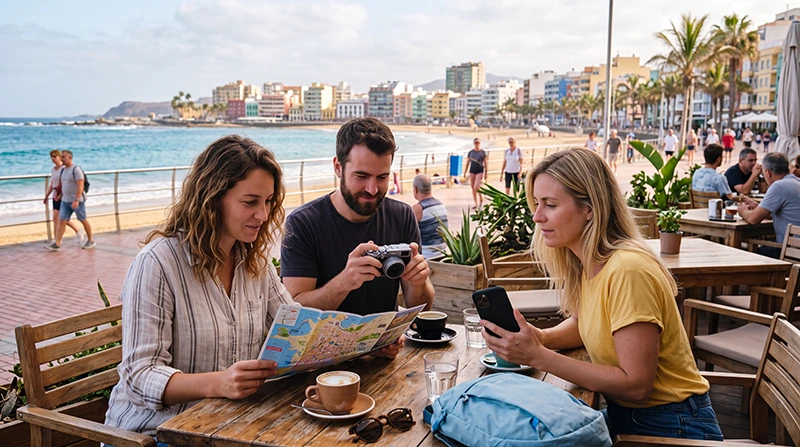

Reliable internet can make a visit to Las Palmas de Gran Canaria much easier. Tourists use their phones for airport transfers, walking directions, bus information, hotel communication, restaurant searches, attraction bookings and staying in contact throughout the trip.
Las Palmas combines a busy city centre, historic districts, shopping streets, transport hubs and the long waterfront around Las Canteras. Hotel or apartment WiFi may be enough while you are indoors, but mobile internet is more useful when you are exploring the city.
Quick answer: The easiest internet option for most tourists in Las Palmas is a prepaid travel eSIM installed before departure. It provides mobile data for navigation, bookings and communication without requiring a physical SIM card. Trusted accommodation WiFi is still useful for streaming, large downloads and remote work.
Top Canary Islands eSIMs

Canary Islands eSIM
Fixed
1 GB, 7 days€ 1.772 GB, 15 days€ 3.553 GB, 30 days€ 4.44Unlimited
Unlimited, 1 day€ 2.22Unlimited, 3 days€ 4.88Unlimited, 5 days€ 7.99
Europe Extra eSIM
Fixed
1 GB, 7 days€ 2.222 GB, 15 days€ 3.553 GB, 30 days€ 4.44Unlimited
Unlimited, 1 day€ 2.66Unlimited, 3 days€ 5.32Unlimited, 5 days€ 8.87Europe+ eSIM
Fixed
1 GB, 7 days€ 2.662 GB, 15 days€ 3.993 GB, 30 days€ 5.32Unlimited
Unlimited, 1 day€ 2.66Unlimited, 3 days€ 6.21Unlimited, 5 days€ 10.20How Can Tourists Get Internet in Las Palmas?
Visitors can choose between several internet options depending on their phone, trip length and expected usage.
| Internet Option | Best For | Main Advantage | Main Limitation |
|---|---|---|---|
| Travel eSIM | Most short-term tourists | Can be installed before arrival | Requires a compatible unlocked phone |
| Local prepaid SIM | Longer stays and local calling | May include a Spanish number | Usually purchased after arrival |
| International roaming | Travellers with favourable home plans | No new SIM installation | Charges and fair-use limits vary |
| Hotel or apartment WiFi | Streaming and large downloads | Often included with accommodation | Does not provide continuous access outdoors |
| Pocket WiFi | Families or groups with several devices | Can connect multiple users | Extra device to carry and charge |
Using an eSIM for Internet in Las Palmas
An eSIM is a digital mobile profile installed directly on a compatible phone. Instead of replacing your physical SIM card, you normally scan a QR code or enter the installation details manually.
A Las Palmas eSIM can help with:
- Airport arrival communication.
- Walking and driving navigation.
- Hotel and apartment access.
- Restaurant and attraction searches.
- Bus and transport information.
- Digital tickets and reservations.
- Internet-based calls.
- Photo sharing and social media.
Many travel eSIMs are data-only. They may not include a Spanish phone number, traditional calls or standard SMS.
Why an eSIM Is Convenient for Las Palmas Tourists
It can be installed before departure
You can arrange the connection while still at home and connected to stable WiFi. This avoids searching for a mobile retailer immediately after arrival.
It lets you keep your primary SIM
Many modern phones support dual-SIM use. Your normal SIM can remain available for calls or verification messages while the travel eSIM handles mobile data.
It works while you move around the city
Unlike hotel WiFi, mobile data remains available while walking between neighbourhoods, using public transport or spending time near the beach, wherever the supported partner network has coverage.
It offers predictable prepaid data
A fixed allowance or validity period can make travel spending easier to understand than international roaming with unclear fees.
Buying a Local SIM Card in Las Palmas
A local prepaid SIM may be suitable for travellers staying several weeks, visitors who need a Spanish number or people whose phones do not support eSIM.
Local SIM cards may be available from:
- Official mobile operator stores.
- Authorised phone retailers.
- Electronics shops.
- Shopping centres.
- Selected convenience stores.
Identification may be required for registration. Opening hours, available plans and support conditions can vary.
For a short city break, visiting a shop and replacing the physical SIM may take more time than installing an eSIM before travel.
Using International Roaming in Las Palmas
Las Palmas is in Gran Canaria, which is part of Spain and the Canary Islands. Some travellers may have Spain roaming included in their home plan, while others may face daily fees, separate travel passes or pay-as-you-go charges.
Before relying on roaming, check:
- Whether Gran Canaria or the Canary Islands are included.
- The available roaming data allowance.
- Any fair-use restriction.
- The cost after the allowance is exhausted.
- Whether hotspot use is allowed.
- Whether a daily pass activates automatically.
Do not assume that another traveller’s roaming terms apply to your contract. Policies vary by operator, country and tariff.
WiFi in Las Palmas
WiFi is commonly available in hotels, apartments, cafes, restaurants, coworking spaces and selected public venues.
WiFi is useful for:
- Video streaming.
- Software updates.
- Large downloads.
- Cloud backups.
- Long video calls.
- Remote work.
It is less practical for:
- Walking navigation.
- Public transport searches.
- Airport transfers.
- Restaurant searches while moving.
- Communication away from the accommodation.
For most visitors, the best approach is to combine trusted WiFi with mobile data.
Can Tourists Rely Only on Free WiFi?
Free WiFi may be enough for travellers who spend most of their time inside a hotel or apartment, but it is restrictive for independent sightseeing.
| Travel Activity | Is WiFi Alone Practical? | Reason |
|---|---|---|
| Streaming at accommodation | Usually | Hotel or apartment WiFi may be sufficient |
| Exploring Las Canteras | No | Maps and searches may be needed outdoors |
| Visiting Vegueta and Triana | No | Walking directions and bookings are easier with mobile data |
| Using public buses | No | Route information may change during the day |
| Remote work | Partly | A backup connection is recommended |
| Day trip outside the city | No | Venue WiFi will not remain available while travelling |
Internet at Gran Canaria Airport
Most international visitors reach Las Palmas through Gran Canaria Airport. Internet access can be useful immediately after landing.
You may need it to:
- Open transfer instructions.
- Contact your hotel or apartment host.
- Find the bus or taxi area.
- Access rental-car information.
- Start navigation to Las Palmas.
- Open booking confirmations.
Airport WiFi may be available, but access conditions can change. A travel eSIM installed before departure is more practical because it can continue working after you leave the terminal.
Internet Near Las Canteras Beach
Las Canteras is one of the most popular areas for tourists, with hotels, apartments, cafes, restaurants and a long waterfront promenade.
WiFi may be available inside many businesses, but mobile data is more useful for:
- Finding restaurants.
- Checking walking directions.
- Contacting accommodation.
- Booking taxis.
- Sharing your location.
- Checking opening hours.
- Changing plans during the day.
Use trusted indoor WiFi for streaming and larger uploads.
Internet in Vegueta
Vegueta is the historic heart of Las Palmas, with museums, traditional streets, cultural venues and restaurants.
Mobile internet is helpful for:
- Walking navigation.
- Opening attraction information.
- Accessing digital tickets.
- Restaurant reservations.
- Translation tools.
- Public transport searches.
Some cafes and venues may provide WiFi, but availability should not be assumed.
Internet in Triana
Triana is a lively shopping and dining area next to Vegueta. Mobile data can help tourists move between shops, cafes and attractions without searching for a public network.
Save important reservations and accommodation information offline before beginning a full day of sightseeing.
Internet at Las Palmas Transport Hubs
Transport terminals and waiting areas may provide WiFi, but tourists should not depend on it for time-sensitive journeys.
Before travelling:
- Download tickets.
- Save the complete route.
- Take screenshots of booking details.
- Save the destination address.
- Keep mobile data available as backup.
Internet for Public Transport in Las Palmas
Mobile data is useful when travelling by bus because it allows you to check routes, stops and possible changes while moving around the city.
Before boarding:
- Save the stop name.
- Check the direction of travel.
- Download the route when possible.
- Keep the destination address available offline.
- Allow extra time for unfamiliar connections.
Internet for a Gran Canaria Day Trip
Las Palmas is a common starting point for trips to other parts of Gran Canaria. Mobile data helps with navigation, weather checks, restaurant searches and communication during the journey.
Before leaving the city:
- Download offline maps.
- Save planned stops.
- Check road and weather information.
- Download tickets and reservations.
- Charge the phone fully.
- Carry a power bank.
Reception may become less predictable on mountain roads, in deep valleys and in remote inland areas.
How Much Data Do Tourists Need in Las Palmas?
| Trip Type | Suggested Data | Typical Use |
|---|---|---|
| Weekend city break | 1–3GB | Maps, messaging and light browsing |
| One-week stay | 3–5GB | Daily navigation, bookings and moderate social media |
| Two-week stay | 5–10GB | Regular uploads, transport and communication |
| Heavy social media use | 10GB or more | Frequent photo and video uploads |
| Remote work | Large or unlimited backup plan | Video calls, cloud tools and hotspot use |
Maps, messaging and normal web searches usually consume relatively little data. Streaming, video calls, cloud backups and laptop tethering use much more.
Do Tourists Need Unlimited Data?
Unlimited data may be useful for remote workers, frequent video users and travellers who prefer not to monitor a fixed allowance.
However, unlimited plans may include:
- A daily high-speed allowance.
- Reduced speeds after a fair-use threshold.
- Hotspot restrictions.
- Network-management rules.
- Limits on unusually heavy use.
For a normal one-week city break, a fixed 3GB, 5GB or 10GB plan may be more practical.
Internet for Remote Workers in Las Palmas
Las Palmas is popular with remote workers and digital nomads. The safest setup is to use reliable apartment or coworking WiFi as the main connection and mobile data as backup.
Before booking accommodation, ask:
- Whether the router is inside the property.
- Whether the connection is private or shared.
- Whether video meetings are practical.
- Whether previous guests have worked remotely.
- Whether there is a proper desk.
- Whether a coworking space is nearby.
A large-data eSIM can provide backup connectivity, but mobile performance still depends on local coverage and congestion.
Can You Use WhatsApp in Las Palmas?
Yes. WhatsApp works through any active internet connection, including a travel eSIM, local SIM or WiFi.
You can continue using your existing number for:
- Messages.
- Voice calls.
- Video calls.
- Photo sharing.
- Location sharing.
You do not normally need to change the number registered with WhatsApp after installing a travel eSIM.
Can You Keep Your Primary SIM Active?
Many dual-SIM phones allow the primary SIM and travel eSIM to remain active together.
Recommended configuration:
- Select the travel eSIM for Mobile Data.
- Enable Data Roaming on the travel eSIM.
- Disable Data Roaming on the primary SIM.
- Disable Automatic Data Switching.
- Keep the primary SIM available only when needed for calls or SMS.
Your home operator may still charge for incoming calls, outgoing calls, SMS or voicemail.
Does a Travel eSIM Include Calls and SMS?
Many travel eSIMs are data-only and may not include:
- A Spanish phone number.
- Traditional voice calls.
- Standard SMS.
- Local call minutes.
You can still use WhatsApp, Viber, Messenger, FaceTime and similar internet-based services.
Can You Use an eSIM as a Hotspot?
Some travel eSIM plans permit hotspot use, but the conditions vary. Check the plan details before relying on tethering for a laptop, tablet or another traveller.
Connected devices may consume data through:
- Software updates.
- Cloud synchronisation.
- Video meetings.
- Large file downloads.
- Background applications.
Use trusted WiFi for heavy work whenever possible.
Public WiFi Security
Open WiFi networks can be convenient, but they may not provide the same privacy as mobile data or a private accommodation network.
When using public WiFi:
- Confirm the correct network name with staff.
- Avoid unknown networks with similar names.
- Do not share sensitive information unnecessarily.
- Avoid online banking where possible.
- Use secure websites.
- Turn off automatic WiFi connection.
- Disconnect after use.
Mobile data is often preferable for sensitive activity.
How to Install a Las Palmas eSIM
- Check that your phone supports eSIM.
- Confirm that the device is network-unlocked.
- Choose a plan that includes Gran Canaria, the Canary Islands or Spain.
- Complete the purchase online.
- Connect to stable WiFi.
- Scan the supplied QR code or enter the details manually.
- Label the profile clearly, such as Gran Canaria eSIM.
- Keep it installed until the trip is complete.
Installation and activation are not always the same. Check the plan instructions to understand when the validity period begins.
Recommended Mobile Internet Settings
| Setting | Recommended Configuration |
|---|---|
| Travel eSIM | Enabled |
| Mobile Data | Select the travel eSIM |
| Data Roaming on travel eSIM | Enabled |
| Data Roaming on primary SIM | Disabled |
| Automatic Data Switching | Disabled |
| Network Selection | Automatic |
| APN | Use data.esim only when required |
How to Activate Mobile Data After Arrival
- Open the phone’s mobile network settings.
- Enable the installed travel eSIM.
- Select it as the preferred line for Mobile Data.
- Enable Data Roaming on the travel eSIM.
- Disable Data Roaming on the primary SIM.
- Turn off Automatic Data Switching.
- Leave Network Selection on Automatic.
- Wait a few minutes for network registration.
If the connection does not appear, turn Airplane Mode on for approximately 30 seconds, turn it off and restart the phone.
What to Do if Mobile Internet Does Not Work
- Confirm that the travel eSIM is enabled.
- Select it for Mobile Data.
- Enable Data Roaming on the travel eSIM.
- Disable roaming on the primary SIM.
- Turn off Automatic Data Switching.
- Set Network Selection to Automatic.
- Turn Airplane Mode on for approximately 30 seconds.
- Turn Airplane Mode off.
- Restart the phone.
- Enter the APN data.esim only when required.
Do not delete the eSIM while troubleshooting. The QR code may only support one installation.
Why Is Internet Slow?
Internet speed may vary because of:
- Network congestion in busy areas.
- Weak indoor reception.
- Distance from a WiFi router.
- Too many users on the same network.
- A fair-use speed reduction.
- The phone model.
- The selected partner network.
- Supported mobile frequencies.
The availability of 5G depends on the device, plan, local partner network, exact location, congestion and supported frequencies. A 4G connection does not automatically indicate a problem.
How to Save Mobile Data
- Download offline maps.
- Use trusted WiFi for streaming.
- Pause cloud photo backups.
- Disable automatic application updates.
- Download music and films before leaving the accommodation.
- Reduce video quality on mobile data.
- Turn off unnecessary background activity.
- Monitor usage in the phone settings.
Related Canary Islands Travel Internet Guides
- WiFi in Las Palmas
- Gran Canaria eSIM
- Best eSIM for Gran Canaria
- Gran Canaria SIM Card
- Mobile Data in Gran Canaria
- Gran Canaria Roaming Charges
FAQ
What is the easiest way for tourists to get internet in Las Palmas?
For most visitors, a prepaid travel eSIM is the easiest option because it can be installed before departure and used throughout the city without replacing the primary SIM.
Is WiFi widely available in Las Palmas?
WiFi is common in hotels, apartments, cafes, restaurants and coworking spaces, but speed, security and reliability vary.
Can I rely only on hotel WiFi?
Possibly for indoor use, but mobile data is more practical for maps, transport, bookings and communication while exploring the city.
How much data do I need for one week in Las Palmas?
Most tourists need approximately 3GB to 5GB for navigation, messaging, web searches and moderate social media use.
Can I use WhatsApp with a travel eSIM?
Yes. WhatsApp normally continues using your existing number while the travel eSIM provides mobile data.
Can I keep my home SIM active?
Yes, on many dual-SIM phones. Select the travel eSIM for Mobile Data, disable roaming on the primary SIM and turn off Automatic Data Switching.
Is public WiFi safe?
Security varies. Confirm the correct network name, avoid sensitive activity on open networks and use mobile data when privacy is important.
Should I delete the eSIM if it does not connect?
No. Keep it installed and check the mobile data, roaming, network and APN settings because the QR code may be single-use.
Final Recommendation
The most practical internet setup for tourists in Las Palmas is a combination of mobile data and trusted WiFi. Use hotel, apartment or coworking WiFi for streaming, remote work and large downloads, then use mobile data for navigation, transport information and communication while exploring the city.
A suitable NoveSIM travel eSIM can be installed before departure and used across Las Palmas wherever a supported partner network is available. Select it for Mobile Data, enable Data Roaming on the travel eSIM, disable roaming on the primary SIM and keep Automatic Data Switching turned off.