


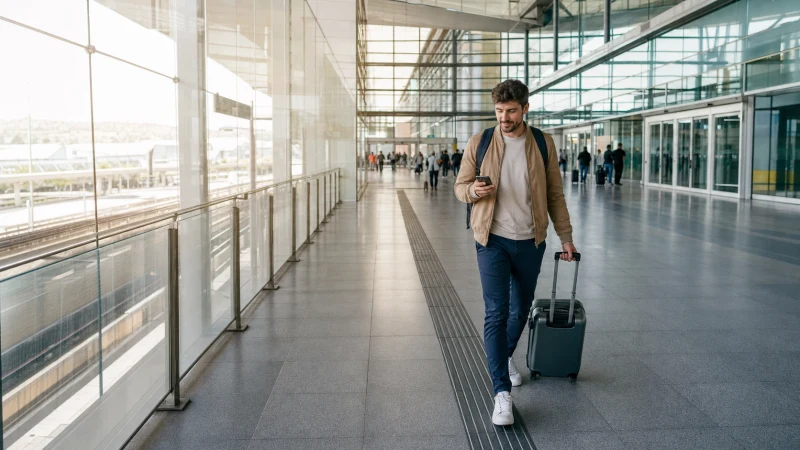

Internet at Izmir Airport is useful for confirming the city transfer, retrieving bookings and contacting accommodation. Use official terminal Wi-Fi for immediate access or a Turkey eSIM or local SIM for the journey beyond the airport.
Izmir Airport is an arrival point for both the city and onward coastal or archaeological trips. Save the correct route before leaving because mobile reception can vary away from populated areas.
NoveSIM travel eSIMs are data-only, with no Turkish number, conventional calls or SMS. Maps and online messaging work over data.
Quick answer: Install an eSIM before travel, use official airport Wi-Fi if setup needs checking, and test maps with Wi-Fi off before starting the transfer. Save the address and first route offline.
Top Turkey eSIMs

Turkey eSIM
Fixed
1 GB, 7 days€ 2.222 GB, 15 days€ 3.113 GB, 30 days€ 3.99Unlimited
Unlimited, 1 day€ 2.66Unlimited, 3 days€ 5.77Unlimited, 5 days€ 9.32
Europe Extra eSIM
Fixed
1 GB, 7 days€ 2.222 GB, 15 days€ 3.553 GB, 30 days€ 4.44Unlimited
Unlimited, 1 day€ 2.66Unlimited, 3 days€ 5.32Unlimited, 5 days€ 8.87Europe+ eSIM
Fixed
1 GB, 7 days€ 2.662 GB, 15 days€ 3.993 GB, 30 days€ 5.32Unlimited
Unlimited, 1 day€ 2.66Unlimited, 3 days€ 6.21Unlimited, 5 days€ 10.20Europe Lite eSIM
Fixed
1 GB, 7 days€ 2.222 GB, 15 days€ 3.553 GB, 30 days€ 4.44Unlimited
Unlimited, 1 day€ 2.66Unlimited, 3 days€ 5.32Unlimited, 5 days€ 8.87How can you get internet at Izmir Airport?
An eSIM is convenient on an unlocked compatible phone. A Turkish SIM may suit travellers needing a local number, while home roaming should be used only after checking Turkey-specific charges. Compare plans in the Turkey eSIM guide.
What should you do before leaving the terminal?
- Confirm the official Wi-Fi network from airport information.
- Enable the travel line and select it for data.
- Enable roaming on the eSIM when required.
- Keep home-line data roaming disabled.
- Download the city or onward route and send a test message.
Continue with the Izmir tourist internet guide after arrival in the city.
Which onward journey should you prepare at ADB?
Passengers staying in Izmir need the city address and the correct public-transport or road route. Travellers continuing to Çeşme, Alaçatı, Selçuk or another coastal or historic stop should download the entire intercity section, not merely the first turn from the terminal.
If somebody is collecting you, agree on a terminal meeting point before the flight. Keep the driver’s name, vehicle and telephone number as a screenshot in case Wi-Fi ends before the phone registers on mobile data.
Should you buy a SIM at the airport?
If a tourist SIM outlet is available, confirm the complete price, allowance, validity and included number before paying. Test data with Wi-Fi disabled. The Turkey SIM guide provides the full checklist.
How should you diagnose an ADB connection before departing?
Check the data line, required roaming and automatic network selection. The manual NoveSIM APN is data.esim. Do not delete the profile unless support instructs you; use the Turkey troubleshooting guide.
Switch airport Wi-Fi off, load a new webpage and recalculate the saved route. A cached map alone does not prove that cellular data is working.
Related Articles
FAQ
Is Wi-Fi available at Izmir Airport?
Passenger Wi-Fi may be available; follow current official airport instructions for the network and login.
Will a Turkey eSIM work at Izmir Airport?
It can work where its supported partner network has coverage. Install and test it before leaving.
Can I buy a SIM at Izmir Airport?
Availability can change. If buying there, confirm the full tourist-package terms and test activation.
Should I download the transfer route?
Yes, especially when continuing beyond Izmir city to coastal or rural destinations.
Final Recommendation
Arrange internet at Izmir Airport before the onward transfer and use official Wi-Fi only as the setup bridge.
Test the mobile line, protect the home SIM from roaming and save the route offline.
Keep booking details accessible without a connection when travelling beyond the city.