


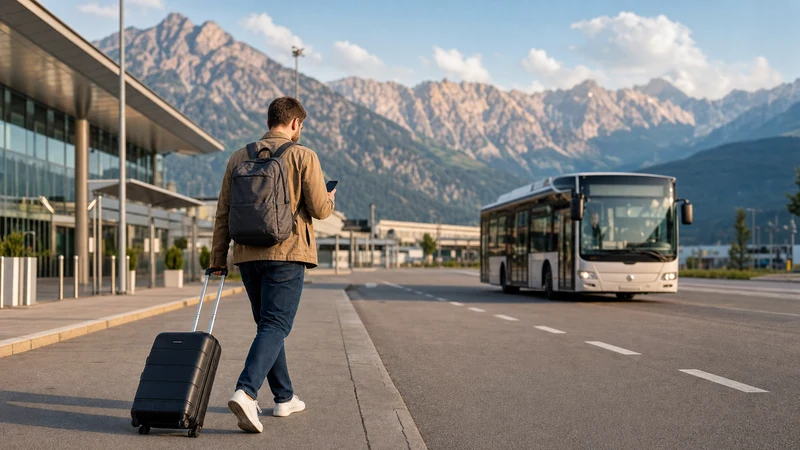

Internet at Innsbruck Airport can come from airport WiFi, an Austria eSIM, home-network roaming or a physical SIM card. WiFi can cover short tasks inside supported airport areas, while mobile data is the practical option for the bus into Innsbruck and onward travel through Tyrol.
The best choice depends on the phone, home contract and itinerary. A passenger being collected may need only a brief connection; someone continuing by bus, train or resort transfer benefits from a prepared mobile-data plan.
NoveSIM travel eSIM plans are data-only. They normally do not include an Austrian telephone number, conventional voice calls or SMS, but internet messaging and calling apps can work through mobile data.
Quick answer: Confirm the current airport WiFi instructions through official signage or staff, because general terminal network details can change. For continuous connectivity, install an Austria eSIM before departure on a compatible unlocked phone, then select it for mobile data after landing. Bus line F links the airport and Innsbruck Main Station in approximately 20 minutes according to the airport’s official transport page.
Top Austria eSIMs

Austria eSIM
Fixed
1 GB, 7 days€ 1.772 GB, 15 days€ 3.113 GB, 30 days€ 3.99Unlimited
Unlimited, 1 day€ 2.22Unlimited, 3 days€ 5.32Unlimited, 5 days€ 8.43
Europe Extra eSIM
Fixed
1 GB, 7 days€ 2.222 GB, 15 days€ 3.553 GB, 30 days€ 4.44Unlimited
Unlimited, 1 day€ 2.66Unlimited, 3 days€ 5.32Unlimited, 5 days€ 8.87Europe+ eSIM
Fixed
1 GB, 7 days€ 2.662 GB, 15 days€ 3.993 GB, 30 days€ 5.32Unlimited
Unlimited, 1 day€ 2.66Unlimited, 3 days€ 6.21Unlimited, 5 days€ 10.20What Internet Options Are Available?
| Option | Best use | Main consideration |
|---|---|---|
| Airport WiFi | Boarding passes, messages and short browsing inside supported areas | Confirm the current SSID, access rules and coverage at the airport |
| Austria travel eSIM | Prepared mobile data from arrival through the rest of the trip | Requires a compatible unlocked phone and correct activation |
| Home SIM roaming | Convenience when the existing plan includes Austria affordably | Charges and fair-use limits vary by carrier |
| Physical Austrian SIM | Phones without eSIM or travellers needing a domestic arrangement | Retail availability, registration and opening hours can add delay |
The options are not mutually exclusive. You can use verified airport WiFi while collecting luggage, then switch to an installed eSIM when leaving the terminal. Offline maps and saved bookings provide another layer of resilience.
What Is Confirmed About Innsbruck Airport WiFi?
Innsbruck Airport’s public information confirms free WiFi in the Tyrol Business Lounge after security near gates 11 and 12. The general passenger pages reviewed for this guide do not clearly publish a terminal-wide network name, password policy, time limit or detailed coverage map.
Travellers should therefore check current airport signage or ask the service desk. Do not join a network because its name merely looks plausible. Network arrangements can change, and an old forum post is not an authoritative source.
The Innsbruck Airport WiFi guide explains how to verify the SSID, trigger a captive portal and protect sensitive information on a public connection.
How to Connect to Airport WiFi Safely
- Find the official WiFi instructions in the current passenger area or ask airport staff.
- Select only the exact confirmed network in device settings.
- Open a browser if a welcome page does not appear automatically.
- Complete the legitimate portal step without entering unnecessary sensitive data.
- Test access with a normal webpage.
- Forget the public network after leaving the terminal.
Do not install an unknown configuration profile or certificate for ordinary free WiFi. If a page asks for payment-card details unexpectedly, stop and confirm the service with staff. Treat the connection as public and avoid confidential tasks unless you use an approved security method.
Why Airport WiFi Is Not Enough for the Whole Journey
Terminal WiFi is designed for airport facilities, not the bus, road or railway network. A phone may cling to a weak access point near the exit and show a WiFi symbol without usable internet. Manually switch to mobile data when leaving if this happens.
Live data can help identify the correct bus stop, confirm a departure, follow the route and message accommodation. It is also useful when a delayed flight affects a rail connection or transfer.
Save the hotel address, transport route and booking references offline before travelling. Mountain valleys, tunnels and remote properties can have variable signal even with a suitable mobile plan.
Why Use an eSIM at Innsbruck Airport?
An eSIM is a digital SIM profile. A compatible phone can install it without removing the home card, which is particularly convenient when handling winter luggage or continuing directly to a resort. Setup can be completed before the flight rather than at an airport retailer.
- Install before departure on a dependable connection.
- Keep the home SIM present for calls or verification texts.
- Select the travel line for data only after landing.
- Avoid handling and storing a tiny plastic card.
- Continue using data beyond the terminal where network coverage is available.
The Innsbruck Airport eSIM guide provides a detailed arrival setup. Network availability, speed, 4G or 5G and hotspot support depend on the selected plan, device, location and local coverage.
Check Compatibility and Unlocked Status
Do not assume every recent phone supports eSIM. Compatibility can differ by exact model, sales region and carrier configuration. A carrier lock may also prevent another provider’s profile from working.
- Find the exact model number in device settings.
- Check the manufacturer’s official eSIM documentation for that model and region.
- Look for an option to add an eSIM or mobile plan.
- Ask the home carrier to confirm that the phone is network-unlocked.
- Update to the latest stable software supported by the device.
Use the Austria eSIM compatibility checklist before purchasing. The eSIM provider cannot remove a carrier lock.
When to Install and Activate
Install the plan before departure on reliable WiFi. Keep the QR code and manual details available on another screen or printout. If the phone needs to scan a QR code, displaying it only on that same phone may not be sufficient unless the device supports direct import.
Installation and validity are not always the same event. Some plans begin when installed, while others begin at the first connection to a supported network. Follow the exact product instructions to avoid starting a time-limited allowance too early.
- Install the profile and label it “Austria Data”.
- Keep the home SIM selected for calls and SMS if needed.
- After landing, select the eSIM for cellular or mobile data.
- Enable data roaming on the eSIM if its instructions require it.
- Keep data roaming off on the home line unless intentionally used.
- Disable data switching if you want strict control over the data line.
- Wait for registration, then test a normal webpage.
See how to activate an Austria eSIM for common iPhone and Android menu paths.
Can You Use Home-Network Roaming?
Yes, if the home carrier allows roaming in Austria. Travellers with EU or EEA contracts may have regulated benefits, but fair-use limits and special tariffs can still apply. Visitors from the United Kingdom, Switzerland and other markets should not assume Austria is included.
Check the current price, allowance and daily-pass conditions directly with the carrier. The Austria roaming charges guide explains what to verify. Keep home-line data roaming disabled when the eSIM is intended to supply data.
Should You Buy a Physical SIM?
A physical SIM can suit a phone without eSIM or a traveller needing a particular domestic plan. Airport retail arrangements and registration procedures can change, so verify availability before relying on a purchase at the terminal.
Compare plan validity, data amount, top-up method, hotspot rules and cross-border use. If no suitable card is available, airport connectivity can help you reach an authorised retailer in Innsbruck. The Innsbruck Airport SIM card guide outlines the checks.
Internet for Bus Line F and the Main Station
Innsbruck Airport states that bus line F runs directly between the terminal and Innsbruck Main Station, with a journey of approximately 20 minutes. Verify the current IVB or VVT timetable on the day of travel because frequencies and service details can change.
At the main station, travellers can connect to regional and international rail services. Mobile data helps with platforms, delays and digital tickets, but store the essential ticket or reservation offline in case signal is weak.
If your final destination is a ski resort, confirm the transfer meeting point and save the operator’s number. Do not rely on a continuous signal through every valley or tunnel.
How Much Data Is Useful?
Maps, text messages, email and transport searches are relatively light. Streaming, cloud photo upload, video calls and tethering use much more. Estimate by activity rather than trip length alone.
| Pattern | Typical activities | Planning tip |
|---|---|---|
| Light | Maps, messages and occasional searches | Download offline maps and choose a modest allowance |
| Moderate | Browsing, music and regular social media | Monitor per-app use and pause automatic updates |
| Heavy | Video, remote work, uploads and hotspot use | Choose a larger plan and confirm tethering support |
The Austria data-planning guide helps turn common activities into a suitable allowance.
Cross-Border Internet from Tyrol
Journeys from Innsbruck often include Italy, Germany or Switzerland. An Austria-only plan should not be assumed to work in every neighbouring country. Check the exact country list and roaming terms before buying.
Switzerland is outside the EU/EEA roaming framework, so a home carrier may treat it differently. A regional eSIM can be more convenient for a multi-country Alpine trip, but plan coverage and validity still need verification.
Messaging, Calls and Dual-SIM Use
WhatsApp and similar apps can use airport WiFi or eSIM data while normally retaining the existing account number. Installing a travel profile does not require changing the WhatsApp number. The WhatsApp and Austria eSIM guide explains the setup.
A data-only eSIM does not provide traditional calls or SMS. The home line may remain active for those services on a dual-SIM phone, but carrier roaming charges can apply. WiFi calling depends on the home carrier and device and should not be treated as guaranteed.
What If Mobile Data Does Not Work?
- Turn airplane mode off and confirm the eSIM line is enabled.
- Select the eSIM for mobile data.
- Enable data roaming if required by the plan.
- Wait several minutes and restart the phone once.
- Leave network selection on automatic unless support advises otherwise.
- Check only the plan-specific APN instructions.
- Move near a window or outside if the building weakens reception.
Do not delete the installed profile during troubleshooting unless support instructs you. Follow the Austria eSIM troubleshooting guide and the Austria APN guide for a safe diagnostic sequence.
Security, Battery and Offline Preparation
- Confirm airport WiFi through official signage or staff.
- Do not ignore certificate warnings or install unknown profiles.
- Save transport, accommodation and insurance details offline.
- Download maps for Innsbruck and planned mountain destinations.
- Carry a charged power bank, especially in cold weather.
- Pause large updates and cloud backup.
- Forget public WiFi after leaving the terminal.
- Keep the eSIM profile installed if troubleshooting is required.
Related Articles
- WiFi at Innsbruck Airport: Connection Tips and eSIM Backup
- eSIM at Innsbruck Airport: Setup, Data and Arrival Guide
- SIM Card at Innsbruck Airport: Buying Options and eSIM Alternative
- Mobile Data in Austria for Travellers
- Does My Phone Support an Austria eSIM?
- How Much Data Do You Need for an Austria Trip?
FAQ
What is the best internet option at Innsbruck Airport?
Use verified airport WiFi for short terminal tasks and a suitable eSIM, roaming plan or physical SIM for continuous data after leaving. The best option depends on device compatibility, cost and itinerary.
Does the airport publish a general WiFi network name?
The official pages reviewed clearly confirm free WiFi in the Tyrol Business Lounge but do not clearly state a general terminal SSID. Confirm current instructions through airport signage or staff.
Can I install an Austria eSIM after landing?
It may be possible with a dependable connection, but installation before departure is safer. Check whether validity starts at installation or first supported-network connection.
Will mobile data work on the bus into Innsbruck?
It can work where the selected local network has coverage. Keep the route and address offline because signal and speed depend on the plan, device and local conditions.
Can I keep my home SIM active?
Yes, on a dual-SIM phone. Select the eSIM for data and review home-carrier charges for calls, SMS and any roaming activity.
Should I delete an eSIM that does not connect?
No. Verify the selected data line, roaming, network registration and plan-specific APN. Delete it only if support specifically instructs you.
Final Recommendation
Use only airport WiFi details confirmed by current official signage or staff. Treat the connection as public and store essential travel information offline before leaving the terminal.
For uninterrupted maps and messaging, prepare an Austria eSIM before departure or confirm that your home roaming plan is affordable. Select the correct data line after landing and apply roaming settings carefully.
A combination of verified airport access, prepared mobile data and offline essentials gives the strongest connection plan for Innsbruck, the main station and onward travel through Tyrol.