


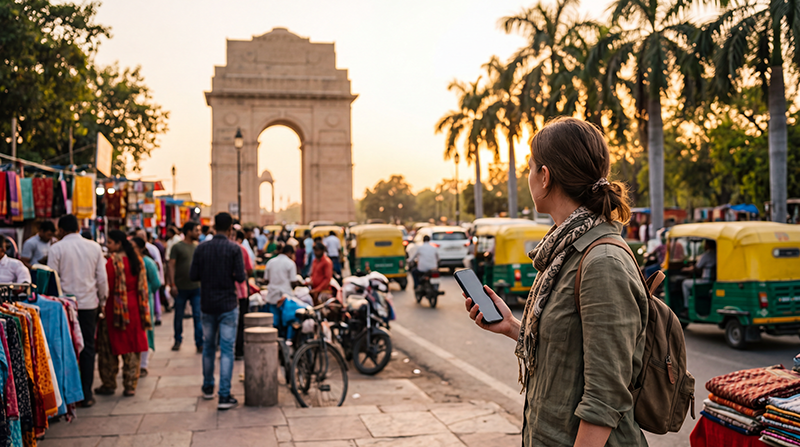

For most short-term visitors, the best way to get internet in India is to install a travel eSIM before departure and activate its data line after landing. A local Indian SIM can make sense when you need an Indian telephone number or plan to stay longer, but registration and activation may take more time.
Your best option depends on your phone, itinerary and need for a local number. Mobile data is useful from the airport onwards for maps, ride-hailing, train bookings, hotel messages and payment apps, while hotel Wi-Fi is better treated as a supplement than your only connection.
NoveSIM travel eSIMs are data-only. They do not provide an Indian telephone number or conventional calls and SMS, but apps such as WhatsApp, FaceTime and Google Maps work through mobile data.
Quick answer: Check that your phone is eSIM-compatible and carrier-unlocked, install the plan before flying, then select it for Mobile Data and enable Data Roaming in India. Choose a local SIM instead if an Indian number is essential; use home-carrier roaming only after checking its full price and allowance.
Top India eSIMs


Which is the best way to get internet in India for your trip?
| Option | Best for | Main limitation |
|---|---|---|
| Travel eSIM | Getting data ready before arrival | Requires a compatible, unlocked phone |
| Indian SIM card | Longer stays or travellers needing a local number | Identity checks and activation can delay service |
| International roaming | Very short use when the home-carrier price is acceptable | Allowances and charges vary widely |
| Public or hotel Wi-Fi | Large downloads and backup access | Coverage, speed and login reliability are inconsistent |
Compare the practical trade-offs in the India SIM card guide and check the current India eSIM plans before deciding.
Why an eSIM is usually easiest for tourists
An eSIM avoids looking for a shop immediately after a long flight. Once installed, it can provide data for an airport transfer, accommodation messages and navigation without replacing the physical SIM in your phone.
Before purchasing, confirm support with the India eSIM compatibility checklist. Compatibility and network availability depend on the exact device model, plan, region and local coverage.
When is an Indian SIM card the better choice?
Choose a local SIM when an Indian mobile number is required for your stay, or when the available local package better suits a long visit. Bring the requested identification and allow time for registration and activation. Airport convenience does not always mean the best choice of plan.
If you are comparing registration requirements, read the passport and SIM-card requirements for India before relying on a purchase after arrival.
Should you use international roaming?
Roaming keeps your usual SIM active and requires no installation, but the price may be based on a daily pass or a small allowance. Check whether taxes, speed limits and incoming calls are included. The India roaming guide explains what to confirm with your carrier.
How much mobile data should you buy?
Maps and messaging use relatively little data; video calls, streaming, cloud backups and hotspot use consume much more. Match the allowance to the length and style of the trip rather than buying solely by headline size. Use the India data calculator for a more precise estimate.
Set up your connection before travelling
- Confirm that the exact phone model supports eSIM and is carrier-unlocked.
- Choose a plan that explicitly includes India and covers the full travel period.
- Install the eSIM while you have stable internet, but follow the plan instructions about activation timing.
- Label the new line clearly and keep your primary SIM selected for calls and SMS if required.
- After arrival, select the travel eSIM for Mobile Data and enable Data Roaming on that line.
- Keep automatic network selection enabled initially and test a normal webpage with Wi-Fi turned off.
If manual APN entry is required for a NoveSIM plan, use data.esim. Do not delete the installed profile while troubleshooting unless NoveSIM Support instructs you to do so.
Plan for weak coverage and unreliable Wi-Fi
Mobile service is usually easier in large cities and populated travel corridors than in mountain areas, forests and remote roads. Download offline maps, tickets and accommodation details before leaving a reliable connection. Carrying a power bank is also useful on long rail and road journeys.
Related Articles
- India eSIM Plans
- Best SIM Card for India
- Roaming Charges in India
- How to Activate an India eSIM
- Internet on Indian Trains
FAQ
What is the easiest way for a tourist to get internet in India?
For a compatible, unlocked phone, installing a travel eSIM before departure is usually the easiest way to have mobile data ready after landing.
Do I need an Indian telephone number?
Not for maps, browsing or internet-based messaging. You may need a local number for certain domestic services, so check the apps and bookings used during your trip.
Can I keep my normal SIM active?
Yes, on a dual-SIM phone. Use the travel eSIM for mobile data and keep roaming disabled on your primary SIM unless you intentionally want home-carrier roaming.
Is public Wi-Fi enough for travelling around India?
It can help at hotels and airports, but it is not dependable between locations. Mobile data plus downloaded offline essentials provides a safer travel setup.
Final Recommendation
The best way to get internet in India is a travel eSIM when you want mobile data prepared before arrival and do not require an Indian number. Consider a registered local SIM for a longer stay or number-dependent services.
Install and label the eSIM on reliable Wi-Fi, then select it for Mobile Data and enable Data Roaming after landing. Keep your primary line from using roaming data unexpectedly.
Whichever option you choose, save maps, tickets and essential addresses offline so that a weak signal does not interrupt the journey.