


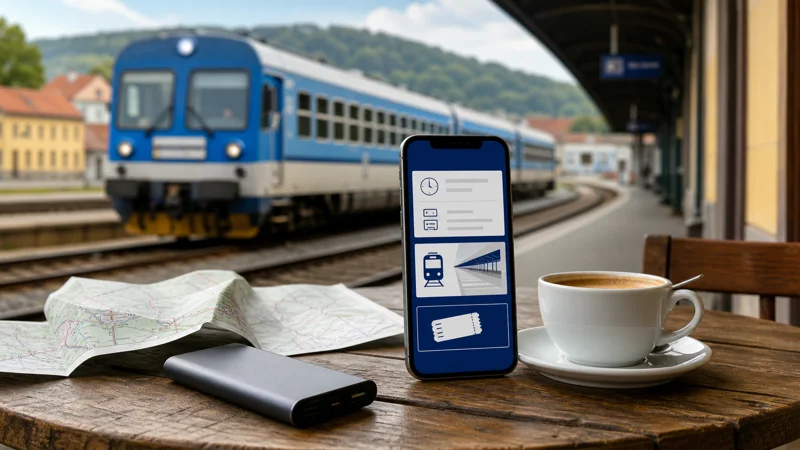

Czech train apps can help travellers search timetables, buy eligible tickets, store reservations and respond to a changed connection. Mobile data keeps those live functions available, but the journey must remain manageable if the app cannot refresh on a moving train.
This page focuses on the app workflow rather than the quality of Wi-Fi or network coverage inside a carriage. The phone setup, account access and offline ticket are the priorities.
Quick answer: Install the required rail app before travel, create or test the account, save the ticket and connection details offline, and use a Czech eSIM for live platforms and delays. Keep the original station names and booking reference outside the app as a backup.
Top Czech Republic eSIMs

Czech Republic eSIM
Fixed
1 GB, 7 days€ 1.772 GB, 15 days€ 3.553 GB, 30 days€ 4.44Unlimited
Unlimited, 1 day€ 2.22Unlimited, 3 days€ 4.88Unlimited, 5 days€ 7.99
Europe Extra eSIM
Fixed
1 GB, 7 days€ 2.222 GB, 15 days€ 3.553 GB, 30 days€ 4.44Unlimited
Unlimited, 1 day€ 2.66Unlimited, 3 days€ 5.32Unlimited, 5 days€ 8.87Europe+ eSIM
Fixed
1 GB, 7 days€ 2.662 GB, 15 days€ 3.993 GB, 30 days€ 5.32Unlimited
Unlimited, 1 day€ 2.66Unlimited, 3 days€ 6.21Unlimited, 5 days€ 10.20Decide what the train app must do
Some travellers need only a timetable, while others want ticket purchase, seat reservation, live train position or disruption alerts. Check whether the app is issued by the operator selling the journey and whether it covers every train on a multi-operator route.
Do not install several unfamiliar apps at the station under time pressure. Use official store listings and verify the developer before entering payment details.
Prepare the account and ticket before boarding
- Install the official app and complete any required account verification.
- Search using the correct Czech station names.
- Read the ticket’s activation and identification conditions.
- Save an offline ticket or wallet copy where permitted.
- Record the train number, carriage, seat and connection time separately.
- Open the ticket once before reaching the platform.
A static screenshot may not be valid where the ticket uses a dynamic display. Follow the conditions shown by the seller.
Use mobile data for live rail information
A Czech eSIM can refresh delays, platform information and alternative connections while you move. Reception may pause in tunnels or rural sections, so do not wait until the last minute to open a transfer plan.
The Czech train travel internet guide covers mobile coverage and onboard Wi-Fi. This app guide is specifically about retaining access to the journey record and live rail tools.
Keep the destination usable after leaving the train
Download the destination map and pin the accommodation before boarding. A rail app may bring you to the correct station without showing the local tram, bus or walking route afterward.
For city and regional connections, see the Czech public-transport internet guide. Store the final address in its Czech form to avoid choosing a similarly named place.
Protect battery, data and account access
Train apps themselves are usually light on data. Video, cloud backup and hotspot use during the journey have a larger effect on the allowance and battery. Use the Czech Republic data guide to plan total consumption.
Do not reset a password or enter payment details on an unverified onboard network. Use the mobile connection or wait for a trusted network. Keep the phone charged so the digital ticket remains available during inspection.
Related Articles
Frequently Asked Questions
Do Czech train apps work without internet?
Previously stored tickets may remain accessible, but searches, purchases and live updates generally require data. Test offline access before travel.
Is a screenshot of a train ticket accepted?
Only when the ticket conditions allow it. Some products require the original in-app or wallet display and valid identification.
Why should I keep the train number separately?
It helps identify the correct service and ask for assistance if the app cannot load during a disruption.
Do train apps use much mobile data?
Ordinary timetable and ticket activity is relatively light. Other media and background apps are usually the larger data users.
Final Recommendation
Use Czech train apps as live journey tools, not as the only copy of the trip. Prepare the account and ticket in advance, keep train and transfer details offline, and use a tested eSIM to refresh information when network coverage permits.