


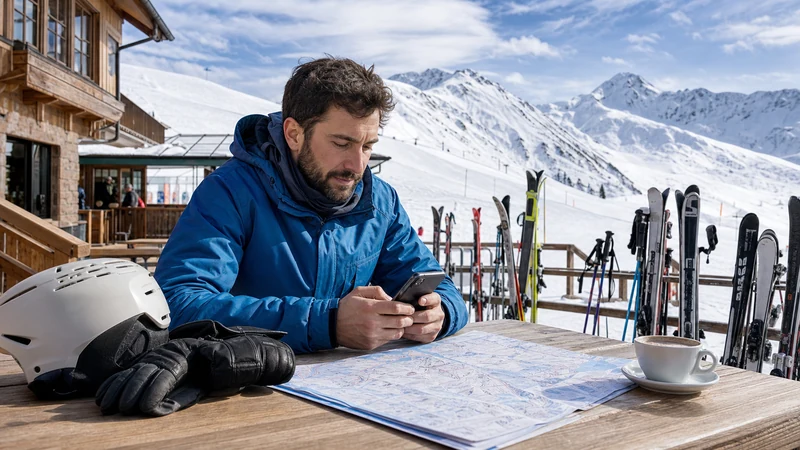

Internet for skiing in Austria is available through mobile data, travel eSIMs, local SIMs and WiFi at some hotels, lift stations and mountain restaurants. Connectivity is useful for weather, resort information, transport, bookings and messaging, but coverage can change across slopes, valleys and indoor facilities.
A compatible carrier-unlocked phone can use an Austria eSIM while keeping the home SIM installed. The eSIM may connect through one or more supported Austrian partner networks, although no mobile plan guarantees service on every piste or mountain route.
NoveSIM travel eSIM plans are data-only. They normally do not include an Austrian number, traditional calls or SMS, but internet messaging and calling apps can work when data coverage is available.
Quick answer: Install an Austria eSIM on reliable WiFi before the ski holiday, download resort maps and essential documents, and select the travel line for data after arrival. Expect possible gaps on remote slopes or lifts, protect the phone from cold and moisture, and never use it while actively skiing.
Top Austria eSIMs

Austria eSIM
Fixed
1 GB, 7 days€ 1.732 GB, 15 days€ 3.033 GB, 30 days€ 3.89Unlimited
Unlimited, 1 day€ 2.16Unlimited, 3 days€ 5.19Unlimited, 5 days€ 8.22
Europe Extra eSIM
Fixed
1 GB, 7 days€ 2.162 GB, 15 days€ 3.463 GB, 30 days€ 4.33Unlimited
Unlimited, 1 day€ 2.60Unlimited, 3 days€ 5.19Unlimited, 5 days€ 8.65Europe+ eSIM
Fixed
1 GB, 7 days€ 2.602 GB, 15 days€ 3.893 GB, 30 days€ 5.19Unlimited
Unlimited, 1 day€ 2.60Unlimited, 3 days€ 6.06Unlimited, 5 days€ 9.95Where Is Internet Useful on an Austria Ski Trip?
A phone connection can simplify the parts of a ski day that happen before entering the piste and during safe breaks. It can help retrieve accommodation details, check public transport, communicate with companions and review current information issued by the resort.
- Opening pre-downloaded booking references and lift-pass details.
- Checking official weather, lift and piste information.
- Finding ski-bus stops and return transport.
- Messaging companions from a safe stationary location.
- Reviewing restaurant or equipment-rental details.
- Accessing maps after returning to the resort village.
Internet access should support the holiday rather than become the only source of route or safety information. Official signs, closures, staff instructions and local conditions always take priority.
Can You Expect Mobile Coverage on Austrian Ski Slopes?
Many established resorts and populated valleys have mobile service, but coverage is not uniform. Terrain can block radio signals, and reception may change after passing behind a ridge, entering a building or riding into a different valley.
| Location | Possible connection | What to expect |
|---|---|---|
| Resort village | Mobile data and hotel WiFi | Often the most practical place for downloads and setup |
| Main lift station | Mobile data or selected guest WiFi | Availability and congestion vary |
| Open piste | Variable mobile reception | Terrain and partner-network coverage matter |
| Remote route or enclosed valley | Intermittent or no service | Offline preparation is essential |
| Mountain restaurant | Possible guest WiFi or mobile data | Do not assume a public connection is offered |
A travel eSIM does not access every visible network automatically. It can register only with partners supported by that plan. Coverage, speed, 4G and 5G depend on the product, device, location, network conditions and local infrastructure.
Is an eSIM Better Than Resort WiFi?
The two connections serve different purposes. An eSIM can remain available between the airport, railway station, accommodation and resort village, while WiFi is tied to a particular property or facility.
Hotel or apartment WiFi can be useful for large downloads, entertainment and photo backup. Performance may vary by building, room and guest load. Mountain restaurant or lift WiFi should be treated as a convenience only when its availability has been confirmed.
A balanced setup uses mobile data for essential travel tasks and trusted accommodation WiFi for heavier use. Neither should be the only navigation or safety resource on the mountain.
How to Choose an Austria Ski eSIM
| Plan detail | What to check | Ski-trip relevance |
|---|---|---|
| Country coverage | Austria plus transit or neighbouring countries | The transfer may begin outside Austria |
| Validity | Start trigger and total duration | It should cover arrival and departure days |
| Allowance | Total data, daily limits and fair use | Video and photo uploads can use data quickly |
| Partner networks | Networks stated for the specific plan | They determine where the eSIM can try to register |
| Hotspot | Plan and device tethering support | Useful for companions or a laptop at accommodation |
Do not choose solely from a headline promising the most data. Match the plan to the exact resort, transfer route, holiday length and devices that will use the connection.
Austria-Only or Regional Europe eSIM?
An Austria-only plan can suit travellers flying into Vienna or Salzburg and remaining within Austria. A regional eSIM may be more practical when landing in Munich, travelling through Germany, skiing near an international border or continuing to Italy, Switzerland or another country.
Check the exact included-country list. A product described as European does not necessarily include every destination, and Switzerland may fall under different terms. Include all transit days when comparing validity.
After crossing a border, allow the phone time to register with a new supported network. Keep transfer directions and tickets offline during this period.
How Much Data Does a Ski Holiday Need?
Weather checks, messaging and occasional maps are relatively light. Video, social media uploads, cloud photo backup and hotspot use can consume much more.
| Activity | Relative demand | Data-saving action |
|---|---|---|
| Messages and resort information | Low | Limit automatic media downloads |
| Offline map with occasional updates | Low | Download the resort area on WiFi |
| Music streaming | Moderate | Save playlists in advance |
| Photo and video posting | High | Upload later on trusted WiFi |
| Laptop hotspot or video meetings | High | Confirm the connection and pause updates |
Use the Austria data allowance guide to estimate usage from the holiday’s real activities. Include non-ski days, transfers and every device sharing hotspot.
Check Phone Compatibility Before Buying
The exact device model and sales region must support eSIM, and the phone must be carrier-unlocked. Similar model names can have different SIM capabilities across markets.
- Find the exact model number in the phone settings.
- Check the manufacturer’s official eSIM documentation for that model and region.
- Look for Add eSIM, Add Mobile Plan or a similar option.
- Ask the original carrier to confirm that the phone is unlocked.
- Check whether an employer-managed device permits additional mobile plans.
The complete Austria eSIM compatibility checklist explains these checks. An eSIM provider cannot remove a network lock.
When Should You Install the eSIM?
Install it before departure over dependable private WiFi, not while standing at a cold outdoor transfer stop. Keep the QR code, manual setup information, order reference and support details accessible on another device or in print.
Read the validity rule before installation. Some plans start immediately after installation, while others start after the first connection to a supported destination network. The exact product instructions determine the correct timing.
A destination eSIM may show no service while the phone is still outside the covered area. Do not delete it for that reason.
How to Activate the eSIM After Arrival
- Connect to reliable WiFi at the airport, accommodation or another safe indoor place if available.
- Enable the installed Austria or regional eSIM.
- Give the travel line a clear label.
- Select it as the cellular or mobile-data line.
- Enable data roaming on the eSIM if the provider requires it.
- Keep roaming disabled on the home SIM unless intentionally used.
- Disable automatic mobile-data switching.
- Leave network selection automatic and wait for registration.
- Test a normal webpage before leaving for the slopes.
Menu wording varies between phones. Follow the Austria eSIM activation guide for common iPhone and Android paths.
What Settings Matter at a Ski Resort?
The travel eSIM must remain enabled and selected for data. Many travel eSIMs technically roam on a local partner, so data roaming may need to be enabled on the eSIM even while it stays disabled on the home line.
Automatic network selection is the normal starting point. Use manual selection only when support identifies an included network for testing. A network visible in the phone list may still reject registration if it is not a plan partner.
Do not copy an APN from a different eSIM. Use only the exact value supplied for the purchased product. The Austria eSIM APN guide explains when manual configuration is appropriate.
Download Piste Information for Offline Use
Save the resort’s official piste map, opening information and key meeting points before going outside. An offline copy remains accessible when the signal weakens or the battery must be conserved.
- Download the official resort or area map where available.
- Save the accommodation address and return transport details.
- Agree on a physical meeting point with companions.
- Store emergency and insurance information offline.
- Take a screenshot of essential booking references.
- Carry a printed piste map when offered.
A phone map does not overrule closed signs, barriers, avalanche controls or staff instructions. Do not enter a closed or unfamiliar route because an app appears to show a connection.
Cold Weather, Moisture and Battery Life
Low temperatures can reduce usable battery life, while photography, navigation and repeated network searches increase consumption. Moisture from snow and condensation can also affect electronics.
- Begin the day with a fully charged phone.
- Carry a charged compatible power bank in a protected inner pocket.
- Keep the phone dry and reasonably warm.
- Reduce unnecessary screen brightness and background activity.
- Pause photo backup until returning to accommodation.
- Follow the device maker’s temperature and moisture guidance.
Do not charge a wet or extremely cold device. Allow it to reach an appropriate condition according to the manufacturer’s instructions.
Can You Use Hotspot on a Ski Holiday?
Hotspot may work when the plan and phone support tethering. It can connect a companion’s device or a laptop at accommodation, but it can also increase data use and battery drain.
- Confirm hotspot is permitted by the selected plan.
- Set a strong password.
- Connect only recognised devices.
- Mark laptop connections as metered where possible.
- Pause updates, cloud synchronisation and automatic downloads.
- Turn hotspot off when it is no longer needed.
Do not expect a weak outdoor signal to support stable remote work. Schedule critical calls from a location with confirmed connectivity and a backup option.
Calls, SMS and Messaging Apps
A dual-SIM phone can often keep the home line enabled for calls and SMS while the eSIM supplies data. The home carrier may still charge for calls, outgoing messages, voicemail or roaming activity.
Review the Austria roaming charges guide before travel. Choosing the eSIM for data does not make the other line’s services free.
WhatsApp and similar applications can normally continue using the existing account through the eSIM’s data. Do not re-register the account simply because a travel eSIM was added. See the guide to WhatsApp with an Austria eSIM for more detail.
Skiing Safety and Phone Use
Stop in a safe designated area before handling the phone. Do not read, type, film or adjust settings while skiing, boarding a lift or standing where others must manoeuvre around you.
- Move completely to a safe side area before checking information.
- Follow resort signage, closures and staff instructions.
- Do not leave marked routes merely to search for signal.
- Use a secure pocket so the phone cannot fall onto a piste or lift.
- Agree on offline meeting points with companions.
- Do not rely on an internet app as the only emergency method.
Connectivity is not a substitute for suitable ability, equipment, supervision, avalanche awareness or professional instruction.
What to Do if the eSIM Stops Working
Return to a safe stationary location before troubleshooting. First consider whether terrain, a building or the current lift area simply lacks usable coverage.
- Confirm the eSIM is enabled and selected for mobile data.
- Check the required data-roaming setting.
- Toggle airplane mode briefly, then wait for registration.
- Restart the phone in a sheltered safe location if needed.
- Leave network selection automatic unless support requests a manual test.
- Verify validity, allowance and included country.
- Contact support with the order reference, phone model, location and screenshots.
Do not delete the eSIM unless support explicitly tells you to do so, because reinstallation may be restricted. Use the Austria eSIM troubleshooting guide for a complete sequence. If the connection is active but slow, review the causes of a slow Austria eSIM.
Pre-Ski Connectivity Checklist
- Confirm the exact phone is eSIM-compatible and unlocked.
- Check the plan’s countries, validity, allowance and partner networks.
- Install on dependable private WiFi.
- Retain QR code and manual installation details.
- Download piste maps, transfer information and booking documents.
- Set the eSIM for data and protect the home SIM from unwanted roaming.
- Charge the phone and a suitable power bank.
- Agree on a physical meeting point with companions.
- Keep the phone protected from cold, snow and impact.
Related Articles
- Mobile Data in Austria for Tourists
- How Much Data for an Austria Trip?
- Austria eSIM Phone Compatibility
- How to Activate an Austria eSIM
- Austria eSIM Troubleshooting
- Austria Roaming Charges Explained
FAQ
Does mobile internet work at Austrian ski resorts?
It works in many resort villages and parts of established ski areas, but terrain, buildings and network conditions can produce gaps. Download resort information and essential documents before going onto the mountain.
Is an eSIM useful for skiing in Austria?
Yes, it can provide data for transfers, weather, maps and messaging without replacing the home SIM. It does not guarantee service on every piste and must be supported by an unlocked compatible phone.
Do Austrian ski lifts have WiFi?
Some facilities may provide guest WiFi, but availability and performance vary. Confirm with the resort and do not depend on lift WiFi as the only connection.
Will cold weather affect my phone?
Low temperatures can reduce usable battery life. Keep the phone protected and reasonably warm, carry a charged power bank and follow the manufacturer’s temperature guidance.
Can I use hotspot at my ski accommodation?
Hotspot may work when supported by the plan and phone. Control laptop updates and cloud backup, and do not assume the mobile signal is stable enough for critical work.
Should I delete an eSIM if it loses signal on a slope?
No. The location may simply have no coverage. Check again in a known connected area and contact support; remove the profile only if support explicitly instructs you.
Final Recommendation
Use an Austria or appropriate regional eSIM to support transfers, resort planning, messaging and travel tasks during a ski holiday. Choose it according to route, validity, partner networks, data allowance and hotspot needs.
Install on reliable WiFi, select the travel line correctly and keep setup details accessible. Download piste information, bookings and transport directions, and protect the phone from cold and moisture.
Treat mobile internet as a convenience rather than a mountain-safety guarantee. Follow official resort information, use the phone only from a safe stationary position and prepare practical offline backups.