
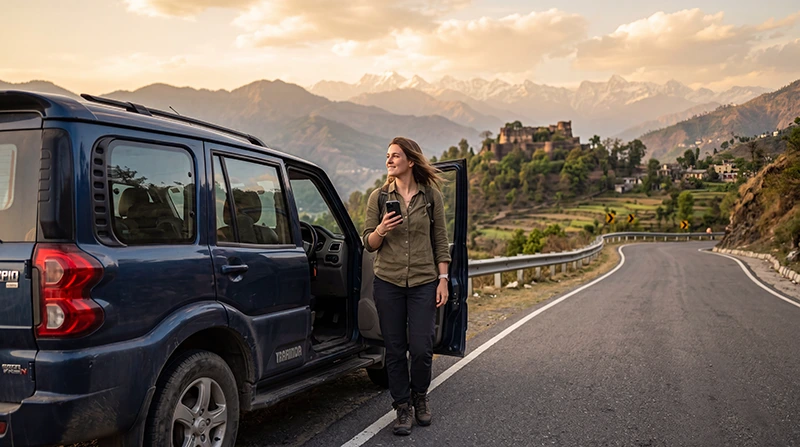

Traveler using an India eSIM for navigation during a road trip across India

Internet for an India Road Trip: eSIM, Coverage and Mobile Data Guide

A road trip is one of the most exciting ways to experience India. You can travel between historic cities, beaches, mountain towns, national parks and small villages while stopping whenever the landscape or local culture catches your attention.

Reliable mobile internet makes this type of journey much easier. You may need Google Maps for navigation, WhatsApp to communicate with hotels and drivers, weather apps before entering mountain regions, digital booking confirmations and online information about fuel stations, restaurants and attractions.

Mobile coverage is generally strong in Indian cities and along major transport corridors, but connectivity can become less predictable on rural roads, desert routes, forest areas and high-altitude highways. Preparing offline maps and essential travel information remains important even when you have an active data plan.

For most international travelers, an India eSIM is the easiest way to stay connected. It can be installed before departure and used across supported destinations without replacing your regular SIM card.

Quick answer: install an India eSIM before your trip, select it for Mobile Data after arrival, enable Data Roaming and download offline maps before driving through remote regions.

Top India eSIMs

What Is the Best Internet Option for an India Road Trip?

Internet Option Best For Main Limitation
India eSIM Most international road trippers Requires an unlocked eSIM-compatible phone
Local prepaid SIM Long stays and local calls Registration and activation are usually required
International roaming Emergency or short-term use May be expensive
Hotel and café WiFi Large downloads and backups Only works at individual properties

An India eSIM is usually the most convenient choice because it can be prepared in advance and used throughout a multi-state itinerary. Hotel WiFi can support large downloads, but it cannot replace mobile data when you are on the road.

Why Use an India eSIM for a Road Trip?

An eSIM is a digital mobile profile installed directly on a compatible smartphone. It allows you to keep your regular SIM card in the device while using a separate plan for mobile data in India.

  • Install it before departure.
  • No physical SIM card replacement.
  • Avoid airport and operator-store queues.
  • Keep your home number active.
  • Use mobile data across multiple Indian states.
  • Continue using WhatsApp with your existing number.
  • Use navigation immediately after arriving.
  • Share data through Personal Hotspot when supported.

Browse India eSIM plans.

India eSIM vs Local SIM Card for Driving

Feature India eSIM Local SIM Card
Available before arrival Yes Usually no
Physical SIM required No Yes
Local registration No additional store visit Usually required
Keep home SIM installed Yes Depends on the phone
Indian phone number Usually no Usually yes
Best for multi-state travel Excellent Very Good
Best for immediate connectivity Excellent Available after activation

A local SIM can be useful during a very long stay or when you specifically need an Indian number. For most international road trips, an eSIM offers a faster and simpler setup.

Mobile Coverage on Indian Roads

Mobile coverage is generally strongest in cities, towns, populated districts and along major highways. It can become weaker when driving through mountain passes, desert areas, forests, wildlife reserves and sparsely populated rural regions.

Road Trip Area Expected Connectivity
Major cities and ring roads Excellent
National highways Good to Excellent
State highways Good to Very Good
Rural village roads Good to Variable
Desert routes Variable
Mountain roads Variable
High-altitude passes Limited or unavailable
Wildlife and forest areas Limited or unavailable

Short coverage interruptions are normal even on well-traveled routes. Your navigation should therefore not depend entirely on a live connection.

Internet on the Golden Triangle Road Trip

The route between Delhi, Agra and Jaipur is one of the easiest India road trips for mobile connectivity. All three cities have strong coverage, and mobile data is generally available along most of the connecting highways.

You can use mobile internet for:

  • Navigation between cities.
  • Finding fuel stations and rest stops.
  • Opening hotel confirmations.
  • Checking Taj Mahal and attraction tickets.
  • Communicating with accommodation providers.
  • Monitoring traffic conditions.

Read the Golden Triangle internet guide.

Internet on a Rajasthan Road Trip

Rajasthan is ideal for road trips between Jaipur, Pushkar, Jodhpur, Udaipur, Bikaner and Jaisalmer. Mobile coverage is generally strong inside towns and along major highways.

Signal may become weaker on desert roads, around remote camps and during drives through sparsely populated regions. Download offline maps before leaving Jaisalmer or travelling deeper into the Thar Desert.

Save the coordinates of your accommodation because desert camps may not have a conventional street address.

Read the Rajasthan internet guide.

Internet on a Goa and Kerala Coastal Road Trip

The west coast offers some of India’s most scenic driving routes. Mobile coverage is generally reliable around Goa, Kochi, Varkala, Kovalam and other populated coastal destinations.

Connectivity can become less consistent on secluded beach roads, backwater routes and roads through tropical or hilly terrain.

Useful related guides include:

Internet on Himalayan Road Trips

Road trips through Himachal Pradesh, Uttarakhand and Ladakh require more preparation. Mobile coverage is normally good in larger towns such as Shimla, Rishikesh and Manali, but it can disappear on remote roads and high mountain passes.

Routes with possible long connectivity gaps include:

  • The Leh–Manali Highway.
  • Roads around Pangong Lake.
  • Remote parts of Ladakh.
  • Spiti Valley routes.
  • High-altitude roads beyond Manali.
  • Mountain roads beyond Rishikesh.

Before leaving a connected town, download maps, fuel stops, permits, hotel details and emergency information.

Using Google Maps During an India Road Trip

Google Maps is extremely useful for highway navigation, city driving, fuel stations and accommodation searches. However, route information can occasionally be incomplete on small rural roads or in remote mountain areas.

Before starting each driving day:

  • Download the relevant offline map area.
  • Save the destination address.
  • Save the hotel location as a pin.
  • Check the route with your accommodation provider.
  • Download alternative routes when possible.
  • Save fuel stops in remote areas.
  • Take screenshots of critical turns.

Do not follow an unfamiliar shortcut onto a poorly maintained road only because it appears faster in the navigation app.

Internet for Fuel, Tolls and Roadside Stops

Mobile data can help you locate fuel stations, restaurants, mechanics, pharmacies and accommodation. It is also useful for checking route changes and toll information.

However, travelers should not depend entirely on online payments. Carry at least one alternative payment method and some cash, particularly on rural routes and at small roadside businesses.

Internet for Rental Cars and Drivers

If you are using a rental vehicle or traveling with a private driver, mobile internet helps you share destinations, confirm pickup points and communicate through WhatsApp.

Save the following information offline:

  • The vehicle registration details.
  • The rental or driver contact number.
  • The insurance information.
  • Roadside assistance details.
  • Your accommodation address.
  • Your emergency contact information.

Hotel WiFi During a Road Trip

Most city hotels and established resorts provide WiFi. Smaller guesthouses and roadside properties may offer slower or less stable connections.

Use hotel WiFi for:

  • Downloading maps for the next route.
  • Backing up photos.
  • Updating applications.
  • Downloading entertainment.
  • Making longer video calls.
  • Checking weather and road conditions.

Your mobile data connection remains essential between properties and during unexpected route changes.

How Much Data Do You Need for an India Road Trip?

Trip Length Suggested Data
3–5 days 5–8 GB
One week 8–12 GB
10 days 12–20 GB
Two weeks 20–30 GB
One month 30–50 GB
Frequent hotspot or streaming use High-data or unlimited option

Navigation and messaging use relatively little data. Streaming, video calls, cloud backups and hotspot use consume significantly more.

Typical Road Trip Data Usage

Activity Approximate Usage
Google Maps navigation 5–10 MB per hour
WhatsApp messaging Very Low
Browsing and searches 50–150 MB per hour
Social media 100–300 MB per hour
Video calls 300 MB–1.5 GB per hour
Video streaming 500 MB–3 GB per hour

Recommended Mobile Settings

Setting Recommended Value
India eSIM Enabled
Mobile Data India eSIM
Calls and SMS Primary SIM
Data Roaming on India eSIM On
Data Roaming on primary SIM Off
Automatic Data Switching Off
Network Selection Automatic
Preferred Network 5G Auto or 4G/LTE
APN data.esim if required

India eSIM APN Settings

Most compatible smartphones configure the APN automatically. If your phone shows signal but apps and websites do not load, enter the APN manually.

Field Value
Name NoveSIM
APN data.esim
Username Leave blank
Password Leave blank
Authentication None

Can You Keep Your Home SIM Active?

Yes. Most modern Dual SIM smartphones allow you to keep your primary SIM active for calls, SMS and verification codes while the India eSIM provides mobile data.

To reduce the risk of roaming charges:

  • Disable Data Roaming on your primary SIM.
  • Select the India eSIM for Mobile Data.
  • Turn off Automatic Data Switching.
  • Review your home operator’s roaming rates.

Does WhatsApp Work During an India Road Trip?

Yes. WhatsApp works normally through mobile data or WiFi and continues using your existing registered phone number.

You can use it to contact hotels, drivers, rental providers and travel companions, as well as share your live location when coverage is available.

What to Download Before Driving into Remote Areas

  • Offline Google Maps.
  • Accommodation confirmations.
  • Fuel station locations.
  • Vehicle and insurance documents.
  • Emergency telephone numbers.
  • Roadside assistance information.
  • Required permits.
  • Weather forecasts.
  • Medical and travel insurance details.

What to Do If Mobile Internet Stops Working

  1. Confirm that the India eSIM is enabled.
  2. Select it for Mobile Data.
  3. Enable Data Roaming on the eSIM.
  4. Disable Automatic Data Switching.
  5. Keep Network Selection on Automatic.
  6. Verify that the APN is data.esim.
  7. Turn Airplane Mode on for 30 seconds.
  8. Turn it off and wait several minutes.
  9. Restart your phone.

Do not delete the eSIM while troubleshooting. On a remote road, there may simply be no local mobile coverage. Continue to a populated area before changing advanced settings.

How to Save Mobile Data on the Road

  • Download offline maps using hotel WiFi.
  • Disable automatic photo and video backups.
  • Download music and podcasts before driving.
  • Turn off automatic app updates.
  • Reduce streaming quality.
  • Disable background data for unnecessary apps.
  • Use WiFi for large uploads.
  • Monitor usage in your phone settings.

Essential Apps for an India Road Trip

  • Google Maps for navigation.
  • WhatsApp for accommodation and driver communication.
  • Google Translate for language assistance.
  • Weather apps for mountain and monsoon routes.
  • Booking apps for accommodation.
  • Fuel and roadside assistance apps.
  • Offline map applications.
  • Currency and expense-tracking tools.
  • Airline and railway apps for mixed itineraries.

Related India Guides

FAQ

What is the best internet option for an India road trip?

For most international travelers, an India eSIM is the easiest option because it can be installed before departure and used across multiple states.

Does mobile internet work on Indian highways?

Coverage is generally good on major highways, but temporary gaps are possible in rural, desert, forest and mountain areas.

Should I download offline maps?

Yes. Offline maps are strongly recommended before every long driving day, especially in remote regions.

Will an India eSIM work in Rajasthan, Goa and Kerala?

Yes. One India plan can work across supported coverage areas throughout these regions.

Does mobile data work in Ladakh?

It works in some populated areas, especially around Leh, but remote valleys, lakes and mountain passes may have limited or no service.

How much data do I need for two weeks?

Approximately 20–30 GB is suitable for navigation, messaging, bookings and moderate social media use. Heavy hotspot or video use requires more.

Can I keep my home SIM active?

Yes. Most Dual SIM phones allow the primary SIM to remain active while the India eSIM provides mobile data.

Does WhatsApp keep my existing number?

Yes. WhatsApp continues using your registered number while the India eSIM supplies the internet connection.

Do I need Data Roaming enabled?

Yes. Enable Data Roaming on the India eSIM and keep it disabled on your primary SIM.

What APN should I use?

If manual configuration is required for a NoveSIM India eSIM, use data.esim.

Final Recommendation

An India eSIM is one of the easiest ways to stay connected during a road trip across the country. It lets you prepare before departure, keep your regular SIM active and use mobile data for navigation, bookings and communication across multiple states.

Coverage is generally strong in cities and along major highways, but temporary interruptions are normal in desert, forest and mountain regions. Download offline maps, accommodation details and emergency information before every long or remote drive.

Install the eSIM while connected to reliable WiFi, select it for Mobile Data after arriving in India, enable Data Roaming and keep Network Selection on Automatic.

Browse India eSIM plans here.

Scroll to Top