


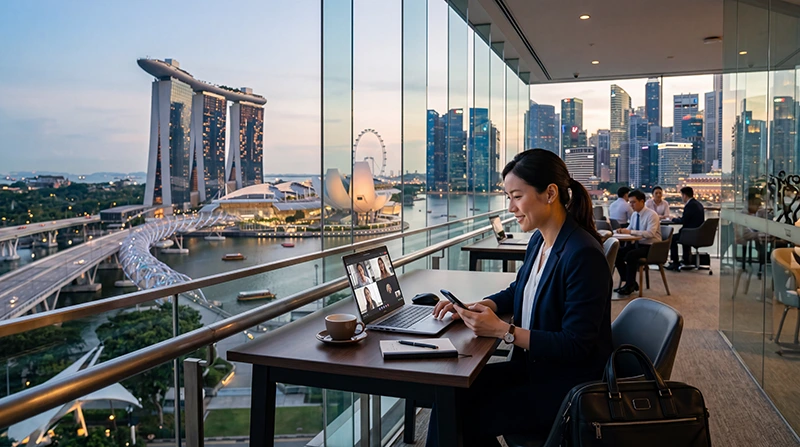

Singapore is one of the world’s most important business hubs, attracting professionals from finance, technology, logistics, telecommunications, manufacturing, healthcare, consulting, and international trade.
Whether you are attending a conference, meeting clients, visiting regional headquarters, participating in an exhibition, or working remotely, reliable internet access is essential throughout your stay.
Quick answer: Most business travelers choose a Singapore eSIM because it provides mobile internet immediately after arrival, works across major business districts, supports business applications such as Microsoft Teams and Zoom, and reduces dependence on hotel or conference WiFi.
Top Singapore eSIMs

Singapore eSIM
Fixed
1 GB, 7 days€ 3.032 GB, 15 days€ 4.333 GB, 30 days€ 5.19Unlimited
Unlimited, 1 day€ 3.46Unlimited, 3 days€ 6.06Unlimited, 5 days€ 8.65
Why Reliable Internet Matters During Business Travel
Modern business travel depends on constant connectivity.
Most professionals require internet access for:
- Email communication
- Microsoft Teams
- Zoom meetings
- Google Meet
- Slack
- WhatsApp Business
- CRM systems
- Cloud storage
- Calendar synchronization
- Document sharing
- Navigation
- Transportation apps
Even a short loss of connectivity can impact productivity, meeting schedules, and client communication.
Where Business Travelers Need Internet in Singapore
Business visitors commonly need internet access across multiple locations during the same day.
- Changi Airport
- Marina Bay
- Raffles Place
- Singapore CBD
- Suntec City
- Marina Bay Sands Expo
- Changi Business Park
- One-North
- Conference centers
- Hotels
- Coworking spaces
- Client offices
Reliable mobile internet helps maintain connectivity while moving between meetings and venues.
Internet Options for Business Travelers
| Internet Option | Advantages | Limitations |
|---|---|---|
| Singapore eSIM | Immediate mobile internet, flexible, no physical SIM | Requires eSIM-compatible device |
| International Roaming | Uses existing number | May involve roaming fees and restrictions |
| Hotel WiFi | Often included | Limited outside hotel |
| Conference WiFi | Available at events | Can become congested |
| Public WiFi | Widely available | Not always ideal for business use |
Why Many Professionals Prefer a Singapore eSIM
Business travelers often need internet before reaching their hotel.
Examples include:
- Confirming meetings
- Downloading presentations
- Checking flight changes
- Accessing conference schedules
- Booking transportation
- Receiving client messages
- Updating calendars
An eSIM allows internet access shortly after arriving in Singapore without needing to purchase a physical SIM card.
Internet at Changi Airport for Business Travelers
Many professionals begin working immediately after landing.
Internet at Changi Airport is useful for:
- Responding to emails
- Checking schedules
- Joining meetings
- Downloading documents
- Booking transportation
- Accessing cloud systems
- Communicating with clients
A pre-installed Singapore eSIM helps simplify this process.
Internet for Conferences and Trade Shows
Singapore hosts numerous international events and exhibitions every year.
Conference attendees often need internet for:
- Digital tickets
- Event applications
- Networking platforms
- Speaker schedules
- Presentation downloads
- Video meetings
- Business messaging
- QR registrations
Conference WiFi can become crowded during major events, making mobile internet an important backup.
Internet for Client Meetings
Business travelers frequently move between offices, hotels, restaurants, coworking spaces, and conference venues.
Reliable internet supports:
- Meeting preparation
- Presentation access
- Document downloads
- Contract review
- Location sharing
- Calendar updates
Internet for Microsoft Teams
Microsoft Teams is widely used across international organizations.
Business travelers often use Teams for:
- Internal meetings
- Client communication
- Team collaboration
- File sharing
- Project management
- Calendar access
Teams messaging uses relatively little data, while video meetings consume significantly more.
Internet for Zoom Meetings
Zoom remains one of the most important business communication tools.
Professionals often use Zoom while:
- Traveling between meetings
- Working remotely
- Participating in conferences
- Managing international teams
- Meeting clients
Frequent video meetings generally require larger data packages.
Internet for Google Meet
Google Meet users benefit from stable internet while working from:
- Hotels
- Business lounges
- Coworking spaces
- Conference venues
- Airport lounges
Video meetings require more bandwidth than messaging and email applications.
Internet for Email and Cloud Services
Business travelers often depend on:
- Microsoft Outlook
- Gmail
- Microsoft 365
- Google Workspace
- OneDrive
- Dropbox
- Google Drive
- CRM platforms
These services generally use moderate amounts of data but require reliable connectivity.
Internet for WhatsApp Business
Many organizations use WhatsApp for quick communication.
Common uses include:
- Client communication
- Meeting updates
- Location sharing
- Document exchange
- Team coordination
Most travelers continue using their existing WhatsApp number while using a Singapore eSIM for mobile data.
Internet for Remote Work in Singapore
Singapore is a popular destination for remote professionals and digital workers.
Remote work activities often include:
- Video conferencing
- Cloud collaboration
- Remote desktop access
- Software development
- Content creation
- Large file transfers
These activities typically require larger data allowances.
How Much Data Do Business Travelers Need?
| Business Activity | Recommended Data |
|---|---|
| Email and messaging | 5GB – 10GB |
| Mixed business usage | 10GB – 20GB |
| Frequent video meetings | 20GB – 30GB |
| Heavy remote work | 30GB+ or unlimited |
Can You Keep Your Existing Number?
Yes.
Most modern smartphones support dual SIM functionality.
This allows professionals to:
- Use Singapore eSIM for data
- Keep their primary SIM active
- Receive authentication codes
- Receive banking messages
- Continue using their existing WhatsApp account
eSIM vs Roaming for Business Travel
| Feature | Singapore eSIM | Roaming |
|---|---|---|
| Separate business data plan | Yes | No |
| Install before travel | Yes | Not required |
| Dedicated travel connectivity | Yes | Depends on provider |
| Keep home SIM active | Often yes | Yes |
| Business flexibility | High | Provider dependent |
How to Set Up Business Internet Before Traveling
- Purchase a Singapore eSIM before departure.
- Install it while connected to WiFi.
- Keep it inactive until arrival.
- Arrive in Singapore.
- Select the Singapore eSIM for mobile data.
- Enable data roaming on the eSIM line.
- Test Teams, Zoom, email, and messaging apps.
APN Settings for NoveSIM Singapore eSIM
| Setting | Value |
|---|---|
| APN | data.esim |
| Username | Leave blank |
| Password | Leave blank |
Business Traveler Connectivity Checklist
- Singapore eSIM installed
- Mobile data selected on eSIM
- Data roaming enabled
- Email synchronized
- Teams functioning
- Zoom tested
- WhatsApp operational
- VPN configured if required
- Cloud services accessible
Where to Find Your NoveSIM eSIM Details
Your QR code, installation instructions, and eSIM details are available:
- In your confirmation email
- Under My Account → Orders → View → eSIM details
Related Singapore Business Travel Guides
- Best eSIM for Business Travel Singapore
- Remote Work Singapore
- Digital Nomad Internet Singapore
- eSIM for Conferences in Singapore
- Best Data Plan Singapore Business
More Singapore Internet Guides
- Singapore eSIM
- Mobile Internet Singapore
- Internet Singapore Business Travel
- Best Network in Singapore for Tourists
- Does WhatsApp Work in Singapore?
- How Much Data Do You Need for Singapore?
FAQ: Internet for Business Travel in Singapore
What is the best internet option for business travel in Singapore?
Many professionals choose a Singapore eSIM because it provides mobile internet throughout the trip and can be installed before departure.
Can I use Microsoft Teams and Zoom in Singapore?
Yes. Teams, Zoom, Google Meet, and other business applications work with mobile internet or WiFi.
How much data do business travelers need?
Most business travelers require between 10GB and 30GB depending on meeting frequency and video call usage.
Can I keep my home phone number?
Yes. Most dual SIM phones allow travelers to use a Singapore eSIM for data while keeping their primary SIM active.
Do I need data roaming enabled?
Yes. Most travel eSIM plans require data roaming to be enabled on the Singapore eSIM line.
Final Recommendation
Reliable internet is essential for successful business travel in Singapore. Whether you are attending conferences, meeting clients, working remotely, or managing international teams, mobile connectivity helps maintain productivity throughout your trip.
A Singapore eSIM offers a convenient solution for business travelers who need continuous access to email, Microsoft Teams, Zoom, WhatsApp, cloud applications, navigation, and conference tools across Singapore.