


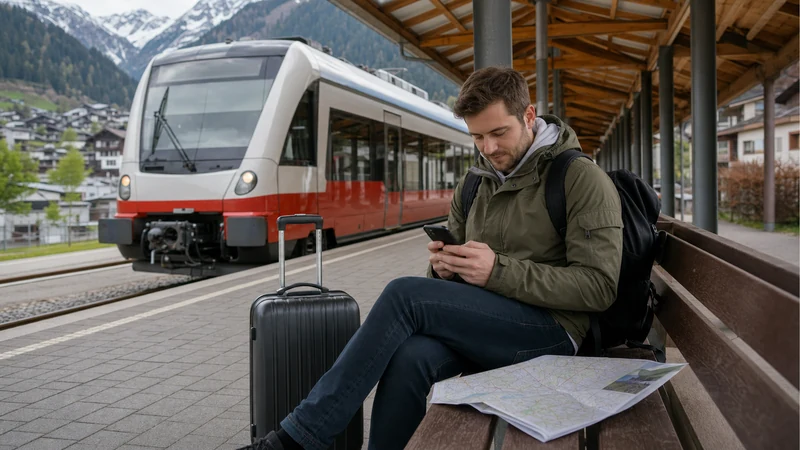

Internet for train travel in Austria can come from a travel eSIM, local SIM, home roaming and WiFi on selected trains or at some stations. A mobile connection helps with digital tickets, route information, accommodation directions, messaging and onward transport.
A compatible carrier-unlocked phone can use an Austria eSIM without removing the home SIM. Reception may change while a train moves between network sites or passes through tunnels, cuttings and Alpine valleys, so essential documents should also be available offline.
NoveSIM travel eSIM plans are data-only. They normally do not include an Austrian number, traditional calls or SMS, although internet messaging and calling apps can work through mobile data when service is available.
Quick answer: Install an Austria eSIM on reliable WiFi, download tickets and route details before boarding, and select the eSIM for mobile data after arrival. Treat onboard WiFi as a possible supplement, expect temporary signal gaps on rural and Alpine routes, and carry a charged power bank.
Top Austria eSIMs

Austria eSIM
Fixed
1 GB, 7 days2.00$2 GB, 15 days3.50$3 GB, 30 days4.50$Unlimited
Unlimited, 1 day2.50$Unlimited, 3 days6.00$Unlimited, 5 days9.50$
Europe Extra eSIM
Fixed
1 GB, 7 days2.50$2 GB, 15 days4.00$3 GB, 30 days5.00$Unlimited
Unlimited, 1 day3.00$Unlimited, 3 days6.00$Unlimited, 5 days10.00$Europe+ eSIM
Fixed
1 GB, 7 days3.00$2 GB, 15 days4.50$3 GB, 30 days6.00$Unlimited
Unlimited, 1 day3.00$Unlimited, 3 days7.00$Unlimited, 5 days11.50$Europe Lite eSIM
Fixed
1 GB, 7 days2.50$2 GB, 15 days4.00$3 GB, 30 days5.00$Unlimited
Unlimited, 1 day3.00$Unlimited, 3 days6.00$Unlimited, 5 days10.00$Why Is Internet Useful on Austrian Trains?
- Opening digital tickets and reservation information.
- Checking current platforms, connections and service notices.
- Finding local transport after arrival.
- Messaging accommodation or travelling companions.
- Using translation, maps and travel-planning applications.
- Working or accessing entertainment during longer journeys.
A live connection is convenient, but it should not be the only way to show a ticket or find the next hotel. Save critical information before reaching the platform.
What Internet Options Are Available?
| Option | Best use | Main limitation |
|---|---|---|
| Austria eSIM | Mobile data before, during and after rail journeys | Requires a compatible unlocked phone |
| Home roaming | Plans that already include Austria affordably | Fees and fair-use conditions vary |
| Local prepaid SIM | Phones without eSIM and selected longer stays | Purchase and registration may be required |
| Train or station WiFi | Supplementary browsing where offered | Availability and performance vary |
| Offline files | Tickets, routes and accommodation backup | Must be saved in advance |
A resilient setup combines mobile data and offline preparation. Public WiFi can reduce data use but should not be assumed on every train or at every station.
Do Austrian Trains Have WiFi?
WiFi availability depends on the operator, train type and exact service. Where an onboard network is offered, its internet connection can still vary because the train itself depends on external connectivity along the route.
Tunnels, remote valleys, rural sections and high passenger demand can affect performance. Check the current facilities for the selected departure rather than relying on a general assumption about all Austrian trains.
Station WiFi also varies. A large terminal may provide more facilities than a small regional stop, but travellers should retain tickets and directions offline in either case.
How Reliable Is Mobile Data on a Moving Train?
A moving phone repeatedly transfers between network sites. Short interruptions can occur during this process, especially in tunnels, deep cuttings and mountain terrain. The device often reconnects automatically after returning to coverage.
A travel eSIM uses only the supported partner networks included in the specific plan. It does not automatically access every network visible in the phone menu.
Availability of 4G, 5G and a particular speed depends on the plan, device, partner network, exact location and current demand. A temporary slowdown is not necessarily a setup fault.
Prepare Tickets and Routes Offline
- Download the official ticket before leaving reliable WiFi.
- Check whether the ticket provider permits a screenshot or requires its application.
- Save the booking reference and any seat reservation.
- Download the map around every arrival station.
- Store accommodation addresses and check-in instructions.
- Save connection details for regional buses or local trains.
- Keep a charged phone and suitable power bank.
Follow the ticket issuer’s exact validation and identification rules. An offline screenshot may not replace an official dynamic ticket where the operator requires one.
Which eSIM Is Suitable for Austrian Rail Travel?
Choose a plan whose validity covers the entire trip and whose allowance fits maps, messages, browsing, entertainment and any hotspot use. Review the named partner networks and fair-use terms.
An Austria-only plan can suit a domestic rail itinerary. A regional plan is normally more practical for journeys continuing to Germany, Italy, Switzerland, Czechia, Slovakia, Hungary or Slovenia.
Verify every country individually. A product labelled “Europe” may not include every European destination, and Switzerland can be treated differently by different plans.
How Much Data Do Train Travellers Need?
| Activity | Relative demand | Preparation |
|---|---|---|
| Tickets, messages and maps | Low | Save key files offline |
| Email and web browsing | Low to moderate | Avoid unnecessary large attachments |
| Music and podcasts | Moderate | Download before boarding |
| Video streaming | High | Use lower quality or trusted WiFi |
| Laptop hotspot and cloud work | Potentially high | Pause updates and synchronisation |
Most travellers need data for the whole Austria visit rather than the train hours alone. The Austria data allowance guide helps estimate realistic consumption.
Check Phone Compatibility
The exact model and sales region must support eSIM, and the device must be carrier-unlocked. Similar product names can have different SIM capabilities.
- Find the exact model number in the phone settings.
- Check the manufacturer’s official eSIM documentation.
- Look for Add eSIM or a similar menu.
- Ask the original carrier to confirm unlocked status.
- Check whether employer management restricts additional plans.
Use the full Austria eSIM compatibility checklist before purchase. An eSIM provider cannot remove a carrier lock.
When Should You Install the eSIM?
Install before departure using dependable private WiFi. Keep the QR code, manual setup details, order reference and support contact available on another device or in print.
Check the validity trigger. Some plans begin at installation, while others begin after the first connection to a supported destination network. Follow the purchased product’s exact rule.
A destination eSIM may show no service while outside Austria. Do not delete the profile simply because it cannot register at home.
How to Activate the Travel eSIM
- Enable the installed Austria or regional eSIM.
- Give it a clear label.
- Select it as the cellular or mobile-data line.
- Enable data roaming on the eSIM if the provider requires it.
- Keep roaming disabled on the home SIM unless intentionally used.
- Disable automatic mobile-data switching.
- Leave network selection automatic and wait for registration.
- Test a normal webpage before boarding.
The Austria eSIM activation guide explains common iPhone and Android menus. Complete changes while stationary without blocking other passengers.
Can You Keep the Home SIM Active?
A compatible dual-SIM phone can often retain the home line for calls and SMS while the eSIM provides data. The home carrier may still charge for calls, messages, voicemail or roaming activity.
Review the Austria roaming charges guide. Selecting the eSIM for data does not make services on the other line free.
WhatsApp and similar apps normally continue using their established accounts over the travel data connection. The guide to WhatsApp with an Austria eSIM covers the usual dual-SIM arrangement.
Can You Use Hotspot on Austrian Trains?
Hotspot may work when the plan and phone support tethering. A moving connection can be interrupted, and laptops may consume data through updates or cloud synchronisation.
- Use a strong hotspot password.
- Connect only recognised devices.
- Mark laptop connections as metered.
- Pause system updates and backups.
- Download files before travel.
- Turn hotspot off when it is no longer required.
Do not depend on a moving mobile connection for a critical meeting. Schedule essential work from a confirmed location and maintain a backup.
How to Use Public WiFi More Safely
Confirm the correct network through the train operator or station. Avoid lookalike hotspots, unexpected certificate warnings and pages requesting information unrelated to access.
Prefer encrypted websites and use a trusted VPN when required by workplace policy or personal security practice. Turn off automatic joining of unknown networks after the journey.
Public WiFi can become slow when many passengers connect. Switching to mobile data may help where the eSIM has supported coverage and sufficient allowance.
Alpine and Regional Train Routes
Rail journeys through the Alps can include tunnels, narrow valleys and remote sections. Download the complete itinerary and arrival map before departure rather than assuming continuous signal.
Battery consumption can rise while the phone searches for weak service. Keep a power bank available and download entertainment instead of streaming it throughout the route.
After a temporary outage, leave network selection automatic and allow time for reconnection. Do not repeatedly change technical settings unless the problem continues in a known covered location.
What to Do if Mobile Data Stops Working
- Wait until the train has left a tunnel or remote section.
- Confirm that the eSIM is enabled and selected for data.
- Check the required data-roaming setting.
- Toggle airplane mode briefly and allow time for registration.
- Restart the phone if service does not recover.
- Leave network selection automatic unless support requests a manual test.
- Verify validity, allowance and included country.
- Contact support with the order reference, model, route and screenshots.
Do not delete the eSIM unless support explicitly instructs you to do so, because reinstallation may be restricted. Follow the Austria eSIM troubleshooting guide for more checks. For performance issues, see why an Austria eSIM may be slow.
Before Boarding Checklist
- Confirm eSIM compatibility and unlocked status.
- Check plan countries, validity, allowance and hotspot rules.
- Install on dependable WiFi and retain setup details.
- Download tickets, routes and arrival maps.
- Select the travel line for data and protect the home SIM.
- Charge the phone and power bank.
- Download entertainment and work files.
- Verify the current train and platform information.
Related Articles
- Mobile Data in Austria
- Internet in Vienna for Tourists
- Austria eSIM Compatibility
- How to Activate an Austria eSIM
- How Much Data for Austria?
- Austria eSIM Troubleshooting
FAQ
Do trains in Austria have WiFi?
Selected services may offer onboard WiFi, but availability and performance depend on the train, route and passenger demand. Check the exact service and retain tickets and directions offline.
Does mobile data work on Austrian trains?
It can work where a supported partner has coverage, but tunnels, rural sections and Alpine valleys can produce temporary gaps.
Is an Austria eSIM useful for rail travel?
Yes. It can provide data at stations, on covered route sections and after arrival without removing the home SIM, provided the phone is compatible and unlocked.
Can I use hotspot on the train?
Hotspot may work if supported by the plan and phone. Expect possible interruptions and control laptop updates, backups and streaming.
Should I download my ticket?
Yes. Save the official ticket according to the issuer’s rules before boarding, together with the route and arrival details.
Should I delete an eSIM after a tunnel outage?
No. Allow the phone to reconnect after returning to coverage. Delete the profile only if support explicitly instructs you.
Final Recommendation
Use an Austria or appropriate regional eSIM for flexible mobile data across rail journeys, stations and destination cities. Choose it according to countries, validity, allowance, partner networks and hotspot needs.
Install before departure, select the travel line correctly and keep the home SIM protected from unintended roaming. Download tickets, routes, accommodation information and entertainment.
Treat onboard WiFi and continuous mobile coverage as conveniences rather than guarantees. Offline preparation and a charged phone create a more dependable Austrian train journey.