


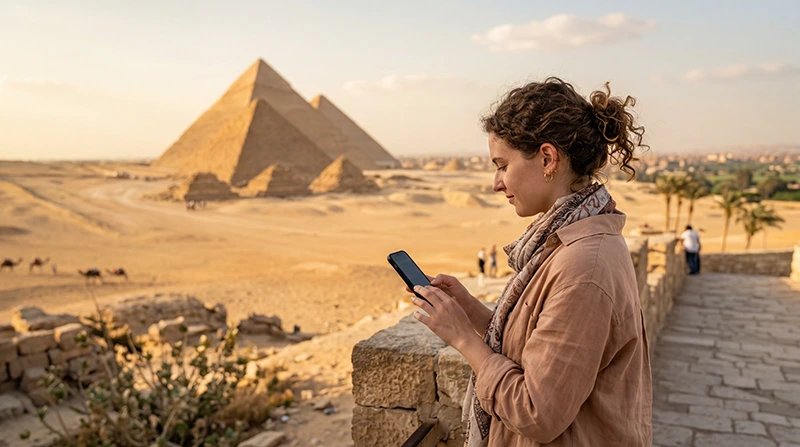

Internet access is one of the most important parts of a smooth trip to Egypt. Whether you’re visiting the Pyramids of Giza, exploring Cairo, cruising the Nile, relaxing in Hurghada or diving in Sharm El Sheikh, you will need reliable mobile data for maps, taxis, bookings, WhatsApp, online tickets and travel updates.
Tourists in Egypt usually have four main options: travel eSIM, local SIM card, international roaming or WiFi. Each option works differently depending on your trip length, phone compatibility and how much convenience you want.
Quick answer: for most tourists, an Egypt travel eSIM is the easiest way to get internet. You can buy it before departure, install it over WiFi and connect shortly after arrival without changing your physical SIM card.
Top Egypt eSIMs

Egypt eSIM
Fixed
1 GB, 7 days5.00$2 GB, 15 days8.00$3 GB, 30 days11.00$Unlimited
Unlimited, 1 day5.50$Unlimited, 3 days13.00$Unlimited, 5 days21.00$
Africa eSIM
Fixed
1 GB, 7 days11.50$2 GB, 15 days21.50$3 GB, 30 days30.00$Unlimited
Unlimited, 1 day15.50$Unlimited, 3 days44.50$Unlimited, 5 days73.50$Best Internet Options for Tourists in Egypt
| Option | Convenience | Best For |
|---|---|---|
| Travel eSIM | Excellent | Most tourists |
| Local SIM Card | Good | Longer stays |
| International Roaming | Very convenient | Emergency use |
| Hotel WiFi | Good indoors | Accommodation use |
| Public WiFi | Variable | Backup only |
Why Tourists Choose an Egypt eSIM
A travel eSIM is simple because everything can be prepared before your flight. Instead of looking for a SIM card shop after landing, you install the eSIM at home or in your hotel before departure and activate it once you arrive in Egypt.
- No physical SIM card.
- No airport queue.
- Online purchase.
- Fast setup.
- Keep your regular phone number.
- Use WhatsApp normally.
- Good for holidays, city breaks and resort stays.
Where Can Tourists Use Internet in Egypt?
| Destination | Expected Coverage |
|---|---|
| Cairo | Excellent |
| Giza | Excellent |
| Alexandria | Excellent |
| Luxor | Excellent |
| Aswan | Very Good |
| Hurghada | Excellent |
| Sharm El Sheikh | Excellent |
| Dahab | Very Good |
| Marsa Alam | Very Good |
| Remote desert areas | Variable |
Internet in Cairo and Giza
Cairo and Giza are two of the most important destinations for tourists in Egypt. Mobile internet is especially useful here because traffic can be busy, attractions are spread out and many travelers rely on taxis, ride-hailing apps and maps.
You can use mobile data for:
- Google Maps and Apple Maps.
- Uber and local taxi apps.
- Pyramid visit planning.
- Museum tickets.
- Hotel communication.
- Restaurant searches.
- WhatsApp messages and calls.
Internet in Luxor and Aswan
Luxor and Aswan are popular for temples, Nile cruises and cultural sightseeing. Mobile internet works well in central areas, hotels and major tourist sites.
If you are taking a Nile cruise, connection quality may vary while the boat is moving, so it is useful to download important tickets, hotel details and maps before departure.
Internet in Hurghada and Sharm El Sheikh
Red Sea resorts usually have good mobile coverage in hotel zones, beaches, marinas and tourist areas. Even if your resort offers WiFi, mobile data is useful for airport transfers, excursions, diving centers, boat trips and WhatsApp outside the hotel.
eSIM vs Local SIM Card for Tourists
| Feature | Travel eSIM | Local SIM Card |
|---|---|---|
| Buy before arrival | Yes | No |
| Physical SIM needed | No | Yes |
| Keep home SIM active | Yes | Depends on device |
| Best for short trips | Excellent | Good |
| Airport setup required | No | Often yes |
| Good for longer stays | Good | Very Good |
Hotel WiFi vs Mobile Internet
| Hotel WiFi | Mobile Internet |
|---|---|
| Works mainly at the hotel | Works while moving |
| May slow down at busy times | Uses mobile network |
| Requires login | No repeated login |
| Good for large downloads | Better for travel days |
| Not available on excursions | Useful during sightseeing |
How Much Data Do Tourists Need in Egypt?
| Trip Type | Recommended Data |
|---|---|
| Weekend city break | 1–3 GB |
| One-week holiday | 5–10 GB |
| Two-week Egypt trip | 10–20 GB |
| Nile cruise and beach holiday | 10–20 GB |
| Remote work | 20 GB+ |
Typical Data Usage
| Activity | Approximate Usage |
|---|---|
| Google Maps navigation | 5–10 MB per hour |
| WhatsApp messages | Very low |
| WhatsApp voice calls | 30–50 MB per hour |
| WhatsApp video calls | 250–500 MB per hour |
| Instagram browsing | 100–300 MB per hour |
| TikTok | 500 MB–1 GB per hour |
| YouTube HD | 1–3 GB per hour |
Can Tourists Keep Their Home SIM?
Yes. Most Dual SIM smartphones allow you to use an Egypt eSIM for mobile data while keeping your regular SIM active for calls and SMS.
- Use the eSIM for internet.
- Keep your home SIM for calls.
- Receive SMS verification codes.
- Continue using your normal phone number.
- Keep WhatsApp connected to your existing number.
Does WhatsApp Work in Egypt?
Yes. WhatsApp works normally in Egypt with mobile data or WiFi.
Your WhatsApp account remains linked to your existing phone number. Installing an eSIM does not change your chats, contacts, groups or profile.
Can Tourists Make Calls with an eSIM?
NoveSIM travel eSIM plans are mobile data only. They do not include a local phone number, voice calls or SMS.
You can still make internet-based calls using WhatsApp, Viber, FaceTime, Messenger, Telegram, Zoom or Google Meet.
Recommended Phone Settings
| Setting | Recommended Value |
|---|---|
| Mobile Data | Egypt eSIM |
| Calls | Primary SIM |
| SMS | Primary SIM |
| Data Roaming | ON for the eSIM |
| Network Selection | Automatic |
| Automatic Data Switching | OFF |
| APN | data.esim if required |
APN Settings for Egypt eSIM
Most phones configure APN settings automatically. If your mobile data does not work after arrival, enter the APN manually.
| Field | Value |
|---|---|
| APN | data.esim |
| Username | Leave blank |
| Password | Leave blank |
| Authentication | None |
Best Uses for Internet in Egypt
- Google Maps navigation.
- Uber and taxi apps.
- Hotel check-ins.
- Online tickets.
- WhatsApp communication.
- Translation apps.
- Restaurant searches.
- Online banking.
- Trip confirmations.
- Photo and video sharing.
Internet for Nile Cruises
Tourists taking a Nile cruise should prepare for occasional signal changes while moving between Luxor and Aswan. Mobile data is still useful for messaging, photos, excursion details and basic travel coordination.
Before boarding, download offline maps, booking confirmations and important contact details.
Internet for Desert Trips
Remote desert areas, oases and long-distance roads may have weaker signal than major cities and resorts.
Before leaving a city or resort area:
- Download offline maps.
- Save hotel addresses.
- Save guide and driver contacts.
- Keep important documents offline.
- Carry a power bank.
Common Internet Problems for Tourists
- Data Roaming is disabled.
- The wrong SIM is selected for Mobile Data.
- APN settings are missing.
- The phone is still in Airplane Mode.
- Network Selection is set manually.
- Signal is weak in remote areas.
- Public WiFi is overloaded.
What If Internet Does Not Work?
- Check that the Egypt eSIM is turned ON.
- Select the Egypt eSIM for Mobile Data.
- Enable Data Roaming.
- Restart your phone.
- Turn Airplane Mode on for 30 seconds.
- Keep Network Selection on Automatic.
- Set APN to data.esim if manual setup is required.
Travel Tips for Better Internet
- Install your eSIM before departure.
- Use stable WiFi during installation.
- Do not delete the eSIM after installation.
- Enable Data Roaming after arrival.
- Use hotel WiFi for large downloads.
- Download offline maps before desert trips.
- Carry a power bank.
- Turn off background app refresh to save data.
Related Egypt Guides
- Egypt eSIM
- Buy eSIM for Egypt
- Best eSIM for Egypt
- Mobile Internet in Egypt
- Mobile Data in Egypt
- How to Use an eSIM in Egypt
- Install an Egypt eSIM
- Egypt eSIM APN Settings
FAQ
What is the easiest way for tourists to get internet in Egypt?
For most tourists, the easiest option is a travel eSIM because it can be purchased and installed before arrival.
Does Egypt have good internet for tourists?
Yes. Major cities, Red Sea resorts and popular tourist routes usually have good mobile coverage. Remote desert areas may be more variable.
Can I use WhatsApp in Egypt?
Yes. WhatsApp works normally with mobile data or WiFi and keeps your existing phone number.
Can I keep my regular SIM card?
Yes. Most Dual SIM phones allow you to keep your regular SIM active while using an Egypt eSIM for mobile data.
Do I need Data Roaming enabled?
Yes. Most travel eSIMs require Data Roaming to be enabled on the eSIM line.
What APN should I use?
If manual setup is required, use data.esim.
Final Recommendation
For tourists visiting Egypt, a travel eSIM is the most convenient way to stay connected without airport queues, physical SIM cards or unexpected roaming costs. Install your Egypt eSIM before departure, enable Data Roaming after arrival and use mobile data for maps, taxis, WhatsApp, bookings and sightseeing throughout your trip.