


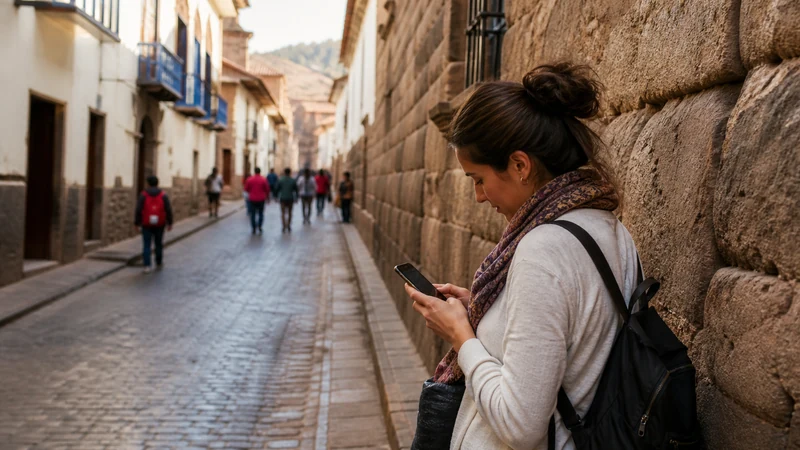

Mobile internet in Cusco is most valuable for coordinating early tours, finding an address through steep historic streets and keeping rail or driver messages available before leaving the city.
Cusco is also the launch point for journeys where reception becomes less predictable. Treat the city connection as the place to download what you need for the Sacred Valley and Machu Picchu.
NoveSIM Peru plans provide data only, without a Peruvian number, traditional calls or SMS. Messaging, internet calls and booking apps can use the data connection.
Quick answer: Prepare a travel eSIM before arrival, use it for transfers and navigation in Cusco, and download tickets, maps and pickup details before each excursion. Hotel Wi-Fi is useful for large files, but it should not be your only way to contact a guide or driver.
Top Peru eSIMs


Mobile Internet in Cusco: What Visitors Actually Need
Cusco travel days often start before reception desks or cafés are active. Tour operators may confirm a pickup by message, while rail and transfer arrangements can involve several meeting points. A connection on the street is more useful here than Wi-Fi that exists only inside the hotel.
- Keep the accommodation name and address in plain text.
- Save the guide’s number and the exact pickup point.
- Download rail, attraction and bus documents before departure.
- Pin the return location before walking through unfamiliar streets.
- Carry a charged power bank on full-day excursions.
For airport-specific arrival steps, use the Cusco Airport connectivity guide. This page focuses on the city and the preparation it provides for onward travel.
Compare eSIM, Local SIM, Roaming and Wi-Fi
| Connection | Good fit | Watch for |
|---|---|---|
| Travel eSIM | Data ready for arrival and short stays | Phone must be compatible and unlocked |
| Local SIM | Longer stays or need for a Peruvian number | Local purchase, registration and physical SIM handling |
| Home roaming | Brief use with known charges | Home-carrier prices and limits |
| Hotel or café Wi-Fi | Backups, updates and large downloads | Variable quality and no coverage between venues |
The broader Peru mobile internet guide compares these options in detail. Travellers choosing eSIM can review current Peru data plans before departure.
Install Before Travelling to Cusco
Do not leave installation until an early tour morning. Add the profile while you have dependable Wi-Fi, access to the purchase email and enough time to read the instructions. Installation may happen before the plan connects in Peru.
- Confirm the exact phone model supports eSIM.
- Verify that the handset is carrier-unlocked.
- Select data and validity for the complete Peru itinerary.
- Install the profile once and label it Peru.
- Keep the QR code private and save support details separately.
- Download the Cusco map and first pickup information.
Check the compatible-device list before purchase. A visible eSIM menu does not by itself prove that the phone is unlocked.
Settings to Use After Arrival
| Phone setting | Starting value |
|---|---|
| Mobile Data | Peru eSIM |
| Data Roaming on Peru line | On |
| Data Roaming on home line | Off |
| Automatic data switching | Off |
| Network Selection | Automatic |
| APN when manual entry is needed | data.esim |
Allow the phone time to register after a flight or a move between coverage areas. Thick walls and interior rooms can reduce reception; step outside before assuming that the service is unavailable across Cusco.
Historic Buildings, Hills and Indoor Signal
Cusco’s dense construction, thick walls and changing street levels can produce noticeable differences over a short distance. A weak indoor signal may improve at a courtyard, entrance or open street. Avoid forcing a network mode simply because one room has poor reception.
5G depends on the selected plan, compatible phone, region and local coverage. Automatic mode lets the device use 4G when that is the stronger or available connection. The Peru eSIM coverage guide explains how to check current operator-reported maps.
Prepare for the Sacred Valley
A Sacred Valley day can involve a driver, organised tour, several towns and a return at a different time from the original plan. Save the day’s sequence and meeting points before leaving Cusco. Do not rely on retrieving every ticket from email at the entrance.
- Download the full route area.
- Screenshot the driver’s name and vehicle details.
- Store the accommodation address for the return.
- Confirm whether the final drop-off matches the pickup point.
- Tell the operator about any connection-sensitive work or call.
Read the dedicated Sacred Valley mobile internet guide for the route-specific fallback plan.
Prepare for Machu Picchu and Rail Travel
Keep train, entry and transfer documents available offline before leaving Cusco. Reception can change along the route and at crowded points. Your phone should support the journey, not hold the only copy of the information required to continue it.
Large photo and video uploads can wait until dependable Wi-Fi. This protects the allowance and battery for navigation, messages and schedule changes. The Machu Picchu connectivity guide covers Aguas Calientes and the site journey as one intent.
How Much Data Is Practical?
Maps, text messages, tickets and email are relatively light. Social video, live streaming, automatic photo backup and hotspot use are much heavier. Check the phone’s recent per-app usage and account for each travel day rather than selecting a bundle only by price.
Download entertainment on Wi-Fi and pause full-resolution photo backup. If Cusco is part of a longer trip, size the plan for the whole route using the Peru data-planning guide.
Use Shared Wi-Fi Carefully
Hotel and café Wi-Fi can be useful for backups, but confirm the network name with staff. Avoid sensitive activity on an unknown open connection, turn off file sharing and disable automatic joining afterwards. Keep eSIM QR codes and activation details out of shared devices and public screenshots.
Troubleshoot the Cusco Connection Safely
- Check that the Peru eSIM is enabled and selected for Mobile Data.
- Enable Data Roaming on that line.
- Toggle Airplane Mode for 30 seconds and wait.
- Move to an open area if you are inside a thick-walled building.
- Restart the phone and retain Automatic network selection.
- If signal appears without data, check the allowance and use data.esim only if manual APN entry is required.
Do not delete the installed eSIM unless NoveSIM Support explicitly directs you to do so. If the issue continues, send the order number, exact model, location and safe screenshots while keeping the profile installed.
Related Articles
- Internet and Wi-Fi at Cusco Airport
- Sacred Valley Mobile Internet
- Mobile Internet at Machu Picchu
- Best eSIM for Peru
- Peru eSIM Coverage
- How Much Data Do You Need in Peru?
FAQ
What is the easiest way to get mobile internet in Cusco?
For a compatible unlocked phone, a travel eSIM installed before departure is usually the easiest data option. A local SIM may suit a longer stay or someone who needs a Peruvian number.
Will my phone have service throughout the Sacred Valley?
Do not assume continuous service. Reception varies with the supported network, device, terrain and exact route, so download maps and meeting details in Cusco first.
Can I rely on mobile data for Machu Picchu tickets?
Keep tickets and transfer documents offline. Mobile access may be available at parts of the journey, but it should not be the only way to retrieve time-sensitive entry information.
Why is my Cusco signal weaker inside the hotel?
Thick walls, interior rooms and local terrain can affect reception. Test near an entrance or outdoors before changing settings, and keep network selection on Automatic.
Final Recommendation
Mobile internet in Cusco should solve the next practical task: finding the hotel, confirming an early pickup and preparing for travel beyond the city. Install the eSIM before arrival and download each excursion’s essentials in advance.
Use the Peru line for Mobile Data, enable its Data Roaming and enter data.esim only when manual APN configuration is required. Keep the profile installed during troubleshooting.
Use Cusco’s accommodation Wi-Fi for large transfers, but preserve mobile data and battery for street navigation, guide messages and the changing logistics of Sacred Valley and Machu Picchu travel.