


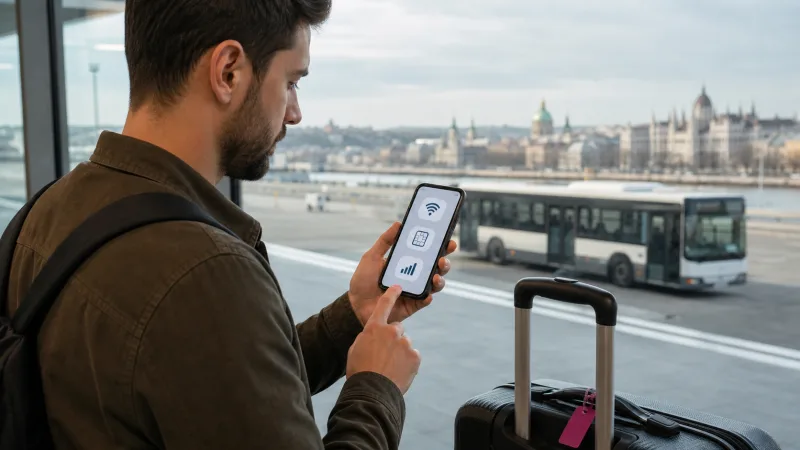

Travelers can get internet at Budapest Airport through the official free Wi-Fi, a Hungary eSIM, a physical SIM or home-carrier roaming. The best choice depends on whether you need only a quick message inside Terminal 2 or continuous data during the transfer and full trip.
Budapest Airport publishes free Wi-Fi in its main passenger areas, with a four-hour access period. It is a useful arrival backup, but a Hungary eSIM is more practical for maps, tickets and hotel communication after leaving the terminal.
A physical SIM can suit a phone without eSIM, while home roaming is convenient only when the price and allowance are clear.
Quick answer: Use the official bud:free wifi network for short tasks inside the airport. For uninterrupted connectivity, install a Hungary eSIM before departure, enable it after landing and select it for mobile data. Keep home-SIM roaming off unless your carrier plan explicitly covers Hungary.
Top Hungary eSIMs

Hungary eSIM
Fixed
1 GB, 7 days€ 1.772 GB, 15 days€ 3.553 GB, 30 days€ 4.44Unlimited
Unlimited, 1 day€ 2.22Unlimited, 3 days€ 4.88Unlimited, 5 days€ 7.99
Europe Extra eSIM
Fixed
1 GB, 7 days€ 2.222 GB, 15 days€ 3.553 GB, 30 days€ 4.44Unlimited
Unlimited, 1 day€ 2.66Unlimited, 3 days€ 5.32Unlimited, 5 days€ 8.87Europe+ eSIM
Fixed
1 GB, 7 days€ 2.662 GB, 15 days€ 3.993 GB, 30 days€ 5.32Unlimited
Unlimited, 1 day€ 2.66Unlimited, 3 days€ 6.21Unlimited, 5 days€ 10.20Internet Options at Budapest Airport
| Option | Best for | Main consideration |
|---|---|---|
| Airport Wi-Fi | Messages and bookings in Terminal 2 | Shared network that ends outside coverage |
| Hungary eSIM | Airport, transfer and full trip | Requires compatible unlocked phone |
| Physical SIM | Phones without eSIM or local-number needs | Availability, registration and setup |
| Home roaming | Travelers with included EU or Hungary data | Carrier-specific price and fair use |
| Pocket Wi-Fi | Several devices | Rental, battery and return logistics |
Free Wi-Fi at Budapest Airport
Budapest Airport’s official information says free Wi-Fi is available on the arrivals and departures levels of Terminals 2A and 2B, in SkyCourt and on the visitor terrace.
The official network name is bud:free wifi. Travelers select the network, enter an email address on the captive page and accept the terms. The airport currently states that access lasts four hours.
Use it for:
- Messaging a hotel, host or driver
- Opening a booking confirmation
- Checking current transport information
- Installing or configuring an eSIM
- Downloading a ticket or route
Verify the network name and apply public-Wi-Fi precautions. The dedicated Budapest Airport Wi-Fi guide covers login troubleshooting and security.
Using a Hungary eSIM
An eSIM provides mobile data without a plastic card. Purchase and install it before departure over reliable Wi-Fi, then configure the travel line after landing.
- Enable the Hungary eSIM.
- Select it as the preferred mobile-data line.
- Enable data roaming for the travel eSIM when required.
- Disable automatic data switching.
- Turn off roaming on the home SIM.
- Keep network selection automatic.
- Test with Wi-Fi off.
The profile can stay in the phone for the journey to Budapest and onward travel around Hungary. Use eSIM at Budapest Airport for the full arrival setup.
Buying a Physical SIM
A local physical SIM can provide mobile data and may include a Hungarian number. Airport shop availability, inventory and opening hours can change, so verify current facilities rather than depending on an old blog or map.
Before purchase, compare:
- Total starter and activation price
- Full-speed data allowance
- Validity and renewal
- Calls, SMS and local number
- Hotspot permission
- Identification requirements
- Network and coverage
A city operator store may offer more support, but reaching it requires initial connectivity. Read SIM Card at Budapest Airport for a complete buying checklist.
Using Home-Carrier Roaming
EU and EEA residents may have regulated roaming access, subject to the home plan and fair-use rules. Travelers from outside that framework can face high daily or per-megabyte charges.
Before departure, confirm in writing:
- Whether Hungary is included
- The amount of high-speed data
- Daily-pass activation and price
- Fair-use or long-stay limits
- Hotspot conditions
- Calls, SMS and voicemail charges
If you use a travel eSIM, disable data roaming on the home line and automatic data switching. The Hungary roaming charges guide explains the common cost traps.
Why Internet Matters Immediately After Landing
- Check live airport-transfer information.
- Open a digital ticket or transport app.
- Find the official taxi or shuttle pickup.
- Message a hotel about arrival time.
- Navigate from the city-center stop.
- Access a door code or booking message.
- Handle flight or baggage disruption.
Save the accommodation address, reservation number and basic route offline. Connectivity is useful, but critical arrival information should not depend on one network.
Internet for the 100E Airport Express
BKK operates the 100E Airport Express between Liszt Ferenc International Airport and Deák Ferenc tér, serving central Budapest via Kálvin tér. Mobile data helps with current departures, ticket information and walking navigation.
Fares, ticket eligibility and service details can change. Check official BKK information on the travel day. Airport Wi-Fi does not cover the complete bus journey, so activate mobile data or save the route offline.
Internet for the 200E and Train Connection
The 200E bus connects Terminal 2 with the wider public-transport network and can be part of a route involving metro or the Ferihegy railway station. Live data helps with transfers and service changes.
Budapest Airport’s official train information notes that passengers can use the 200E connection between Terminal 2 and the Ferihegy station area. Verify the current route and ticket combination before travel.
Internet for Taxi and Shuttle Pickup
Use official providers and follow airport pickup signs. Mobile data is helpful for confirming a booking, identifying the correct pickup point and sharing the destination.
Do not accept an unsolicited ride from someone who cannot verify the booking or official service. Save the hotel address in Hungarian spelling where possible.
How Much Data Do You Need?
The airport transfer itself needs little data. Choose the plan for the complete visit:
- 1–2 GB for a light weekend
- 3–5 GB for a typical week
- 5–10 GB for two weeks or heavier social use
- 10 GB or more for video, business or hotspot use
Activity estimates and saving tips are available in How Much Data for a Hungary Trip.
Can You Keep Your Home Number Active?
Yes, with a compatible dual-SIM phone. Keep the primary line for calls or verification messages and use the Hungary eSIM for data.
Protect against accidental home-carrier usage:
- Select Hungary as the data line.
- Disable automatic data switching.
- Turn off home-SIM data roaming.
- Understand voice and voicemail charges.
WhatsApp can retain the registered number while using eSIM data. See WhatsApp with a Hungary eSIM.
Internet Is Not Working After Arrival
Airport Wi-Fi Problem
Reconnect to bud:free wifi, disable VPN temporarily and open a browser to trigger the captive portal. Forget and rejoin the network if necessary.
eSIM Problem
Confirm the correct data line, roaming setting, plan status and automatic network selection. Use airplane mode for 30 seconds and wait.
Signal but No Data
For a NoveSIM Hungary plan, the APN is normally data.esim. Follow Hungary eSIM APN Settings and No Internet on a Hungary eSIM.
Local SIM Problem
Confirm that registration and activation completed, the supplied APN is correct and the bundle is active. Return to the seller while still nearby if possible.
Public Wi-Fi Security
- Connect only to the official SSID.
- Disable file sharing and device discovery.
- Avoid banking and password changes.
- Use HTTPS and updated apps.
- Complete the captive portal before enabling a VPN.
- Forget the network after use.
Cellular data avoids the shared local Wi-Fi medium, but account security, screen lock and two-factor authentication remain important.
Internet for a Layover
For a short layover, the official four-hour Wi-Fi session may be sufficient. Download the next boarding pass, monitor flight information and message contacts.
A regional eSIM is more useful if you leave the airport, have a long multi-country itinerary or want independent data at the next destination.
Internet for Departing Passengers
Download the boarding pass before arriving, then use Wi-Fi or mobile data for updates. Budapest Airport states that check-in counters are on the upper departure level of Terminals 2A and 2B, but airline-specific timing varies.
Do not rely on a live app as the only copy of a critical document. Save a wallet pass or screenshot and keep the booking reference offline.
Does a Hungary eSIM Work Beyond Budapest?
A Hungary country plan is intended for included supported coverage around the country. Continue using it in cities such as Debrecen, Szeged, Pécs and Győr, around Lake Balaton and on road or train routes, subject to coverage.
Keep network selection automatic when moving. Read Hungary eSIM Coverage for factors that affect service.
Frequently Asked Questions
Is there free internet at Budapest Airport?
Yes. The airport provides free Wi-Fi in its main passenger areas.
What is the official airport Wi-Fi network?
The published SSID is bud:free wifi.
How long is Budapest Airport Wi-Fi available?
The airport currently publishes a four-hour session. Follow current portal instructions.
Is airport Wi-Fi enough for getting into Budapest?
No. It ends outside terminal coverage. Use mobile data or save the full route offline.
Can I activate an eSIM at the airport?
Yes, using the official Wi-Fi, but installing before departure is normally easier.
Can I buy a physical SIM at the airport?
Availability can change. Check current airport retail information and keep a backup option.
Do I need roaming on for a travel eSIM?
Usually yes. Enable it on the Hungary eSIM and disable it on the home SIM.
Final Arrival Internet Checklist
- Official airport Wi-Fi name saved
- Hungary eSIM installed before departure
- Home-SIM roaming disabled
- Accommodation and transfer details offline
- Current BKK route and ticket information checked
- Cellular connection tested before leaving
- Public-Wi-Fi security settings applied
Budapest Airport offers a useful free Wi-Fi service, but continuous arrival connectivity requires mobile data or offline preparation. A preinstalled Hungary eSIM provides the smoothest transition from Terminal 2 to transport, accommodation and the rest of the trip.