


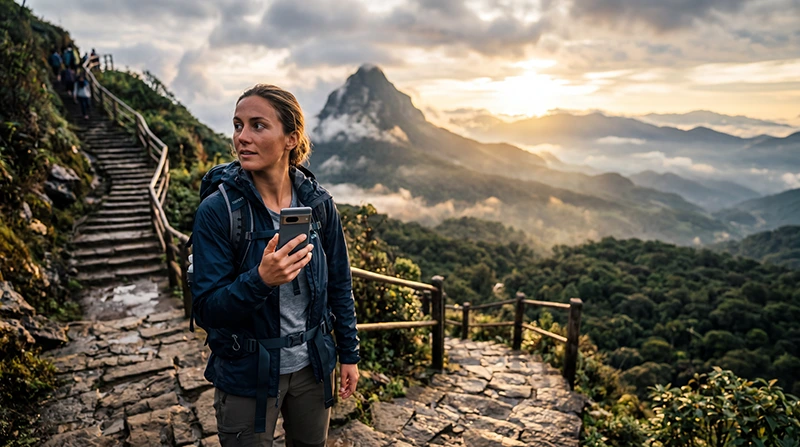

Adam’s Peak, also known as Sri Pada, is one of Sri Lanka’s most important pilgrimage and hiking destinations. Reliable internet can help you reach the trail, contact your accommodation, check weather conditions, arrange transport and communicate with your travel companions before and after the climb.
The mountain is located in Sri Lanka’s central highlands, where steep terrain, forests, valleys and changing elevation can affect mobile reception. Coverage is generally better in nearby towns and villages than on the upper sections of the trail.
Tourists can stay connected through a Sri Lanka travel eSIM, local prepaid SIM card, guesthouse WiFi or international roaming. For most international visitors, a travel eSIM is the easiest option because it can be installed before departure and used throughout the rest of the country.
Quick answer: install your Sri Lanka eSIM before travelling, select it for Mobile Data, enable Data Roaming and download maps, transport information and accommodation details before starting the climb.
Top Sri Lanka eSIMs


What Is the Best Way to Get Internet at Adam’s Peak?
The best option depends on your phone, itinerary, data usage and whether you need a local Sri Lankan telephone number.
| Internet Option | Best For | Main Advantage |
|---|---|---|
| Sri Lanka eSIM | Most international tourists | Install before departure |
| Local prepaid SIM card | Long stays and local calls | Usually includes a local number |
| Guesthouse or hotel WiFi | Evening use and large downloads | Useful before and after the hike |
| International roaming | Emergency or very short use | No additional installation |
A travel eSIM is usually the most convenient option because it continues working during the rest of your Sri Lanka trip without requiring a physical SIM replacement.
Why Mobile Internet Is Useful Near Adam’s Peak
- Finding your guesthouse or trail entrance.
- Contacting drivers and accommodation.
- Checking weather forecasts.
- Using Google Maps before the climb.
- Accessing booking confirmations.
- Coordinating with other hikers.
- Using WhatsApp messages and calls.
- Checking train and bus information.
- Sharing your location before hiking.
- Receiving travel updates.
Internet is most important before leaving your accommodation and after returning from the mountain. You should not rely on continuous coverage during the entire climb.
Using a Sri Lanka eSIM at Adam’s Peak
A Sri Lanka eSIM is a digital data profile installed directly on a compatible smartphone. It allows you to keep your regular SIM card active while using a separate prepaid data plan.
You can install the eSIM at home while connected to reliable WiFi. After arriving in Sri Lanka, enable the travel line, select it for Mobile Data and turn on Data Roaming.
- No physical SIM replacement.
- No airport queue.
- Keep your existing phone number.
- Use the same plan across Sri Lanka.
- Continue using WhatsApp with your existing number.
- Manage both SIM lines from your phone settings.
Browse available plans on the Sri Lanka eSIM page.
How to Prepare Your eSIM Before Travelling
- Check that your phone supports eSIM.
- Confirm that the device is unlocked.
- Choose a Sri Lanka data plan.
- Connect the phone to stable WiFi.
- Install the eSIM using the supplied QR code or installation link.
- Label the line Sri Lanka, Travel or NoveSIM.
- Keep the profile installed.
- Save the installation details offline.
Your NoveSIM QR code and installation instructions are sent by email after purchase. They are also available in your NoveSIM account inside the relevant order.
Do not delete the eSIM while travelling. Many QR codes can only be used once.
Recommended Mobile Data Settings
| Setting | Recommended Value |
|---|---|
| Sri Lanka eSIM | Enabled |
| Mobile Data | Sri Lanka eSIM |
| Calls and SMS | Primary SIM |
| Data Roaming on travel eSIM | On |
| Data Roaming on primary SIM | Off |
| Automatic Data Switching | Off |
| Network Selection | Automatic |
| Preferred Network Type | 4G/LTE or 5G Auto |
| APN | data.esim if required |
Mobile Coverage Around Adam’s Peak
Mobile coverage is generally more reliable in the settlements, accommodation areas and main access roads around Adam’s Peak. Reception may become weaker as you move higher along the trail.
You are more likely to have usable coverage around:
- Nallathanniya and Dalhousie.
- Guesthouses near the main trail.
- Transport pickup points.
- Main roads leading toward the mountain.
- Lower sections of the pilgrimage route.
Signal can become weak or disappear around forested sections, steep mountain slopes, valleys and the upper trail. Weather conditions and network congestion during the pilgrimage season may also affect performance.
Which Mobile Network Is Best Near Adam’s Peak?
Dialog and SLT-Mobitel are generally practical choices for travellers visiting Sri Lanka’s central highlands. However, no operator can guarantee uninterrupted signal along the complete route.
| Network | Best For | General Strength |
|---|---|---|
| Dialog | Multi-destination travel | Strong overall coverage |
| SLT-Mobitel | Central highland travel | Good performance in supported areas |
| Hutch | Budget travellers | More suitable in populated areas |
A travel eSIM connects through one or more supported local partner networks. The exact operator depends on the selected plan.
Read our guide to the best mobile networks in Sri Lanka for tourists.
Internet in Nallathanniya and Dalhousie
Nallathanniya, often called Dalhousie by travellers, is the main starting point for the most popular Adam’s Peak route. Mobile data is generally more usable here than on the upper mountain.
You can normally use internet for:
- Contacting your guesthouse.
- Finding the trail entrance.
- Checking weather conditions.
- Arranging onward transport.
- Messaging drivers.
- Opening booking confirmations.
Guesthouses and restaurants may also offer WiFi, although quality can vary during busy periods.
Internet During the Climb
Mobile data may work on some sections of the trail, but you should expect interruptions. The connection can change quickly as you move through forests, stairways, exposed slopes and high-altitude sections.
Do not depend on mobile data for:
- Continuous navigation.
- Important video calls.
- Live work meetings.
- Large uploads.
- Emergency communication as your only option.
The route is well established during the main pilgrimage season, but offline preparation remains important.
Internet at the Summit
Signal at the summit can be inconsistent. Some visitors may receive a connection, while others may have weak data or no service depending on network conditions and their exact position.
The summit can also become crowded around sunrise. Heavy network use from many visitors may reduce speed even when signal is available.
Download everything you need before beginning the climb and treat any connection at the summit as a bonus rather than a guarantee.
What to Download Before the Hike
- An offline map of the area.
- Your guesthouse address.
- Driver contact information.
- Train or bus details.
- Your booking confirmation.
- The weather forecast.
- Emergency contact details.
- Translation information if needed.
Take screenshots of essential information so you can access it even when mobile data is unavailable.
Hotel and Guesthouse WiFi
Many hotels and guesthouses near the main trail provide WiFi. It can be useful for checking messages, uploading photos and planning the next stage of your journey.
WiFi is often strongest in:
- Reception areas.
- Dining rooms.
- Shared lounges.
- Rooms close to the main router.
Mountain accommodation may have slower internet during poor weather or busy weekends. Use your eSIM as a backup when local WiFi is unstable.
Does WhatsApp Work Near Adam’s Peak?
Yes. WhatsApp works whenever you have mobile data or WiFi.
Your existing WhatsApp number remains unchanged while the Sri Lanka eSIM provides mobile data. You can use the app to contact your accommodation, driver or travel companions.
Messages may remain pending during sections without signal and send automatically when the connection returns.
Read our guide to using WhatsApp in Sri Lanka.
Can You Use Google Maps?
Google Maps can help you reach Nallathanniya, locate your accommodation and check the main access roads.
Download an offline map before travelling because mobile coverage may disappear on rural roads or during the climb.
GPS location can continue working without mobile data, but routes, searches and live traffic information may not update.
How Much Data Do You Need?
| Trip and Usage | Suggested Data |
|---|---|
| One or two days near Adam’s Peak | 1–3 GB |
| Several days in the central highlands | 3–7 GB |
| One-week Sri Lanka trip | 8–10 GB |
| Two-week trip | 15–20 GB |
| Remote work or frequent streaming | 20 GB or more |
The Adam’s Peak visit itself normally uses little data. Streaming, social media uploads and cloud backups consume much more than maps and messaging.
Can You Use Personal Hotspot?
Personal Hotspot availability depends on your plan and device. When supported, it may be useful at your guesthouse if the local WiFi is weak.
A laptop can consume data quickly through updates, cloud synchronisation and video meetings. Pause automatic downloads before connecting.
Sri Lanka eSIM APN Settings
The APN is usually configured automatically. If the eSIM has signal but no internet, enter the following settings.
| APN Field | Value |
|---|---|
| Name | NoveSIM |
| APN | data.esim |
| Username | Leave blank |
| Password | Leave blank |
| Authentication | None or automatic |
Save the APN, select it if required and use Airplane Mode for approximately 30 seconds.
Read our Sri Lanka eSIM APN guide.
What If Mobile Internet Is Not Working?
- Confirm that the Sri Lanka eSIM is enabled.
- Select it for Mobile Data.
- Enable Data Roaming on the eSIM.
- Disable Automatic Data Switching.
- Keep Network Selection on Automatic.
- Check that the APN is data.esim.
- Use Airplane Mode for 30 seconds.
- Restart the phone.
If you are already high on the mountain, the problem may simply be limited coverage. Test the connection again after returning to a lower or more populated area.
Do not delete the eSIM while troubleshooting.
Travel Internet Tips for Adam’s Peak
- Install your eSIM before departure.
- Download offline maps.
- Save transport and accommodation details.
- Carry a fully charged power bank.
- Protect your phone from rain and moisture.
- Use guesthouse WiFi for large uploads.
- Disable roaming on your primary SIM.
- Expect limited coverage on the upper trail.
Related Sri Lanka Guides
- Sri Lanka eSIM Guide
- Mobile Data in Sri Lanka
- Internet in Kandy for Tourists
- Internet in Nuwara Eliya for Tourists
- Internet in Ella for Tourists
- Internet on Sri Lanka Trains
- Best Network in Sri Lanka for Tourists
FAQ
Is there mobile internet at Adam’s Peak?
Mobile data is generally available around nearby villages and lower parts of the route, but coverage may weaken or disappear higher on the mountain.
Which network is best near Adam’s Peak?
Dialog and SLT-Mobitel are generally practical choices, but no network can guarantee continuous coverage along the full trail.
Will mobile data work at the summit?
It may work, but the signal can be weak or congested. Do not rely on having internet at the summit.
Should I download offline maps?
Yes. Download maps, booking details and transport information before starting the climb.
Does WhatsApp work near Adam’s Peak?
Yes. WhatsApp works whenever mobile data or WiFi is available and keeps your existing number.
Can I keep my normal SIM active?
Yes. Use the Sri Lanka eSIM for Mobile Data and keep your primary SIM active for calls and SMS.
Do I need Data Roaming enabled?
Yes. Enable Data Roaming on the travel eSIM and keep it disabled on your primary SIM.
What APN should I use?
For a NoveSIM Sri Lanka eSIM, use data.esim if manual configuration is required.
Final Recommendation
A Sri Lanka eSIM is one of the easiest ways to stay connected before and after climbing Adam’s Peak. It gives you mobile data for transport, accommodation communication, maps and travel planning without replacing your regular SIM card.
Coverage is generally better around Nallathanniya, guesthouses and lower sections of the route. Expect weaker or unavailable signal on the upper trail and at the summit.
Install your eSIM before departure, download offline maps and booking details, enable Data Roaming after arrival and keep Automatic Data Switching turned off.
If mobile data does not work in a populated area, confirm that the APN is data.esim, use Airplane Mode for 30 seconds and restart the phone.