


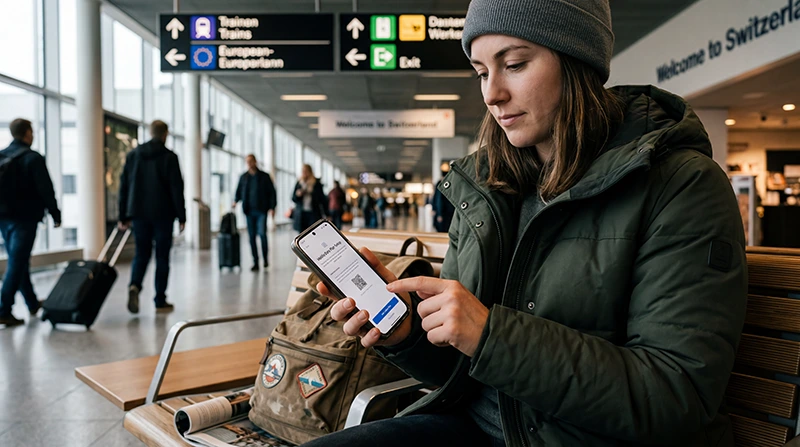

A Switzerland eSIM should be installed while you still have reliable Wi-Fi, then selected for mobile data when you arrive. Installation adds the plan to the phone; activation occurs according to the plan terms, often when it first connects to a supported network.
Doing those jobs separately avoids the most common arrival problem: trying to retrieve a QR code or troubleshoot an incomplete installation without internet access.
NoveSIM travel eSIMs are data-only. They do not include a Swiss phone number or conventional calls and SMS, but WhatsApp, iMessage and other internet-based services continue to work over data.
Quick answer: Check that the phone is unlocked and eSIM-compatible, install the plan over Wi-Fi before departure, keep your primary SIM selected for calls, and after landing choose the Switzerland eSIM for mobile data and enable data roaming on that line.
Top Switzerland eSIMs

Switzerland eSIM
Fixed
1 GB, 7 days€ 2.202 GB, 15 days€ 3.083 GB, 30 days€ 4.40Unlimited
Unlimited, 1 day€ 2.64Unlimited, 3 days€ 5.72Unlimited, 5 days€ 9.25
Europe Extra eSIM
Fixed
1 GB, 7 days€ 2.202 GB, 15 days€ 3.523 GB, 30 days€ 4.40Unlimited
Unlimited, 1 day€ 2.64Unlimited, 3 days€ 5.28Unlimited, 5 days€ 8.81Europe+ eSIM
Fixed
1 GB, 7 days€ 2.642 GB, 15 days€ 3.963 GB, 30 days€ 5.28Unlimited
Unlimited, 1 day€ 2.64Unlimited, 3 days€ 6.16Unlimited, 5 days€ 10.13Before You Install the eSIM
Open the phone’s SIM settings and confirm that an Add eSIM option is available. A compatible phone may still be locked to its original carrier, so check the lock status before buying. Keep the QR code on a second screen or use the manual installation details if they were supplied.
Review the plan’s activation policy before scanning the code. If validity begins on installation rather than first network connection, install it closer to departure. The broader choice between plans is covered in our Switzerland eSIM guide.
How to Install a Switzerland eSIM on iPhone
- Connect the iPhone to stable Wi-Fi.
- Open Settings, then Cellular or Mobile Data.
- Tap Add eSIM and choose Use QR Code.
- Scan the supplied code and complete the prompts without deleting or renaming another line.
- Label the new line “Switzerland” so it is easy to identify.
- Keep your usual SIM as the default voice line if you need calls or verification texts.
- Turn off cellular-data switching so the phone does not fall back to expensive home-SIM roaming.
How to Install It on Android
Menu names vary by manufacturer, but the sequence is similar on Samsung Galaxy, Google Pixel and other supported phones.
- Connect to Wi-Fi and open Settings.
- Choose Connections, Network & Internet or the equivalent SIM menu.
- Open SIM Manager or SIMs, then select Add eSIM.
- Scan the QR code and follow the installation prompts.
- Name the new plan “Switzerland” and leave it installed until the trip is complete.
- Keep the home SIM as the calls/SMS line if required, but disable its mobile-data roaming.
Settings to Change After Arrival
- Switch on the Switzerland eSIM line.
- Select it as the phone’s mobile-data SIM.
- Enable Data Roaming for the eSIM; travel plans often use partner networks, so this setting is normally required.
- Leave network selection on automatic and wait a few minutes for registration.
- Test a webpage with Wi-Fi switched off.
Network and 5G availability depend on the plan, device, location and local coverage. For a broader comparison of Swiss operators, see mobile networks in Switzerland.
If Mobile Data Does Not Start
First confirm that the eSIM—not the home line—is selected for data. Toggle flight mode, restart the phone and check data roaming. If the plan is registered but no pages load, follow the ordered checks in our Switzerland eSIM troubleshooting guide. The NoveSIM APN, when manual entry is required, is data.esim; the full paths are in the Switzerland APN guide.
Do not delete the eSIM while troubleshooting unless NoveSIM support specifically instructs you to do so. A QR code may not be reusable.
Related Articles
- Best eSIM for Switzerland
- Switzerland eSIM Not Working
- APN Settings for a Switzerland eSIM
- How Much Data Do You Need for Switzerland?
FAQ
Should I activate my Switzerland eSIM before travelling?
Install it over Wi-Fi before departure, but follow the plan’s activation policy. Many plans begin when they first connect in Switzerland, while some begin on installation.
Why must data roaming be enabled on a travel eSIM?
The eSIM may connect through a Swiss partner network. Data roaming permits that connection; it does not create home-SIM roaming charges when the eSIM is selected for data.
Can I keep my regular number active?
Yes, on a dual-SIM phone. Keep the regular line for calls or SMS if needed, but disable its mobile-data roaming and use the eSIM for cellular data.
Should I delete and reinstall the eSIM if activation fails?
No. Check the selected data line, roaming, network registration and APN first. Delete the profile only if NoveSIM support tells you to.
Final Recommendation
Install the Switzerland eSIM on dependable Wi-Fi and save the activation information offline before you travel.
On arrival, select it for mobile data, enable roaming on that line and test with Wi-Fi off. Keep automatic network selection unless troubleshooting requires otherwise.
This preparation gives you the best chance of having maps, rail tickets and messages available as soon as you enter Switzerland.