


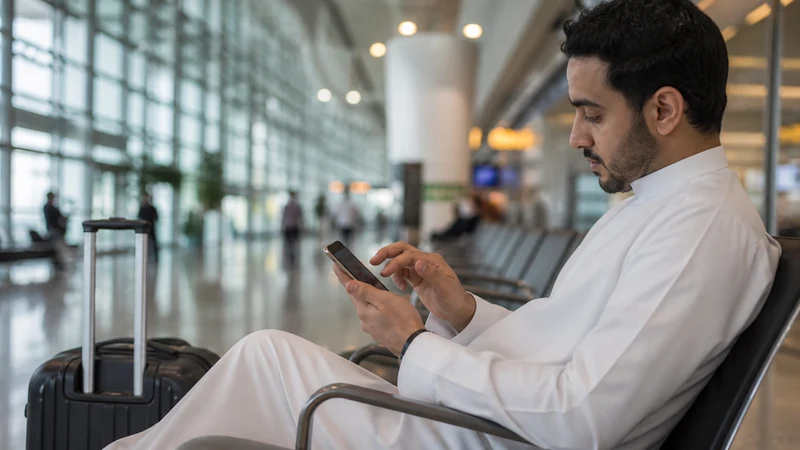

You can install your Kuwait eSIM before departure if the purchased plan’s activation rule allows it. Use a reliable private Wi-Fi connection, with the order email available, so you can add the profile without rushing through setup at the airport.
Before scanning anything, confirm the exact model supports eSIM and the original carrier has unlocked the handset. A successful purchase cannot add missing hardware support or remove a carrier restriction.
NoveSIM Kuwait plans provide data unless the product states otherwise. Installation adds that travel profile; it does not create a local telephone number or guarantee that the plan has already activated.
Quick answer: verify compatibility and unlock status, read what starts validity, install privately and label the line “Kuwait”. Keep it off until required if the instructions allow, then select it for mobile data after arrival.
Top Kuwait eSIMs

Kuwait eSIM
Fixed
1 GB, 7 days€ 4.092 GB, 15 days€ 6.373 GB, 30 days€ 9.55Unlimited
Unlimited, 1 day€ 5.00Unlimited, 3 days€ 14.10Unlimited, 5 days€ 20.93
What to check before scanning the QR code
- Check the exact model number, not only the phone family.
- Confirm the handset is unlocked by its original carrier.
- Make sure the selected plan explicitly includes Kuwait.
- Read its activation point and validity period.
- Use a stable private Wi-Fi connection.
- Keep the QR code and manual activation details private.
Regional phone variants can differ. An Add eSIM menu or EID is useful evidence, but a carrier lock can still block an independent plan. Corporate devices may also restrict changes through device management.
Installation, activation and connection are separate
| Stage | What it means |
|---|---|
| Installation | The digital profile is added to the phone |
| Activation | The plan begins under its stated product rule |
| Connection | The phone registers on an allowed network in Kuwait |
A profile installed outside Kuwait may display No Service. That can be normal because no supported destination network is nearby. Do not delete it or repeatedly scan the code.
Install with a QR code
- Open Cellular, Mobile Service, SIM Manager or Network settings.
- Choose Add eSIM, Add Mobile Plan or Download SIM.
- Scan the QR code from another screen or printed copy.
- If scanning is unavailable, use the supplied manual details.
- Wait until the plan appears in the SIM list.
- Label it Kuwait or Travel so it cannot be confused with the home line.
A normal camera QR scanner is not a substitute for the phone’s Add eSIM process. Never upload the code to a public scanning website or send it in an unprotected message.
Settings to prepare
Do not switch the plan on early unless its activation terms allow it. You can still review line labels and disable automatic mobile-data switching. After arrival, select the Kuwait line for Mobile Data, enable Data Roaming on it and keep home-line roaming off.
If you keep your home SIM active for calls or SMS, check its charges separately. Disabling data roaming does not make calls free. Keep the Kuwait profile clearly labelled so you can select it for data without accidentally changing the line used for your usual number.
Stop repeated scans when installation fails
Check Wi-Fi, free device storage, software updates and carrier lock. If the phone says the code is already used, stop scanning and contact support. Provide the order number, exact model and the displayed error, but do not expose the QR code.
Keep any installed eSIM. If it appears in the SIM list, the problem may be activation or connection rather than installation. Use Kuwait eSIM troubleshooting after reaching the destination.
First connection in Kuwait
- Turn on the travel line at the time allowed by the plan.
- Select it as the mobile-data source.
- Enable Data Roaming on that line.
- Leave Network Selection on Automatic.
- Toggle Airplane Mode if registration does not begin.
If signal appears but data fails, enter data.esim only when manual APN setup is required. The dedicated Kuwait APN guide explains where that setting applies.
Related Articles
- Activate a Kuwait eSIM
- Kuwait eSIM on iPhone
- Kuwait eSIM on Android
- Troubleshoot a Kuwait eSIM
- Kuwait eSIM plans
FAQ
When should I install my Kuwait eSIM?
Install it before departure on reliable Wi-Fi if the product instructions allow. Check separately when plan validity or activation begins.
Can installation start the plan early?
That depends on the exact product. Some plans activate on installation and others on destination connection, so the live instructions control.
Why does the installed eSIM show No Service at home?
It may be outside its destination network. Keep the profile and test it in Kuwait according to the activation instructions.
What if the QR code says it has already been used?
Stop retrying and contact support. Keep any installed profile and never publish or forward the QR code.
Final Recommendation
Before installing your Kuwait eSIM, confirm that the phone is compatible and unlocked, then check whether installation starts the plan’s validity. Use private Wi-Fi and keep the order details at hand.
Label the profile clearly and distinguish installation from activation. In Kuwait, assign data to that line and enable roaming only when the plan should connect.
If scanning or registration fails, preserve any profile already present and protect the activation credentials while NoveSIM Support checks the order.