


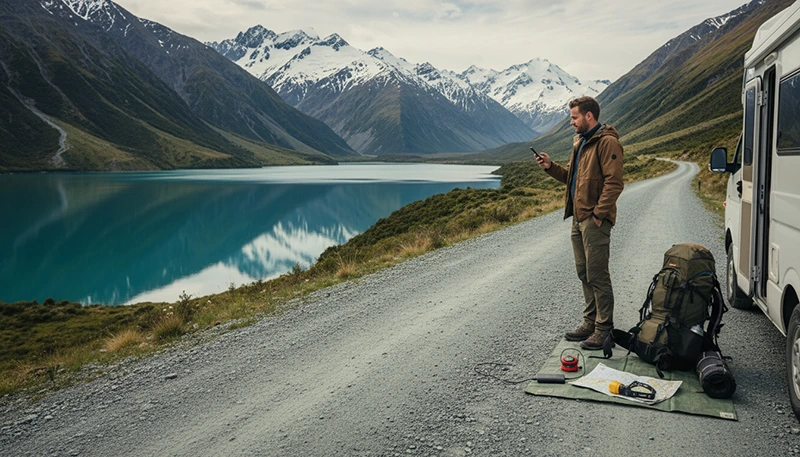

Remote New Zealand offers some of the most spectacular travel experiences in the world. From the mountains of Fiordland and the Southern Alps to isolated beaches, national parks and scenic campervan routes, many unforgettable places are far away from major cities.
However, travelling through remote areas also means that mobile coverage can change. Staying connected requires a combination of reliable mobile data, offline preparation and realistic expectations about network availability.
Quick answer: The best way to stay connected in remote New Zealand is to use a travel eSIM for mobile data where coverage exists, download offline maps before travelling and prepare important information before entering areas with limited signal.
Top New Zealand eSIMs

New Zealand eSIM
Fixed
1 GB, 7 days€ 2.182 GB, 15 days€ 3.923 GB, 30 days€ 5.22Unlimited
Unlimited, 1 day€ 2.61Unlimited, 3 days€ 6.53Unlimited, 5 days€ 10.44
Asia eSIM
Fixed
1 GB, 7 days€ 4.352 GB, 15 days€ 7.833 GB, 30 days€ 10.44Unlimited
Unlimited, 1 day€ 5.66Unlimited, 3 days€ 15.23Unlimited, 5 days€ 24.80Why Staying Connected Matters in Remote New Zealand
Remote travel in New Zealand often involves long distances, mountain roads and areas with limited services.
Mobile internet helps travellers with:
- GPS navigation.
- Checking weather conditions.
- Finding accommodation.
- Booking activities.
- Communicating with family and friends.
- Finding fuel stations.
- Planning daily routes.
For campervan travellers, backpackers and hikers, having internet access when available can make the journey much easier.
Does Mobile Internet Work Everywhere in Remote New Zealand?
No. Even with a good eSIM and modern smartphone, some remote areas have limited or no mobile coverage.
Coverage depends on:
- Location.
- Mobile network availability.
- Terrain and mountains.
- Distance from mobile towers.
- Weather conditions.
| Location Type | Expected Connectivity |
|---|---|
| Small rural towns | Usually good |
| Main roads | Generally available |
| Tourist attractions | Often available |
| Mountain valleys | Variable |
| Remote hiking areas | Limited or unavailable |
Use a Travel eSIM for Remote New Zealand
A travel eSIM is one of the easiest ways to access mobile data while travelling in New Zealand.
Benefits include:
- Install before departure.
- No need to search for SIM cards after arrival.
- Keep your main phone number.
- Use mobile internet immediately after landing.
- Connect through available local networks.
An eSIM does not create coverage where there is no signal, but it provides access to mobile networks wherever coverage is available.
Best Mobile Networks for Remote New Zealand
New Zealand has three major mobile networks:
| Network | Best For |
|---|---|
| Spark | Often preferred for wider rural coverage |
| One NZ | Cities and popular tourist areas |
| 2degrees | Affordable plans and populated areas |
For remote travel, coverage is usually more important than maximum speed.
Download Offline Maps Before Your Adventure
Offline maps are one of the most important preparations for remote New Zealand travel.
They help when:
- Your phone loses signal.
- You are driving through mountain areas.
- You are exploring national parks.
- You are hiking away from towns.
Recommended options include:
- Google Maps offline.
- Organic Maps.
- Maps.me.
- Outdoor hiking navigation apps.
Prepare Your Phone Before Entering Remote Areas
Before leaving a connected area:
- Charge your phone fully.
- Download offline maps.
- Save accommodation addresses.
- Screenshot important information.
- Download travel documents.
- Carry a power bank.
Staying Connected During New Zealand Road Trips
New Zealand road trips often include long distances between towns. Mobile internet is useful, but preparation is essential.
Popular remote routes include:
- Queenstown to Milford Sound.
- Christchurch to Mount Cook.
- West Coast glacier routes.
- Tongariro National Park journeys.
- Northland coastal drives.
Before starting a long route:
- Check fuel availability.
- Download the route.
- Save important stops.
- Check weather forecasts.
Internet Setup for New Zealand Campervan Travel
Campervan travellers spend more time outside cities and need a reliable connectivity setup.
| Tool | Purpose |
|---|---|
| Travel eSIM | Mobile internet when coverage exists |
| Offline maps | Navigation without signal |
| Power bank | Extended phone usage |
| Downloaded information | Backup access |
Staying Connected While Hiking in New Zealand
Many famous hiking destinations are located in areas where mobile coverage can be unreliable.
Popular areas include:
- Fiordland National Park.
- Mount Cook National Park.
- Tongariro National Park.
- Abel Tasman National Park.
For hiking:
- Do not rely only on mobile signal.
- Use offline trail maps.
- Tell someone your plans.
- Carry appropriate outdoor equipment.
Recommended eSIM Settings for Remote New Zealand
| Setting | Recommended |
|---|---|
| Mobile Data | New Zealand travel eSIM |
| Data Roaming | Enabled on eSIM |
| Main SIM roaming | Disabled |
| Network Selection | Automatic |
| APN | data.esim |
What to Do If You Lose Signal in New Zealand
If your phone shows no service:
- Check if you are in a remote coverage area.
- Move to an open location if possible.
- Restart your phone.
- Check eSIM settings.
- Wait until reaching the next covered area.
A temporary loss of signal is normal during remote New Zealand travel.
How Much Data Do You Need for Remote Travel?
| Traveller Type | Recommended Data |
|---|---|
| Basic travel use | 1–3GB |
| Road trip traveller | 5–10GB |
| Campervan traveller | 10GB+ |
| Remote worker | Larger plans recommended |
Related New Zealand Connectivity Guides
- Mobile Data Remote New Zealand
- Offline Maps New Zealand Travel
- No Mobile Signal New Zealand Travel
- Internet for New Zealand Road Trip
- New Zealand eSIM
FAQ
How can I get internet in remote New Zealand?
Use a travel eSIM for available mobile networks and prepare offline maps before entering remote areas.
Does mobile data work in New Zealand mountains?
Coverage varies. Some mountain areas have limited or no mobile signal.
Do I need offline maps for New Zealand?
Yes. Offline maps are highly recommended for road trips and outdoor adventures.
Will an eSIM improve coverage in remote New Zealand?
No. An eSIM provides access to available networks but cannot create a signal where none exists.
Can I work remotely from rural New Zealand?
Yes, but you should check connectivity at your planned location and have backup options.
Final Recommendation
The best way to stay connected in remote New Zealand is to combine a travel eSIM with smart preparation.
Mobile data keeps you connected where networks are available, while offline maps and downloaded information ensure you can continue travelling when signal disappears.
Whether you are exploring by campervan, hiking through national parks or taking scenic routes, preparation is the key to a stress-free New Zealand adventure.