
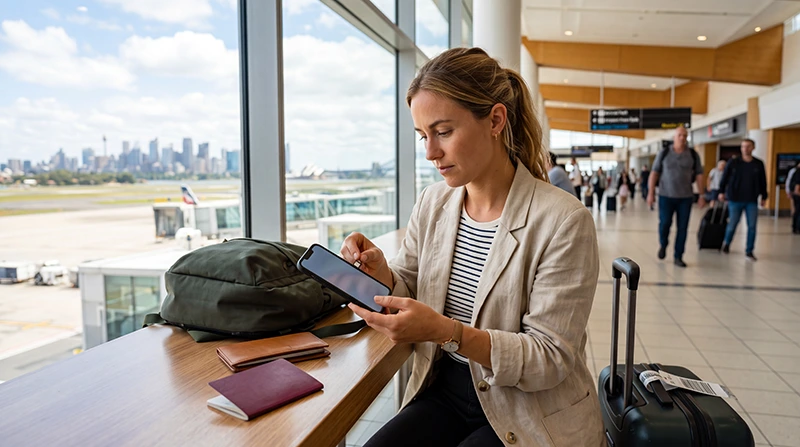

Traveler setting up mobile internet on a smartphone while arriving in Australia

How to Get Mobile Internet in Australia: Complete Tourist Guide

If you are traveling to Australia, mobile internet is one of the first things you should prepare. Whether you are visiting Sydney, Melbourne, Brisbane, Perth, Adelaide, the Gold Coast, Cairns, Tasmania, or planning a road trip, having reliable mobile data makes your trip much easier.

Tourists use mobile internet in Australia for maps, airport transfers, ride apps, hotel check-in, public transport, WhatsApp, restaurant search, attraction tickets, social media, banking apps, and travel updates.

Quick answer: the easiest way to get mobile internet in Australia is to use a prepaid Australia eSIM. You can buy it online, install it before departure, and use mobile data after arrival without searching for a physical SIM card.

Top Australia eSIMs

Best Ways to Get Mobile Internet in Australia

Tourists usually have four main options for getting online in Australia.

Option Best For Main Advantage Main Limitation
Australia eSIM Most tourists Install before travel Requires eSIM-compatible phone
Local SIM Card Longer stays Local mobile service Requires shop visit and setup
International Roaming Short trips with included roaming No extra setup Can be expensive
Public WiFi Backup use Free where available Limited and not always reliable

Option 1: Use an Australia eSIM

An eSIM is a digital SIM card that you install directly on your smartphone. Instead of inserting a physical SIM card, you scan a QR code and add a mobile data plan to your device.

This is the simplest option for many tourists because it can be set up before the trip.

  • Buy online before traveling
  • Receive QR code by email
  • No physical SIM card required
  • No airport SIM card queues
  • Keep your normal SIM active
  • Use mobile data after arrival

You can view available plans here: Australia eSIM plans.

Option 2: Buy a Local SIM Card in Australia

A local SIM card is a physical SIM card that you buy after arriving in Australia. This can work well, especially for longer stays, but it is less convenient than an eSIM for many short-term tourists.

You may need to:

  • Find a mobile store or airport kiosk
  • Choose a plan in person
  • Complete setup steps
  • Remove your existing SIM card
  • Wait for activation

For travelers who want internet immediately after landing, buying a local SIM card can feel inconvenient.

Option 3: Use International Roaming

International roaming lets you use your home mobile operator while traveling in Australia.

This can be convenient if Australia is already included in your plan. However, if your operator charges extra for roaming, mobile data can become expensive quickly.

Before using roaming, check:

  • Whether Australia is included in your plan
  • Daily roaming fees
  • Data limits
  • Speed restrictions
  • Extra charges for calls and SMS

Read also: Australia roaming charges.

Option 4: Rely on Public WiFi

Public WiFi is available in some airports, hotels, cafes, shopping centers, and restaurants. However, it is not enough for most tourists.

Public WiFi may not help when you need:

  • Google Maps while walking
  • Ride apps after landing
  • Road trip navigation
  • Urgent travel updates
  • Communication during tours
  • Internet between hotels and attractions

For this reason, public WiFi is best used as a backup, not your main internet solution.

Why an eSIM Is Usually the Easiest Choice

For most tourists, an Australia eSIM offers the best combination of convenience and control.

  • You can prepare before departure.
  • You avoid roaming surprises.
  • You do not need to visit a SIM card shop.
  • You can keep your normal phone number active.
  • You can connect after arrival.
  • You can use travel apps immediately.

Why NoveSIM Is a Good Choice for Australia

NoveSIM is designed for travelers who want simple, prepaid mobile data without complicated roaming charges or physical SIM card setup.

  • Instant QR code delivery
  • Easy online purchase
  • Install before travel
  • No physical SIM card required
  • Works with compatible iPhone and Android devices
  • Useful in Sydney, Melbourne, Brisbane, Perth, Adelaide, Cairns, Gold Coast, and Tasmania
  • Works with Google Maps, WhatsApp, ride apps, email, and travel apps
  • Keep your primary SIM active for calls and SMS

How to Set Up an Australia eSIM

  1. Choose your Australia eSIM plan.
  2. Complete your purchase online.
  3. Receive your QR code by email.
  4. Connect your phone to WiFi.
  5. Install the eSIM before departure.
  6. Travel to Australia.
  7. Select the eSIM as your mobile data line.
  8. Enable data roaming for the eSIM.

Recommended Australia eSIM Settings

Setting Recommended Value
Mobile Data Australia eSIM
Data Roaming ON for the eSIM
APN data.esim
Primary SIM Calls and SMS
Automatic Data Switching OFF

Can You Keep Your Normal Phone Number?

Yes. Most modern smartphones support dual-SIM functionality. This means you can use your Australia eSIM for mobile data while keeping your primary SIM active for calls and SMS.

This is useful if you need verification codes, airline messages, hotel updates, bank confirmations, or calls on your normal number.

Will WhatsApp Work with Mobile Internet in Australia?

Yes. WhatsApp works normally with an Australia eSIM or any mobile data connection.

Your WhatsApp account stays connected to your existing phone number.

  • Messages
  • Voice calls
  • Video calls
  • Group chats
  • Location sharing
  • Photo sharing

How Much Data Do You Need in Australia?

Traveler Type Typical Usage Suggested Data
Light tourist Maps, messages, hotel check-in 3–5 GB
Standard tourist Maps, ride apps, social media, browsing 5–10 GB
Two-week traveler Daily maps, travel apps, uploads 10–20 GB
Road trip traveler Navigation, bookings, research 10–30 GB
Business traveler Email, calls, meetings, hotspot 20 GB+

For more data guidance, read: How much data does Google Maps use? and How much data does WhatsApp use while traveling?.

Where Mobile Internet Helps Most in Australia

  • At airports when you need transfers, hotel directions, or ride apps
  • In Sydney for maps, ferries, restaurants, and attractions
  • In Melbourne for trams, events, cafes, and day trips
  • In Brisbane and the Gold Coast for beaches, transport, and theme parks
  • In Cairns for tours, weather updates, and Great Barrier Reef bookings
  • During road trips for navigation, fuel stops, accommodation, and emergency communication

Mobile Internet for Australia Road Trips

Road trips are one of the best ways to experience Australia, but mobile internet is not equally available everywhere.

In cities, towns, and many major routes, coverage is usually good. In remote Outback areas, coverage may be limited or unavailable regardless of whether you use an eSIM, local SIM card, or roaming.

Before long drives, download:

  • Offline maps
  • Hotel confirmations
  • Emergency contacts
  • Fuel stop locations
  • Important travel documents

Common Mistakes to Avoid

  • Waiting until landing to solve internet access: this can delay maps, ride apps, and hotel directions.
  • Leaving roaming on your primary SIM: this may cause unexpected charges.
  • Relying only on public WiFi: it is not always available when tourists need it most.
  • Not checking eSIM compatibility: your phone must support eSIM and be unlocked.
  • Using too much data on video apps: streaming and video uploads can consume data quickly.
  • Not preparing offline maps: remote areas may have weak or no signal.

Related Australia Travel Internet Guides

FAQ: How to Get Mobile Internet in Australia

What is the easiest way to get mobile internet in Australia?

The easiest option for most tourists is a prepaid Australia eSIM because it can be purchased online, installed before travel, and used after arrival.

Can I buy mobile internet before traveling to Australia?

Yes. You can buy an Australia eSIM online before departure and install it while connected to WiFi.

Do I need a local SIM card in Australia?

Not necessarily. If your phone supports eSIM, a prepaid eSIM is usually more convenient than buying a local physical SIM card.

Will WhatsApp work with an Australia eSIM?

Yes. WhatsApp works normally and remains connected to your existing phone number.

Do I need data roaming enabled?

Yes. Most travel eSIMs require data roaming to be enabled on the eSIM line.

Will mobile internet work everywhere in Australia?

Mobile internet works well in most cities, towns, and tourist areas. Very remote Outback areas may have limited or no coverage.

Final Recommendation

The best way to get mobile internet in Australia depends on your trip, phone, and travel style. For most tourists, a prepaid Australia eSIM is the easiest and most convenient solution because it can be installed before departure and used after arrival.

It helps you avoid roaming surprises, skip physical SIM card setup, keep your normal number active, and stay connected for maps, transport, bookings, road trips, messaging, and travel updates.

Browse Australia eSIM plans here.

Scroll to Top