


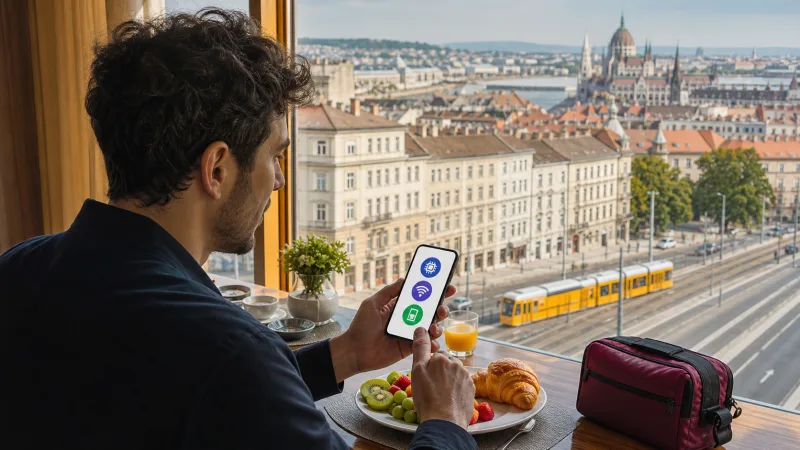

You can get internet in Budapest through a Hungary eSIM, local prepaid SIM, home-carrier roaming, public Wi-Fi or pocket Wi-Fi. For most short visits, a preinstalled eSIM is the easiest because it works beyond the airport and does not require replacing the home SIM.
The right option depends on phone compatibility, trip length, data habits and whether you need a Hungarian telephone number. Prepare the connection before departure rather than waiting until a transfer or hotel check-in depends on it.
Budapest has strong urban mobile coverage through Magyar Telekom, Yettel and One, but reception and speed still vary indoors, underground and during busy events.
Quick answer: Install a Hungary eSIM before travel, enable it after arrival, select it for mobile data and turn on roaming for the travel line when required. Use hotel or official public Wi-Fi for large downloads and keep offline maps as a backup.
Top Hungary eSIMs

Hungary eSIM
Fixed
1 GB, 7 days€ 1.772 GB, 15 days€ 3.553 GB, 30 days€ 4.44Unlimited
Unlimited, 1 day€ 2.22Unlimited, 3 days€ 4.88Unlimited, 5 days€ 7.99
Europe Extra eSIM
Fixed
1 GB, 7 days€ 2.222 GB, 15 days€ 3.553 GB, 30 days€ 4.44Unlimited
Unlimited, 1 day€ 2.66Unlimited, 3 days€ 5.32Unlimited, 5 days€ 8.87Europe+ eSIM
Fixed
1 GB, 7 days€ 2.662 GB, 15 days€ 3.993 GB, 30 days€ 5.32Unlimited
Unlimited, 1 day€ 2.66Unlimited, 3 days€ 6.21Unlimited, 5 days€ 10.20Five Ways to Get Internet in Budapest
| Option | Best for | Main limitation |
|---|---|---|
| Hungary eSIM | Short trips and immediate data | Compatible unlocked phone required |
| Local prepaid SIM | Long stays or local-number needs | Store visit and registration |
| Home roaming | Included carrier plans | Price and fair-use rules vary |
| Public Wi-Fi | Backup and large downloads | Does not provide continuous coverage |
| Pocket Wi-Fi | Several devices | Extra rental hardware and battery |
For a wider overview, see Internet in Budapest for Tourists. The steps below focus on choosing and configuring each option.
Option 1: Install a Hungary eSIM
An eSIM is a digital mobile profile. Purchase a Hungary plan online and add it to a compatible phone while connected to reliable Wi-Fi.
Before Departure
- Confirm that the exact phone model supports eSIM.
- Make sure the device is carrier-unlocked.
- Choose data and validity for the full trip.
- Install the profile over stable Wi-Fi.
- Label it Hungary or Travel.
- Save the instructions privately offline.
After Arrival
- Enable the Hungary eSIM.
- Select it for mobile data.
- Enable data roaming on the travel line when required.
- Disable automatic data switching.
- Turn off home-SIM data roaming.
- Keep network selection automatic.
- Test with Wi-Fi off.
Use Best eSIM for Budapest to select a plan and Install a Hungary eSIM for device steps.
Option 2: Buy a Local Prepaid SIM
Magyar Telekom, Yettel and One are the main Hungarian mobile operators. A direct prepaid SIM can include mobile data and may provide a local number.
Use an official store and bring an accepted identity document. Ask the staff to complete registration, activate the bundle and test data before you leave.
Compare:
- Complete starter price
- Included full-speed data
- Validity and renewal
- Calls, SMS and local number
- Hotspot permission
- 5G and roaming access
- Balance-check method
Read Best SIM Card for Budapest for operator and buying considerations.
Option 3: Use Home-Carrier Roaming
Roaming is convenient because the home line works without a new profile, but it is safe only when the current plan clearly includes Hungary at an acceptable price.
EU and EEA residents may have regulated access subject to domestic allowance and fair-use rules. Other travelers can face costly daily passes or metered data.
Ask the carrier:
- Is Hungary included?
- How much high-speed data is available?
- Does a daily pass activate automatically?
- What happens after the allowance?
- Are hotspot and 5G included?
- What are call and voicemail charges?
Use Budapest Roaming Charges for city-specific precautions and Hungary Roaming Charges for the national comparison.
Option 4: Use Public Wi-Fi
Hotels, cafés, coworking spaces, shopping centers and some public venues may provide Wi-Fi. Availability, login and speed vary by property.
Public Wi-Fi is useful for:
- Large app updates
- Cloud photo backup
- Downloading maps and entertainment
- Long video calls
- Saving mobile allowance
It is not a complete travel solution because it ends when you leave the venue. Verify the network name, turn file sharing off and avoid sensitive account changes.
The dedicated Public Wi-Fi in Budapest guide will cover safety and realistic availability.
Option 5: Rent Pocket Wi-Fi
A pocket router can connect several phones, tablets and laptops to one mobile plan. It can suit a family or group with devices that lack eSIM.
The trade-offs are collection, charging, deposit, return and dependence on one shared device. If the group separates, only the person carrying the router stays connected.
A compatible phone can also share eSIM data through Personal Hotspot when the plan permits it. Compare in Hungary eSIM vs Pocket Wi-Fi.
Best Option for Budapest Airport Arrival
Budapest Airport provides official free Wi-Fi across its passenger areas, with a currently published four-hour access period. The network is useful for setup and messages inside Terminal 2.
For the transfer, use a preinstalled eSIM or another mobile plan. Data helps with the 100E Airport Express, other transport choices, hotel messages and walking directions.
Read Internet at Budapest Airport for the full arrival comparison.
Internet for Budapest Public Transport
Mobile data supports BKK route information, digital ticket access and live changes. Check current ticket and validation rules in the official app or source.
Download a basic offline map and save important tickets or booking references. Reception can vary underground, and a phone battery can fail independently of the network.
Internet for Maps and Walking
Download Budapest offline in your preferred map app before travel. GPS continues to work without data, while live traffic, transit updates, business hours and new searches require internet.
Use mobile data for dynamic information and offline maps for resilience. Stop safely before interacting with the phone near roads or crowded intersections.
Internet for Taxis and Ride Apps
A continuous connection helps confirm a pickup location, vehicle details, route and receipt. Use official providers and follow current local app availability and transport rules.
At Budapest Airport, use official pickup areas rather than accepting an unsolicited ride. Save the destination address in advance.
Internet for WhatsApp and App Calls
A data-only eSIM supports messages and internet calls while WhatsApp keeps the existing registered number. Video calls use more data than voice or text.
See Does WhatsApp Work with a Hungary eSIM? for verification and dual-SIM details.
How Much Data Do You Need?
| Trip | Typical range |
|---|---|
| Weekend, light use | 1–2 GB |
| 3–5 day city break | 2–3 GB |
| One week, moderate use | 3–5 GB |
| Heavy social media or day trips | 5–10 GB |
| Remote work or hotspot | 10–20 GB or suitable unlimited plan |
Use How Much Data for a Hungary Trip to calculate maps, social media, calls and hotspot use.
Which Network Has the Best Coverage?
Telekom, Yettel and One all serve Budapest. No operator is fastest in every building and time period. Historic walls, basements, underground platforms, radio bands and congestion affect results.
Travel eSIM partner access can differ from a direct local SIM. Read Telekom vs Yettel vs One Hungary and Hungary eSIM Coverage.
Do You Need 5G?
No. 4G is sufficient for normal city travel. 5G can provide higher speeds where supported, but plan, partner, phone and location all matter.
Strong LTE can be more stable than weak 5G indoors. See 5G in Hungary for Tourists.
Can You Keep Your Home Number?
Yes, on a compatible dual-SIM phone. Use the Hungary eSIM for data and keep the home line for calls or verification messages if needed.
Disable home-line data roaming and automatic data switching. Home-carrier calls, voicemail and SMS remain subject to its roaming rates.
Internet for a Budapest City Break
A city break moves quickly, so the connection should work before leaving the airport. A 2–3 GB eSIM suits many three- to five-day visits, with hotel Wi-Fi used for large downloads.
Save the accommodation address, ticket confirmations and offline map. The dedicated Internet for a Budapest City Break guide will provide a day-by-day setup.
Internet for Business Travel
Business travelers should choose enough data for email, documents and possible hotspot backup. Video meetings and cloud tools increase consumption.
Confirm hotel or coworking Wi-Fi and keep important files offline. Do not rely on a single mobile connection for a critical presentation.
Internet for Day Trips from Budapest
A Hungary country plan continues beyond Budapest within supported coverage. Keep network selection automatic for places such as Szentendre, Eger, Lake Balaton or the Danube Bend.
Download tickets and maps before departure because trains, tunnels and rural areas can have brief gaps.
Common Connectivity Mistakes
- Waiting until arrival to check eSIM compatibility.
- Leaving home-SIM data roaming enabled.
- Allowing automatic data switching.
- Relying only on café Wi-Fi.
- Buying too little data for video or hotspot use.
- Assuming unlimited means unrestricted full speed.
- Deleting an eSIM after a temporary registration delay.
- Forgetting offline maps and booking details.
Internet Is Not Working
- Turn Wi-Fi off.
- Confirm the Hungary eSIM is enabled.
- Select it as the data line.
- Enable travel-line roaming.
- Disable automatic switching.
- Check plan validity and allowance.
- Keep network selection automatic.
- Use airplane mode for 30 seconds.
If signal appears without data, the NoveSIM APN is normally data.esim. Use No Internet on a Hungary eSIM.
Data-Saving Tips
- Download maps and playlists over Wi-Fi.
- Turn off video autoplay.
- Pause photo and cloud backups.
- Enable Low Data Mode or Data Saver.
- Restrict background data for heavy apps.
- Use Wi-Fi for updates and long video calls.
- Monitor usage each day.
Frequently Asked Questions
What is the easiest way to get internet in Budapest?
For a compatible unlocked phone, install a Hungary eSIM before travel and activate it after arrival.
Is there free Wi-Fi in Budapest?
Many venues offer Wi-Fi, but availability and conditions vary. It is best used as a supplement to mobile data.
Can I buy a local SIM?
Yes, through official Telekom, Yettel or One stores, subject to current prepaid registration and offer terms.
Can I use my EU phone plan?
Often yes under applicable roaming rules and fair-use limits. Confirm the current allowance with your home carrier.
How much data is enough for Budapest?
2–3 GB suits many short city breaks, while 3–5 GB is comfortable for one week of moderate use.
Does a Hungary eSIM work outside Budapest?
It can work across included supported coverage in Hungary, subject to the plan and network availability.
Can I share internet with a laptop?
Usually, when the plan allows hotspot use. Check tethering terms and control laptop updates.
Final Budapest Internet Checklist
- Connection option chosen before travel
- Phone compatibility and unlock status checked
- Plan data and validity match the trip
- eSIM installed before departure
- Home-line roaming disabled
- Offline maps and bookings saved
- Public Wi-Fi security understood
- Cellular data tested with Wi-Fi off
The simplest Budapest internet setup combines a preinstalled Hungary eSIM with trusted hotel or venue Wi-Fi and offline backups. This gives you continuous data while moving without depending on one shop or public hotspot.