


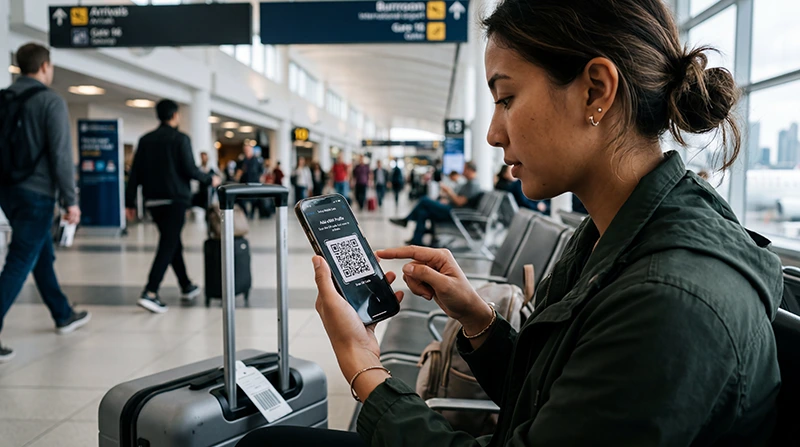

Activating a Canada eSIM begins after the eSIM profile is already visible in your phone’s SIM settings. At this stage, you are not scanning the QR code again. You are enabling the installed line, assigning it to mobile data and applying the connection settings supplied with your plan.
The exact menu names vary by phone model and operating-system version. Use the purchase instructions as the authority for your specific eSIM, especially for activation timing, Data Roaming and any APN requirement.
NoveSIM travel eSIMs are data-only. We do not provide a Canadian phone number or conventional cellular calls and SMS with these plans. Your usual SIM can remain available for its number on many dual-SIM phones, but its calls, texts and roaming remain subject to your home carrier’s charges.
Quick answer: After the Canada eSIM has been installed, turn that line on, select it for Mobile Data, disable automatic data switching and enable Data Roaming on the travel eSIM if the plan instructions require it. Keep mobile-data roaming off on your primary SIM unless you deliberately want to use your carrier’s roaming. Test the connection after arrival in Canada, where the plan can reach a supported network.
Top Canada eSIMs


Activation Is Not the Same as Installation
Installation adds the eSIM profile to the device. Activation makes the installed profile ready to use under the rules of the purchased plan. A profile can therefore appear correctly in the SIM list while mobile data is still assigned to another line.
If the eSIM is not present in the phone’s SIM or mobile-network settings, return to the Canada eSIM installation guide. Do not continue with activation steps for a profile that has not installed successfully, and do not repeatedly scan a single-use QR code.
Before changing settings, identify the installed travel line and give it a clear label such as “Canada” or “Travel.” This reduces the chance of enabling roaming or data on the wrong SIM.
Before You Activate the Line
- Confirm that the Canada eSIM appears in the device’s SIM list.
- Keep the purchase instructions, order details and any manual configuration information available privately.
- Check when the plan’s validity begins: installation, manual activation or first supported-network connection may be treated differently by different products.
- Save the first Canadian address, airport transfer and a basic offline map.
- Do not remove the eSIM merely because it cannot connect while you are still outside its coverage area.
If your trip is still several days away, leave the installed line off when the product instructions advise waiting. Activating early can be a problem when the plan’s validity begins on a manual action rather than on arrival.
Activate a Canada eSIM on iPhone
On iPhone, open Settings and go to Cellular or Mobile Service. Select the installed Canada eSIM and make sure “Turn On This Line” is enabled when you are ready to use it. Return to the main Cellular or Mobile Service screen, open Cellular Data and select the Canada eSIM.
Turn off “Allow Cellular Data Switching” if you do not want the iPhone to move data back to the primary line. Open the Canada eSIM settings again and enable Data Roaming when the plan instructions require it. Travel eSIMs commonly need this setting because they connect through a partner network.
Leave the primary SIM’s Data Roaming setting off unless you have checked and accepted your home carrier’s Canada charges. Choosing the Canada eSIM for data does not automatically block every chargeable service on the other line.
Activate a Canada eSIM on Android
Android menu names vary by manufacturer. Open Settings and look for Connections, Network & Internet, SIM Manager, SIMs or Mobile Network. Find the installed Canada eSIM and switch the line on when you are ready to connect.
Set the Canada eSIM as the preferred SIM for Mobile Data. Disable automatic data switching, backup calling data or a similarly named feature if it could move data to the primary SIM. Open the travel eSIM’s settings and enable roaming only when required by the purchased plan.
If your phone offers separate defaults for calls, messages and data, only the mobile-data choice must point to the travel eSIM. Keep the call and message defaults on the line you intend to use, remembering that the NoveSIM plan itself does not include conventional calls or SMS.
Recommended Dual-SIM Settings
| Setting | Recommended starting point | Reason |
|---|---|---|
| Mobile Data | Canada travel eSIM | Directs internet use to the purchased data plan |
| Travel eSIM line | On when ready to activate | The installed profile cannot connect while disabled |
| Travel eSIM Data Roaming | Follow the product instructions; commonly On | Allows access to the supported partner network when required |
| Primary SIM Data Roaming | Off unless intentionally using home roaming | Reduces the risk of unintended roaming data |
| Automatic Data Switching | Off | Prevents the phone from silently moving data to another line |
| Network Selection | Automatic initially | Lets the eSIM search for an available supported network |
When Should the Canada eSIM Start Working?
The answer depends on the plan’s activation rule. Some products begin validity when the eSIM first connects to a supported Canadian network, while others use a different trigger. Check the exact terms supplied with the purchased package instead of assuming that every eSIM starts in the same way.
If first network connection is the trigger, the eSIM may remain installed but inactive while you are outside Canada. That is not necessarily a fault. After arrival, allow a few minutes for network registration, then test by loading a new webpage rather than relying only on the signal icon.
Airplane Mode can be toggled on and off once to restart the phone’s network search. A normal device restart can also help after settings have been changed. Avoid making many changes at once; a controlled sequence makes it easier to identify the actual problem.
Does the eSIM Need Data Roaming?
Many travel eSIMs require Data Roaming on for the travel line because the profile connects through a supported local partner. This is different from enabling roaming on your home SIM. Apply the setting to the Canada eSIM only, unless you knowingly want service from your primary carrier.
If the eSIM appears connected but data does not load, confirm which line owns the Data Roaming switch you changed. Dual-SIM menus can look similar, and enabling the setting on the wrong line is a common source of both failed connections and unexpected charges.
Check the APN Only When Necessary
Do not invent or copy an APN from an unrelated provider. Many eSIMs configure this automatically. If the NoveSIM instructions for your plan specify an APN, enter it exactly in the travel eSIM’s mobile-network settings and leave fields not mentioned in the instructions unchanged.
Save the setting, confirm that the new APN is selected if the phone presents a list, and restart the data connection. The Canada eSIM APN guide provides a focused checklist for this stage.
Keep Your Primary SIM without Using Its Data
On a compatible dual-SIM phone, the primary line can often remain active for its number while the Canada eSIM supplies mobile data. This can be useful for receiving account-verification messages, but availability and charges depend on the home carrier.
Set the Canada eSIM as the only mobile-data line, turn off automatic switching and review the primary SIM’s roaming settings. Calls and SMS on the home line can still incur roaming fees even when that line is not providing data. Read the Canada roaming guide before relying on this arrangement.
If Activation Does Not Produce a Connection
Check one layer at a time:
- Verify that the installed Canada eSIM is switched on.
- Confirm that it is selected for Mobile Data.
- Check Data Roaming on the travel line against the plan instructions.
- Make sure automatic data switching is off.
- Confirm that you are in the plan’s supported country and coverage area.
- Use Automatic network selection first, then follow the provider’s instructions if manual selection is required.
- Check the APN only against the details supplied for the exact product.
Do not delete the eSIM as an initial troubleshooting step. A QR code may not be reusable, and removal can turn a settings problem into a reinstallation problem. If the line registers but internet access still fails, continue with the Canada eSIM troubleshooting guide or contact support with the order details and screenshots that do not expose the QR code.
Coverage Is Separate from Activation
A correctly activated eSIM still depends on the supported network at your location. Service can vary between major cities, highways, mountain areas and remote communities. A temporary loss of signal on a route does not by itself mean that the eSIM activation failed.
Check coverage for the actual itinerary and keep navigation available offline. If you are still choosing a product rather than activating an existing purchase, compare the current information on the Canada eSIM page.
Related Canada Setup Guides
- Install the Canada eSIM profile
- Check Canada eSIM APN settings
- Troubleshoot a Canada eSIM that will not connect
- Avoid unintended roaming charges in Canada
- Compare current Canada eSIM plans
FAQ
How do I activate a Canada eSIM after installing it?
Turn on the installed Canada eSIM, select it as the mobile-data line, disable automatic data switching and apply the Data Roaming setting specified in the plan instructions. Test it after arrival where a supported Canadian network is available.
Can I activate my Canada eSIM before travelling?
That depends on the product’s activation rule. Installation may be possible before departure without starting validity, but do not manually activate the plan early unless its instructions confirm that this is appropriate.
Why is my installed Canada eSIM not providing data?
The line may be disabled, another SIM may still be selected for data, Data Roaming may be set incorrectly, or the device may not yet be in a supported coverage area. Check those items before changing the APN or removing the eSIM.
Should I delete and reinstall the eSIM if activation fails?
No. Do not delete it as the first step. Check the data-line, roaming, network and APN settings first, because the original QR code may not support another installation.
Final Recommendation
Treat activation as a short sequence after installation: turn on the Canada eSIM, assign mobile data to it, prevent automatic switching and follow the plan-specific roaming and activation rules. Keep the primary SIM’s data roaming off unless you have deliberately chosen your home carrier’s service.
Test the connection after reaching Canada, change one setting at a time and do not delete the installed profile during initial troubleshooting. This preserves the eSIM while you identify whether the issue is line selection, roaming, network availability or configuration.