


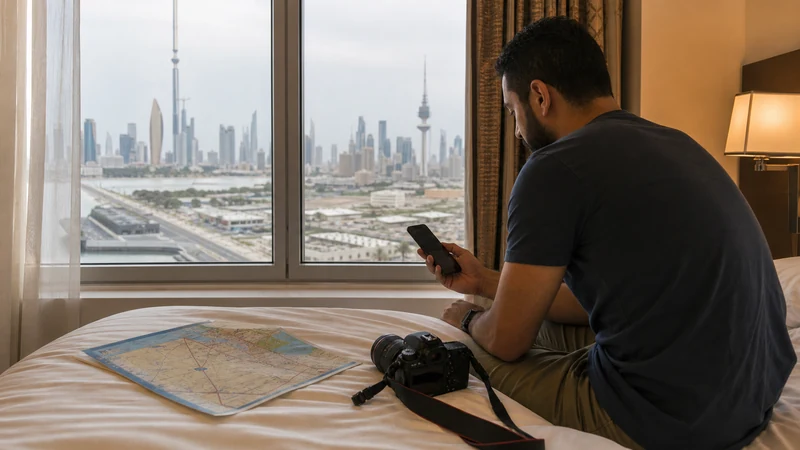

Working out how much data for Kuwait you need starts with one practical question: what will you do when you are away from reliable Wi-Fi? A traveller who mainly opens maps and sends messages needs far less than someone who streams video, joins work calls or shares a connection with a laptop.
For a short visit, 1–3 GB can cover light use. A week of regular maps, browsing, music and social media often calls for 3–7 GB, while video meetings, streaming, cloud uploads or hotspot work can push the requirement beyond 10 GB. These are budgeting ranges, not usage guarantees: video quality and background settings can change the total dramatically.
A NoveSIM travel eSIM provides mobile data rather than a Kuwaiti phone number, traditional calls or SMS. WhatsApp, FaceTime and other internet-based services can still work through the data connection, and their use must be included in your estimate.
Quick answer: choose 1–3 GB for a light three-to-five-day trip, 3–7 GB for a typical week, or at least 10 GB when video, work or tethering is part of the plan. Check the last seven days of usage on your own phone before deciding, then add a modest reserve for arrival, transport changes and time away from Wi-Fi.
Top Kuwait eSIMs


How much data for Kuwait suits your trip?
The most useful estimate combines trip length with the heaviest activity you expect to repeat. Do not average a quiet sightseeing day with a full day of video meetings and assume the result will cover both. Plan around the demanding days, then decide whether Wi-Fi will genuinely handle the rest.
| Travel pattern | Likely mobile use | Sensible starting range |
|---|---|---|
| Short stopover or weekend | Maps, messages, ride bookings, email and light browsing | 1–3 GB |
| Typical seven-day holiday | Daily navigation, social media, music, restaurant searches and photo sharing | 3–7 GB |
| Content-heavy holiday | Frequent short-form video, streaming and regular media uploads | 7–15 GB or more |
| Business or remote work | Video meetings, cloud documents, large attachments and laptop tethering | 10–20 GB or more |
| Shared family connection | Several devices using one hotspot, especially for video | Estimate each device separately |
The lower end assumes that large downloads, system updates and entertainment stay on trusted Wi-Fi. The upper end is safer when you want mobile data to be the main connection. If the allowance is shared through a hotspot, read the exact plan terms first and use the dedicated Kuwait eSIM hotspot guide to prepare connected devices.
Measure your own week before trusting a generic allowance
A generic estimate cannot see that you watch video at high quality, upload raw photos or keep five work apps syncing. Your phone’s recent statistics provide a much stronger starting point. Use a normal week rather than a week when the device was barely used.
- Open the mobile-data or cellular-usage screen in your phone settings.
- Check the period covered by the total; some phones count from a manual reset date rather than a calendar month.
- Separate Wi-Fi use from mobile use so home streaming does not inflate the estimate.
- Note the largest consumers, especially video, social apps, cloud photos, navigation and hotspot traffic.
- Divide the relevant total into a daily average and multiply it by the days you will spend in Kuwait.
- Add a reserve for arrival, departure and unexpected periods without usable Wi-Fi.
If the counter has not been reset for months, reset it and observe several representative days before departure. Keep workdays and leisure days separate if their patterns differ. This simple check is more revealing than choosing a package because its number of gigabytes merely looks generous.
Which travel activities use the most data?
Text messages, email without large attachments and ordinary map navigation are generally light activities. Data rises when chats contain many photographs, voice notes and videos, or when a map repeatedly loads satellite imagery. Downloading an offline Kuwait map before the flight makes navigation more predictable without removing access to live searches and route updates.
Music is usually a middle-weight activity, but quality settings matter. Social feeds are harder to judge because videos can autoplay continuously. Long-form video, high-resolution streaming and video calls are the activities most likely to turn a small allowance into an inadequate one.
Photography can be deceptive. Taking a picture does not use mobile data, but automatically uploading every full-resolution photograph and video does. Pause cloud backup until Wi-Fi is available if you want a smaller plan. The same principle applies to automatic app updates and operating-system downloads.
Plan a short Kuwait stopover differently from a full week
For a two- or three-day stopover, mobile data is mainly an arrival tool: messaging a driver, checking a hotel booking, opening a map and looking up a change of plan. One gigabyte may be enough for disciplined light use, but 2–3 GB leaves more room for media and navigation. Save essential addresses and booking references offline in case the connection is delayed.
During a seven-day holiday, repeated small tasks become meaningful. Daily map searches, restaurant menus, transport apps, social media and music can make 3–7 GB a more realistic bracket. A traveller who watches video each evening should move above that range or download entertainment beforehand.
Connection on arrival is also part of the calculation. The Kuwait Airport internet guide explains the trade-off between airport Wi-Fi, buying a local SIM and arriving with an eSIM already installed. Count both arrival and departure days when checking plan validity, even if they are not full sightseeing days.
Allow more data for work and hotspot use
Remote work is not simply email plus a few web pages. Video meetings, screen sharing, cloud drives, software updates and large document transfers can make one workday heavier than several tourist days. Look at a real workday on your laptop or phone before buying, particularly if missing a meeting is not an acceptable risk.
A laptop may treat a phone hotspot like ordinary Wi-Fi and begin syncing without warning. Mark the connection as metered where the operating system allows it, pause cloud folders and postpone updates. If several people will connect, estimate their use separately; a child’s video stream can outweigh every map search made by the rest of the family.
Hotspot availability can depend on the selected plan and device. Coverage and speed can also vary by location, local network conditions and handset support. For a broader comparison of eSIM, local SIM, roaming and Wi-Fi, see the mobile internet options for Kuwait.
Plan data for a family, not only for one phone
| Family layout | Best use | Trade-off |
|---|---|---|
| One phone hotspot | One plan to manage while the group stays together | Faster battery drain and no connection for anyone who separates |
| Separate adult eSIMs | Independent maps, messages and pickup coordination | More plans to install and monitor |
| Local SIM in one phone | A Kuwaiti number when one is genuinely required | Other devices still depend on sharing |
Count every connected device, including children’s tablets, and decide in advance what happens if the group separates. Save the accommodation address and an agreed meeting point on each adult phone. Secure any family hotspot with a strong password and keep a power bank available.
Separate photography backup from publishing
Maps, sunrise planning and ordinary messages are light; JPEG previews and social posts are moderate; RAW backup, live video and hotspot editing are heavy. Photographing does not consume data, but automatic upload can empty an allowance unnoticed. Back up originals later on a trusted connection and upload selected previews during the day.
Observe local photography restrictions, particularly around border, military, government and energy infrastructure. Connectivity does not make a location appropriate to photograph.
Check validity and speed rules, not only the headline allowance
Ten gigabytes valid for five days does not solve a ten-day trip. Confirm the validity period of the exact product and when its clock starts, because activation conditions can differ. Cover the whole itinerary and do not assume unused data carries over or that every package can be topped up.
An “unlimited” label also needs context. Read the high-speed allowance and fair-use terms: some plans continue at a reduced speed after a daily threshold. Reduced speed may remain adequate for messages but become inconvenient for large uploads, hotspot work or video calls. Compare the current terms of the exact option rather than treating every unlimited plan as equivalent.
The Kuwait travel eSIM comparison guide explains how to weigh allowance, validity, activation and top-up rules together. A smaller plan with the right duration can be more useful than a larger allowance that expires too soon.
How to make a smaller allowance last
- Download Kuwait maps, tickets, hotel details and key addresses before departure.
- Save films, playlists and podcasts while connected to trusted Wi-Fi.
- Disable mobile-data access for apps you will not need during the trip.
- Pause automatic photo and video backup until Wi-Fi is available.
- Turn off automatic app and system updates over mobile data.
- Lower streaming quality and disable video autoplay in social apps.
- Prevent automatic switching to the home SIM for mobile data.
- Check the remaining allowance during the trip rather than waiting for it to run out.
Use Wi-Fi selectively rather than assuming it will always replace mobile service. Verify a public network name with airport, hotel or venue staff, avoid look-alike hotspots and prefer your own mobile connection for sensitive account activity. Saving data is useful; depending on an unknown network at a critical moment is not.
Keep the eSIM settings under control
After arrival, select the travel eSIM for mobile data and enable Data Roaming on that line if the installation instructions require it. Keep roaming disabled on the home SIM and turn off automatic mobile-data switching. This helps prevent the phone from falling back to an expensive home-carrier connection when the travel line briefly weakens.
If signal appears but data does not work, confirm the selected data line and restart the connection with aeroplane mode. Use data.esim only when the NoveSIM instructions require manual APN entry. Keep the installed eSIM while troubleshooting; deleting it can make recovery harder because an activation code may be valid for one installation. Continue with the Kuwait eSIM troubleshooting checklist if the reversible checks do not restore service.
Related Articles
- Kuwait eSIM plans
- Mobile internet in Kuwait
- How to choose a Kuwait travel eSIM
- Internet at Kuwait International Airport
- Using a Kuwait eSIM hotspot
- Troubleshoot a Kuwait eSIM
FAQ
Is 1 GB enough for Kuwait?
One gigabyte can cover a short trip built around maps, text messaging, email and occasional searches, especially when offline maps are already downloaded. It is a poor fit for regular video, cloud backup, large media sharing or laptop tethering.
How much mobile data should I buy for one week in Kuwait?
Three to seven gigabytes is a useful starting range for a week of navigation, browsing, social media and some music. Choose more if video calls, streaming, automatic uploads or hotspot use will be frequent, and confirm the exact plan covers all travel days.
Does WhatsApp use my Kuwait eSIM data?
Yes. Text chat uses relatively little data, while voice calls, video calls, photographs and videos use more. A data-only eSIM can support WhatsApp, but it does not itself provide a local phone number or traditional voice and SMS service.
What should I do if my data allowance runs out?
Check whether the exact plan supports a top-up or requires a new package; do not assume every product can be extended. Keep the eSIM installed while checking the order details or contacting support, and make sure the phone has not accidentally used the home SIM.
Final Recommendation
To decide how much data for Kuwait to buy, start with your own recent usage and adjust it for the days you will actually travel. A light short visit may fit within 1–3 GB, a typical week often needs 3–7 GB, and work, video or hotspot use deserves a larger allowance.
Match the gigabytes to the plan’s validity, high-speed rules and hotspot conditions. Download maps and entertainment, pause cloud uploads, control automatic updates and keep the home SIM from taking over mobile data.
The right allowance is the smallest one that comfortably supports the trip you will really take, with a reserve for Kuwait Airport, transport changes and unexpected time away from trusted Wi-Fi.