


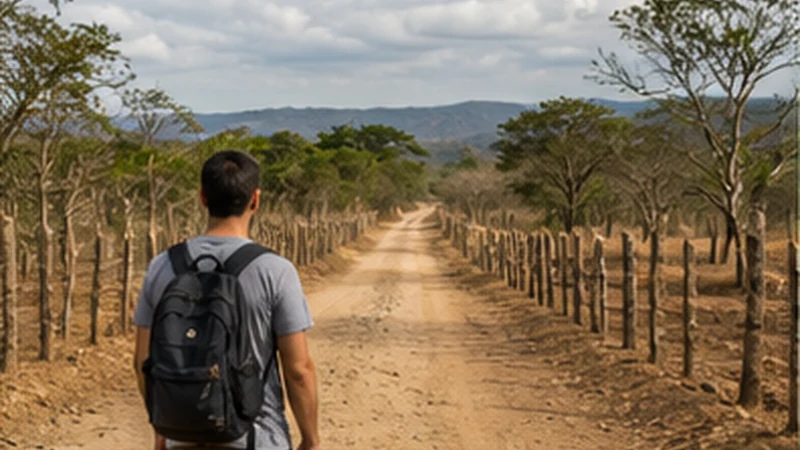

Guatemala Mexico border internet is not one route or one network handover. A traveller can approach Mexico through different Guatemalan departments and continue towards different parts of Chiapas or Tabasco. The exact crossing determines the offline map, transport change and first Mexican connection.
A Guatemala-only eSIM does not become a Mexico plan when the phone detects a Mexican network. Either the purchased regional product must list both countries explicitly or the traveller needs a separate Mexico-capable profile.
NoveSIM Guatemala plans are data-only. They provide maps and app messaging but no Guatemalan number, conventional calls or SMS. Every driver or accommodation relying on telephone contact must support an internet channel or provide another workable method.
Quick answer: Confirm the crossing named by the transport provider, not just “Mexico border”. Verify Guatemala and Mexico in the product’s included-country list, label the profiles, save both vehicle handoffs and the first Mexican address offline, and prevent the home SIM from taking over data between networks.
Top Guatemala eSIMs

Guatemala eSIM
Fixed
1 GB, 7 days€ 5.772 GB, 15 days€ 9.323 GB, 30 days€ 11.98Unlimited
Unlimited, 1 day€ 5.32Unlimited, 3 days€ 17.75Unlimited, 5 days€ 24.85
Mexico eSIM
Fixed
1 GB, 7 days€ 3.552 GB, 15 days€ 5.323 GB, 30 days€ 7.10Unlimited
Unlimited, 1 day€ 3.55Unlimited, 3 days€ 8.43Unlimited, 5 days€ 13.31
Central America eSIM
Fixed
1 GB, 7 days€ 7.102 GB, 15 days€ 11.543 GB, 30 days€ 15.53Unlimited
Unlimited, 1 day€ 6.66Unlimited, 3 days€ 16.42Unlimited, 5 days€ 26.18Plan Guatemala Mexico Border Internet from the Onward Destination
Guatemala’s migration authority identifies several Mexico-facing posts, including Tecún Umán, El Carmen, La Mesilla, Gracias a Dios and El Ceibo. They are not substitutes selected only by whichever pin appears closest on a zoomed-out map.
Use the route sold by the current transport provider and compare it with the first confirmed destination in Mexico. A journey towards the Chiapas highlands, the Pacific side or Tabasco can require a different approach, vehicle network and travel time.
Check the chosen post’s current official operating status, hours and traveller requirements shortly before departure. Temporary disruption, holiday demand and administrative changes make old blog schedules unsuitable as fixed instructions.
Do Not Mix the Guatemala Post with the Mexico Arrival
A border itinerary often uses a Guatemalan post name, a different Mexican locality and an operator’s own stop description. Save all three rather than replacing them with “border”.
Ask where the Guatemala vehicle ends, whether passengers walk through formalities, and exactly where the Mexico vehicle waits. Label the points by country and function — for example, “Guatemala drop-off” and “Mexico pickup”.
If the same vehicle is said to continue, confirm what happens to passengers and luggage during formalities. A through-ticket does not necessarily mean everyone remains seated.
Match Common Route Types to Different Preparation
| Route context | Main connectivity risk | Offline priority |
|---|---|---|
| Western highlands crossing | Mountain-road gaps and changed vehicle | Both terminals, local landmarks and onward Chiapas address |
| Pacific-side crossing | Busy transport chain and several similar meeting points | Operator identity, correct post and second vehicle |
| Petén to Tabasco route | Longer remote sections before or after the post | Full corridor, fuel or stop plan and first verified connection |
| Private vehicle crossing | Vehicle paperwork and process differ from passenger-only travel | Official import, insurance and driver documents |
These are planning categories, not promises about current road or border conditions. Verify the specific itinerary through official authorities and the responsible provider.
Check Entry Requirements for the Actual Traveller
Mexico’s requirements can depend on nationality, residence status, purpose and length of stay. Official Mexican consular guidance states that admission remains subject to immigration review at the point of entry. Check the current visa, passport and supporting-document rules for the traveller’s exact circumstances.
Minors, residents, pets and private vehicles may require additional evidence. Do not reuse another traveller’s checklist simply because they crossed at the same post.
Keep required originals available. A phone photograph may be a useful backup but does not automatically replace a passport, consent document, permit or accepted form.
Verify Country Coverage Literally
Open the current product attached to the order and locate “Guatemala” and “Mexico” in its included-country list. A title such as “Latin America” or “regional” is not enough by itself.
Check the remaining allowance and validity against both the outbound and return dates. One regional plan may share a single allowance across the trip; separate plans may have different activation and expiry rules.
The regional eSIM guide from Guatemala explains the purchase decision. This page focuses on the physical and mobile handover after the correct product has been selected.
Choose the Profile Handover Model
| Setup | Border action | Failure to avoid |
|---|---|---|
| One verified regional eSIM | Leave it selected and allow registration in Mexico | Assuming Mexico is included without checking |
| Guatemala plus Mexico eSIMs | Select Mexico data after completing the Guatemala side | Choosing the home or Guatemala line by mistake |
| Home roaming as deliberate backup | Use only after checking current home-provider terms | Allowing automatic, unpriced fallback |
Install every required profile over dependable private Wi-Fi when its activation rules allow. Label the lines clearly and keep their QR codes confidential.
Build a Complete Offline Border Folder
Before leaving the last dependable connection, store:
- passport and current entry evidence;
- official forms or confirmations required for this journey;
- Guatemala transport ticket and final drop-off;
- Mexico operator, vehicle and waiting procedure;
- first Mexican accommodation and entrance;
- onward ticket and next terminal;
- return-crossing information where already booked.
Open every digital document in Airplane Mode. A link, email preview or app login is not an offline file. Keep sensitive material in protected storage and avoid exposing passport or payment details in an open gallery.
Download Both Sides as Separate Map Regions
Save the Guatemala approach with its last town and transport point. Then save the Mexican side through the first overnight stay or terminal. A single route line may not contain enough surrounding detail after a diversion or changed pickup.
Store written landmarks in the operator’s original language. A locally used terminal or bridge name may be clearer to a driver than an imported map label.
The Guatemala offline-maps guide explains how to test saved regions. Apply the same Airplane Mode discipline to the Mexico map before departure.
Preserve the Booking’s Local Time
Write the pickup and departure time exactly as the provider states it, including the date and locality. Do not invent a time-zone adjustment from memory or wait for the phone to decide what the booking meant.
After crossing, check the device clock against the ticket and a reliable current source before the onward connection. Automatic time can update late or remain disabled even when the two locations use the same offset.
Set an offline alarm with the correct local date and time. The booking, not an assumption about national time zones, controls the appointment.
Agree Who Owns the Transport Connection
Ask whether one company sold and manages both sides or whether two independent services meet at the border. If independent, determine whether the Mexico driver monitors the Guatemala delay.
Record a physical meeting point, vehicle identification, waiting period and approved fallback. “Message when finished” is incomplete when Mexico data may not yet be registered.
If formalities take longer than expected, follow the saved procedure. Do not leave the agreed area for an unsolicited vehicle or unofficial shortcut.
Finish Guatemala Tasks Before Formalities
While the Guatemala plan still works, retrieve the final transport update, send a status message and open every document. Pause cloud backup and application downloads so they do not consume the final useful connection window.
Keep the phone and luggage secure and follow border-personnel instructions. Do not delay or obstruct a formal process while trying to force mobile registration.
Mobile internet does not replace valid documents, accepted payments, customs declarations or permission to enter. Those must remain independent of the phone.
Switch to Mexico Data Deliberately
With separate profiles, complete the Guatemala stage first. From an appropriate stationary place after entry, select the Mexico eSIM for Mobile Data and enable Data Roaming on that travel line when its instructions require it.
With a regional profile, leave it selected and allow several minutes to detach from the Guatemalan partner and register in Mexico. A different network name does not mean the eSIM itself changed.
Keep automatic data switching off and home-line roaming disabled. This prevents the phone from quietly using a more expensive line while both travel profiles are between networks.
Use a Controlled Settings Check
| Control | Regional profile | Separate profiles |
|---|---|---|
| Selected data line | Verified regional eSIM | Mexico eSIM after entry |
| Travel-line Data Roaming | On | On for Mexico line |
| Home-line Data Roaming | Off | Off |
| Automatic data switching | Off | Off |
| Network selection | Automatic | Automatic |
| Manual APN | data.esim only if required | data.esim only if required |
After a network indicator appears, turn Wi-Fi off and load uncached content. Do not use a page retained from the Guatemala connection as proof that Mexico data works.
Make the First Mexican Arrival Work Offline
Save the destination city, neighbourhood, accommodation entrance and check-in procedure. If the border vehicle ends at a terminal, keep the final local transport as a separate stage.
Carry an appropriate payment alternative. The traveller’s eSIM cannot make a merchant’s terminal, ticket system or driver’s phone work.
If Mexico registration takes time, stay with the physical pickup plan. Do not abandon the agreed meeting point merely to search for public Wi-Fi.
Protect the Home SIM from Accidental Use
A phone can retain the home line for calls or verification SMS while the Mexico eSIM carries data. Check the line labels after switching and confirm which one shows mobile-data usage.
Incoming calls, outgoing calls and SMS may still carry home-provider charges even with Data Roaming off. Disable the home line temporarily if it is not needed and the device setup allows.
Never assume that an operator name in the status bar reveals which billing profile is active. Verify inside the SIM settings.
Troubleshoot Country Eligibility First
If data does not start in Mexico, prove that the selected plan includes Mexico and remains valid. On a two-profile setup, confirm the Mexico line — not Guatemala or the home SIM — is selected.
- Enable Data Roaming on the active travel line.
- Keep network selection on Automatic and wait several minutes.
- Use Airplane Mode for 30 seconds, then reconnect.
- Restart once if expected registration does not return.
- Check the allowance and enter data.esim only when manual APN setup is required.
Manual selection cannot authorise a Guatemala-only plan on a Mexican network. Use the prepared Mexico option or continue with the offline journey until a legitimate connection is available.
Keep Both Profiles for the Return
Do not delete the Guatemala eSIM in Mexico. It may be needed after the return crossing, and a single-use activation credential may not support reinstallation.
Before returning, verify the selected post, current official status, documents and vehicle points again. Save the Mexico drop-off and Guatemala pickup separately and confirm that the Guatemala plan remains valid.
If an included plan fails after controlled checks, contact NoveSIM Support with the order number, exact phone model, current country, selected line and safe screenshots. Never expose the QR code.
Related Articles
FAQ
Is there one main Guatemala–Mexico land crossing?
No. Guatemala has several Mexico-facing posts. Use the crossing specified by the current operator and suitable for the actual onward destination.
Does a Guatemala eSIM automatically work in Mexico?
No. Mexico must appear explicitly in the included-country list, or the traveller needs a separate Mexico-capable plan or another deliberate connection option.
Should I change the phone clock manually at the border?
Keep the booking’s stated local date and time offline, then compare the phone with a reliable current source. Do not invent a time-zone adjustment from memory.
Should I delete the Guatemala eSIM after entering Mexico?
No. Keep it installed and labelled for the return. Select the correct Mexico-capable line for data instead of removing another profile.
Final Recommendation
Start Guatemala Mexico border internet planning with the exact crossing and onward destination. Verify its current official status and keep both vehicle points and documents offline.
Confirm Mexico in the product, label every line and switch from a stationary place after completing the Guatemala side. Protect the home SIM from automatic fallback.
Follow the physical pickup plan while registration changes, preserve the booking’s stated local time and retain both travel profiles for the return. Troubleshoot country eligibility before radio settings.