
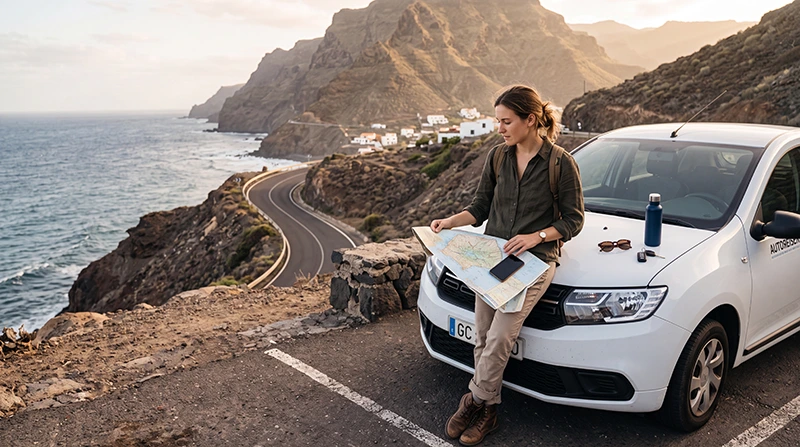

Using your normal mobile phone in Gran Canaria may be convenient, but roaming charges depend entirely on your home operator, country of residence and mobile contract. Some travellers can use part of their domestic allowance, while others may face daily roaming passes, reduced data limits or pay-as-you-go fees.
Gran Canaria is part of Spain and the Canary Islands, but this does not mean every mobile plan treats the destination in the same way. Your operator’s destination zone, fair-use policy and current roaming terms determine what you will pay.
Quick answer: Check your operator’s Gran Canaria, Canary Islands or Spain roaming policy before departure. Confirm the daily fee, included data, fair-use limit and cost after the allowance is used. When roaming is expensive or unclear, a prepaid travel eSIM can provide a more predictable way to use mobile data.
Top Canary Islands eSIMs
How Roaming Works in Gran Canaria
Roaming begins when your home SIM connects to a mobile network outside its normal service area. Your phone can then use the visited network for mobile data, calls and SMS according to the agreement between your home operator and its roaming partner.
Your final cost may depend on:
- Your home country.
- Your mobile operator.
- Your contract or prepaid tariff.
- The destination zone assigned to Gran Canaria.
- Your included roaming allowance.
- Fair-use restrictions.
- Daily roaming pass fees.
- Out-of-bundle data rates.
Two travellers staying in the same hotel may therefore pay very different amounts for identical mobile usage.
Is Gran Canaria Included in European Roaming?
Gran Canaria is part of Spain and the Canary Islands. Travellers using an eligible mobile plan from an EU or EEA country may have regulated roaming available, subject to their operator’s fair-use conditions and contract terms.
However, travellers should still check their plan because:
- Fair-use data limits may apply.
- Some inexpensive or specialised tariffs may have different conditions.
- Long-term roaming can be restricted.
- Premium services may not be included.
- Calls to countries outside the included zone may cost extra.
- Maritime and satellite networks are not normal terrestrial roaming.
Visitors from the United Kingdom, Switzerland, the United States, Canada, Australia and other countries should not assume that surcharge-free roaming is included. Current policies vary by operator and contract.
How Much Does Roaming Cost in Gran Canaria?
There is no single Gran Canaria roaming price. Operators commonly use one of several charging models.
| Charging Model | How It Works | Potential Risk |
|---|---|---|
| Domestic allowance roaming | Uses part of your normal allowance | A separate fair-use limit may apply |
| Daily roaming pass | A fixed fee is charged on days when the phone is used | Small background activity may trigger the pass |
| Travel add-on | You purchase a temporary package before or during the trip | Usage outside the package can cost more |
| Pay-as-you-go roaming | Data, calls and SMS are charged individually | Mobile data can become expensive quickly |
| Roaming excluded | Normal service may be unavailable without an add-on | You may have no connection after arrival |
Do not rely only on the headline daily price. Check the included data, validity period, speed policy and charges after the allowance is exhausted.
What to Ask Your Mobile Operator Before Travelling
Contact your operator or review your online account before departure and confirm:
- Is Gran Canaria included in my current plan?
- Is the destination listed as Spain, the Canary Islands or another roaming zone?
- Is there a daily roaming fee?
- What mobile data allowance can I use?
- Is there a separate roaming fair-use limit?
- What happens after I reach the limit?
- Are calls and SMS included?
- Does receiving a call cost extra?
- Can I use my phone as a hotspot?
- Will a roaming pass activate automatically?
Save a screenshot or offline copy of the confirmed terms in case you need to check them during the trip.
Why Roaming Charges Can Be Unexpected
A phone can use mobile data even when you are not actively browsing. Background services may connect automatically after the device registers on a local network.
Common sources of unexpected usage include:
- Automatic photo backups.
- Application updates.
- Email synchronisation.
- Cloud storage services.
- Social media video preloading.
- Location and weather updates.
- Messaging application backups.
- Laptop hotspot connections.
On a daily-pass plan, even a small amount of background data may be enough to activate the charge for that day.
How to Avoid Accidental Roaming Charges
Before the flight:
- Open the mobile network settings.
- Turn off Data Roaming on your primary SIM.
- Disable Automatic Data Switching.
- Pause cloud backups and automatic updates.
- Download offline maps and travel documents.
- Install a travel eSIM on stable WiFi when you plan to use one.
After landing, confirm which SIM is selected for Mobile Data before switching off Airplane Mode or opening data-intensive applications.
Recommended Dual-SIM Configuration
| Setting | Recommended Configuration |
|---|---|
| Primary SIM | Keep active only when needed for calls or SMS |
| Primary SIM Data Roaming | Disabled |
| Travel eSIM | Enabled |
| Mobile Data | Select the travel eSIM |
| Travel eSIM Data Roaming | Enabled |
| Automatic Data Switching | Disabled |
| Network Selection | Automatic |
| APN | Use data.esim only when required |
This arrangement helps prevent the phone from silently returning to the home SIM when the travel eSIM temporarily loses signal.
Can You Keep Your Home Number Without Using Roaming Data?
Many dual-SIM phones allow you to keep the primary SIM active for incoming calls and verification messages while using a travel eSIM for mobile data.
However, keeping the line active does not guarantee that every service is free. Your operator may charge for:
- Incoming calls.
- Outgoing calls.
- Outgoing SMS.
- Voicemail retrieval.
- Call forwarding to voicemail.
Check these charges separately from mobile data roaming.
Gran Canaria Roaming vs Travel eSIM
| Feature | Home SIM Roaming | Travel eSIM |
|---|---|---|
| Setup | Usually automatic | Requires digital installation |
| Cost | Depends on operator and contract | Prepaid plan selected before travel |
| Data allowance | May be limited by fair-use rules | Shown in the selected plan |
| Home number | Remains active | Can often remain active alongside the eSIM |
| Unexpected charges | Possible | Lower when settings are configured correctly |
| Calls and SMS | May be included or charged separately | Many travel eSIMs are data-only |
Roaming may be the simplest choice when your plan includes a generous allowance at no additional charge. A travel eSIM may be preferable when the roaming policy is expensive, restrictive or difficult to understand.
Gran Canaria Roaming vs Local SIM Card
| Feature | Home SIM Roaming | Local Prepaid SIM |
|---|---|---|
| Purchase | No new purchase when included | Usually purchased after arrival |
| Installation | No SIM change | Physical card installation |
| Spanish number | No | May be included |
| Registration | Already registered with home operator | Identification may be required |
| Best for | Short trips with favourable roaming | Longer stays or local calling |
A local SIM can be practical for an extended stay, but tourists may need to find a retailer, provide identification and replace their normal physical SIM.
Roaming Charges at Gran Canaria Airport
Your phone may connect to a local network shortly after you land and switch off Airplane Mode. If Data Roaming is enabled, background activity may begin immediately.
Before landing:
- Confirm that Data Roaming is disabled on your home SIM.
- Install any travel eSIM before the flight.
- Save airport transfer instructions offline.
- Download your accommodation address.
- Keep the eSIM QR code and order information accessible.
After arrival, select the intended SIM for Mobile Data before opening maps, messaging applications or booking platforms.
Roaming During a Gran Canaria Road Trip
Mobile data is especially useful when driving between Las Palmas, Maspalomas, Puerto de Mogán, Agaete and inland villages. Navigation, weather searches and route changes can use data throughout the day.
To reduce roaming usage:
- Download offline maps before leaving the hotel.
- Save planned stops in advance.
- Use accommodation WiFi for application updates.
- Disable automatic photo uploads.
- Download music rather than streaming it.
- Save booking confirmations offline.
Coverage may become less predictable on mountain roads and in deep volcanic valleys, so offline navigation is useful even with an active data plan.
Roaming Near the Coast and on Ferries
Phones normally connect to terrestrial mobile networks while you remain close to populated coastal areas. However, devices on ferries or far offshore may detect maritime or satellite services.
These services may not be included in ordinary roaming packages and can have different charges. When travelling by ferry:
- Use Airplane Mode when instructed.
- Connect only to trusted onboard WiFi when needed.
- Avoid manually selecting an unfamiliar maritime network.
- Check the network name before enabling mobile data.
How Much Data Do You Need in Gran Canaria?
| Trip Type | Suggested Data | Typical Use |
|---|---|---|
| Weekend break | 1–3GB | Maps, messaging and light browsing |
| One-week holiday | 3–5GB | Daily navigation, bookings and moderate social media |
| Two-week stay | 5–10GB | Road trips, regular uploads and communication |
| Heavy social media use | 10GB or more | Frequent photo and video uploads |
| Remote work | Large or unlimited plan | Video calls, cloud tools and hotspot use |
Compare your likely usage with the roaming allowance. A plan described as included roaming may still provide less data abroad than at home.
What Happens When You Exceed the Roaming Allowance?
The result depends on your operator. It may:
- Stop mobile data until the next billing period.
- Reduce the connection speed.
- Offer an additional data package.
- Charge for each extra unit of data.
- Activate another daily pass.
Set a data warning on your phone and monitor any usage notifications sent by your operator.
Are Calls and SMS Included in Gran Canaria Roaming?
Calls and SMS may follow different rules from mobile data. Your plan might include domestic-style usage, charge a daily pass or apply separate rates.
Check the cost of:
- Calling numbers in Gran Canaria or Spain.
- Calling your home country.
- Calling another international destination.
- Receiving calls.
- Sending SMS.
- Accessing voicemail.
Calls through WhatsApp, Viber, Messenger and FaceTime use mobile data rather than traditional voice minutes.
Does a Travel eSIM Include Calls and SMS?
Many travel eSIMs are data-only. They may not include a Spanish number, standard SMS or traditional calls.
You can usually continue using your existing accounts with:
- WhatsApp.
- Viber.
- Messenger.
- FaceTime.
- Other internet-based calling services.
Keep your primary SIM active when you need to receive verification messages, but leave its Data Roaming disabled.
Can You Use a Travel eSIM as a Hotspot?
Some travel eSIM plans allow hotspot use, while others restrict it. Check the plan conditions before relying on tethering for a laptop or another traveller.
Laptops may consume data through:
- Cloud synchronisation.
- Operating system updates.
- Video meetings.
- Large file transfers.
- Background applications.
Use trusted WiFi for large downloads whenever possible.
How to Install a Gran Canaria eSIM
- Check that your phone supports eSIM.
- Confirm that the device is network-unlocked.
- Choose a plan that clearly includes Gran Canaria, the Canary Islands or Spain.
- Complete the purchase before departure.
- Connect to stable WiFi.
- Scan the supplied QR code or enter the details manually.
- Label the profile clearly, such as Gran Canaria eSIM.
- Keep the eSIM installed until the trip is complete.
Installation and activation are not always the same. Review the plan instructions to understand when its validity period begins.
How to Activate the eSIM After Landing
- Enable the installed travel eSIM.
- Select it as the preferred line for Mobile Data.
- Enable Data Roaming on the travel eSIM.
- Disable Data Roaming on the primary SIM.
- Turn off Automatic Data Switching.
- Leave Network Selection on Automatic.
- Wait a few minutes for network registration.
If it does not connect, activate Airplane Mode for approximately 30 seconds, turn it off and restart the phone.
What to Do if the Travel eSIM Does Not Work
- Confirm that the eSIM is enabled.
- Select it for Mobile Data.
- Enable Data Roaming on the travel eSIM.
- Disable roaming on the primary SIM.
- Turn off Automatic Data Switching.
- Set Network Selection to Automatic.
- Use Airplane Mode for approximately 30 seconds.
- Restart the phone.
- Enter the APN data.esim only when required.
Do not delete the eSIM while troubleshooting. Its QR code may support only one installation.
How to Reduce Mobile Data Use
- Download offline maps.
- Use trusted WiFi for streaming.
- Pause cloud photo backups.
- Disable automatic application updates.
- Download music and films before leaving the hotel.
- Reduce video quality on mobile data.
- Turn off unnecessary background activity.
- Monitor usage through the phone settings.
What to Check Before Choosing Between Roaming and eSIM
| Question | Why It Matters |
|---|---|
| Is Gran Canaria included? | Confirms whether your home plan applies |
| Is there a daily fee? | Shows the minimum cost on active days |
| How much data is included? | Helps prevent out-of-bundle charges |
| What is the fair-use limit? | Domestic and roaming allowances may differ |
| Are calls and SMS included? | Voice and data may have separate conditions |
| Is hotspot use allowed? | Important for laptops and shared devices |
| What happens after the limit? | Reveals possible extra costs or speed reductions |
| Can I disable automatic passes? | Helps prevent unwanted daily charges |
Related Canary Islands Travel Internet Guides
- Gran Canaria eSIM
- Best eSIM for Gran Canaria
- Gran Canaria SIM Card
- Internet in Gran Canaria for Tourists
- Mobile Data in Gran Canaria
- Canary Islands Roaming Charges
FAQ
Will I pay roaming charges in Gran Canaria?
It depends on your home operator, country and contract. Some plans include Gran Canaria under Spain roaming, while others apply daily fees, travel passes or pay-as-you-go charges.
Is Gran Canaria part of Spain for mobile roaming?
Gran Canaria is part of Spain and the Canary Islands. However, you should confirm how your operator classifies the destination within its current roaming zones.
Can UK travellers use free roaming in Gran Canaria?
There is no single rule for every UK customer. Some operators include Spain in selected plans, while others charge a daily fee or require an add-on. Check your specific tariff.
Can background data trigger a roaming charge?
Yes. Email synchronisation, application updates, cloud backups and other background activity may use enough data to activate a daily roaming pass.
Should I turn off Data Roaming on my home SIM?
Yes, when you do not intend to use your operator’s roaming service. When using a travel eSIM, enable roaming only on the travel eSIM and select it for Mobile Data.
Is roaming or an eSIM better for Gran Canaria?
Roaming can be convenient when your plan includes a sufficient allowance at no additional cost. An eSIM may be better when roaming fees are high, limits are restrictive or you want predictable prepaid data.
Can I keep my normal number while using an eSIM?
Yes, on many dual-SIM phones. Keep the primary SIM active for calls or SMS, but disable its Data Roaming and turn off Automatic Data Switching.
Should I delete the eSIM if it does not connect?
No. Keep it installed and check the mobile data, roaming, network and APN settings because the QR code may be single-use.
Final Recommendation
Check your operator’s exact Gran Canaria roaming policy before travelling. Confirm the destination zone, daily charge, available data, fair-use limit, call rates and cost after the allowance is used. Do not assume that roaming is free simply because another traveller uses a different contract without additional charges.
When your home plan is expensive or unclear, a suitable NoveSIM travel eSIM can provide prepaid mobile data for airport transfers, navigation, bookings and road trips. Install it before departure, select it for Mobile Data after landing, enable Data Roaming on the travel eSIM and keep roaming disabled on your primary SIM.


