


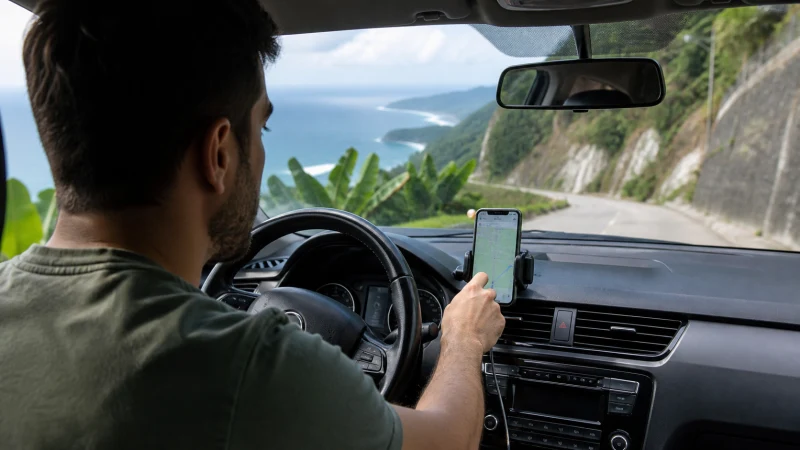

Google Maps is helpful in Puerto Rico, but downloading key areas protects the route when a forest road or transfer connection has weaker reception.
The app is most useful when its account, permissions and offline information are ready before departure. When using Google Maps in Puerto Rico, protect enough data and battery for the moments that need live updates.
A NoveSIM Puerto Rico travel plan can carry maps, bookings and online messages but does not add a domestic number, standard calls or carrier SMS. The existing number may stay enabled while travel data uses the Puerto Rico eSIM, subject to the handset and home operator.
Quick answer: When using Google Maps in Puerto Rico, set up and verify the app before departure, save travel essentials offline and restrict unnecessary background data.
Top Puerto Rico eSIMs

Puerto Rico eSIM
Fixed
1 GB, 7 days€ 3.552 GB, 15 days€ 6.223 GB, 30 days€ 8.00Unlimited
Unlimited, 1 day€ 3.55Unlimited, 3 days€ 8.89Unlimited, 5 days€ 13.77
A practical checklist for using Google Maps in Puerto Rico
A fast speed test is not required for navigation, messaging or bookings. Automatic network mode gives the phone room to choose the most stable available connection. Use the live plan details and the planned route as the final comparison.
More detail is available in Useful Apps for Travelling in Puerto Rico and Mobile Internet for a Puerto Rico Road Trip.
When following a saved route, do not judge a whole Puerto Rico itinerary from one speed test. Check whether essential apps work, then preserve battery and data instead of repeatedly testing throughput.
Download the information available offline
Crowded stations and insulated buildings can change reception. Step into an open area before deciding the service has failed or changing network settings. Download the key information in advance so the app remains useful during a weak or congested connection.
For the next step, open Staying Connected on a Solo Trip to Puerto Rico and Local SIM vs eSIM in Puerto Rico: Which Is Better?.
Cellular data is useful for local routes, ticket checks and messages from the accommodation. Download the first route before departure in case the phone reconnects slowly. The real test comes away from hotel Wi-Fi, when directions or a ticket must load over travel data.
Review permissions and background data
Save key tickets, contacts and the first route for offline access. Confirm power and workspace arrangements before relying on a hotspot for an important session. Essential details remain available when mobile service is weak or busy.
More detail is available in Can Tourists Use 4G and 5G in Puerto Rico? and Puerto Rico eSIM APN Settings: How to Use data.esim.
For this trip, identify the tasks that cannot wait: authentication, navigation, family coordination or a work call. Estimate laptop and shared-device use separately from ordinary phone activity. Choose the setup around the places and tasks in the itinerary rather than the country name alone.
Keep enough data for live updates
More detail is available in Slow Mobile Data in Puerto Rico? Practical Fixes and Internet in San Juan for Tourists.
Limit automatic media downloads, background refresh and unnecessary location access. Those controls protect both the travel allowance and phone battery. Treat the current plan and the real itinerary as the final references.
Update, sign in and verify the app on a trusted connection. Save bookings and addresses offline where the service permits it. The travel plan should still be workable when transport changes or reception returns later than expected.
Protect access to the existing phone number
Before relying on an app for a time-sensitive journey, open it once, sign in and download anything it can store locally. Keep the booking reference, meeting point and return details outside the app as well. Background video, automatic media downloads and cloud backup can use far more data than maps, text messages or a digital ticket.
Save an alternative outside the app
- Carry enough battery power for the longest planned transfer.
- Pause automatic updates, cloud backup and video downloads.
- Save the first address, booking reference and one useful contact.
- Confirm the exact handset is unlocked and supports eSIM.
- Keep installation details where another device can display them.
Before starting navigation, confirm the final plan details on the live Puerto Rico eSIM page, including allowance, validity, supported networks and hotspot terms. More route-specific preparation is available through the Puerto Rico destination guide.
Check the data line if the app appears offline
If mobile data stops while using Google Maps in Puerto Rico, confirm signal, the enabled eSIM and the selected mobile-data line. Data Roaming should be on for the Puerto Rico eSIM and off for the home line. Allow automatic network selection to register, try aeroplane mode and one restart, then verify data.esim only if manual APN entry is required. Do not delete the eSIM unless NoveSIM support specifically requests it.
For a connection issue while travelling, more focused help is available in Mobile Internet for Vieques and Culebra Ferry Trips.
Related Articles
- Internet in Puerto Rico for Tourists: A Practical Guide
- How Much Mobile Data Do You Need for a Puerto Rico Trip?
- How to Use a Puerto Rico eSIM on Android
- Wi-Fi at Luis Muñoz Marín International Airport: An Arrival Guide
FAQ
What should be prepared first?
Start with the phone, the first journey and the information that must remain available offline. Install on secure Wi-Fi and keep important details offline.
Does a Puerto Rico eSIM include a local number?
No. For this trip, remember that our Puerto Rico travel plans are data-only and do not include a Puerto Rican number, ordinary voice minutes or carrier SMS.
Where can I check the supported networks for Puerto Rico?
Open the exact live Puerto Rico plan before purchase. The live plan page remains the final reference for networks and included features.
Should the eSIM be removed if data stops?
No. When troubleshooting, check the active line, Data Roaming, network selection and APN data.esim first, then contact NoveSIM support before removing an installed profile.
Final Recommendation
Using Google Maps in Puerto Rico is easier when the app, account and essential offline information are ready before departure. Keep enough mobile data and battery power for the parts of the day that depend on live updates.