


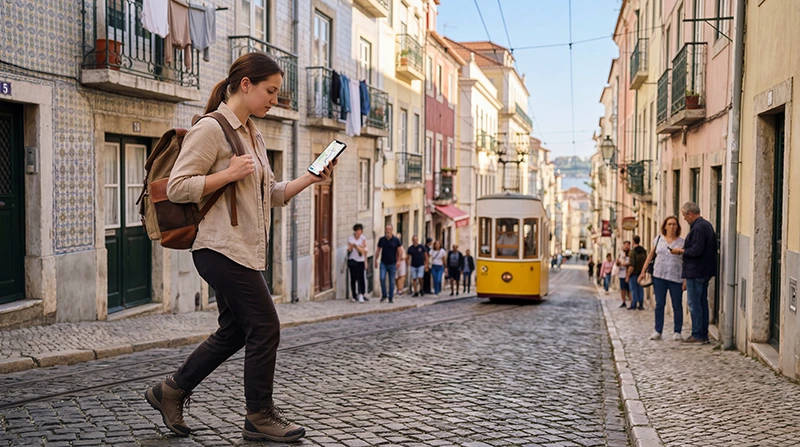

Google Maps in Portugal can support walking, driving, place searches and location sharing, but it should not be the only copy of an important route. Live traffic, closures and public-transport changes depend on a working data connection.
Download map areas and save accommodation, airports, stations and car parks before departure. For a rural property or beach access road, keep the host’s written directions as well as the map pin.
A NoveSIM Portugal eSIM provides mobile data for Maps away from WiFi on a compatible, unlocked phone. It does not include a Portuguese phone number, standard calls or carrier SMS. Coverage, speed and 4G or 5G availability depend on the plan, device, location and local network conditions.
Quick answer: Use NoveSIM mobile data or WiFi for online directions and live traffic. Download the whole driving route as a backup: offline Maps does not offer walking, cycling or public-transport directions, traffic information or alternative routes. Keep written arrival details too.
Top Portugal eSIMs

Portugal eSIM
Fixed
1 GB, 7 days€ 1.782 GB, 15 days€ 3.563 GB, 30 days€ 4.45Unlimited
Unlimited, 1 day€ 2.23Unlimited, 3 days€ 4.90Unlimited, 5 days€ 8.02
Europe Extra eSIM
Fixed
1 GB, 7 days€ 2.232 GB, 15 days€ 3.563 GB, 30 days€ 4.45Unlimited
Unlimited, 1 day€ 2.67Unlimited, 3 days€ 5.35Unlimited, 5 days€ 8.91Europe+ eSIM
Fixed
1 GB, 7 days€ 2.672 GB, 15 days€ 4.013 GB, 30 days€ 5.35Unlimited
Unlimited, 1 day€ 2.67Unlimited, 3 days€ 6.24Unlimited, 5 days€ 10.25How does Google Maps in Portugal work offline?
Downloaded maps support driving only when the entire route fits inside the saved area. They do not replace every online function.
| Task | Without an internet connection |
|---|---|
| Driving navigation | Available within a downloaded area covering the complete route. |
| Walking, cycling or public-transport directions | Unavailable offline. |
| Traffic information and alternative driving routes | Unavailable offline. |
These limits are stated in Google’s offline Maps guidance. For Lisbon sightseeing or a Porto station connection, download the area but also keep a screenshot or written directions for the walk.
- Connect to trusted WiFi and open the Google Maps mobile app.
- Tap the profile picture or initial, then choose Offline maps and Select your own map.
- Adjust the boundary to include the whole drive and planned stops, not only the destination city.
- Download the area. Before departure, reopen it and update it if needed; downloaded maps expire.
- Keep accommodation addresses, entrance details and important arrival instructions separately.
- While stationary, disable mobile data and WiFi briefly and check the downloaded driving route. Restore the connections afterwards.
What should drivers prepare?
Review the complete route before departure, including toll roads, fuel or charging stops, parking and the final local approach. A Lisbon–Algarve drive needs a larger downloaded area than a map of the arrival town. Check changes while connected rather than relying on offline traffic or alternative routes.
The Portugal road-trip eSIM guide covers moving between coverage areas. Do not handle the phone while driving; set the destination before moving and use a secure mount where permitted.
Can you rely on Maps for trains and city transport?
Maps is useful for comparing routes and walking to a station, but the transport operator remains the better source for ticket rules and current disruption. Save the ticket separately and confirm the correct station name—some cities have several stations serving different lines.
For intercity journeys, use the Portugal train connectivity guide. Tunnels and rural sections may interrupt live updates without invalidating an already downloaded ticket.
How much data does navigation use?
Ordinary navigation is generally lighter than video streaming, cloud photo backup or social uploads. Data use rises with repeated searches, satellite imagery, live traffic and downloading new areas over mobile data.
Estimate the complete trip with the Portugal mobile-data guide. Downloading maps on WiFi preserves the travel allowance but does not remove the need for mobile data when live information matters.
Choose a NoveSIM allowance for all your apps and travel days, not a fixed MB-per-hour estimate for navigation. The Portugal Unlimited options currently provide 1 GB of high-speed data where available per 24-hour period, then reduced speeds until the next reset. Check the current Portugal package terms before buying; Unlimited does not mean unlimited high-speed data.
How should you share a location safely?
Share a live location only with people who need it and stop sharing afterward. A saved pin can be inaccurate at a large hotel, airport pickup zone or rural property, so include a written landmark or entrance description.
When meeting a driver, compare the app’s pickup point with terminal signs. At Lisbon Airport, consult the Lisbon Airport connectivity guide before relying on a live pickup request.
What if Google Maps will not load?
- Turn WiFi off to confirm whether mobile data works independently.
- Check that the Portugal eSIM is selected for Mobile Data.
- Enable Data Roaming on the travel eSIM when required.
- Open a normal website to distinguish an app problem from a data problem.
- Restart Maps and verify that it has permission to use mobile data and location.
- If all apps fail, follow the Portugal eSIM troubleshooting guide.
For NoveSIM, the manual APN is data.esim. Do not delete the installed profile during troubleshooting unless support specifically instructs you to do so.
Related Articles
FAQ
Does Google Maps work in Portugal?
Yes. It works with mobile data or suitable WiFi, and selected map areas can be downloaded for limited offline use.
Can I use Google Maps offline for driving?
Yes, if the entire route is inside the downloaded area. Offline driving has no traffic information or alternative routes. Download and update the relevant area before leaving WiFi.
Will offline maps include public transport times?
Google Maps does not provide public-transport directions offline. Use a data connection to plan the journey, confirm current departures with the operator and save tickets and essential journey details separately.
Does Google Maps use a lot of travel data?
Normal navigation is relatively light compared with video or cloud backup, especially when map areas are downloaded on WiFi.
Final Recommendation
Use Google Maps in Portugal as a live navigation tool backed by downloaded areas, saved places and written arrival details.
Check the route while connected, preserve mobile data for live traffic and changes, and keep tickets and addresses accessible outside the app.
Before a rural drive, island route or late airport transfer, save the final approach and an alternative plan so a temporary coverage gap does not stop the journey.