


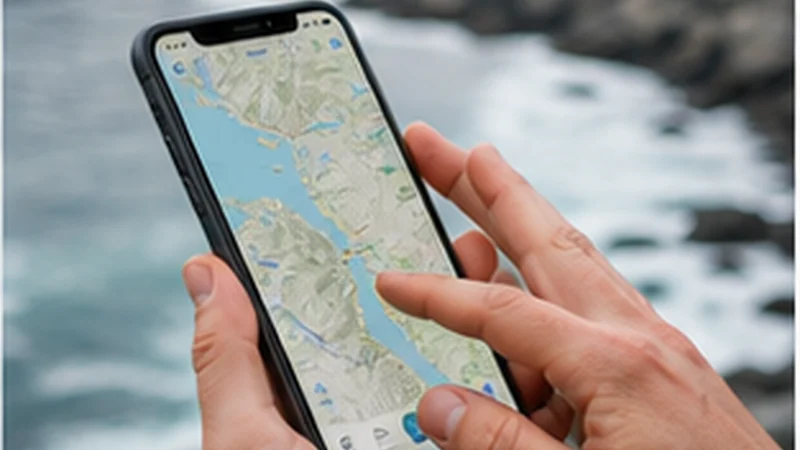

For travellers considering using Google Maps in norway without wasting data, the important requirement is a working data connection at the moment the app is needed. Saved addresses, offline information and a charged phone remain valuable backups.
With using Google Maps in norway without wasting data, a NoveSIM Norway eSIM supplies internet access through the travel line. Standard calls, carrier text messages and a local Norwegian number are not included.
Partner access for using Google Maps in norway without wasting data can include Telia or ice. That does not guarantee a particular operator, 5G signal or tethering at every stop, so check the exact plan before purchase.
Quick answer: Before relying on using Google Maps in norway without wasting data, keep the app updated, save essential details offline and use a correctly configured data line rather than depending on public Wi-Fi.
Top Norway eSIMs

Norway eSIM
Fixed
1 GB, 7 days2.00$2 GB, 15 days4.00$3 GB, 30 days5.00$Unlimited
Unlimited, 1 day2.50$Unlimited, 3 days5.50$Unlimited, 5 days9.00$
Europe Extra eSIM
Fixed
1 GB, 7 days2.50$2 GB, 15 days4.00$3 GB, 30 days5.00$Unlimited
Unlimited, 1 day3.00$Unlimited, 3 days6.00$Unlimited, 5 days10.00$Europe+ eSIM
Fixed
1 GB, 7 days3.00$2 GB, 15 days4.50$3 GB, 30 days6.00$Unlimited
Unlimited, 1 day3.00$Unlimited, 3 days7.00$Unlimited, 5 days11.50$Europe Lite eSIM
Fixed
1 GB, 7 days2.50$2 GB, 15 days4.00$3 GB, 30 days5.00$Unlimited
Unlimited, 1 day3.00$Unlimited, 3 days6.00$Unlimited, 5 days10.00$Prepare the app before the travel day
Google Maps normally uses modest amounts of data for route checks, while repeated refreshes, satellite imagery and other background activity add to the total. Download critical Norwegian map areas and save booking references before a long travel day.
Use the Norway data guide to plan the wider allowance, and review the Norway road-trip guide before relying on navigation through tunnels, fjord roads or mountain areas.
Test using Google Maps in norway without wasting data before leaving trusted Wi-Fi. Sign in, permit only the required location access, save the destination and check whether an offline mode is available for the part of the journey that matters.
- Download the maps and documents that support using Google Maps in norway without wasting data.
- Keep the purchase instructions accessible on a second device if possible.
- Check that the selected allowance covers the full period of using Google Maps in norway without wasting data.
Configure the data line for using Google Maps in norway without wasting data
- Confirm eSIM support and unlocked status before scanning the installation code.
- Install the profile intended for using Google Maps in norway without wasting data without deleting the primary SIM.
- On arrival, choose the new profile as the sole mobile-data line.
- Allow roaming on that eSIM because partner-network access commonly requires it.
- Use data.esim only when manual APN entry is requested.
Coverage and speed limits that affect using Google Maps in norway without wasting data
The useful measure for using Google Maps in norway without wasting data is a stable data session, not the highest network symbol. Let the phone fall back from 5G to 4G when that provides steadier navigation or communication.
Google Maps performance may also change during winter weather or a local power fault. Even where mobile infrastructure has backup power, congestion or a longer interruption can reduce service, so keep a charged power bank and essential details offline.
A useful rehearsal for using Google Maps in norway without wasting data is to place the phone in aeroplane mode with Wi-Fi off and open the saved information. If the route, ticket or contact disappears, it was not truly available offline. Correct that before the day when the app must work under time pressure.
Budget mobile data for using Google Maps in norway without wasting data
Estimate the allowance for using Google Maps in norway without wasting data from the heaviest planned activity. Download entertainment on Wi-Fi, pause cloud uploads and monitor the travel line in the phone settings rather than waiting for data to run out.
| Activity | Planning approach |
|---|---|
| Directions | Download important areas before departure |
| Messages | Limit automatic media downloads |
| Hotspot work | Confirm tethering and watch the allowance |
If using Google Maps in norway without wasting data encounters a connection problem
If using Google Maps in norway without wasting data is interrupted, toggle aeroplane mode, restart once and recheck the selected data line. Try manual network selection only after automatic selection has had time to register; never delete the eSIM unless NoveSIM support instructs you to do so.
If using Google Maps in norway without wasting data needs a temporary backup, verify the public Wi-Fi network name and avoid sensitive work on an untrusted access point. A convincing SSID alone does not prove who operates the network.
Before relying on using Google Maps in norway without wasting data, review the current plan page and order instructions because validity, included networks and feature support can change after a general guide is written.
Related Articles
- Norway Esim
- Best Way To Get Internet Norway
- Mobile Data Norway
- Best Sim Card Norway
- Norway Esim Vs Pocket Wifi
- How Much Data Norway Trip
- Mobile Networks Norway
- Norway Esim Coverage
FAQ
Does this NoveSIM plan include a local number?
A local number is not part of the plan for using Google Maps in norway without wasting data; calls and messages can use supported internet apps.
Will 5G be available for using Google Maps in norway without wasting data?
5G is not guaranteed for using Google Maps in norway without wasting data; a supported device can use it only where the selected plan and local network allow it.
Can the Norway eSIM share data?
Tethering may work for using Google Maps in norway without wasting data, but confirm the current product terms before relying on it.
Should the eSIM be deleted during troubleshooting?
No. If using Google Maps in norway without wasting data encounters a connection problem, keep the profile installed and contact NoveSIM support unless removal is explicitly requested.
Final Recommendation
Make using Google Maps in norway without wasting data resilient by combining a correctly configured data line with saved directions and realistic coverage expectations.
Before relying on using Google Maps in norway without wasting data, verify the active data line, its roaming setting and the correct data.esim APN guidance.
Saved documents give using Google Maps in norway without wasting data a usable fallback in a building, remote section or temporary outage.