


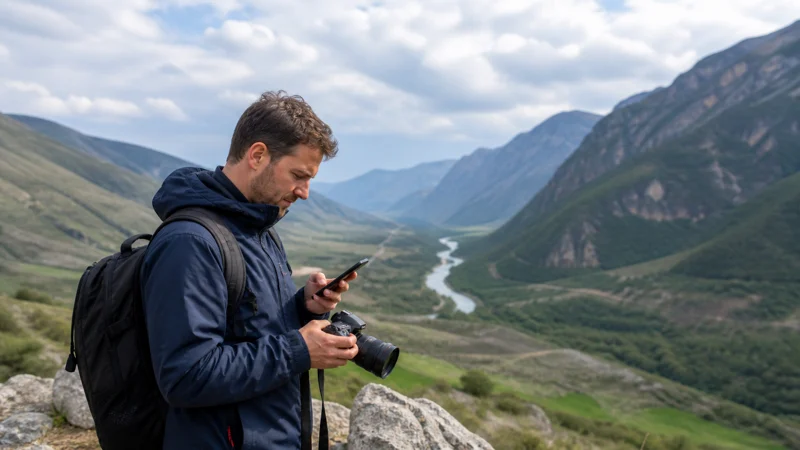

Georgia Photography Trip Internet: Data and Backup Plan focuses on the practical mobile-data needs of photography travel in Georgia.
The correct option depends on movement, safety, device compatibility, Wi-Fi availability and whether a Georgian number is needed.
NoveSIM travel eSIM plans are data-only and do not provide a Georgian number, ordinary calls or standard SMS.
Quick answer for photography travel in Georgia: Prepare an eSIM for independent data, download essential information, control battery and treat transport, venue or remote-area Wi-Fi as optional.
Top Georgia eSIMs

Georgia eSIM
Fixed
1 GB, 7 days€ 3.112 GB, 15 days€ 4.883 GB, 30 days€ 6.21Unlimited
Unlimited, 1 day€ 3.55Unlimited, 3 days€ 7.10Unlimited, 5 days€ 11.09
Commonwealth of Independent States eSIM
Fixed
1 GB, 7 days€ 7.992 GB, 15 days€ 13.313 GB, 30 days€ 18.19Unlimited
Unlimited, 1 day€ 8.43Unlimited, 3 days€ 22.63Unlimited, 5 days€ 36.38Photo Backup Can Dominate Data Use
RAW files and video can consume far more data than maps or messaging. Do not enable automatic full-library upload on a limited plan. Select critical images for mobile backup and use trusted high-capacity Wi-Fi for the larger archive.
Storage before Connectivity
Carry sufficient memory cards and at least one independent backup method. Mobile cloud upload is not a substitute for local storage, especially in remote areas. Verify file integrity before formatting a card.
Location and Privacy
Avoid publishing the live location of sensitive cultural, wildlife or private sites without permission. Follow local photography rules and keep identity or activation information out of behind-the-scenes screenshots.
Choose the Right Connection for photography travel in Georgia
| Method | Advantage | Trade-off |
|---|---|---|
| Travel eSIM | Prepared data without visiting a shop | Unlocked compatible device; data-only |
| Georgian prepaid SIM | Can include a local number and carrier services | Registration and authorised purchase |
| Home roaming | Keeps the usual account | Georgia-specific tariff; not EU roam-like-at-home |
| Verified Wi-Fi | Useful for large downloads | Property or vehicle dependent |
For photography travel in Georgia, NoveSIM plans provide data but no Georgian number, ordinary calls or standard SMS. Internet apps use data. Decide whether the trip needs local carrier services before choosing solely on price.
Coverage and Movement
For photography travel in Georgia, Magti, Silknet and Cellfie are the main Georgian operators, but a travel eSIM uses supported partners under its plan. Network, 4G, 5G, hotspot and speed depend on product, device, region and local coverage. Market share cannot guarantee a particular road, vehicle, building or trail.
For photography travel in Georgia, download maps and route information before moving. Tunnels, valleys, buildings, weather and congestion can interrupt service. Current official maps help planning but do not promise continuous reception.
Manage Data and Battery
- Pause system updates and cloud backup.
- Download media and maps on trusted Wi-Fi.
- Disable video autoplay and unnecessary background data.
- Preserve allowance and battery for arrival.
- Carry a charged power bank and correct cable.
- Review per-app consumption after the first day.
For photography travel in Georgia, hotspot use can consume data and power quickly because connected computers synchronise silently. Confirm tethering terms and avoid repeated speed tests on a limited allowance.
Verify the Service before the Critical Stage
For photography travel in Georgia, test the intended mobile line with Wi-Fi disabled before boarding, leaving a city, beginning an activity or attending a class. Confirm the travel eSIM carries data and the primary SIM is not silently roaming. Open a map and a lightweight service; working data does not confirm ordinary voice or SMS.
For photography travel in Georgia, if service works, stop changing settings and record the successful configuration. If it fails, distinguish a device or plan problem from local coverage. Move to a safe open place, note the displayed operator and check validity, line selection, roaming and APN in that order. Do not make several changes at once.
Plan for a Lost Connection
For photography travel in Georgia, choose in advance which tasks must continue offline. Keep non-sensitive copies of tickets, addresses, route files, meeting points and emergency information outside an app that requires account refresh. A traveller should not need live data merely to show a ticket, reach accommodation or identify the next safe stop.
For photography travel in Georgia, groups should distribute essential information instead of storing everything on one hotspot phone. Solo travellers can share an itinerary where appropriate. Students and workers should keep deadlines and contacts offline. Outdoor travellers need proper safety equipment and official advice independent of reception.
Compare the Real Cost
For photography travel in Georgia, compare activation, data, validity, full-speed threshold, reduced-speed policy, hotspot, calls, SMS, renewal and top-up. A free SIM or low headline price can still require a paid package. A large or unlimited allowance may not mean unlimited full-speed tethering.
For photography travel in Georgia, review use after the first day. Preserve allowance for the final transfer, unexpected changes and departure. If the plan is too small, use an official top-up or support path instead of an unknown pre-activated card. Recheck prices before purchase because promotions change.
Accommodation and Venue Connectivity
For photography travel in Georgia, ask about connectivity at the exact room, desk, campsite reception or transport service rather than trusting a property-wide label. Shared Wi-Fi can slow at busy times and may not reach every area. A travel eSIM is independent but not a guarantee against a wider outage.
Support Information
- Order reference without publicly sharing the activation code.
- Exact device model, software and lock status.
- General location and displayed operator.
- Selected mobile-data line and roaming state.
- Whether the connection worked earlier.
- Exact error and safe steps already attempted.
Recheck after Every Major Change
For photography travel in Georgia, confirm the connection again after changing city, vehicle, accommodation or altitude. Wait for automatic registration, verify the travel line remains selected and test a lightweight service with Wi-Fi off. A line that works in one place but pauses elsewhere may reflect local coverage rather than incorrect installation.
Keep the successful settings stable. Restore automatic network selection after any support-led manual test and save enough battery and data for the next arrival.
Install and Activate before Depending on It
- Confirm the exact phone on the compatible devices page.
- Verify that it is carrier-unlocked.
- Read activation, validity and country coverage.
- Install on stable internet when instructed.
- After arrival, select the eSIM for mobile data.
- Enable roaming for the travel line when required.
- Keep home-SIM data roaming and switching controlled.
- Test with Wi-Fi disabled.
APN and Safe Troubleshooting
For photography travel in Georgia, check validity, line selection and roaming first. Leave network selection automatic. If signal appears without internet, NoveSIM uses data.esim when manual APN entry is required. Do not use a domestic operator APN.
Use Georgia APN settings, Georgia troubleshooting and slow-data diagnosis. Do not delete the installed eSIM unless NoveSIM support explicitly instructs you.
Offline and Privacy Checklist
For photography travel in Georgia, keep tickets, addresses, routes and emergency information accessible without a network. Do not expose QR codes, activation codes, passport images or full order records. Confirm public Wi-Fi names and use HTTPS or required VPN controls after the captive portal.
Related Articles
- Georgia Bus Wifi Mobile Data
- Georgia Train Wifi Mobile Data
- Public Transport Apps Georgia
- Georgia Cycling Mobile Internet
- Georgia Camping Mobile Internet
- Georgia Motorcycle Trip Internet
- Georgia Photography Trip Internet
- Georgia Solo Travel Internet
- Georgia Budget Travel Internet
- Georgia Student Travel Internet
- Internet Georgia Tourists
- Best Esim For Georgia Travel
- Best Sim Card Georgia
- Georgia Esim Coverage
- How Much Data Do You Need For Georgia
- Georgia Esim Apn Settings
- Esim Not Working Georgia
- Why Is My Esim Slow In Georgia
- Georgia Road Trip Mobile Internet
- Tbilisi Batumi Mobile Internet
- Tbilisi Kutaisi Mobile Internet
- Tbilisi Kazbegi Mobile Internet
- Kazbegi Mobile Internet
- Mestia Svaneti Mobile Internet
- Gudauri Mobile Internet
- Internet Tbilisi Tourists
- Batumi Mobile Internet
- Georgia Hiking Mobile Internet
- Georgia Digital Nomad Internet
- Georgia Family Travel Internet
- Georgia Esim
- Compatible Devices
FAQ
What is the best internet method for photography travel in Georgia?
For photography travel in Georgia, a prepared travel eSIM is convenient for data, while a registered local SIM is better when a Georgian number is essential.
Can transport or venue Wi-Fi replace mobile data?
For photography travel in Georgia, not reliably. Availability and performance vary, so keep essential information offline and prepare an independent mobile option.
Does NoveSIM include calls and SMS?
For photography travel in Georgia, no. NoveSIM travel eSIM plans are data-only and do not include a Georgian number, ordinary calls or standard SMS.
Can I use hotspot or 5G?
Availability depends on the plan, device, partner network, region and local coverage.
Should I delete a non-working eSIM?
For photography travel in Georgia, no. Check line selection, roaming, APN, validity and network registration. Delete only if NoveSIM support instructs you.
Final Recommendation
For photography travel in Georgia, match the plan to movement, safety, work or study consequences rather than choosing only by headline price.
For photography travel in Georgia, prepare the phone, control roaming and background data, use data.esim if a manual APN is required, and keep automatic network selection initially.
For photography travel in Georgia, maintain offline documents, enough battery and a practical backup so connectivity supports the journey without becoming its only operating system.