


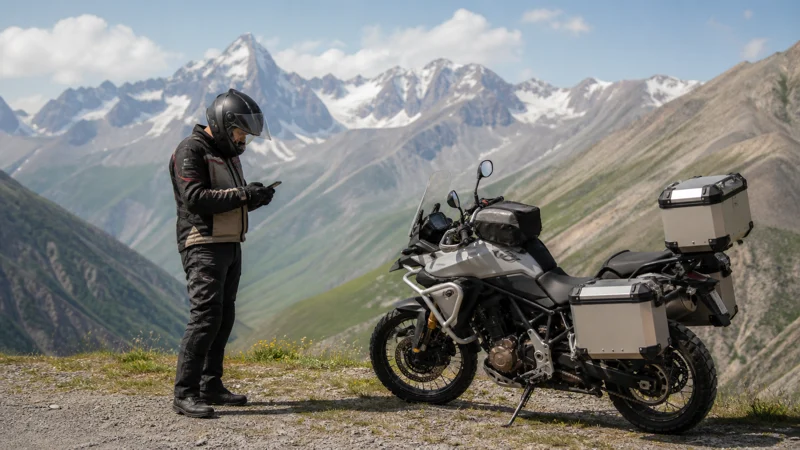

For a motorcycle trip in Georgia, prepare mobile data before riding and keep navigation usable when reception drops. Choose a plan for the full route, but also consider where the phone will be carried, how it will charge and what you can access if that device becomes unavailable.
Each rider who needs independent maps or messages should have a suitable connection or an agreed offline arrangement. A hotspot on another motorcycle is not a dependable substitute when riders separate.
NoveSIM travel eSIMs are data-only. They do not include a Georgian number, conventional calls or carrier SMS. Internet messaging and calling apps can use the connection where service is available.
Quick answer: Check device compatibility, route coverage and the purchased plan’s validity before installing. Download maps and accommodation details, plan charging and follow the device manufacturer’s advice about motorcycle mounting. Set navigation and test data while safely stopped. Keep important information accessible independently of the phone used for navigation, and do not rely on continuous reception between stops.
Top Georgia eSIMs

Georgia eSIM
Fixed
1 GB, 7 days€ 3.182 GB, 15 days€ 5.003 GB, 30 days€ 6.37Unlimited
Unlimited, 1 day€ 3.64Unlimited, 3 days€ 7.28Unlimited, 5 days€ 11.37
Commonwealth of Independent States eSIM
Fixed
1 GB, 7 days€ 8.192 GB, 15 days€ 17.743 GB, 30 days€ 18.65Unlimited
Unlimited, 1 day€ 8.64Unlimited, 3 days€ 23.20Unlimited, 5 days€ 37.31Prepare navigation before riding
- Download the map areas and route information needed for the day, including the next accommodation and planned stops.
- Check which features your navigation app supports offline. Live traffic, new searches and alternative routing may still need data.
- Save the destination address, booking reference and host contact outside an online-only booking page.
- Choose the route and configure any navigation output while safely parked.
- Check that the saved information opens without internet before setting off.
Do not handle the phone or change network settings while riding. Stop in an appropriate safe place before responding to a message or changing the route. Navigation should not distract from the road; a working data connection does not establish that a road or pass is open or suitable for the motorcycle.
For the wider planning of overnight stops, road sections and mobile-data choices, use our Georgia road-trip internet guide.
Check mounting and device protection
Read the phone manufacturer’s advice before attaching it to a motorcycle. Apple warns about camera damage from certain motorcycle vibrations and advises against attaching an iPhone to motorcycles with high-power or high-volume engines. A mount advertised for motorcycles does not by itself establish that it is suitable for your exact phone.
Check the mounting system, device and accessory instructions together. Do not assume that a vibration-damping accessory removes every risk. Keeping a valuable phone protected off the handlebars and using another suitable navigation arrangement may be preferable.
Plan for rain, dust and temperature exposure within the device and accessory manufacturers’ limits. Keep the phone and charging equipment appropriately protected and accessible at stops. An eSIM does not protect the device or preserve access to its data if the phone is damaged.
Plan charging separately from mobile coverage
Navigation, a bright screen, uploads and hotspot use can all add to battery demand. Check the motorcycle’s available charging equipment and compatible cables before the trip; do not discover an unsuitable connector on the first long day.
- Carry a charged power bank and the correct cable as a practical alternative to vehicle charging.
- Follow the equipment’s instructions for weather protection and charging conditions.
- Review the phone’s battery at planned stops and preserve enough for arrival and contacting accommodation.
- Download maps and entertainment beforehand, and pause unnecessary cloud backups on mobile data.
- Keep key travel information accessible without the navigation phone.
More data does not solve a flat battery or device failure. Treat the plan, phone and power arrangement as separate things to prepare.
Independent data for riders and passengers
If riders will travel apart, compare suitable service for each person who needs live maps or messages. Agree the next meeting place and what to do if a message cannot be sent. Do not make regrouping depend entirely on live location sharing.
A permitted hotspot can be useful while together at a stop. It depends on the host phone’s battery, mobile service and Wi-Fi range, and connected devices share the host allowance. It should not be treated as a stable connection between moving motorcycles.
Check the exact model, regional version and carrier-unlocked status of each eSIM device through our compatibility guide. Separate plans can provide independence, but they may still rely on the same underlying network and experience the same coverage gap.
Choose data and validity for the full trip
Compare our Georgia eSIM plans for the complete stay, including arrival and the final transfer. Read what starts the purchased plan’s validity and when it expires. A new overnight stop does not reset the allowance or require a fresh profile.
Estimate the use away from dependable Wi-Fi. Map downloads, photos, video uploads and sharing at accommodation can matter more than occasional messages. Use our Georgia data-planning guide, and keep a reserve for changes to the itinerary.
Compare a fixed allowance with any daily high-speed threshold on an unlimited option. Check reduced-speed conditions, hotspot permission and the availability of additional data or a new purchase; do not assume top-up or an extension on the same installed profile.
If you require a Georgian number or ordinary local calls, compare a suitable local service using our Georgia SIM guide. Keep the home operator’s charges for calls, SMS and voicemail separate from the travel-data cost.
Prepare for reception gaps and a phone becoming unavailable
Check coverage information for important stops, overnight properties and remote sections through our Georgia coverage guide. Supported networks and speeds depend on the purchased plan, device and local conditions. A successful connection in a city does not guarantee service through mountain valleys or on every rural road.
Keep copies of the route, accommodation address, rental contact and other essential travel information accessible independently of the navigation phone. A printed address or securely stored copy on another appropriate device can remain useful if the phone is damaged, lost or out of power.
Do not store an unnecessary public copy of identity documents, activation codes or complete order details. Keep private account and recovery information secure while ensuring you can reach the relevant support channel when needed.
Check current official road, weather and border information separately from mobile coverage. Prepare for remote travel independently of consumer mobile data; reception is not an emergency-communication guarantee.
Install and test while safely stopped
Install over reliable internet before departure only when the purchased plan’s instructions permit it and its validity will cover your dates. Follow our Georgia installation guide and label the travel line clearly.
- At an included destination and while safely stopped, enable the travel line when the plan permits use.
- Select it for mobile data and apply its supplied Data Roaming setting.
- Keep home-line Data Roaming off if you do not intend to use it, and review automatic data switching to prevent fallback.
- Leave network selection on Automatic initially and allow time for registration.
- Turn Wi-Fi off briefly and open a small webpage. Check that saved navigation and the next address remain accessible offline.
If data worked earlier and pauses on the road, use the saved route and investigate at a safe stop rather than changing settings while riding. For a persistent issue, follow our Georgia troubleshooting guide. Keep the installed profile unless NoveSIM support instructs you to delete it.
If the ride continues into another country
Confirm every destination in the exact purchased plan before crossing. A Georgia plan does not automatically include Turkey, Armenia or Azerbaijan. Check the country list, remaining data and validity, and prepare any separate plan’s instructions before leaving dependable internet.
Mobile coverage does not confirm border eligibility or crossing availability. Check current official requirements for the traveller and vehicle separately, and keep necessary directions available offline.
Related Articles
FAQ
Can I use a travel eSIM for motorcycle navigation in Georgia?
A suitable plan can provide data on a supported unlocked device where authorised network reception is available. Download the route offline, check the phone manufacturer’s mounting guidance and configure navigation only while safely stopped.
Can several riders share one phone hotspot?
A permitted hotspot can share data while devices are within range, such as at a stop. It is not a dependable connection between moving motorcycles or riders who separate. Arrange independent access or an agreed offline plan for anyone who needs it.
Does a motorcycle mount protect every phone from vibration?
No such assumption should be made. Follow the exact device and accessory manufacturers’ instructions. Apple warns that certain motorcycle vibrations can damage iPhone camera systems; a damping accessory is not a universal guarantee against damage.
What should I keep outside the navigation phone?
Keep the route, next accommodation address, booking and rental contact details accessible independently of that phone where appropriate. Carry backup power and protect private documents and activation information rather than sharing them publicly.
Should I reinstall the eSIM if reception disappears during a ride?
No. A change of location can cause a coverage gap. Check again at a safe stop, then review the plan, data line and supplied settings if the issue persists. Delete the profile only if NoveSIM support instructs you to do so.
Final Recommendation
Choose mobile data for the full motorcycle itinerary and prepare independent access for riders who may separate. Check allowance, validity and route coverage before purchase.
Follow manufacturer guidance for carrying or mounting the phone, prepare charging and set navigation while safely stopped. Keep the next route and important contacts accessible without the navigation device.
Test the travel line before riding and preserve the installed profile during troubleshooting. Offline preparation and appropriate journey planning remain necessary when mobile reception is unavailable.